文章目录
Deppracer 进阶必看的资料合集
https://docs.aws.amazon.com/deepracer/latest/developerguide/deepracer-reward-function-input.html
{
    "all_wheels_on_track": Boolean,        # flag to indicate if the agent is on the track
    "x": float,                            # agent's x-coordinate in meters
    "y": float,                            # agent's y-coordinate in meters
    "closest_objects": [int, int],         # zero-based indices of the two closest objects to the agent's current position of (x, y).
    "closest_waypoints": [int, int],       # indices of the two nearest waypoints.
    "distance_from_center": float,         # distance in meters from the track center
    "is_crashed": Boolean,                 # Boolean flag to indicate whether the agent has crashed.
    "is_left_of_center": Boolean,          # Flag to indicate if the agent is on the left side to the track center or not.
    "is_offtrack": Boolean,                # Boolean flag to indicate whether the agent has gone off track.
    "is_reversed": Boolean,                # flag to indicate if the agent is driving clockwise (True) or counter clockwise (False).
    "heading": float,                      # agent's yaw in degrees
    "objects_distance": [float, ],         # list of the objects' distances in meters between 0 and track_length in relation to the starting line.
    "objects_heading": [float, ],          # list of the objects' headings in degrees between -180 and 180.
    "objects_left_of_center": [Boolean, ], # list of Boolean flags indicating whether elements' objects are left of the center (True) or not (False).
    "objects_location": [(float, float),], # list of object locations [(x,y), ...].
    "objects_speed": [float, ],            # list of the objects' speeds in meters per second.
    "progress": float,                     # percentage of track completed
    "speed": float,                        # agent's speed in meters per second (m/s)
    "steering_angle": float,               # agent's steering angle in degrees
    "steps": int,                          # number steps completed
    "track_length": float,                 # track length in meters.
    "track_width": float,                  # width of the track
    "waypoints": [(float, float), ]        # list of (x,y) as milestones along the track center

}
重要参数有:
def reward_function(params):
    # Read input parameters
    track_width = params['track_width']
    distance_from_center = params['distance_from_center']

    # Calculate 3 markers that are increasingly further away from the center line
    marker_1 = 0.1 * track_width
    marker_2 = 0.25 * track_width
    marker_3 = 0.5 * track_width

    # Give higher reward if the car is closer to center line and vice versa
    if distance_from_center <= marker_1:
        reward = 1
    elif distance_from_center <= marker_2:
        reward = 0.5
    elif distance_from_center <= marker_3:
        reward = 0.1
    else:
        reward = 1e-3  # likely crashed/ close to off track

    return reward
def reward_function(params):
    # Read input parameters
    all_wheels_on_track = params['all_wheels_on_track']
    distance_from_center = params['distance_from_center']
    track_width = params['track_width']

    # Give a very low reward by default
    reward = 1e-3

    # Give a high reward if no wheels go off the track and
    # the car is somewhere in between the track borders
    if all_wheels_on_track and (0.5*track_width - distance_from_center) >= 0.05:
        reward = 1.0

    # Always return a float value
    return reward
def reward_function(params):
    # Read input parameters
    all_wheels_on_track = params['all_wheels_on_track']
    distance_from_center = params['distance_from_center']
    track_width = params['track_width']

    # Give a very low reward by default
    reward = 1e-3

    # Give a high reward if no wheels go off the track and
    # the car is somewhere in between the track borders
    if all_wheels_on_track and (0.5*track_width - distance_from_center) >= 0.05:
        reward = 1.0
    # Always return a float value
    return reward
link: lulu2002
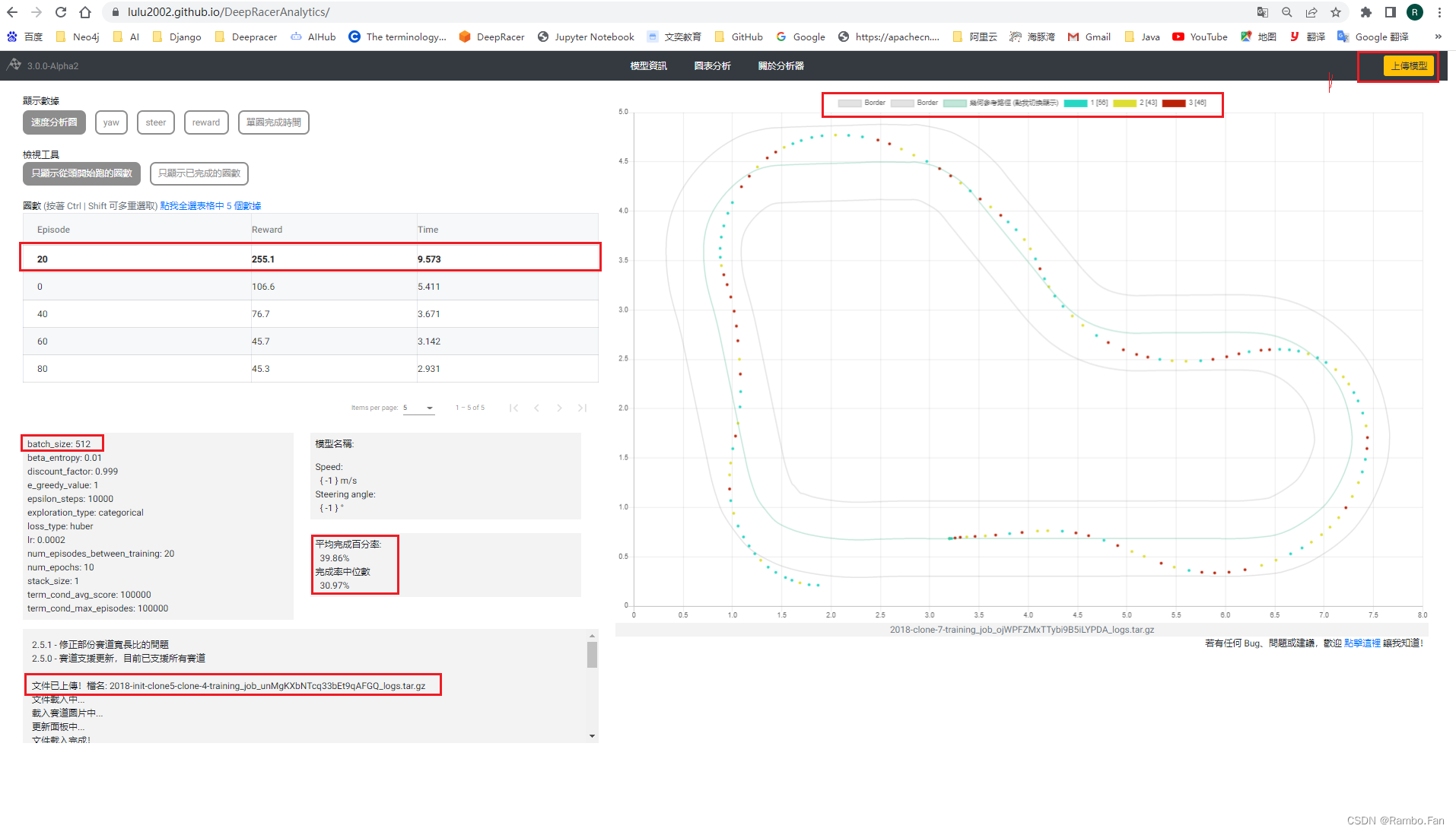
使用方法:
link: aws-deepracer-community
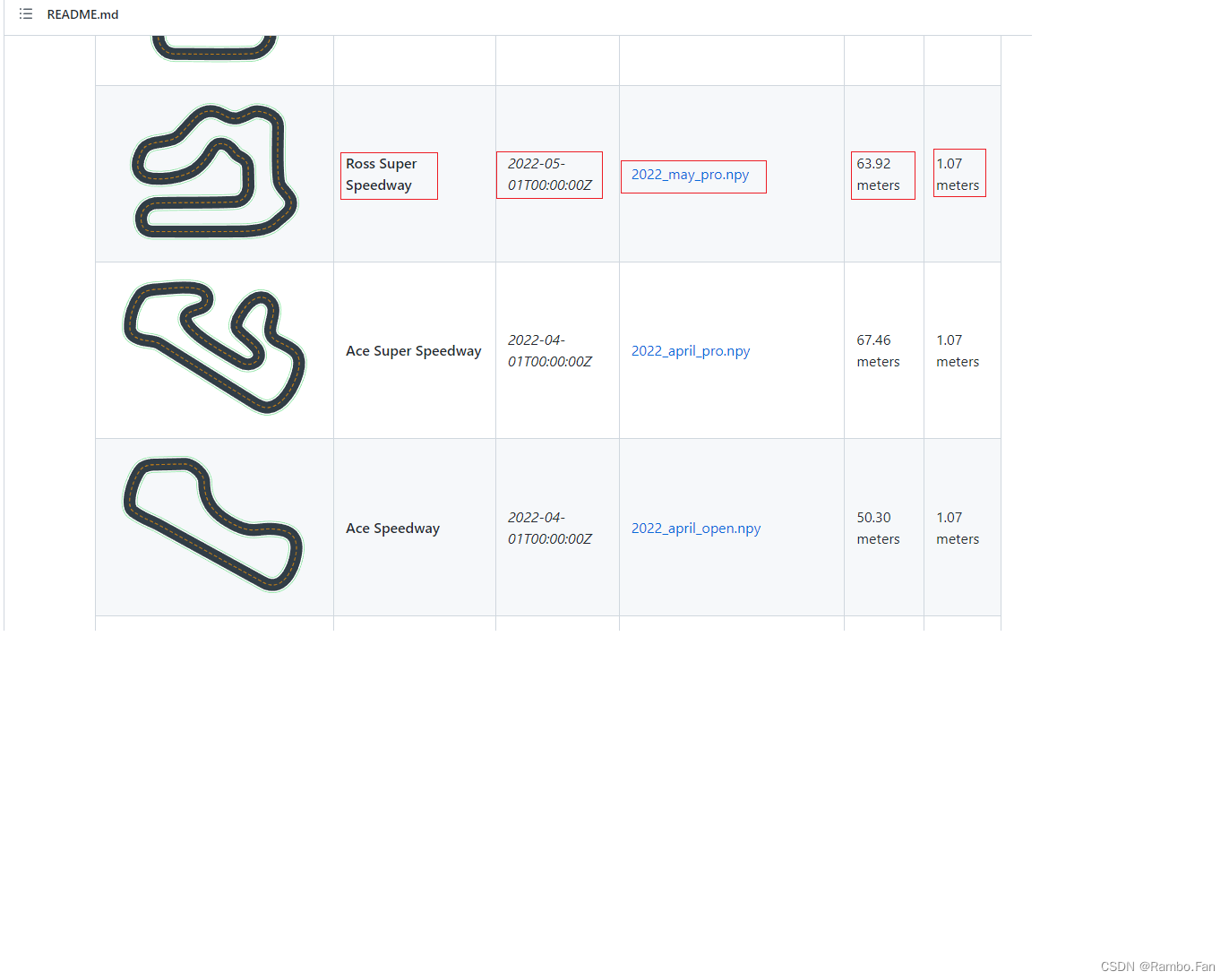
在这里你可以得到所有赛道的waypoint 数据,以及赛道总长度和赛道宽度,以及发布时间,
这里的2022_may_pro.npy 里面 存放了该赛道 waypoint 值。
link: Deeprace社区
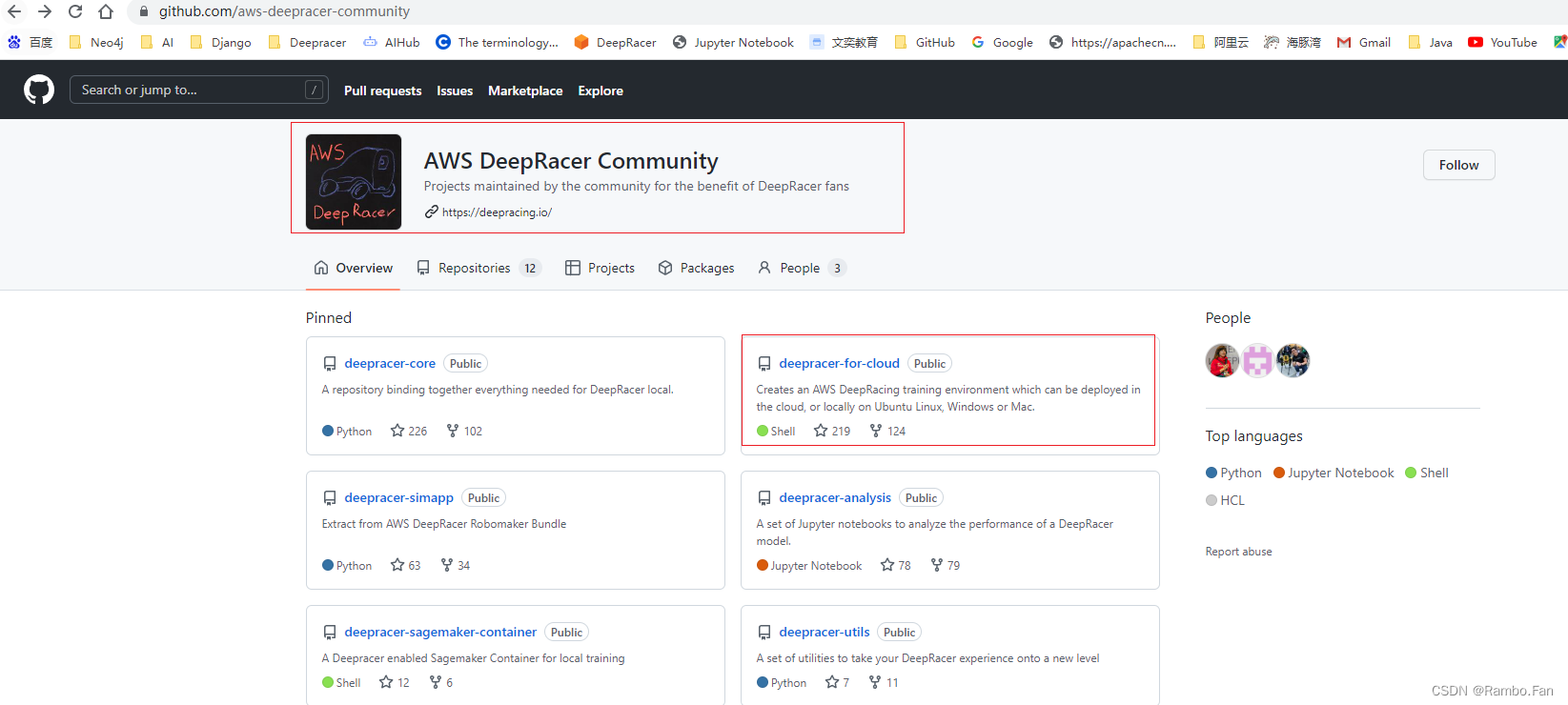
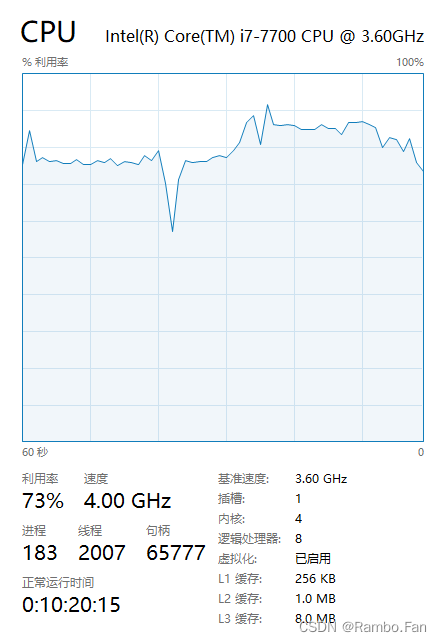
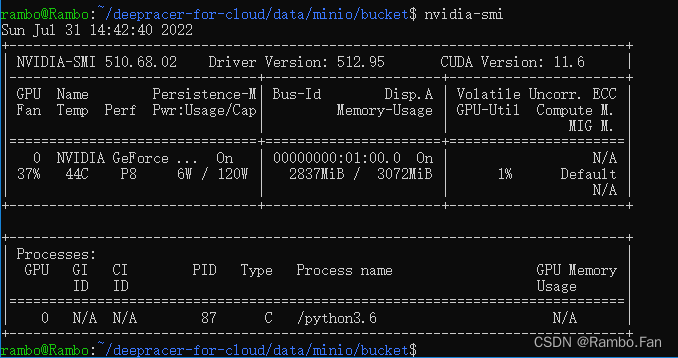
在Deepracer 社区你可以获取 你需要的信息,其中 deepracer-for-cloud 是一个可以部署到云上或本地的一个库,因为在AWS上直接training是需要花钱的 3.55$ / h,也就是近 24¥/ h ,平民玩家伤不起,如果你对这个有兴趣可以在本地部署一个,不过这个对电脑要求也挺高的,我的电脑 16G内存,3G GPU,勉强能带动,只能通过较小的batch size来训练,否则CPU/GPU 使用过高容易被系统kill掉。
CPU 基本上80% 以上
GPU 基本 95% 以上
时不时就挂了,内存溢出
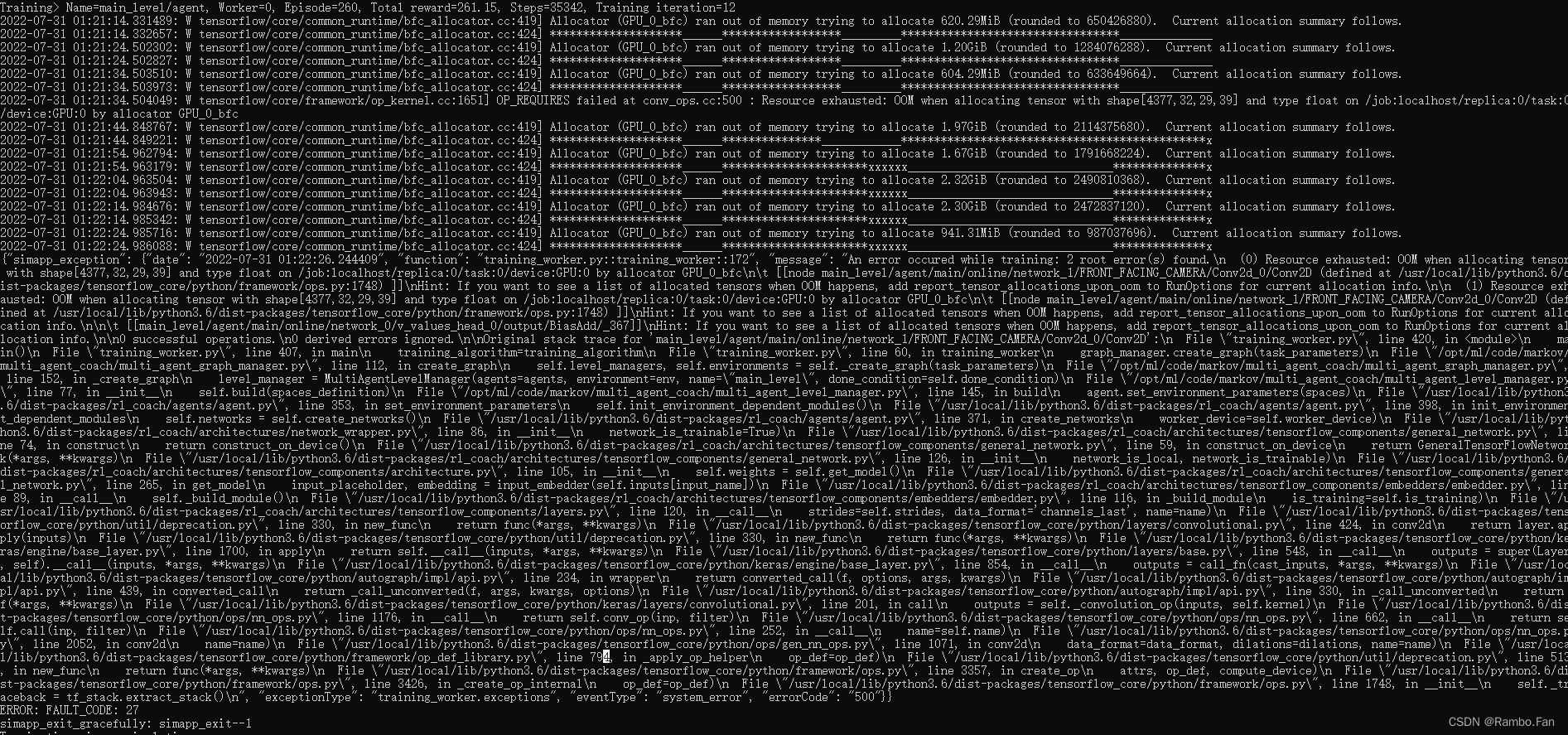
建议32G 内存 + 8G GPU
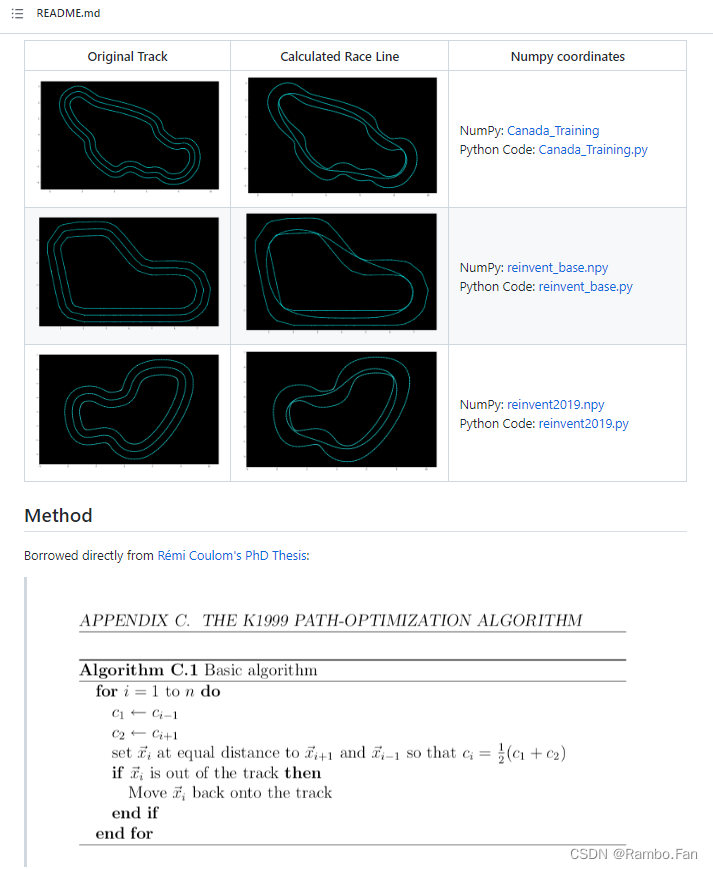
link: cdthompson/deepracer-k1999-race-lines
最佳线路的原理是: 将中间点的曲率用相邻两点来代替,使得曲线更加光滑平整,后面的博客中将提取他的核心代码进行计算。
link: Capstone
K1999的算法 Race-Line-Calculationselenium 实现自动提交和自动提交训练 Selenium_DeepRacer以上内容我将会在后面的博客通过自己的理解一一讲解用法,和使用技巧。
>>> 如果你觉得我的文章对你有用,不妨 【点赞】 加 【关注】,你的支持是我持续写作的动力,thank you! <<<
HashMap中为什么引入红黑树,而不是AVL树呢1.概述开始学习这个知识点之前我们需要知道,在JDK1.8以及之前,针对HashMap有什么不同。JDK1.7的时候,HashMap的底层实现是数组+链表JDK1.8的时候,HashMap的底层实现是数组+链表+红黑树我们要思考一个问题,为什么要从链表转为红黑树呢。首先先让我们了解下链表有什么不好???2.链表上述的截图其实就是链表的结构,我们来看下链表的增删改查的时间复杂度增:因为链表不是线性结构,所以每次添加的时候,只需要移动一个节点,所以可以理解为复杂度是N(1)删:算法时间复杂度跟增保持一致查:既然是非线性结构,所以查询某一个节点的时候
我的感觉是Camping和Sinatra之间的差异不是很大,您可以安全地选择其中任何一个并且没问题。但我想问问Ruby专家,这是不是真的。Sinatra和Camping微框架之间实际上有什么重要区别吗?您将如何决定使用哪一个? 最佳答案 我知道的唯一显着区别是Camping像Rails一样基于MVC模式,并且与ActiveRecord耦合。Sinatra更加不可知。Camping也不再维护,而Sinatra正在积极开发中。仅这一点就足以让我们先看看Sinatra。编辑:感谢Philippe的更正,很高兴听到Camping的开发正在进
下面两个语句除了编码风格有区别吗?/regex/=~"some_string_with_regex""some_string_with_regex"=~/regex/ 最佳答案 是的,有区别。正如在http://www.ruby-doc.org/core/classes/Regexp.html#M001232中提到的If=~isusedwitharegexpliteralwithnamedcaptures,capturedstrings(ornil)isassignedtolocalvariablesnamedbythecaptur
我正在使用RABL输出Sunspot/SOLR结果集,搜索结果对象由多种模型类型组成。目前在rablView中我有:objectfalsechild@search.results=>:resultsdoattribute:id,:resource,:upccodeattribute:display_description=>:descriptioncode:start_datedo|r|r.utc_start_date.to_iendcode:end_datedo|r|r.utc_end_date.to_iendendchild@search=>:statsdoattribute:to
有人可以向我解释一下,为什么不初始化first_idx和last_idx会导致代码无法运行??当我运行它时,出现此错误“未定义的局部变量或方法last_idx”。我知道建议总是初始化变量,但我不明白为什么。毕竟first_idx和last_idx总是会在循环中得到一个值,因为参数letter总是出现在字符串中(在这个特定问题中)。我真的很感激一些(简单的)见解。谢谢!P.S,我也知道在Ruby中使用#index和#rindex很容易解决这个问题,但我不允许使用直接的方法来解决它。deffind_for_letter(string,letter)first_idx=nil0.upto(s
我目前正在尝试使用Ruby和Rails,我已经阅读了有关元编程的教程和书籍中的几个部分。许多人提到它是Ruby的重要组成部分,但他们并没有真正深入到细节。就好像元编程是Ruby程序员的最后边界。我有.NET背景,很难理解为什么它被认为如此有用。使用元编程有什么好处?什么是特征类,它与单例有何不同?在什么情况下使用元编程很常见?使用代码修改其他代码(尤其是非您自己的代码)的行为有哪些伦理含义? 最佳答案 使用元编程有什么好处?您可以创建比没有它更具表现力的API(例如,ActiveRecord使用元编程根据表的列名定义访问器方法,因此
关闭。这个问题需要更多focused.它目前不接受答案。想改进这个问题吗?更新问题,使其只关注一个问题editingthispost.关闭8年前。Improvethisquestion我不确定所有这些,但是执行更新Ruby、下载新gem或更新现有gem等操作的命令是什么?还有哪些重要的事情?因为这可能很重要,所以我运行的是Windows。
大家好,我是辣条。现在短视频可谓是一骑绝尘,吃饭的时候、休息的时候、躺在床上都在刷短视频,今天给大家带来python爬虫进阶:美拍视频地址加密解析。短视频js逆向解析抓取目标工具使用重点学习内容项目思路解析抓取目标目标网址:美拍视频工具使用开发环境:win10、python3.7开发工具:pycharm、Chrome工具包:requests、xpath、base64重点学习内容爬虫采集数据的解析过程js代码调试技巧js逆向解析代码Python代码的转换项目思路解析进入到网站的首页挑选你感兴趣的分类根据首页地址获取到进入详情页面的超链接的跳转地址找到对应加密的视频播放地址数据这个数据是静态的网页
电脑蓝屏代码大全及解决办法合集代码 含意00x00000000作业完成。10x00000001不正确的函数。20x00000002系统找不到指定的档案。30x00000003系统找不到指定的路径。40x00000004系统无法开启档案。50x00000005拒绝存取。60x00000006无效的代码。70x00000007储存体控制区块已毁。80x00000008储存体空间不足,无法处理这个指令。90x00000009储存体控制区块地址无效。100x0000000A环境不正确。110x0000000B尝试加载一个格式错误的程序。120x0000000C存取码错误。130x000
这个问题在这里已经有了答案:WhatisthispracticecalledinJavaScript?(7个答案)关闭8年前。Furthermore,variablescanbepassedintotheanonymouswrappertolocalizecommonlyaccessedglobalvariables,suchaswindow,document,andjQuery...varmodule=(function(window,document,$){//modulestuff})(window,document,jQuery);如果这些内容无论如何都可以在全局范围内访问,那
