Nacos 动态配置原理
可怜夜半虚前席,不问苍生问鬼神。
动态配置管理是 Nacos 的三大功能之一,通过动态配置服务,我们可以在所有环境中以集中和动态的方式管理所有应用程序或服务的配置信息。
动态配置中心可以实现配置更新时无需重新部署应用程序和服务即可使相应的配置信息生效,这极大了增加了系统的运维能力。
从Nacos 2.1.1 源码中简单了解其动态配置原理。
下面通过一个简单的例子来了解下 Nacos 的动态配置的功能,看看 Nacos 是如何以简单、优雅、高效的方式管理配置,实现配置的动态变更的。
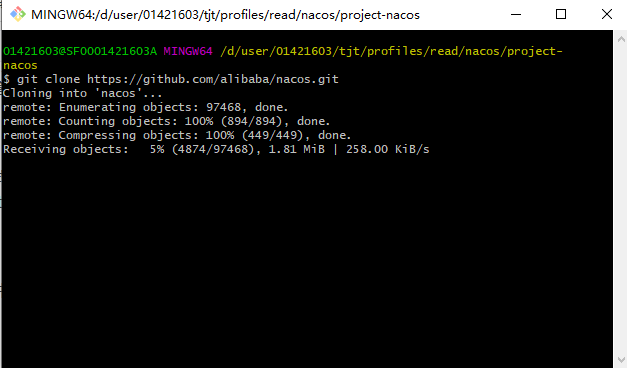
首先我们要准备一个 Nacos 的服务端,这里通过 Git 命令下载代码资源包的方式获取 Nacos 的服务端。
git clone https://github.com/alibaba/nacos.gitGit 命令下载Nacos服务端源码
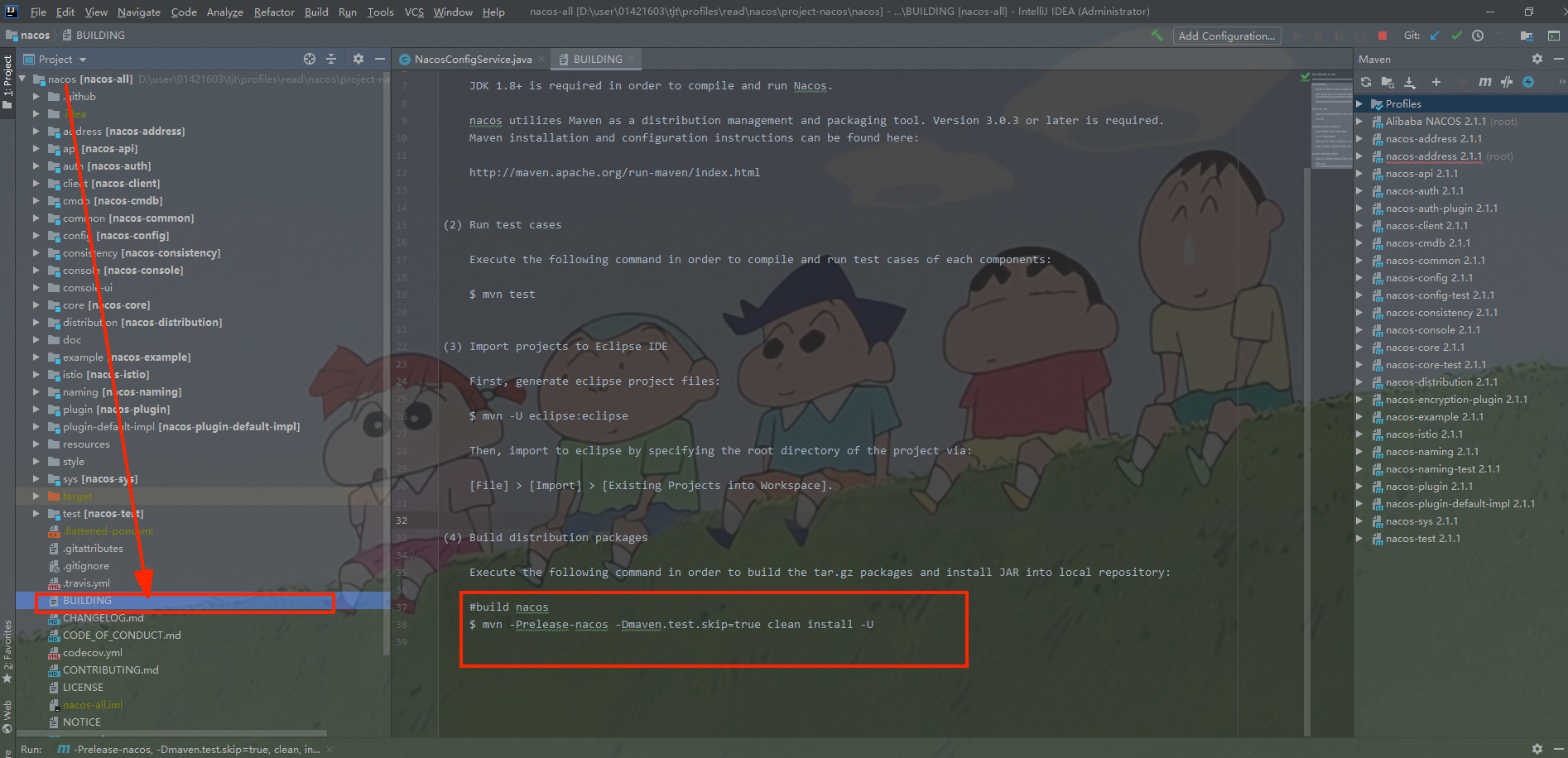
把通过 Git 命令下载的源码包导入 IDEA 中构建Nacos服务端项目,导入后 IDEA 后可以看到在项目目录下有一个BUILDING文件,里面有构建命令。
mvn -Prelease-nacos -Dmaven.test.skip=true clean install -U项目构建指引
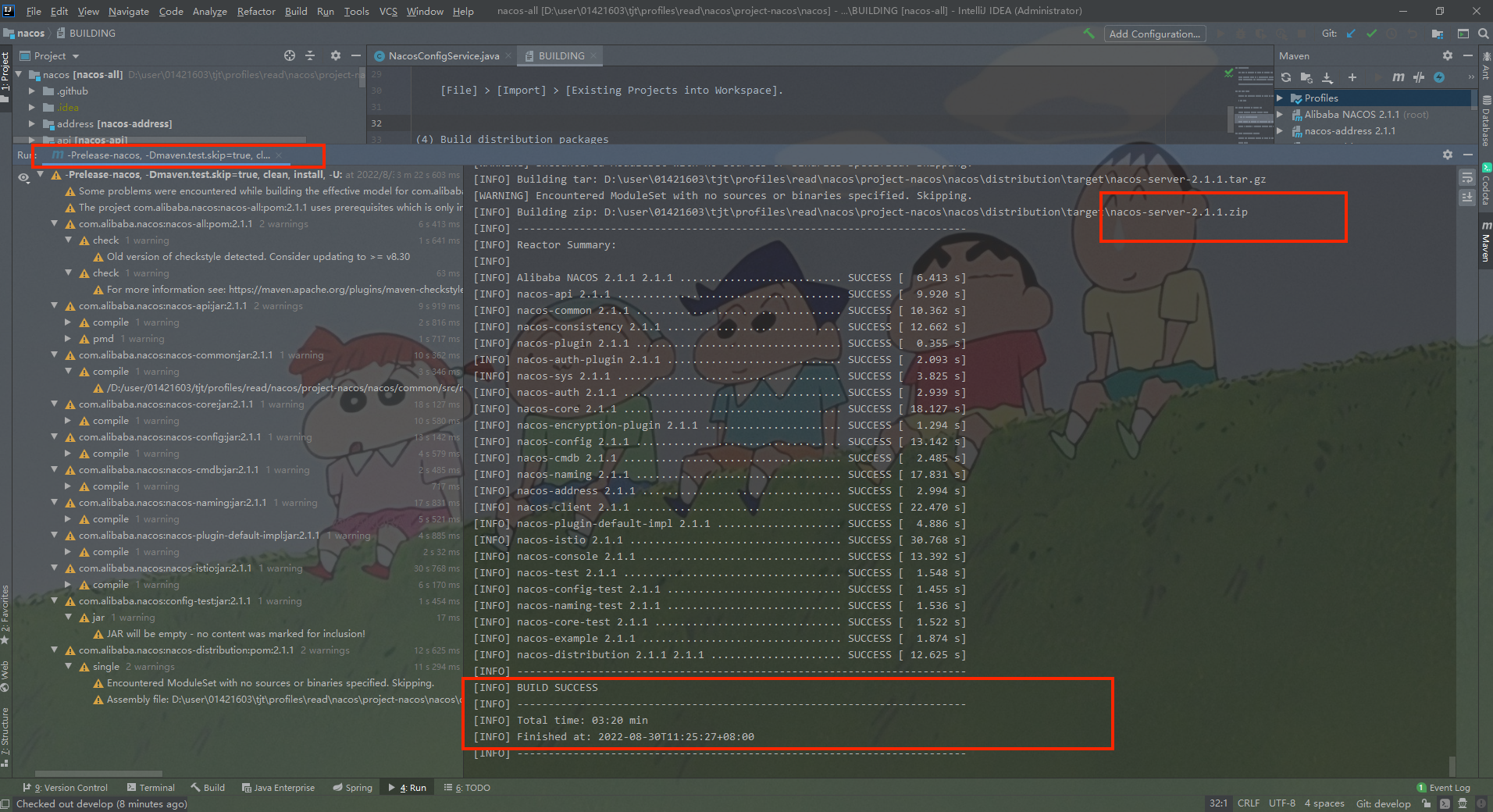
执行构建成功之后将会在控制台看到BUILD SUCCESS 相关INFO 打印。
构建成功
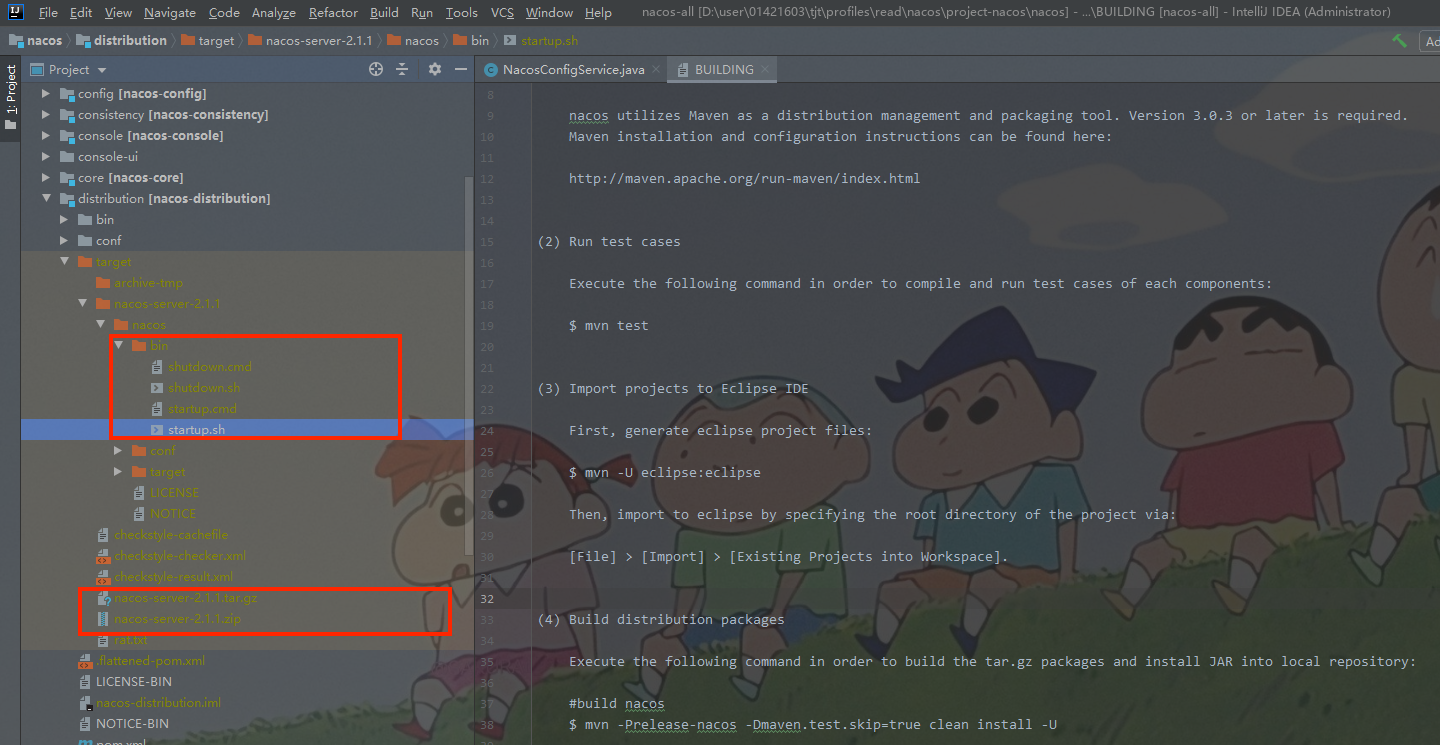
然后在项目的 distribution 模块的 target 目录下我们就可以找到可执行程序和两个压缩包,这两个压缩包就是nacos 的 github 官网上发布的 Release 包。
以及nacos 的可执行程序,即Windows 和 Linux 下的开启和关闭命令。
当前安装的nacos版本:Nacos 2.1.1。
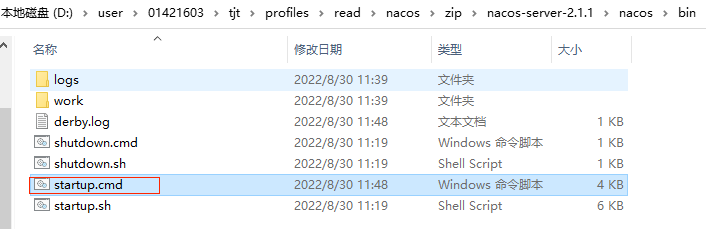
解压后CMD到bin 目录下执行启动命令来启动一个 Nacos 服务端,Window系统直接双击 startup.cmd 即可。
可执行文件-Windows
启动报错
org.springframework.context.ApplicationContextException: Unable to start web server; nested exception is org.springframework.boot.web.server.WebServerException: Unable to start embedded Tomcatstartup.cmd 启动报错

修复启动报错
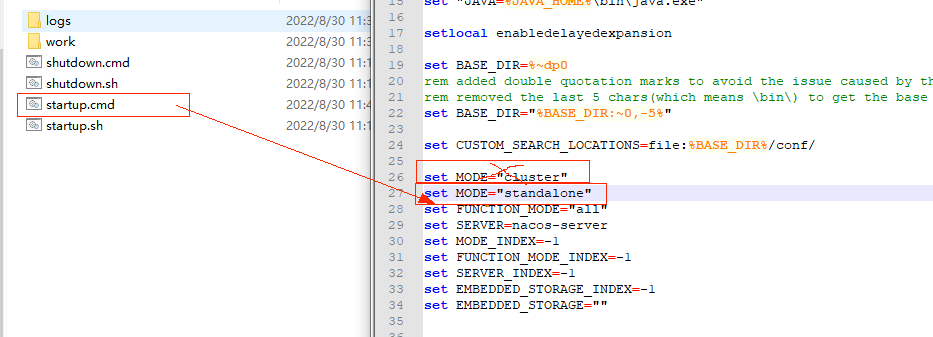
nacos 默认的启动方式是集群启动,单机使用集群启动配置就会导致启动报错。
set MODE="cluster"编辑 startup.cmd 可执行文件,修改启动模式
set MODE="standalone"编辑 startup.cmd 可执行文件
如果是非Windows 环境下运行就不会有这个问题,可以直接指定启动方式。
sh startup.sh -m standalone启动完将会看到 INFO Nacos started successfully 相关打印。
startup.cmd 启动成功

启动成功后,我们就可以在浏览器访问 Nacos 的控制台了,访问地址:http://localhost:8848/nacos/index.html。
Nacos首页访问
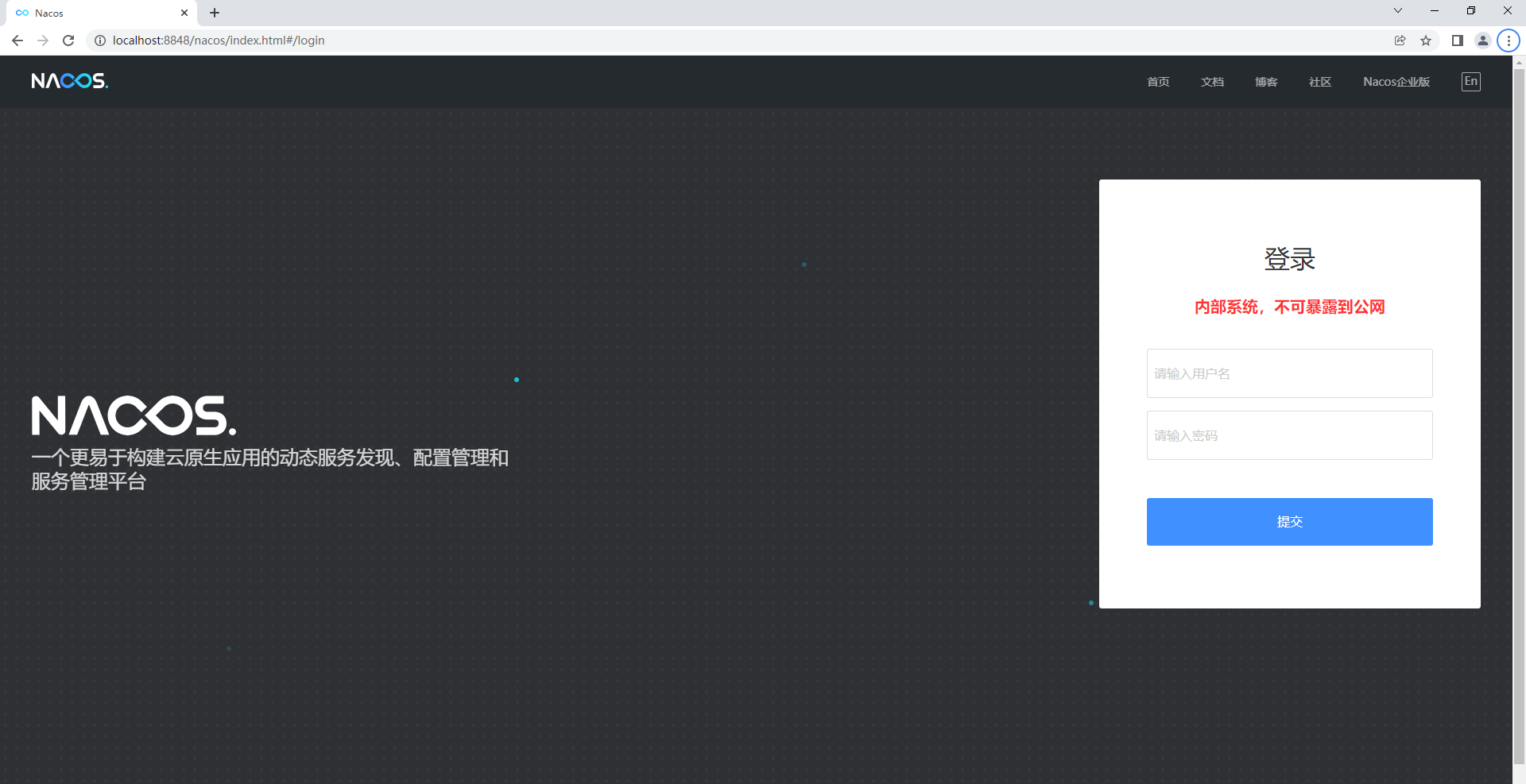
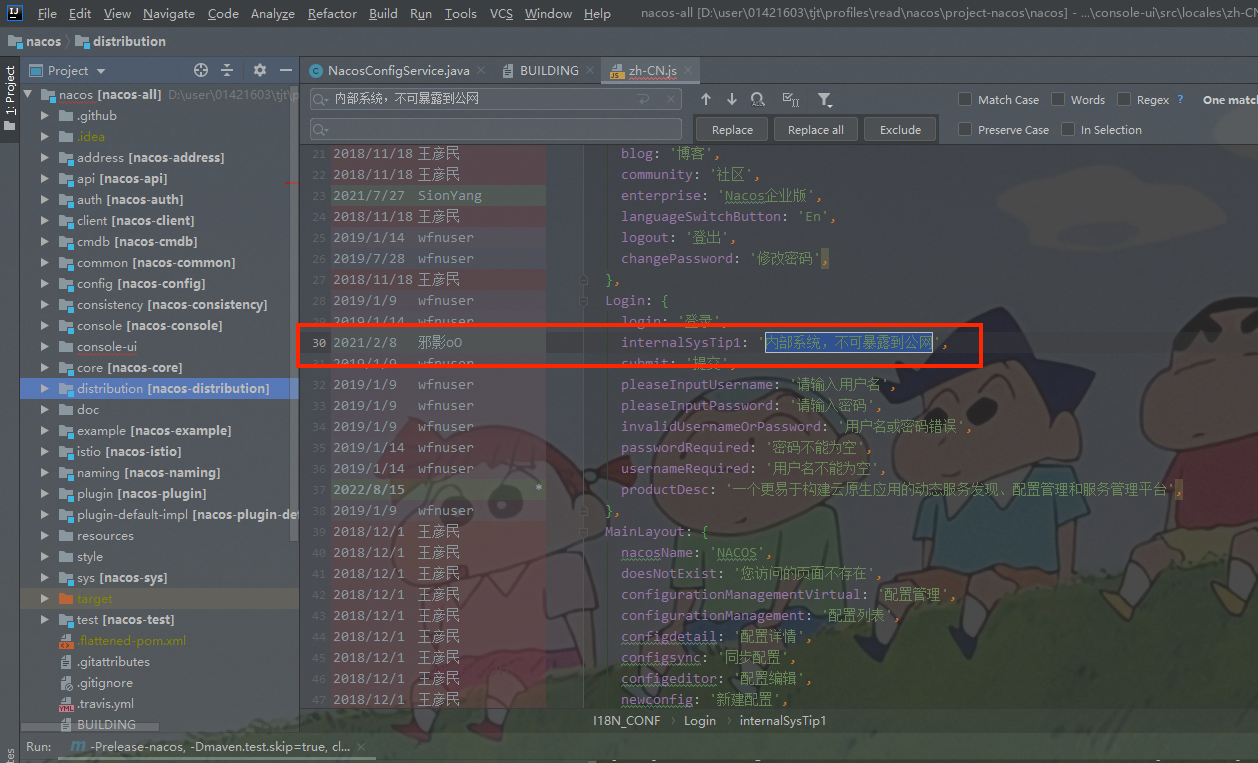
新版的nacos在首页登录界面加上了这个亮眼的标题:内部系统,不可暴露到公网,看代码提交记录是2021年2月份加的。
下载了Nacos源码这些样式我们也都可以自己的需求修改为自己想要的效果。
通过查看登录接口,访问地址:http://localhost:8848/nacos/v1/auth/users/login。
nacos登录接口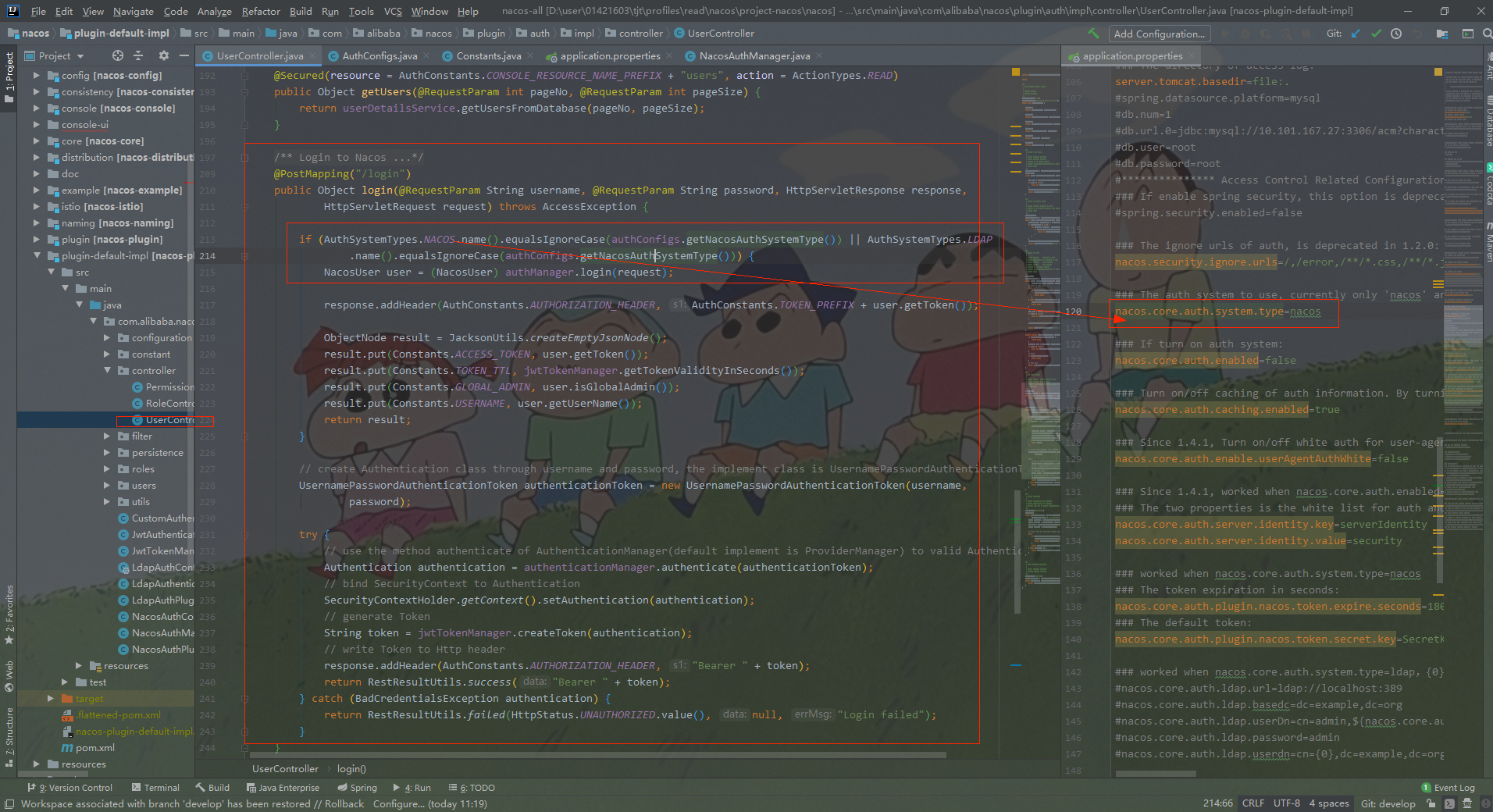
登录进去之后,可以看到空白配置列表和nacos默认账户信息。
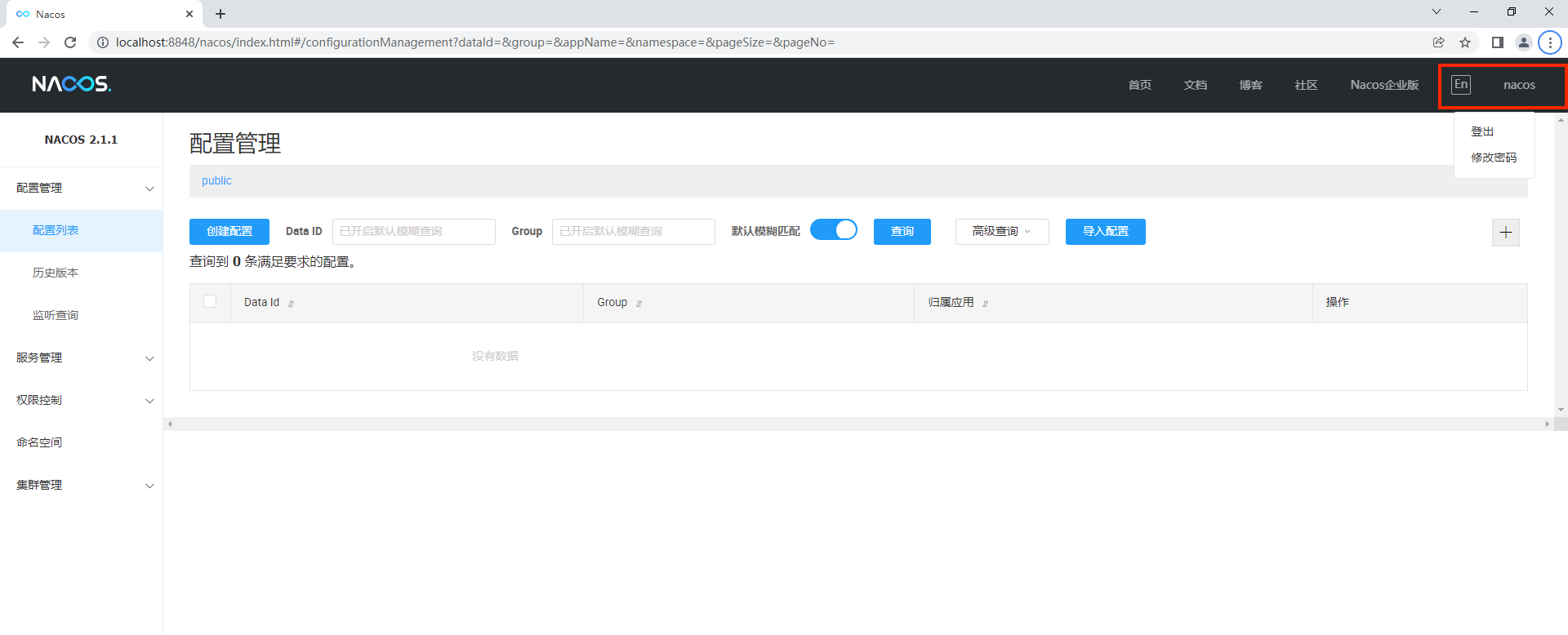
当服务端以及配置项都准备好之后,就可以创建客户端了,如下图所示新建一个 Nacos 的 ConfigService 来接收数据。
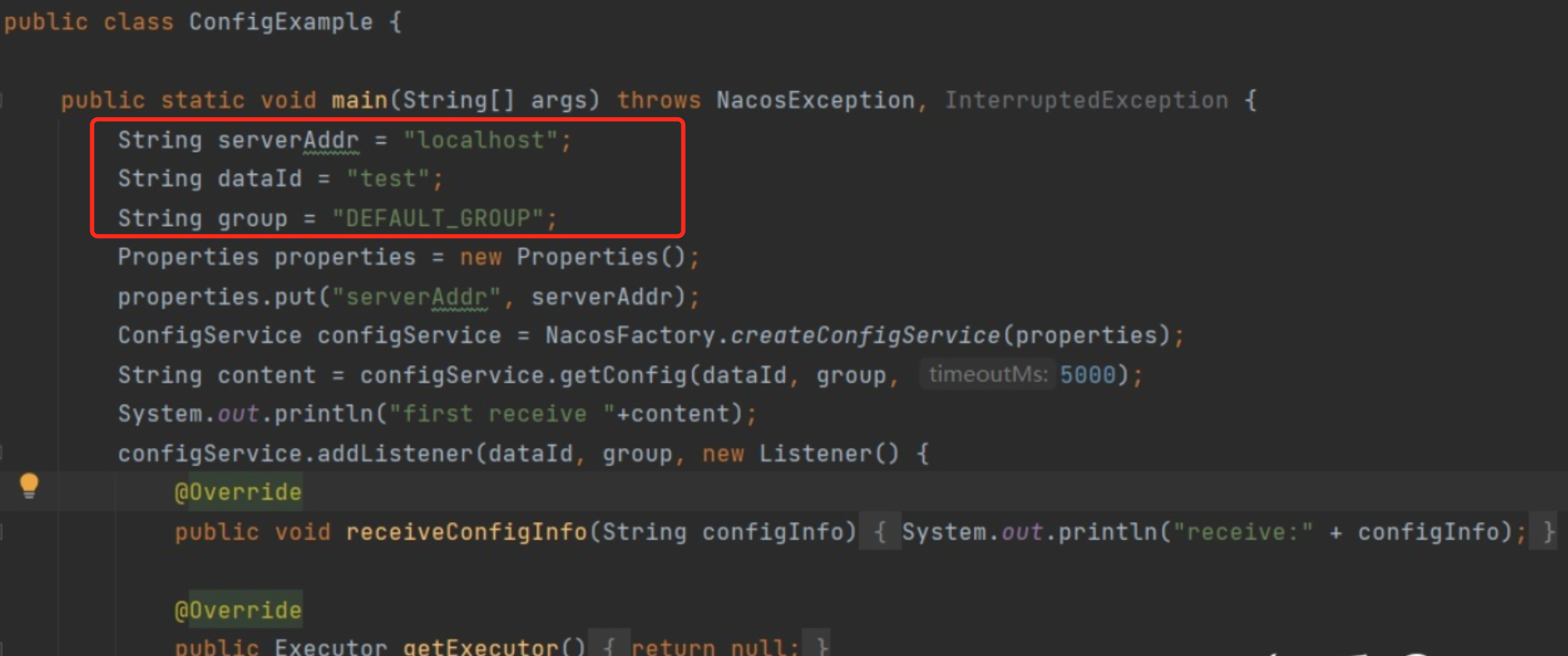
接下来我们在控制台上创建一个简单的配置项,如下图所示。
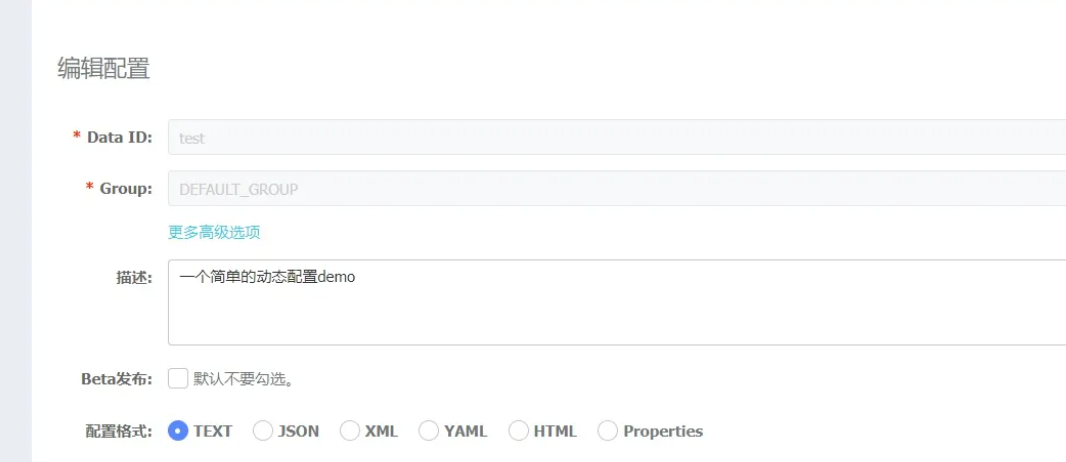
配置发布后,可以在客户端后台看到打印如下信息:
接下来我们在 Nacos 的控制台上将我们的配置信息改为如下图所示:
修改完配置,点击 “发布” 按钮后,客户端将会收到最新的数据,如下图所示:
到此为止,一个简单的动态配置管理功能已经走完一遍了。
从我们的 demo 中可以知道,我们首先是创建了一个 ConfigService。而 ConfigService 是通过 ConfigFactory 类创建的,如下图所示:
上面是通过main 方法创建测试的客户端,实际上同步配置初始化流程是由NacosConfigManager 管理。
在 NacosConfigAutoConfiguration 配置类中:
1 @Bean
2 public NacosConfigManager nacosConfigManager( NacosConfigProperties nacosConfigProperties) {
3     return new NacosConfigManager(nacosConfigProperties);
4 }NacosConfigManager 持有:ConfigService(配置相关操作)、NacosConfigProperties(Spring Boot 对配置中心的配置)。
 1 public class NacosConfigManager {
 2     private static ConfigService service = null;
 3     private NacosConfigProperties nacosConfigProperties;
 4
 5     public NacosConfigManager(NacosConfigProperties nacosConfigProperties) {
 6         this.nacosConfigProperties = nacosConfigProperties;
 7         createConfigService(nacosConfigProperties);
 8     }
 9
10     static ConfigService createConfigService(
11             NacosConfigProperties nacosConfigProperties) {
12         if (Objects.isNull(service)) {
13             // 双重加锁 防止创建了多个 NacosConfigManager
14             synchronized (NacosConfigManager.class) {
15                 try {
16                     if (Objects.isNull(service)) {
17                         // 通过反射构造函数创建了 NacosService 的子类
18                         // NacosConfigService(Properties properties)
19                         service = NacosFactory.createConfigService(
20                                 nacosConfigProperties.assembleConfigServiceProperties());
21                     }
22                 }
23                 // …………
24             }
25         }
26         return service;
27     }
28     // …………
29 }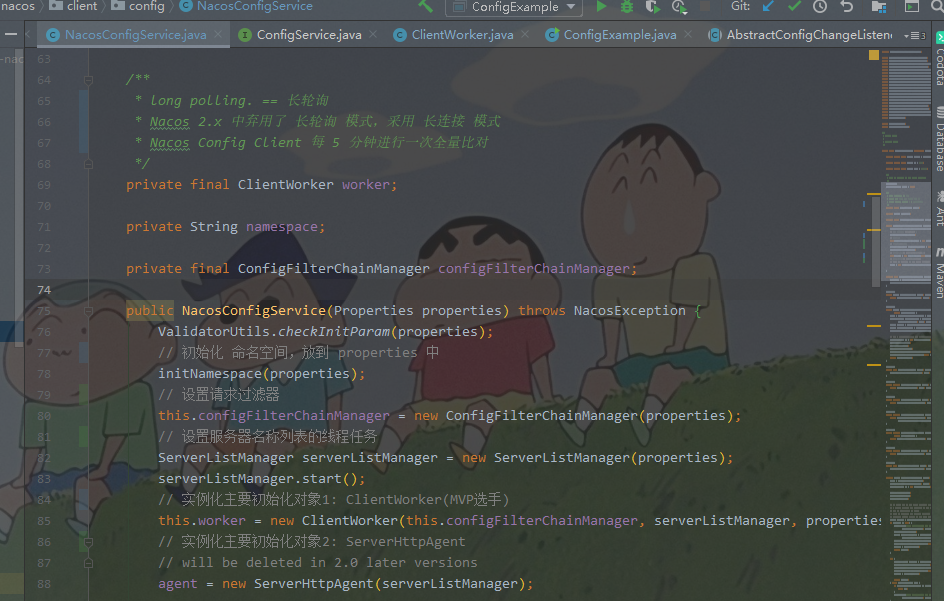
 1 public NacosConfigService(Properties properties) throws NacosException {
 2         ValidatorUtils.checkInitParam(properties);
 3         // 初始化 命名空间,放到 properties 中
 4         initNamespace(properties);
 5         // 设置请求过滤器
 6         this.configFilterChainManager = new ConfigFilterChainManager(properties);
 7         // 设置服务器名称列表的线程任务
 8         ServerListManager serverListManager = new ServerListManager(properties);
 9         serverListManager.start();
10         // 实例化主要初始化对象1: ClientWorker(MVP选手)
11         this.worker = new ClientWorker(this.configFilterChainManager, serverListManager, properties);
12         // 实例化主要初始化对象2: ServerHttpAgent
13         // will be deleted in 2.0 later versions
14         agent = new ServerHttpAgent(serverListManager);
15
16     }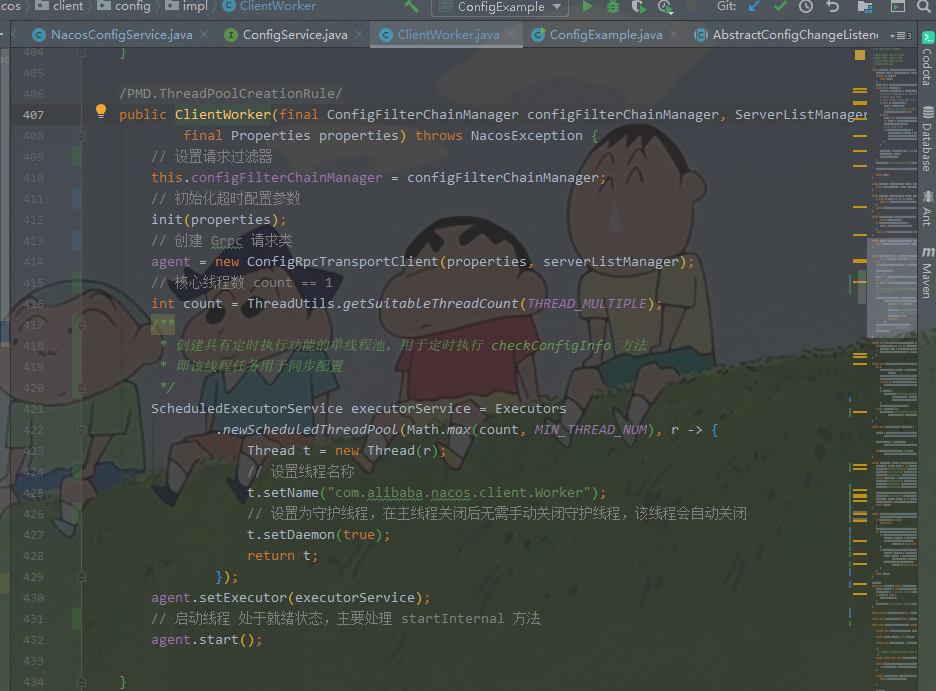
 1 @SuppressWarnings("PMD.ThreadPoolCreationRule")
 2     public ClientWorker(final ConfigFilterChainManager configFilterChainManager, ServerListManager serverListManager,
 3             final Properties properties) throws NacosException {
 4         // 设置请求过滤器
 5         this.configFilterChainManager = configFilterChainManager;
 6         // 初始化超时配置参数
 7         init(properties);
 8         // 创建 Grpc 请求类
 9         agent = new ConfigRpcTransportClient(properties, serverListManager);
10         // 核心线程数 count == 1
11         int count = ThreadUtils.getSuitableThreadCount(THREAD_MULTIPLE);
12         /**
13          * 创建具有定时执行功能的单线程池,用于定时执行 checkConfigInfo 方法
14          * 即该线程任务用于同步配置
15          */
16         ScheduledExecutorService executorService = Executors
17                 .newScheduledThreadPool(Math.max(count, MIN_THREAD_NUM), r -> {
18                     Thread t = new Thread(r);
19                     // 设置线程名称
20                     t.setName("com.alibaba.nacos.client.Worker");
21                     // 设置为守护线程,在主线程关闭后无需手动关闭守护线程,该线程会自动关闭
22                     t.setDaemon(true);
23                     return t;
24                 });
25         agent.setExecutor(executorService);
26         // 启动线程 处于就绪状态,主要处理 startInternal 方法
27         agent.start();
28
29 }agent.start() 的 startInternal()ConfigRpcTransportClient 的父类为 ConfigTransportClient。
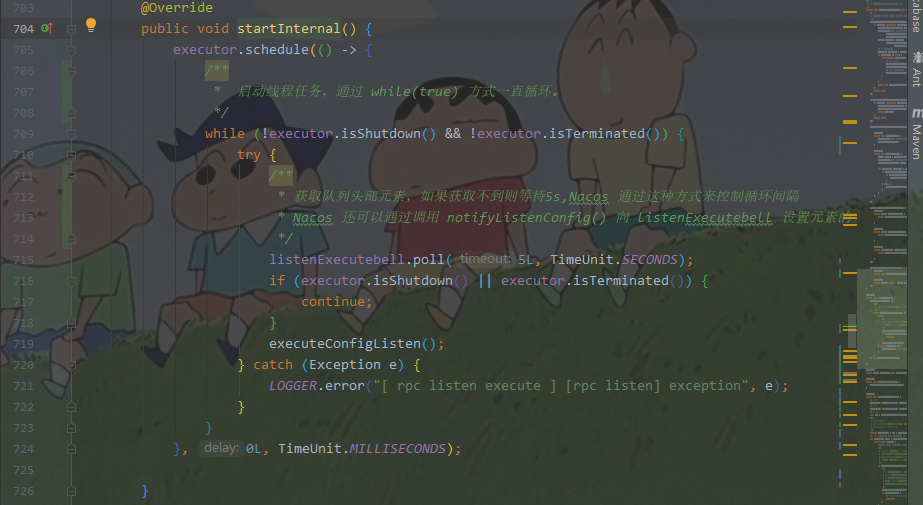
 1 @Override
 2         public void startInternal() {
 3             executor.schedule(() -> {
 4                 /**
 5                  *  启动线程任务,通过 while(true) 方式一直循环。
 6                  */
 7                 while (!executor.isShutdown() && !executor.isTerminated()) {
 8                     try {
 9                         /**
10                          * 获取队列头部元素,如果获取不到则等待5s,Nacos 通过这种方式来控制循环间隔
11                          * Nacos 还可以通过调用 notifyListenConfig() 向 listenExecutebell 设置元素的方式,来立即执行 executeConfigListen() 方法
12                          */
13                         listenExecutebell.poll(5L, TimeUnit.SECONDS);
14                         if (executor.isShutdown() || executor.isTerminated()) {
15                             continue;
16                         }
17                         executeConfigListen();
18                     } catch (Exception e) {
19                         LOGGER.error("[ rpc listen execute ] [rpc listen] exception", e);
20                     }
21                 }
22             }, 0L, TimeUnit.MILLISECONDS);
23
24 }到此处同步配置的初始化流程就完成了,我们继续看同步配置的过程。
同步配置的逻辑主要在 executeConfigListen() 方法中,这段方法比较长,需要耐心的分开来看。
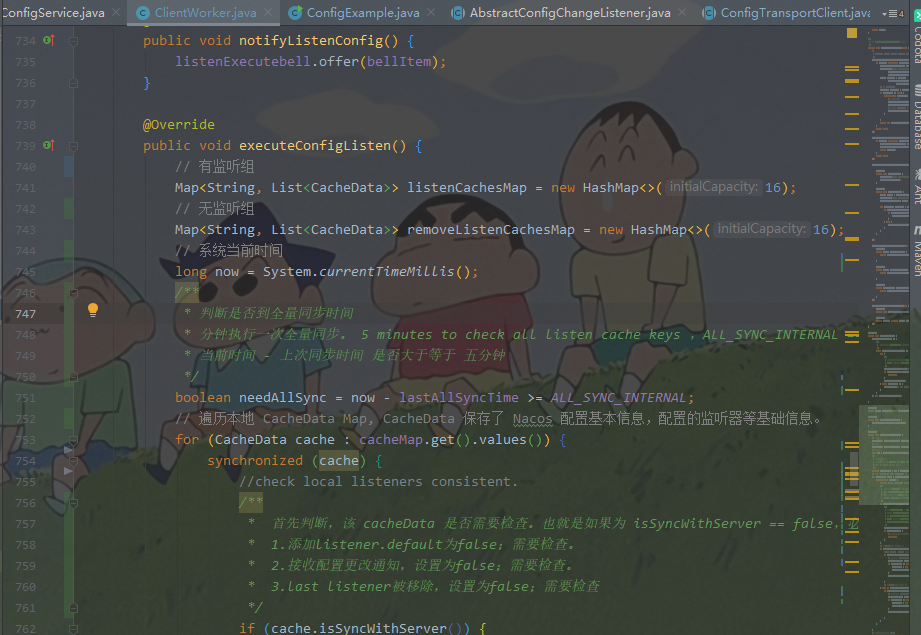
  1 @Override
  2         public void executeConfigListen() {
  3             // 有监听组
  4             Map<String, List<CacheData>> listenCachesMap = new HashMap<>(16);
  5             // 无监听组
  6             Map<String, List<CacheData>> removeListenCachesMap = new HashMap<>(16);
  7             // 系统当前时间
  8             long now = System.currentTimeMillis();
  9             /**
 10              * 判断是否到全量同步时间
 11              * 分钟执行一次全量同步。 5 minutes to check all listen cache keys ,ALL_SYNC_INTERNAL ==  5 * 60 * 1000L
 12              * 当前时间 - 上次同步时间 是否大于等于 五分钟
 13              */
 14             boolean needAllSync = now - lastAllSyncTime >= ALL_SYNC_INTERNAL;
 15             // 遍历本地 CacheData Map, CacheData 保存了 Nacos 配置基本信息,配置的监听器等基础信息。
 16             for (CacheData cache : cacheMap.get().values()) {
 17                 synchronized (cache) {
 18                     //check local listeners consistent.
 19                     /**
 20                      *  首先判断,该 cacheData 是否需要检查。也就是如果为 isSyncWithServer == false,必定进行检查。 isSyncWithServer 默认为 false
 21                      *  1.添加listener.default为false;需要检查。
 22                      *  2.接收配置更改通知,设置为false;需要检查。
 23                      *  3.last listener被移除,设置为false;需要检查
 24                      */
 25                     if (cache.isSyncWithServer()) {
 26                         /**
 27                          * 执行 CacheData.Md5 与 Listener.md5的比对与设定
 28                          * 即本地检查 checkListenerMd5 如果不相同-配置有变化,则进行监听器的回调。
 29                          * 跟踪 LocalConfigInfoProcessor 方法可以查看Nacos 将配置信息保存在哪里
 30                          * nacos 配置保存路径:System.getProperty("JM.LOG.PATH", System.getProperty("user.home")) + File.separator + "nacos" + File.separator + "config";
 31                          * C:\Users\01421603\nacos\config\fixed-localhost_8848_nacos\snapshot\DEFAULT_GROUP
 32                          */
 33                         cache.checkListenerMd5();
 34                         if (!needAllSync) {
 35                             // 是否需要全量同步,如果未达到全量同步时间即距上次全量同步小于五分钟,则跳过这个 cacheData,即本次循环的nacos配置无需更换
 36                             continue;
 37                         }
 38                     }
 39                     // 本地nacos配置信息 监听器不为空 走这
 40                     if (!CollectionUtils.isEmpty(cache.getListeners())) {
 41                         //get listen  config ,是否启用本地监听配置 isUseLocalConfig 默认 == false
 42                         if (!cache.isUseLocalConfigInfo()) {
 43                             // 有监听器的放入 listenCachesMap
 44                             List<CacheData> cacheDatas = listenCachesMap.get(String.valueOf(cache.getTaskId()));
 45                             if (cacheDatas == null) {
 46                                 cacheDatas = new LinkedList<>();
 47                                 listenCachesMap.put(String.valueOf(cache.getTaskId()), cacheDatas);
 48                             }
 49                             cacheDatas.add(cache);
 50
 51                         }
 52                         // 本地nacos配置信息 监听器为空 走这
 53                     } else if (CollectionUtils.isEmpty(cache.getListeners())) {
 54                         if (!cache.isUseLocalConfigInfo()) {
 55                             // 没有监听器的放入 removeListenCachesMap
 56                             List<CacheData> cacheDatas = removeListenCachesMap.get(String.valueOf(cache.getTaskId()));
 57                             if (cacheDatas == null) {
 58                                 cacheDatas = new LinkedList<>();
 59                                 removeListenCachesMap.put(String.valueOf(cache.getTaskId()), cacheDatas);
 60                             }
 61                             cacheDatas.add(cache);
 62
 63                         }
 64                     }
 65                 }
 66
 67             }
 68             // 标志是否有更改的配置,默认为 false
 69             boolean hasChangedKeys = false;
 70             // 有监听组配置信息 非空
 71             if (!listenCachesMap.isEmpty()) {
 72                 for (Map.Entry<String, List<CacheData>> entry : listenCachesMap.entrySet()) {
 73                     String taskId = entry.getKey();
 74                     Map<String, Long> timestampMap = new HashMap<>(listenCachesMap.size() * 2);
 75
 76                     List<CacheData> listenCaches = entry.getValue();
 77                     for (CacheData cacheData : listenCaches) {
 78                         timestampMap.put(GroupKey.getKeyTenant(cacheData.dataId, cacheData.group, cacheData.tenant),
 79                                 cacheData.getLastModifiedTs().longValue());
 80                     }
 81                     // 构建监听器请求
 82                     ConfigBatchListenRequest configChangeListenRequest = buildConfigRequest(listenCaches);
 83                     configChangeListenRequest.setListen(true);
 84                     try {
 85                         // 初始化 RpcClient 客户端
 86                         RpcClient rpcClient = ensureRpcClient(taskId);
 87                         /**
 88                          * 发送请求向 Nacos Server 添加配置变化监听器
 89                          * ConfigChangeBatchListenResponse 服务端将返回有变化的 dataId、group、tenant
 90                          */
 91                         ConfigChangeBatchListenResponse configChangeBatchListenResponse = (ConfigChangeBatchListenResponse) requestProxy(
 92                                 rpcClient, configChangeListenRequest);
 93                         if (configChangeBatchListenResponse != null && configChangeBatchListenResponse.isSuccess()) {
 94
 95                             Set<String> changeKeys = new HashSet<>();
 96                             //handle changed keys,notify listener
 97                             // 处理有变化的配置
 98                             if (!CollectionUtils.isEmpty(configChangeBatchListenResponse.getChangedConfigs())) {
 99                                 hasChangedKeys = true;
100                                 for (ConfigChangeBatchListenResponse.ConfigContext changeConfig : configChangeBatchListenResponse
101                                         .getChangedConfigs()) {
102                                     String changeKey = GroupKey
103                                             .getKeyTenant(changeConfig.getDataId(), changeConfig.getGroup(),
104                                                     changeConfig.getTenant());
105                                     changeKeys.add(changeKey);
106                                     boolean isInitializing = cacheMap.get().get(changeKey).isInitializing();
107                                     /**
108                                      * 刷新上下文
109                                      * 此处将请求 Nacos Server ,获取最新配置内容,并触发 Listener 的回调。
110                                      */
111                                     refreshContentAndCheck(changeKey, !isInitializing);
112                                 }
113
114                             }
115
116                             //handler content configs
117                             for (CacheData cacheData : listenCaches) {
118                                 String groupKey = GroupKey
119                                         .getKeyTenant(cacheData.dataId, cacheData.group, cacheData.getTenant());
120                                 // 如果返回的 changeKeys 中,未包含此 groupKey。则说明此内容未发生变化。
121                                 if (!changeKeys.contains(groupKey)) {
122                                     //sync:cache data md5 = server md5 && cache data md5 = all listeners md5.
123                                     synchronized (cacheData) {
124                                         if (!cacheData.getListeners().isEmpty()) {
125
126                                             Long previousTimesStamp = timestampMap.get(groupKey);
127                                             if (previousTimesStamp != null && !cacheData.getLastModifiedTs().compareAndSet(previousTimesStamp,
128                                                     System.currentTimeMillis())) {
129                                                 continue;
130                                             }
131                                             // 则将同步标志设为 true
132                                             cacheData.setSyncWithServer(true);
133                                         }
134                                     }
135                                 }
136                                 // 将初始化状态设置 false
137                                 cacheData.setInitializing(false);
138                             }
139
140                         }
141                     } catch (Exception e) {
142
143                         LOGGER.error("Async listen config change error ", e);
144                         try {
145                             Thread.sleep(50L);
146                         } catch (InterruptedException interruptedException) {
147                             //ignore
148                         }
149                     }
150                 }
151             }
152
153             /**
154              * 处理无监听器的 CacheData
155              * 无监听器的 CacheData 就是,从 Nacos Client 与 Nacos Server 中移除掉原有的监听器。
156              */
157             if (!removeListenCachesMap.isEmpty()) {
158                 for (Map.Entry<String, List<CacheData>> entry : removeListenCachesMap.entrySet()) {
159                     String taskId = entry.getKey();
160                     List<CacheData> removeListenCaches = entry.getValue();
161                     ConfigBatchListenRequest configChangeListenRequest = buildConfigRequest(removeListenCaches);
162                     configChangeListenRequest.setListen(false);
163                     try {
164                         RpcClient rpcClient = ensureRpcClient(taskId);
165                         boolean removeSuccess = unListenConfigChange(rpcClient, configChangeListenRequest);
166                         if (removeSuccess) {
167                             for (CacheData cacheData : removeListenCaches) {
168                                 synchronized (cacheData) {
169                                     if (cacheData.getListeners().isEmpty()) {
170                                         ClientWorker.this
171                                                 .removeCache(cacheData.dataId, cacheData.group, cacheData.tenant);
172                                     }
173                                 }
174                             }
175                         }
176
177                     } catch (Exception e) {
178                         LOGGER.error("async remove listen config change error ", e);
179                     }
180                     try {
181                         Thread.sleep(50L);
182                     } catch (InterruptedException interruptedException) {
183                         //ignore
184                     }
185                 }
186             }
187
188             if (needAllSync) {
189                 lastAllSyncTime = now;
190             }
191             //If has changed keys,notify re sync md5.
192             // 如果有改变的配置,则立即进行一次同步配置过程。
193             if (hasChangedKeys) {
194                 notifyListenConfig();
195             }
196 }当 Nacos Config 配置发生变更时,Nacos Server 会主动通知 Nacos Client。
Nacos Client 在向 Nacos Server 发送请求前,会初始化 Nacos Rpc Client,执行的方法是
ConfigRpcTransportClient # ensureRpcClient(String taskId)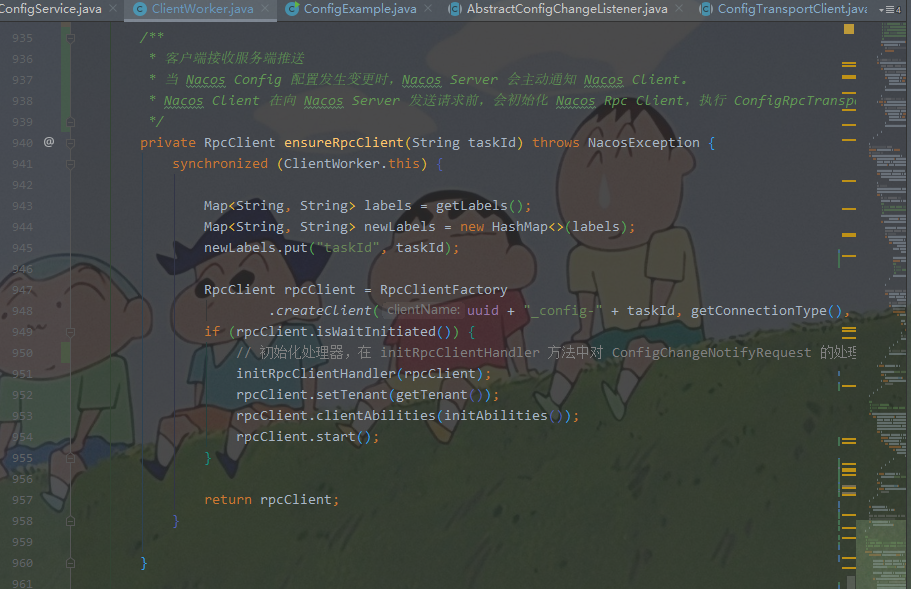
 1 /**
 2          * 客户端接收服务端推送
 3          * 当 Nacos Config 配置发生变更时,Nacos Server 会主动通知 Nacos Client。
 4          * Nacos Client 在向 Nacos Server 发送请求前,会初始化 Nacos Rpc Client,执行 ConfigRpcTransportClient下的 ensureRpcClient(String taskId) 方法
 5          */
 6         private RpcClient ensureRpcClient(String taskId) throws NacosException {
 7             synchronized (ClientWorker.this) {
 8
 9                 Map<String, String> labels = getLabels();
10                 Map<String, String> newLabels = new HashMap<>(labels);
11                 newLabels.put("taskId", taskId);
12
13                 RpcClient rpcClient = RpcClientFactory
14                         .createClient(uuid + "_config-" + taskId, getConnectionType(), newLabels);
15                 if (rpcClient.isWaitInitiated()) {
16                     // 初始化处理器,在 initRpcClientHandler 方法中对 ConfigChangeNotifyRequest 的处理逻辑。
17                     initRpcClientHandler(rpcClient);
18                     rpcClient.setTenant(getTenant());
19                     rpcClient.clientAbilities(initAbilities());
20                     rpcClient.start();
21                 }
22
23                 return rpcClient;
24             }
25
26 }初始化 ConfigChangeNotifyRequest 处理逻辑
  1 /**
  2          * 初始化 ConfigChangeNotifyRequest 处理逻辑
  3          */
  4         private void initRpcClientHandler(final RpcClient rpcClientInner) {
  5             /*
  6              * Register Config Change /Config ReSync Handler
  7              */
  8             rpcClientInner.registerServerRequestHandler((request) -> {
  9                 if (request instanceof ConfigChangeNotifyRequest) {
 10                     ConfigChangeNotifyRequest configChangeNotifyRequest = (ConfigChangeNotifyRequest) request;
 11                     LOGGER.info("[{}] [server-push] config changed. dataId={}, group={},tenant={}",
 12                             rpcClientInner.getName(), configChangeNotifyRequest.getDataId(),
 13                             configChangeNotifyRequest.getGroup(), configChangeNotifyRequest.getTenant());
 14                     String groupKey = GroupKey
 15                             .getKeyTenant(configChangeNotifyRequest.getDataId(), configChangeNotifyRequest.getGroup(),
 16                                     configChangeNotifyRequest.getTenant());
 17                     // 获取 CacheData
 18                     CacheData cacheData = cacheMap.get().get(groupKey);
 19                     if (cacheData != null) {
 20                         synchronized (cacheData) {
 21                             // 设置服务器同步标志
 22                             cacheData.getLastModifiedTs().set(System.currentTimeMillis());
 23                             cacheData.setSyncWithServer(false);
 24                             // 立即触发该 CacheData 的同步配置操作
 25                             notifyListenConfig();
 26                         }
 27
 28                     }
 29                     return new ConfigChangeNotifyResponse();
 30                 }
 31                 return null;
 32             });
 33
 34             rpcClientInner.registerServerRequestHandler((request) -> {
 35                 if (request instanceof ClientConfigMetricRequest) {
 36                     ClientConfigMetricResponse response = new ClientConfigMetricResponse();
 37                     response.setMetrics(getMetrics(((ClientConfigMetricRequest) request).getMetricsKeys()));
 38                     return response;
 39                 }
 40                 return null;
 41             });
 42
 43             rpcClientInner.registerConnectionListener(new ConnectionEventListener() {
 44
 45                 @Override
 46                 public void onConnected() {
 47                     LOGGER.info("[{}] Connected,notify listen context...", rpcClientInner.getName());
 48                     notifyListenConfig();
 49                 }
 50
 51                 @Override
 52                 public void onDisConnect() {
 53                     String taskId = rpcClientInner.getLabels().get("taskId");
 54                     LOGGER.info("[{}] DisConnected,clear listen context...", rpcClientInner.getName());
 55                     Collection<CacheData> values = cacheMap.get().values();
 56
 57                     for (CacheData cacheData : values) {
 58                         if (StringUtils.isNotBlank(taskId)) {
 59                             if (Integer.valueOf(taskId).equals(cacheData.getTaskId())) {
 60                                 cacheData.setSyncWithServer(false);
 61                             }
 62                         } else {
 63                             cacheData.setSyncWithServer(false);
 64                         }
 65                     }
 66                 }
 67
 68             });
 69
 70             rpcClientInner.serverListFactory(new ServerListFactory() {
 71                 @Override
 72                 public String genNextServer() {
 73                     return ConfigRpcTransportClient.super.serverListManager.getNextServerAddr();
 74
 75                 }
 76
 77                 @Override
 78                 public String getCurrentServer() {
 79                     return ConfigRpcTransportClient.super.serverListManager.getCurrentServerAddr();
 80
 81                 }
 82
 83                 @Override
 84                 public List<String> getServerList() {
 85                     return ConfigRpcTransportClient.super.serverListManager.getServerUrls();
 86
 87                 }
 88             });
 89
 90             NotifyCenter.registerSubscriber(new Subscriber<ServerlistChangeEvent>() {
 91                 @Override
 92                 public void onEvent(ServerlistChangeEvent event) {
 93                     rpcClientInner.onServerListChange();
 94                 }
 95
 96                 @Override
 97                 public Class<? extends Event> subscribeType() {
 98                     return ServerlistChangeEvent.class;
 99                 }
100             });
101         }
102 配置变更是在 Nacos Service 的 Web 页面进行操作的,调用POST /v1/cs/configs接口。
该接口主要逻辑:

 1 /**
 2      * 服务端变更通知
 3      * 入口:配置变更,是在 Nacos Service 的 Web 页面进行操作的,调用POST /v1/cs/configs接口,即 publishConfig。
 4      * Adds or updates non-aggregated data.
 5      * <p>
 6      * request and response will be used in aspect, see
 7      * {@link com.alibaba.nacos.config.server.aspect.CapacityManagementAspect} and
 8      * {@link com.alibaba.nacos.config.server.aspect.RequestLogAspect}.
 9      * </p>
10      * @throws NacosException NacosException.
11      */
12     @PostMapping
13     @Secured(action = ActionTypes.WRITE, signType = SignType.CONFIG)
14     public Boolean publishConfig(HttpServletRequest request, HttpServletResponse response,
15             @RequestParam(value = "dataId") String dataId,
16             @RequestParam(value = "group") String group,
17             @RequestParam(value = "tenant", required = false, defaultValue = StringUtils.EMPTY) String tenant,
18             @RequestParam(value = "content") String content, @RequestParam(value = "tag", required = false) String tag,
19             @RequestParam(value = "appName", required = false) String appName,
20             @RequestParam(value = "src_user", required = false) String srcUser,
21             @RequestParam(value = "config_tags", required = false) String configTags,
22             @RequestParam(value = "desc", required = false) String desc,
23             @RequestParam(value = "use", required = false) String use,
24             @RequestParam(value = "effect", required = false) String effect,
25             @RequestParam(value = "type", required = false) String type,
26             @RequestParam(value = "schema", required = false) String schema) throws NacosException {
27
28         final String srcIp = RequestUtil.getRemoteIp(request);
29         final String requestIpApp = RequestUtil.getAppName(request);
30         if (StringUtils.isBlank(srcUser)) {
31             srcUser = RequestUtil.getSrcUserName(request);
32         }
33         //check type
34         if (!ConfigType.isValidType(type)) {
35             type = ConfigType.getDefaultType().getType();
36         }
37
38         // encrypted
39         Pair<String, String> pair = EncryptionHandler.encryptHandler(dataId, content);
40         content = pair.getSecond();
41
42         // check tenant
43         ParamUtils.checkTenant(tenant);
44         ParamUtils.checkParam(dataId, group, "datumId", content);
45         ParamUtils.checkParam(tag);
46         Map<String, Object> configAdvanceInfo = new HashMap<>(10);
47         MapUtil.putIfValNoNull(configAdvanceInfo, "config_tags", configTags);
48         MapUtil.putIfValNoNull(configAdvanceInfo, "desc", desc);
49         MapUtil.putIfValNoNull(configAdvanceInfo, "use", use);
50         MapUtil.putIfValNoNull(configAdvanceInfo, "effect", effect);
51         MapUtil.putIfValNoNull(configAdvanceInfo, "type", type);
52         MapUtil.putIfValNoNull(configAdvanceInfo, "schema", schema);
53         ParamUtils.checkParam(configAdvanceInfo);
54
55         if (AggrWhitelist.isAggrDataId(dataId)) {
56             LOGGER.warn("[aggr-conflict] {} attempt to publish single data, {}, {}", RequestUtil.getRemoteIp(request),
57                     dataId, group);
58             throw new NacosException(NacosException.NO_RIGHT, "dataId:" + dataId + " is aggr");
59         }
60
61         final Timestamp time = TimeUtils.getCurrentTime();
62         String betaIps = request.getHeader("betaIps");
63         ConfigInfo configInfo = new ConfigInfo(dataId, group, tenant, appName, content);
64         configInfo.setType(type);
65         String encryptedDataKey = pair.getFirst();
66         configInfo.setEncryptedDataKey(encryptedDataKey);
67         if (StringUtils.isBlank(betaIps)) {
68             if (StringUtils.isBlank(tag)) {
69                 persistService.insertOrUpdate(srcIp, srcUser, configInfo, time, configAdvanceInfo, false);
70                 ConfigChangePublisher.notifyConfigChange(
71                         new ConfigDataChangeEvent(false, dataId, group, tenant, time.getTime()));
72             } else {
73                 // 更新配置内容
74                 persistService.insertOrUpdateTag(configInfo, tag, srcIp, srcUser, time, false);
75                 // 发送配置变更事件
76                 ConfigChangePublisher.notifyConfigChange(
77                         new ConfigDataChangeEvent(false, dataId, group, tenant, tag, time.getTime()));
78             }
79         } else {
80             // beta publish
81             configInfo.setEncryptedDataKey(encryptedDataKey);
82             persistService.insertOrUpdateBeta(configInfo, betaIps, srcIp, srcUser, time, false);
83             ConfigChangePublisher.notifyConfigChange(
84                     new ConfigDataChangeEvent(true, dataId, group, tenant, time.getTime()));
85         }
86         ConfigTraceService.logPersistenceEvent(dataId, group, tenant, requestIpApp, time.getTime(),
87                 InetUtils.getSelfIP(), ConfigTraceService.PERSISTENCE_EVENT_PUB, content);
88         return true;
89 }AsyncNotifyService 在初始化时,向事件通知中心添加了监听器。
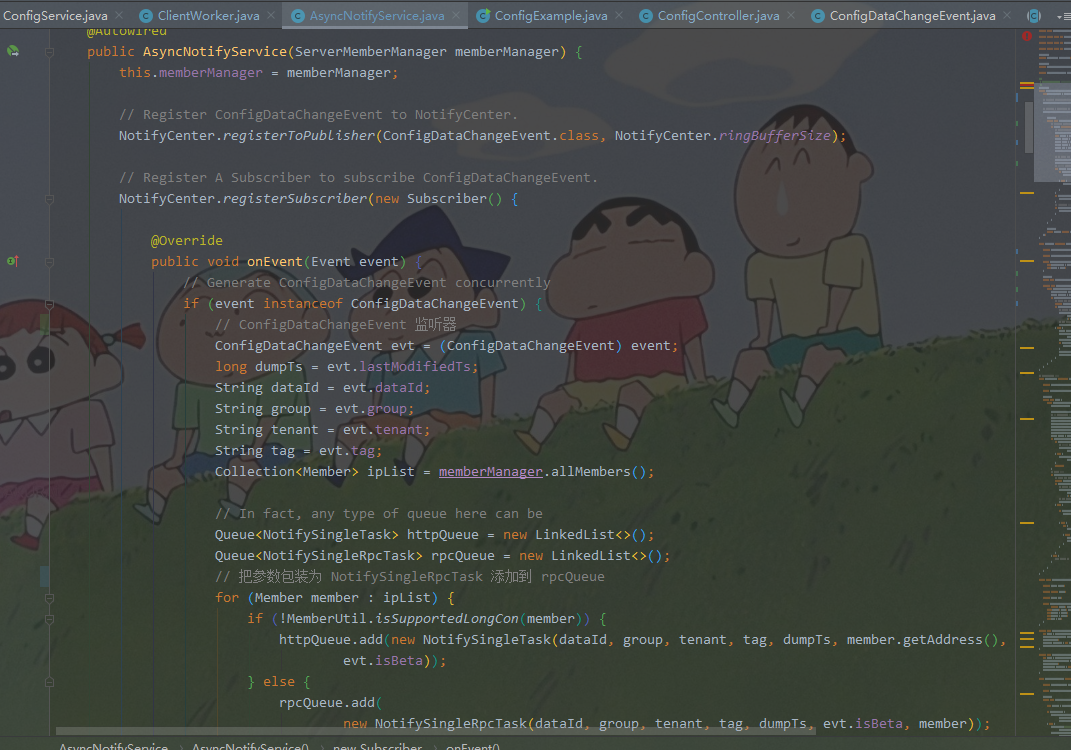
 1 /**
 2      * AsyncNotifyService 在初始化时,向事件通知中心添加了监听器
 3      */
 4     @Autowired
 5     public AsyncNotifyService(ServerMemberManager memberManager) {
 6         this.memberManager = memberManager;
 7
 8         // Register ConfigDataChangeEvent to NotifyCenter.
 9         NotifyCenter.registerToPublisher(ConfigDataChangeEvent.class, NotifyCenter.ringBufferSize);
10
11         // Register A Subscriber to subscribe ConfigDataChangeEvent.
12         NotifyCenter.registerSubscriber(new Subscriber() {
13
14             @Override
15             public void onEvent(Event event) {
16                 // Generate ConfigDataChangeEvent concurrently
17                 if (event instanceof ConfigDataChangeEvent) {
18                     // ConfigDataChangeEvent 监听器
19                     ConfigDataChangeEvent evt = (ConfigDataChangeEvent) event;
20                     long dumpTs = evt.lastModifiedTs;
21                     String dataId = evt.dataId;
22                     String group = evt.group;
23                     String tenant = evt.tenant;
24                     String tag = evt.tag;
25                     Collection<Member> ipList = memberManager.allMembers();
26
27                     // In fact, any type of queue here can be
28                     Queue<NotifySingleTask> httpQueue = new LinkedList<>();
29                     Queue<NotifySingleRpcTask> rpcQueue = new LinkedList<>();
30                     // 把参数包装为 NotifySingleRpcTask 添加到 rpcQueue
31                     for (Member member : ipList) {
32                         if (!MemberUtil.isSupportedLongCon(member)) {
33                             httpQueue.add(new NotifySingleTask(dataId, group, tenant, tag, dumpTs, member.getAddress(),
34                                     evt.isBeta));
35                         } else {
36                             rpcQueue.add(
37                                     new NotifySingleRpcTask(dataId, group, tenant, tag, dumpTs, evt.isBeta, member));
38                         }
39                     }
40                     if (!httpQueue.isEmpty()) {
41                         ConfigExecutor.executeAsyncNotify(new AsyncTask(nacosAsyncRestTemplate, httpQueue));
42                     }
43                     // 若rpcQueue 不为空,则把 rpcQueue 包装为 AsyncRpcTask
44                     if (!rpcQueue.isEmpty()) {
45                         ConfigExecutor.executeAsyncNotify(new AsyncRpcTask(rpcQueue));
46                     }
47
48                 }
49             }
50
51             @Override
52             public Class<? extends Event> subscribeType() {
53                 return ConfigDataChangeEvent.class;
54             }
55         });
56 }AsyncRpcTask #run()
 1     // AsyncRpcTask 异步任务
 2     class AsyncRpcTask implements Runnable {
 3
 4         private Queue<NotifySingleRpcTask> queue;
 5
 6         public AsyncRpcTask(Queue<NotifySingleRpcTask> queue) {
 7             this.queue = queue;
 8         }
 9
10         @Override
11         public void run() {
12             while (!queue.isEmpty()) {
13                 NotifySingleRpcTask task = queue.poll();
14
15                 ConfigChangeClusterSyncRequest syncRequest = new ConfigChangeClusterSyncRequest();
16                 // 组装 syncRequest 参数
17                 syncRequest.setDataId(task.getDataId());
18                 syncRequest.setGroup(task.getGroup());
19                 syncRequest.setBeta(task.isBeta);
20                 syncRequest.setLastModified(task.getLastModified());
21                 syncRequest.setTag(task.tag);
22                 syncRequest.setTenant(task.getTenant());
23                 Member member = task.member;
24                 if (memberManager.getSelf().equals(member)) {
25                     if (syncRequest.isBeta()) {
26                         // 提交异步任务 dump
27                         dumpService.dump(syncRequest.getDataId(), syncRequest.getGroup(), syncRequest.getTenant(),
28                                 syncRequest.getLastModified(), NetUtils.localIP(), true);
29                     } else {
30                         dumpService.dump(syncRequest.getDataId(), syncRequest.getGroup(), syncRequest.getTenant(),
31                                 syncRequest.getTag(), syncRequest.getLastModified(), NetUtils.localIP());
32                     }
33                     continue;
34                 }
35                 // nacos 集群通知
36                 if (memberManager.hasMember(member.getAddress())) {
37                     // start the health check and there are ips that are not monitored, put them directly in the notification queue, otherwise notify
38                     boolean unHealthNeedDelay = memberManager.isUnHealth(member.getAddress());
39                     if (unHealthNeedDelay) {
40                         // target ip is unhealthy, then put it in the notification list
41                         ConfigTraceService.logNotifyEvent(task.getDataId(), task.getGroup(), task.getTenant(), null,
42                                 task.getLastModified(), InetUtils.getSelfIP(), ConfigTraceService.NOTIFY_EVENT_UNHEALTH,
43                                 0, member.getAddress());
44                         // get delay time and set fail count to the task
45                         asyncTaskExecute(task);
46                     } else {
47
48                         if (!MemberUtil.isSupportedLongCon(member)) {
49                             asyncTaskExecute(
50                                     new NotifySingleTask(task.getDataId(), task.getGroup(), task.getTenant(), task.tag,
51                                             task.getLastModified(), member.getAddress(), task.isBeta));
52                         } else {
53                             try {
54                                 configClusterRpcClientProxy
55                                         .syncConfigChange(member, syncRequest, new AsyncRpcNotifyCallBack(task));
56                             } catch (Exception e) {
57                                 MetricsMonitor.getConfigNotifyException().increment();
58                                 asyncTaskExecute(task);
59                             }
60                         }
61
62                     }
63                 } else {
64                     //No nothig if  member has offline.
65                 }
66
67             }
68         }
69 }接下来继续看 dumpService.dump()
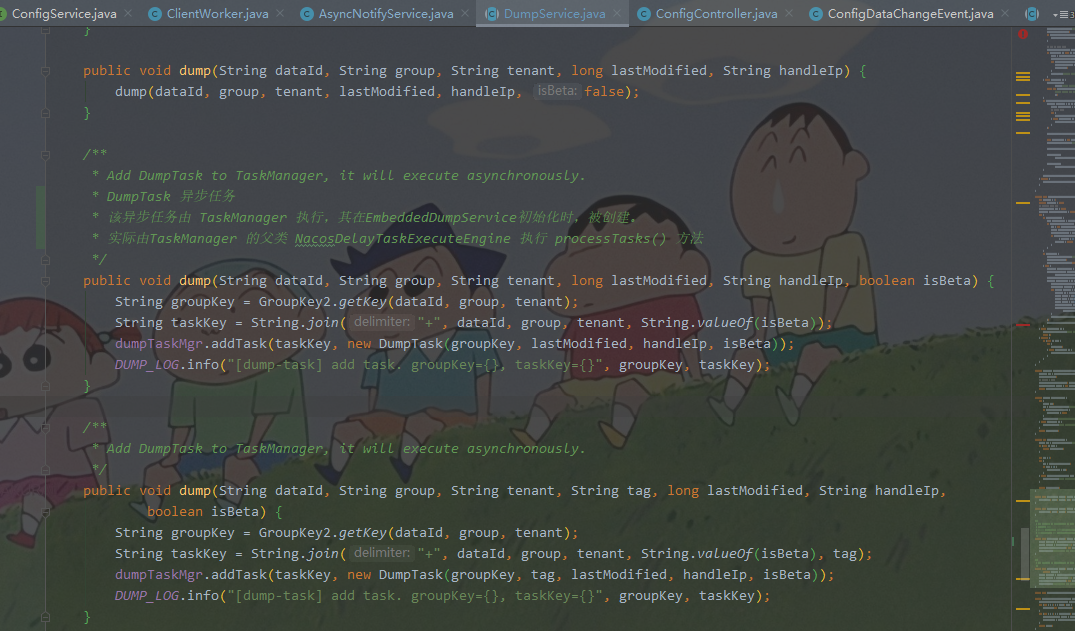
 1 /**
 2      * Add DumpTask to TaskManager, it will execute asynchronously.
 3      * DumpTask 异步任务
 4      * 该异步任务由 TaskManager 执行,其在EmbeddedDumpService初始化时,被创建。
 5      * 实际由TaskManager 的父类 NacosDelayTaskExecuteEngine 执行 processTasks() 方法
 6      */
 7     public void dump(String dataId, String group, String tenant, long lastModified, String handleIp, boolean isBeta) {
 8         String groupKey = GroupKey2.getKey(dataId, group, tenant);
 9         String taskKey = String.join("+", dataId, group, tenant, String.valueOf(isBeta));
10         dumpTaskMgr.addTask(taskKey, new DumpTask(groupKey, lastModified, handleIp, isBeta));
11         DUMP_LOG.info("[dump-task] add task. groupKey={}, taskKey={}", groupKey, taskKey);
12 }该异步任务由 TaskManager执行,其在EmbeddedDumpService初始化时,被创建。
实际由 TaskManager的父类 NacosDelayTaskExecuteEngine执行 processTasks()方法。
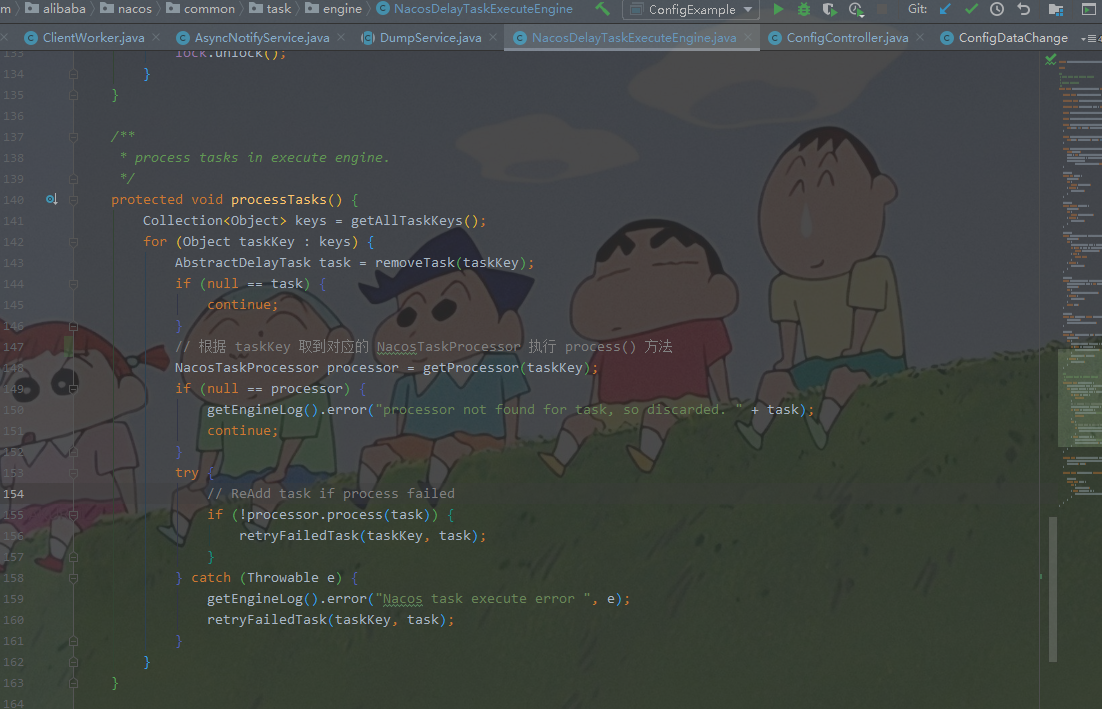
 1     /**
 2      * process tasks in execute engine.
 3      */
 4     protected void processTasks() {
 5         Collection<Object> keys = getAllTaskKeys();
 6         for (Object taskKey : keys) {
 7             AbstractDelayTask task = removeTask(taskKey);
 8             if (null == task) {
 9                 continue;
10             }
11             // 根据 taskKey 取到对应的 NacosTaskProcessor 执行 process() 方法
12             NacosTaskProcessor processor = getProcessor(taskKey);
13             if (null == processor) {
14                 getEngineLog().error("processor not found for task, so discarded. " + task);
15                 continue;
16             }
17             try {
18                 // ReAdd task if process failed
19                 if (!processor.process(task)) {
20                     retryFailedTask(taskKey, task);
21                 }
22             } catch (Throwable e) {
23                 getEngineLog().error("Nacos task execute error ", e);
24                 retryFailedTask(taskKey, task);
25             }
26         }
27 }实际上就是根据 taskKey 取到对应的NacosTaskProcessor执行process()方法。
此处 DumpTask 对应的是 DumpProcessor。
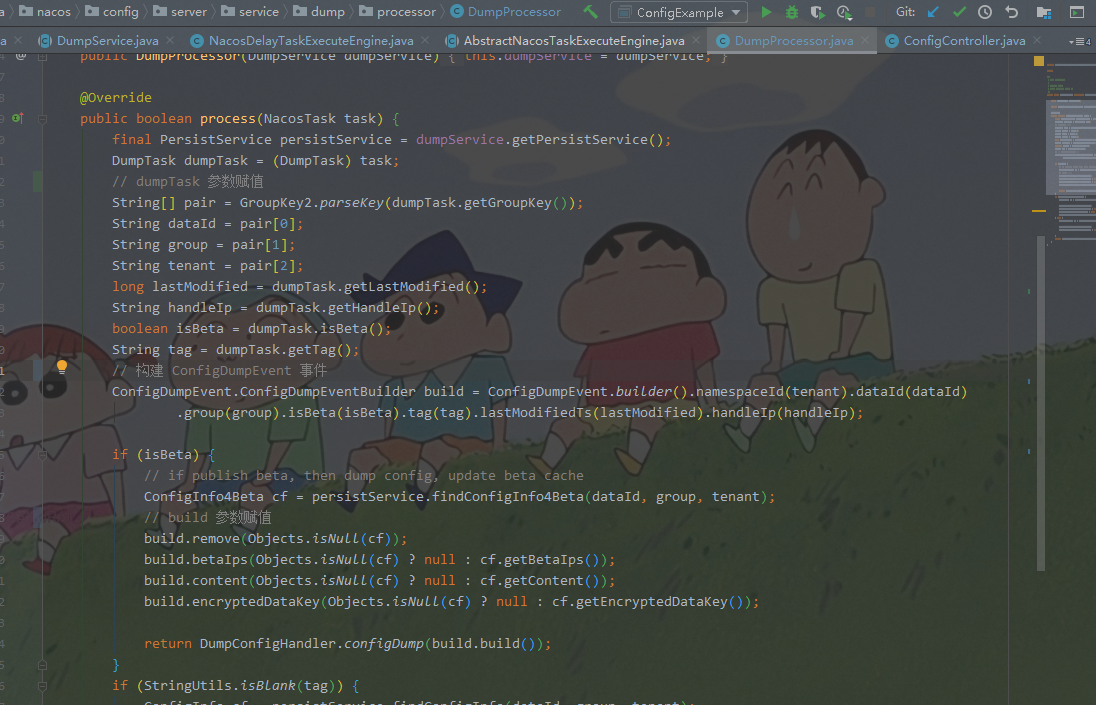
 1 @Override
 2     public boolean process(NacosTask task) {
 3         final PersistService persistService = dumpService.getPersistService();
 4         DumpTask dumpTask = (DumpTask) task;
 5         // dumpTask 参数赋值
 6         String[] pair = GroupKey2.parseKey(dumpTask.getGroupKey());
 7         String dataId = pair[0];
 8         String group = pair[1];
 9         String tenant = pair[2];
10         long lastModified = dumpTask.getLastModified();
11         String handleIp = dumpTask.getHandleIp();
12         boolean isBeta = dumpTask.isBeta();
13         String tag = dumpTask.getTag();
14         // 构建 ConfigDumpEvent 事件
15         ConfigDumpEvent.ConfigDumpEventBuilder build = ConfigDumpEvent.builder().namespaceId(tenant).dataId(dataId)
16                 .group(group).isBeta(isBeta).tag(tag).lastModifiedTs(lastModified).handleIp(handleIp);
17
18         if (isBeta) {
19             // if publish beta, then dump config, update beta cache
20             ConfigInfo4Beta cf = persistService.findConfigInfo4Beta(dataId, group, tenant);
21             // build 参数赋值
22             build.remove(Objects.isNull(cf));
23             build.betaIps(Objects.isNull(cf) ? null : cf.getBetaIps());
24             build.content(Objects.isNull(cf) ? null : cf.getContent());
25             build.encryptedDataKey(Objects.isNull(cf) ? null : cf.getEncryptedDataKey());
26
27             return DumpConfigHandler.configDump(build.build());
28         }
29         if (StringUtils.isBlank(tag)) {
30             ConfigInfo cf = persistService.findConfigInfo(dataId, group, tenant);
31
32             build.remove(Objects.isNull(cf));
33             build.content(Objects.isNull(cf) ? null : cf.getContent());
34             build.type(Objects.isNull(cf) ? null : cf.getType());
35             build.encryptedDataKey(Objects.isNull(cf) ? null : cf.getEncryptedDataKey());
36         } else {
37             ConfigInfo4Tag cf = persistService.findConfigInfo4Tag(dataId, group, tenant, tag);
38
39             build.remove(Objects.isNull(cf));
40             build.content(Objects.isNull(cf) ? null : cf.getContent());
41
42         }
43         return DumpConfigHandler.configDump(build.build());
44 }继续进入DumpConfigHandler.configDump(build.build())。
 1 /**
 2      * trigger config dump event.
 3      *
 4      * @param event {@link ConfigDumpEvent}
 5      * @return {@code true} if the config dump task success , else {@code false}
 6      */
 7     public static boolean configDump(ConfigDumpEvent event) {
 8         final String dataId = event.getDataId();
 9         final String group = event.getGroup();
10         final String namespaceId = event.getNamespaceId();
11         final String content = event.getContent();
12         final String type = event.getType();
13         final long lastModified = event.getLastModifiedTs();
14         final String encryptedDataKey = event.getEncryptedDataKey();
15         if (event.isBeta()) {
16             boolean result;
17             if (event.isRemove()) {
18                 result = ConfigCacheService.removeBeta(dataId, group, namespaceId);
19                 if (result) {
20                     ConfigTraceService.logDumpEvent(dataId, group, namespaceId, null, lastModified, event.getHandleIp(),
21                             ConfigTraceService.DUMP_EVENT_REMOVE_OK, System.currentTimeMillis() - lastModified, 0);
22                 }
23                 return result;
24             } else {
25                 result = ConfigCacheService
26                         .dumpBeta(dataId, group, namespaceId, content, lastModified, event.getBetaIps(),
27                                 encryptedDataKey);
28                 if (result) {
29                     ConfigTraceService.logDumpEvent(dataId, group, namespaceId, null, lastModified, event.getHandleIp(),
30                             ConfigTraceService.DUMP_EVENT_OK, System.currentTimeMillis() - lastModified,
31                             content.length());
32                 }
33             }
34
35             return result;
36         }
37         if (StringUtils.isBlank(event.getTag())) {
38             if (dataId.equals(AggrWhitelist.AGGRIDS_METADATA)) {
39                 AggrWhitelist.load(content);
40             }
41
42             if (dataId.equals(ClientIpWhiteList.CLIENT_IP_WHITELIST_METADATA)) {
43                 ClientIpWhiteList.load(content);
44             }
45
46             if (dataId.equals(SwitchService.SWITCH_META_DATAID)) {
47                 SwitchService.load(content);
48             }
49
50             boolean result;
51             if (!event.isRemove()) {
52                 result = ConfigCacheService
53                         .dump(dataId, group, namespaceId, content, lastModified, type, encryptedDataKey);
54
55                 if (result) {
56                     ConfigTraceService.logDumpEvent(dataId, group, namespaceId, null, lastModified, event.getHandleIp(),
57                             ConfigTraceService.DUMP_EVENT_OK, System.currentTimeMillis() - lastModified,
58                             content.length());
59                 }
60             } else {
61                 result = ConfigCacheService.remove(dataId, group, namespaceId);
62
63                 if (result) {
64                     ConfigTraceService.logDumpEvent(dataId, group, namespaceId, null, lastModified, event.getHandleIp(),
65                             ConfigTraceService.DUMP_EVENT_REMOVE_OK, System.currentTimeMillis() - lastModified, 0);
66                 }
67             }
68             return result;
69         } else {
70             //
71             boolean result;
72             if (!event.isRemove()) {
73                 // 保存配置文件并更新缓存中的 md5 值
74                 result = ConfigCacheService
75                         .dumpTag(dataId, group, namespaceId, event.getTag(), content, lastModified, encryptedDataKey);
76                 if (result) {
77                     ConfigTraceService.logDumpEvent(dataId, group, namespaceId, null, lastModified, event.getHandleIp(),
78                             ConfigTraceService.DUMP_EVENT_OK, System.currentTimeMillis() - lastModified,
79                             content.length());
80                 }
81             } else {
82                 result = ConfigCacheService.removeTag(dataId, group, namespaceId, event.getTag());
83                 if (result) {
84                     ConfigTraceService.logDumpEvent(dataId, group, namespaceId, null, lastModified, event.getHandleIp(),
85                             ConfigTraceService.DUMP_EVENT_REMOVE_OK, System.currentTimeMillis() - lastModified, 0);
86                 }
87             }
88             return result;
89         }
90
91 }继续进入ConfigCacheService.dump()。
 1     /**
 2      * Update md5 value.
 3      *
 4      * @param groupKey       groupKey string value.
 5      * @param md5            md5 string value.
 6      * @param lastModifiedTs lastModifiedTs long value.
 7      */
 8     public static void updateMd5(String groupKey, String md5, long lastModifiedTs, String encryptedDataKey) {
 9         CacheItem cache = makeSure(groupKey, encryptedDataKey, false);
10         if (cache.md5 == null || !cache.md5.equals(md5)) {
11             cache.md5 = md5;
12             cache.lastModifiedTs = lastModifiedTs;
13             // 发布 LocalDataChangeEvent 事件
14             NotifyCenter.publishEvent(new LocalDataChangeEvent(groupKey));
15         }
16 }RpcConfigChangeNotifier 是 LocalDataChangeEvent 的监听器。

 1 /**
 2      * adaptor to config module ,when server side config change ,invoke this method.
 3      *
 4      * @param groupKey groupKey
 5      */
 6     public void configDataChanged(String groupKey, String dataId, String group, String tenant, boolean isBeta,
 7             List<String> betaIps, String tag) {
 8         // 获取变更配置对应的客户端
 9         Set<String> listeners = configChangeListenContext.getListeners(groupKey);
10         if (CollectionUtils.isEmpty(listeners)) {
11             return;
12         }
13         int notifyClientCount = 0;
14         for (final String client : listeners) {
15             // 根据客户端获取连接
16             Connection connection = connectionManager.getConnection(client);
17             if (connection == null) {
18                 continue;
19             }
20
21             ConnectionMeta metaInfo = connection.getMetaInfo();
22             //beta ips check.
23             String clientIp = metaInfo.getClientIp();
24             String clientTag = metaInfo.getTag();
25             if (isBeta && betaIps != null && !betaIps.contains(clientIp)) {
26                 continue;
27             }
28             //tag check
29             if (StringUtils.isNotBlank(tag) && !tag.equals(clientTag)) {
30                 continue;
31             }
32             // 构造请求
33             ConfigChangeNotifyRequest notifyRequest = ConfigChangeNotifyRequest.build(dataId, group, tenant);
34             // 构造任务
35             RpcPushTask rpcPushRetryTask = new RpcPushTask(notifyRequest, 50, client, clientIp, metaInfo.getAppName());
36             // 发送请求
37             push(rpcPushRetryTask);
38             notifyClientCount++;
39         }
40         Loggers.REMOTE_PUSH.info("push [{}] clients ,groupKey=[{}]", notifyClientCount, groupKey);
41     }
42
43     @Override
44     public void onEvent(LocalDataChangeEvent event) {
45         String groupKey = event.groupKey;
46         boolean isBeta = event.isBeta;
47         List<String> betaIps = event.betaIps;
48         String[] strings = GroupKey.parseKey(groupKey);
49         String dataId = strings[0];
50         String group = strings[1];
51         String tenant = strings.length > 2 ? strings[2] : "";
52         String tag = event.tag;
53
54         configDataChanged(groupKey, dataId, group, tenant, isBeta, betaIps, tag);
55
56 }发送请求的逻辑在RpcPushTask # run()中。

 1 /**
 2          * 发送请求的逻辑在RpcPushTask # run() 中
 3          */
 4         @Override
 5         public void run() {
 6             tryTimes++;
 7             if (!tpsMonitorManager.applyTpsForClientIp(POINT_CONFIG_PUSH, connectionId, clientIp)) {
 8                 // 如果 tps 受限,自旋等待 tps 控制放开。
 9                 push(this);
10             } else {
11                 // 发送请求
12                 rpcPushService.pushWithCallback(connectionId, notifyRequest, new AbstractPushCallBack(3000L) {
13                     @Override
14                     public void onSuccess() {
15                         tpsMonitorManager.applyTpsForClientIp(POINT_CONFIG_PUSH_SUCCESS, connectionId, clientIp);
16                     }
17
18                     @Override
19                     public void onFail(Throwable e) {
20                         tpsMonitorManager.applyTpsForClientIp(POINT_CONFIG_PUSH_FAIL, connectionId, clientIp);
21                         Loggers.REMOTE_PUSH.warn("Push fail", e);
22                         push(RpcPushTask.this);
23                     }
24
25                 }, ConfigExecutor.getClientConfigNotifierServiceExecutor());
26
27             }
28
29 }Nacos 2.x 中抛弃了之前版本的 长轮询 模式,采用 长连接 模式。
LocalDataChangeEvent,监听器监听到该事件,即开始向 Nacos Config Client 发送 ConfigChangeNotifyRequest。Nacos Config Client 感到到有配置发生变化,向 Nacos Config Server 发送 ConfigQueryRequest 请求最新配置内容。
可怜夜半虚前席
不问苍生问鬼神
我有一个在Linux服务器上运行的ruby脚本。它不使用rails或任何东西。它基本上是一个命令行ruby脚本,可以像这样传递参数:./ruby_script.rbarg1arg2如何将参数抽象到配置文件(例如yaml文件或其他文件)中?您能否举例说明如何做到这一点?提前谢谢你。 最佳答案 首先,您可以运行一个写入YAML配置文件的独立脚本:require"yaml"File.write("path_to_yaml_file",[arg1,arg2].to_yaml)然后,在您的应用中阅读它:require"yaml"arg
我已经在Sinatra上创建了应用程序,它代表了一个简单的API。我想在生产和开发上进行部署。我想在部署时选择,是开发还是生产,一些方法的逻辑应该改变,这取决于部署类型。是否有任何想法,如何完成以及解决此问题的一些示例。例子:我有代码get'/api/test'doreturn"Itisdev"end但是在部署到生产环境之后我想在运行/api/test之后看到ItisPROD如何实现? 最佳答案 根据SinatraDocumentation:EnvironmentscanbesetthroughtheRACK_ENVenvironm
之前在培训新生的时候,windows环境下配置opencv环境一直教的都是网上主流的vsstudio配置属性表,但是这个似乎对新生来说难度略高(虽然个人觉得完全是他们自己的问题),加之暑假之后对cmake实在是爱不释手,且这样配置确实十分简单(其实都不需要配置),故斗胆妄言vscode下配置CV之法。其实极为简单,图比较多所以很长。如果你看此文还配不好,你应该思考一下是不是自己的问题。闲话少说,直接开始。0.CMkae简介有的人到大二了都不知道cmake是什么,我不说是谁。CMake是一个开源免费并且跨平台的构建工具,可以用简单的语句来描述所有平台的编译过程。它能够根据当前所在平台输出对应的m
注意:本文主要掌握DCN自研无线产品的基本配置方法和注意事项,能够进行一般的项目实施、调试与运维AP基本配置命令AP登录用户名和密码均为:adminAP默认IP地址为:192.168.1.10AP默认情况下DHCP开启AP静态地址配置:setmanagementstatic-ip192.168.10.1AP开启/关闭DHCP功能:setmanagementdhcp-statusup/downAP设置默认网关:setstatic-ip-routegeteway192.168.10.254查看AP基本信息:getsystemgetmanagementgetmanaged-apgetrouteAP配
1.1.1 YARN的介绍 为克服Hadoop1.0中HDFS和MapReduce存在的各种问题⽽提出的,针对Hadoop1.0中的MapReduce在扩展性和多框架⽀持⽅⾯的不⾜,提出了全新的资源管理框架YARN. ApacheYARN(YetanotherResourceNegotiator的缩写)是Hadoop集群的资源管理系统,负责为计算程序提供服务器计算资源,相当于⼀个分布式的操作系统平台,⽽MapReduce等计算程序则相当于运⾏于操作系统之上的应⽤程序。 YARN被引⼊Hadoop2,最初是为了改善MapReduce的实现,但是因为具有⾜够的通⽤性,同样可以⽀持其他的分布式计算模
我是ruby的新手,正在配置IRB。我喜欢pretty-print(需要'pp'),但总是输入pp来漂亮地打印它似乎很麻烦。我想做的是默认情况下让它漂亮地打印出来,所以如果我有一个var,比如说,'myvar',然后键入myvar,它会自动调用pretty_inspect而不是常规检查。我从哪里开始?理想情况下,我将能够向我的.irbrc文件添加一个自动调用的方法。有什么想法吗?谢谢! 最佳答案 irb中默认pretty-print对象正是hirb被迫去做。Theseposts解释hirb如何将几乎所有内容转换为ascii表。虽
有没有办法在Ruby中动态创建数组?例如,假设我想遍历用户输入的书籍数组:books=gets.chomp用户输入:"TheGreatGatsby,CrimeandPunishment,Dracula,Fahrenheit451,PrideandPrejudice,SenseandSensibility,Slaughterhouse-Five,TheAdventuresofHuckleberryFinn"我把它变成一个数组:books_array=books.split(",")现在,对于用户输入的每一本书,我想用Ruby创建一个数组。伪代码来做到这一点:x=0books_array.
我想在IRB中浏览文件系统并让提示更改以反射(reflect)当前工作目录,但我不知道如何在每个命令后进行提示更新。最终,我想在日常工作中更多地使用IRB,让bash溜走。我在我的.irbrc中试过这个:require'fileutils'includeFileUtilsIRB.conf[:PROMPT][:CUSTOM]={:PROMPT_N=>"\e[1m:\e[m",:PROMPT_I=>"\e[1m#{pwd}>\e[m",:PROMPT_S=>"FOO",:PROMPT_C=>"\e[1m#{pwd}>\e[m",:RETURN=>""}IRB.conf[:PROMPT_MO
我正在使用Ruby/Mechanize编写一个“自动填写表格”应用程序。它几乎可以工作。我可以使用精彩CharlesWeb代理以查看服务器和我的Firefox浏览器之间的交换。现在我想使用Charles查看服务器和我的应用程序之间的交换。Charles在端口8888上代理。假设服务器位于https://my.host.com。.一件不起作用的事情是:@agent||=Mechanize.newdo|agent|agent.set_proxy("my.host.com",8888)end这会导致Net::HTTP::Persistent::Error:...lib/net/http/pe
首先,我使用的是rails3.1.3和来自master的carrierwavegithub仓库的分支。我使用after_init钩子(Hook)来确定基于属性的字段页面模型实例并为这些字段定义属性访问器将值存储在序列化哈希中(希望它清楚我是什么谈论)。这是我正在做的事情的精简版:classPage省略mount_uploader命令让我可以访问我想要的属性。但是当我安装uploader时出现错误消息说“nil类的未定义新方法”我在源代码中读到有方法read_uploader和扩展模块中的write_uploader。我如何必须覆盖这些来制作mount_uploader命令使用我的“虚拟
