前言:前几天上课闲着没事写了一个python敲击木鱼积累功德的小项目,当时纯粹就是写着玩,回顾一下鼠标事件的东西还记不记得,发现这个博客的点赞和收藏量还挺高的,我当时也没有把它当回事,后面也有很多人问怎么实现的,想让我再添加一些其他功能!
随着点赞量和关注量不断增高,我又重新看了一下博客,感觉过于简单了,实在不配当当时python热榜的第一,所以我又把代码给稍微大改了一下,在原来总体实现的基础上添加了如下功能!
我们先看原来的效果:
1:实现了点击鼠标会弹出切换功德+1的surface界面,鼠标松开回复原先界面!
2:随着鼠标按键的按下同时也会伴随木鱼敲击的空灵的声音!
本次更新之后的功能有:
1:点击鼠标按键会出现功德+1和累计敲击多少次,积累了多少功德的新画面
2:优化了声音的play,降噪处理!
3:增加较强的互动性能,在不断的积累功德的过程中,会不定时随机出现意想不到的的互动效果,极大程度增加了该程序的趣味性!
ps:下次更新可能会在半个月后了,届时会使用tk的模块添加登录注册,以及网络编程的使用用户功德的统计排行榜!最近期末,还请谅解!
好了,话不多说,直接上代码:
import pygame
from locale import *
pygame.init()
pygame.mixer.init()
screen=pygame.display.set_mode((700,500))
pygame.display.set_caption("木鱼功德")

img1=pygame.image.load("images/muyuluck1.jpg")
# img2=pygame.image.load("images/muyulucky2.png")
img2=pygame.image.load("images/zan.jpg")
img3=pygame.image.load("images/qw.png")
rect1=img1.get_rect()

muyulucky = pygame.mixer.Sound('sound/muyu.WAV')
muyulucky.set_volume(0.4)
if pygame.mouse.get_focused():
            # 获取光标位置,2个值
    ball_x, ball_y = pygame.mouse.get_pos()
screen.blit(img1, (-180, -100))
count=0
f = pygame.font.SysFont('华文楷体',50)
f1 = pygame.font.SysFont('华文楷体',30)
# 生成文本信息,第一个参数文本内容;第二个参数,字体是否平滑;
# 第三个参数,RGB模式的字体颜色;第四个参数,RGB模式字体背景颜色;
# text = f.render("功德+1",True,(255,0,0),(0,0,0))
# text1=f1.render("今日积累功德"+str(count)+"次",True,(255,0,0),(0,0,0))
#获得显示对象的rect区域坐标
# textRect =text.get_rect()
# text1Rect =text1.get_rect()
# 设置显示对象居中
# textRect.topleft = (30,30)
# text1Rect.topleft = (450,30)
flag = False
while True:
    for event in pygame.event.get():
        if pygame.Rect.collidepoint(rect1, (ball_x, ball_y)) and event.type==pygame.MOUSEBUTTONDOWN:
            muyulucky.play()
            flag=True
            count = count + 1
            text = f.render("功德+1", True, (255, 0, 0), (0, 0, 0))
            textRect = text.get_rect()
            textRect.topleft = (30, 30)
            text1 = f1.render("今日积累功德" + str(count) + "次", True, (255, 0, 0), (0, 0, 0))
            text1Rect = text1.get_rect()
            text1Rect.topleft = (450, 30)
            screen.blit(text1, text1Rect)
            screen.blit(text,textRect)
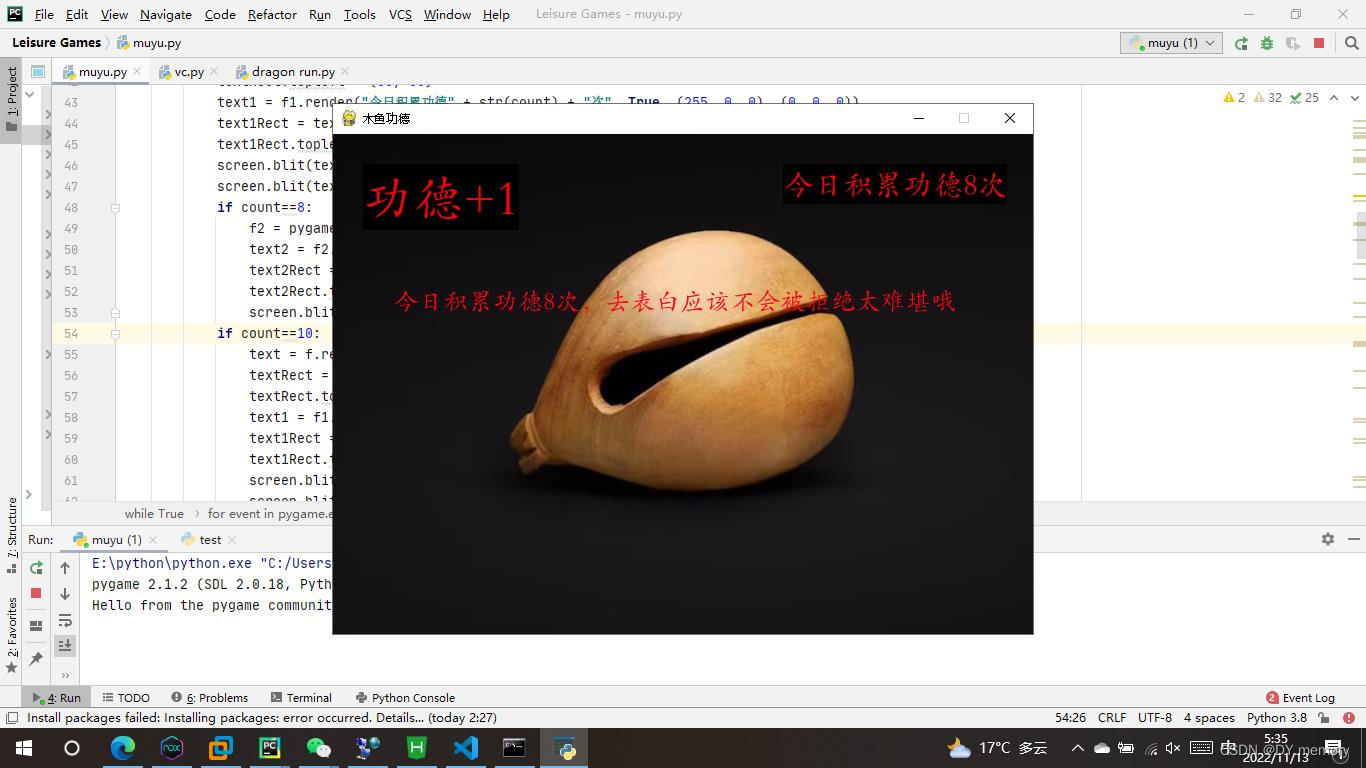
            if count==8:
                f2 = pygame.font.SysFont("华文楷体", 25)
                text2 = f2.render("今日积累功德8次,去表白应该不会被拒绝太难堪哦", True, (255, 0, 20))
                text2Rect = text.get_rect()
                text2Rect.topleft = (60, 150)
                screen.blit(text2, text2Rect)
            if count==10:
                text = f.render("功德+1", True, (255, 0, 0), (0, 0, 0))
                textRect = text.get_rect()
                textRect.topleft = (30, 30)
                text1 = f1.render("今日积累功德" + str(count) + "次", True, (255, 0, 0))
                text1Rect = text1.get_rect()
                text1Rect.topleft = (450, 30)
                screen.blit(img1, (-180, -100))
                screen.blit(text1, text1Rect)
                screen.blit(text, textRect)
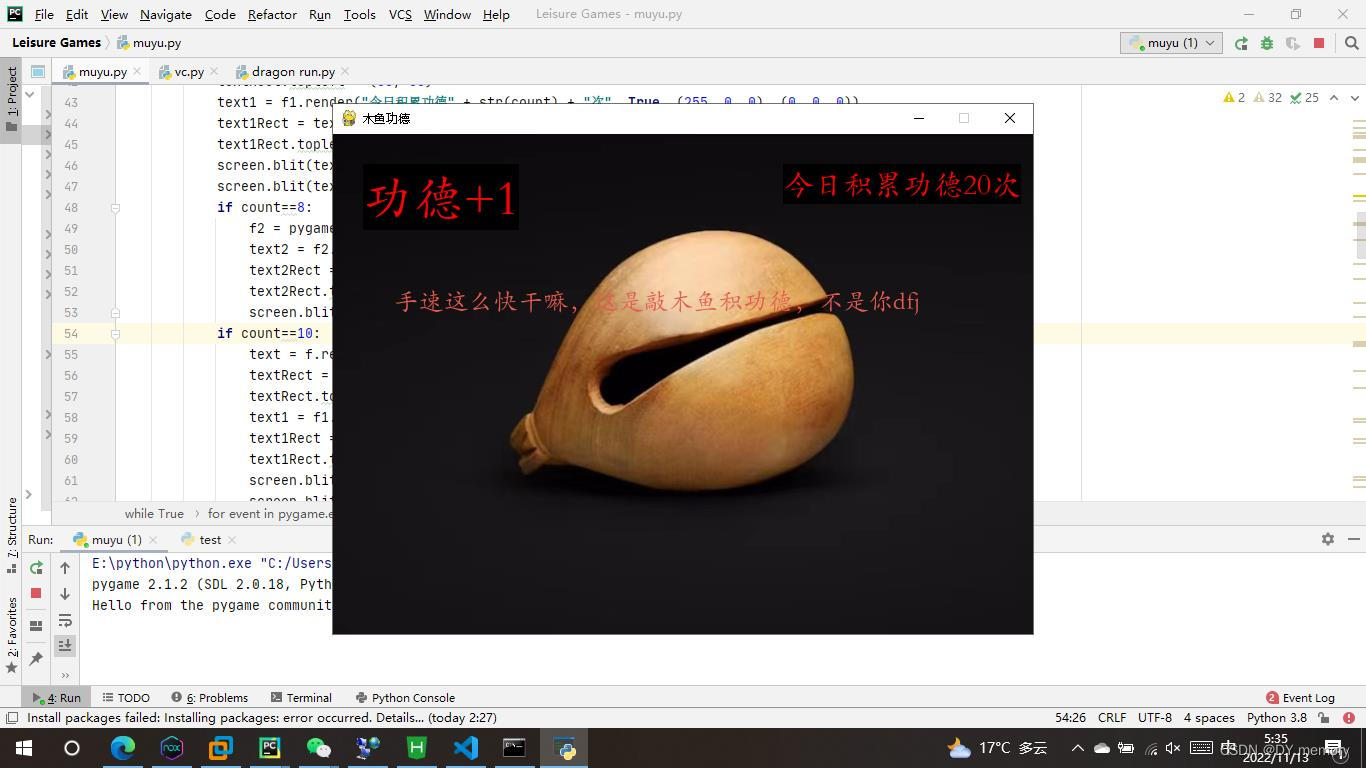
            if count==20:
                f2 = pygame.font.SysFont("华文楷体", 25)
                text3 = f2.render("手速这么快干嘛,这是敲木鱼积功德,不是你dfj", True, (230, 90, 80))
                text3Rect = text.get_rect()
                text3Rect.topleft = (60, 150)
                screen.blit(text3, text3Rect)
            if count==22:
                text = f.render("功德+1", True, (255, 0, 0), (0, 0, 0))
                textRect = text.get_rect()
                textRect.topleft = (30, 30)
                text1 = f1.render("今日积累功德" + str(count) + "次", True, (255, 0, 0), (0, 0, 0))
                text1Rect = text1.get_rect()
                text1Rect.topleft = (450, 30)
                screen.blit(img1, (-180, -100))
                screen.blit(text1, text1Rect)
                screen.blit(text, textRect)
            if count==28:
                f2 = pygame.font.SysFont("华文楷体", 25)
                text3 = f2.render("tmd,我看你不是敲木鱼,是泄火吧", True, (255, 200, 20))
                text3Rect = text.get_rect()
                text3Rect.topleft = (60, 150)
                screen.blit(text3, text3Rect)
            if count==30:
                text = f.render("功德+1", True, (255, 0, 0), (0, 0, 0))
                textRect = text.get_rect()
                textRect.topleft = (30, 30)
                text1 = f1.render("今日积累功德" + str(count) + "次", True, (255, 0, 0), (0, 0, 0))
                text1Rect = text1.get_rect()
                text1Rect.topleft = (450, 30)
                screen.blit(img1, (-180, -100))
                screen.blit(text1, text1Rect)
                screen.blit(text, textRect)
            if count==40:
                screen.blit(img2, (-210,10))
            if count==41:
                text = f.render("功德+1", True, (255, 0, 0), (0, 0, 0))
                textRect = text.get_rect()
                textRect.topleft = (30, 30)
                text1 = f1.render("今日积累功德" + str(count) + "次", True, (255, 0, 0), (0, 0, 0))
                text1Rect = text1.get_rect()
                text1Rect.topleft = (450, 30)
                screen.blit(img1, (-180, -100))
                screen.blit(text1, text1Rect)
                screen.blit(text, textRect)
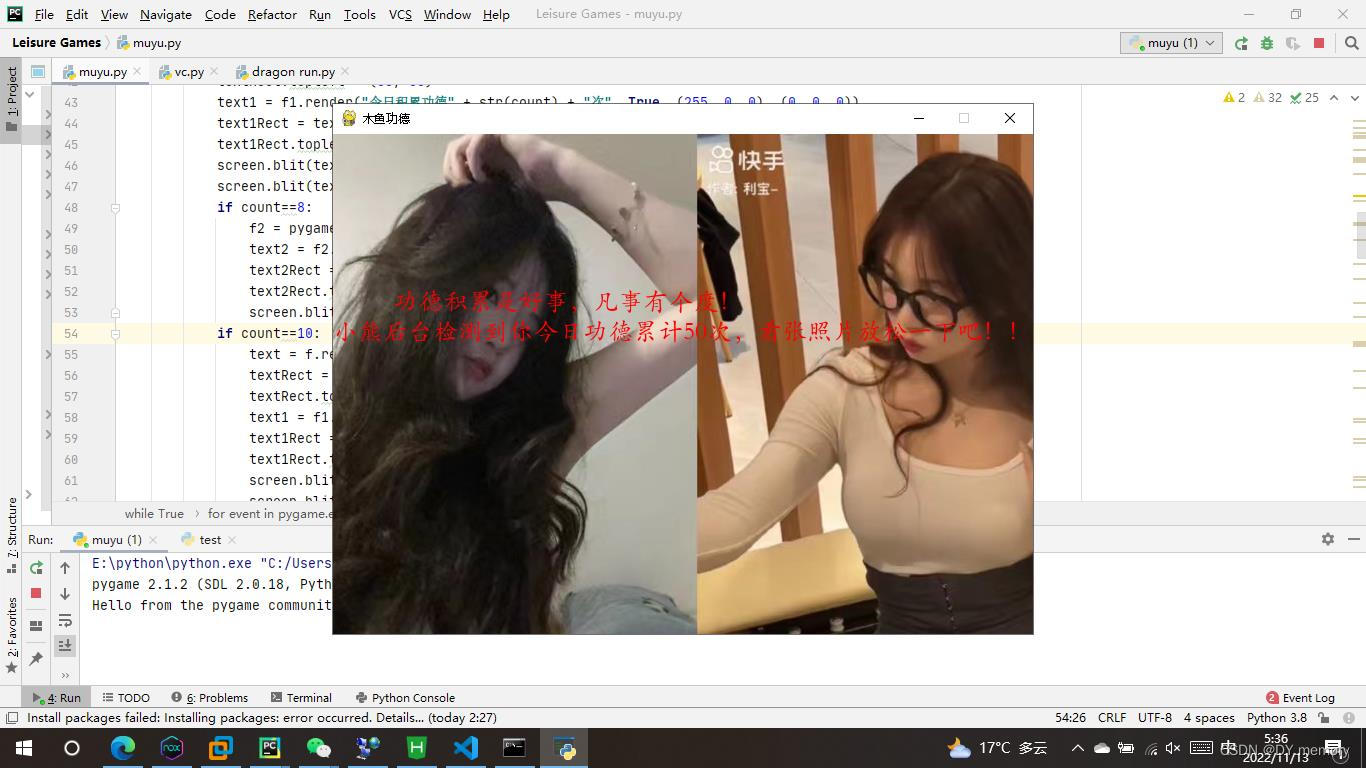
            if count==50:
                f2 = pygame.font.SysFont("华文楷体", 25)
                text3 = f2.render("今日功德累计50次了,小熊后台奖励你一只女朋友!", True, (255, 0, 0))
                text3Rect = text.get_rect()
                text3Rect.topleft = (60, 150)
                screen.blit(text3, text3Rect)
                screen.blit(img3, (-300, 0))
            if count==51:
                text = f.render("功德+1", True, (255, 0, 0), (0, 0, 0))
                textRect = text.get_rect()
                textRect.topleft = (30, 30)
                text1 = f1.render("今日积累功德" + str(count) + "次", True, (255, 0, 0), (0, 0, 0))
                text1Rect = text1.get_rect()
                text1Rect.topleft = (450, 30)
                screen.blit(img1, (-180, -100))
                screen.blit(text1, text1Rect)
                screen.blit(text, textRect)


            pygame.display.flip()
        if pygame.Rect.collidepoint(rect1, (ball_x, ball_y)) and event.type==pygame.MOUSEBUTTONUP:
            flag = False

            text = f.render("功德+1", True, (0, 0, 0), (0, 0, 0))
            textRect = text.get_rect()
            textRect.topleft = (30, 30)
            screen.blit(text, textRect)
            if count==40:
                screen.blit(img2, (-210, 10))
            if count==50:
                f2 = pygame.font.SysFont("华文楷体", 25)
                text3 = f2.render("功德积累是好事,凡事有个度!", True, (255, 0, 0))
                text4 = f2.render("小熊后台检测到你今日功德累计50次,看张照片放松一下吧!!", True, (255, 0, 0))
                text3Rect = text.get_rect()
                text4Rect = text.get_rect()
                text3Rect.topleft = (60, 150)
                text4Rect.topleft = (0, 180)
                screen.blit(img3, (-300, 0))
                screen.blit(text3, text3Rect)
                screen.blit(text4, text4Rect)


            pygame.display.flip()
        if event.type==pygame.QUIT:
            import mouse
            pygame.quit()
    pygame.display.flip()
截图:
关闭。这个问题是opinion-based.它目前不接受答案。想要改进这个问题?更新问题,以便editingthispost可以用事实和引用来回答它.关闭4年前。Improvethisquestion我想在固定时间创建一系列低音和高音调的哔哔声。例如:在150毫秒时发出高音调的蜂鸣声在151毫秒时发出低音调的蜂鸣声200毫秒时发出低音调的蜂鸣声250毫秒的高音调蜂鸣声有没有办法在Ruby或Python中做到这一点?我真的不在乎输出编码是什么(.wav、.mp3、.ogg等等),但我确实想创建一个输出文件。
给定这段代码defcreate@upgrades=User.update_all(["role=?","upgraded"],:id=>params[:upgrade])redirect_toadmin_upgrades_path,:notice=>"Successfullyupgradeduser."end我如何在该操作中实际验证它们是否已保存或未重定向到适当的页面和消息? 最佳答案 在Rails3中,update_all不返回任何有意义的信息,除了已更新的记录数(这可能取决于您的DBMS是否返回该信息)。http://ar.ru
如何在buildr项目中使用Ruby?我在很多不同的项目中使用过Ruby、JRuby、Java和Clojure。我目前正在使用我的标准Ruby开发一个模拟应用程序,我想尝试使用Clojure后端(我确实喜欢功能代码)以及JRubygui和测试套件。我还可以看到在未来的不同项目中使用Scala作为后端。我想我要为我的项目尝试一下buildr(http://buildr.apache.org/),但我注意到buildr似乎没有设置为在项目中使用JRuby代码本身!这看起来有点傻,因为该工具旨在统一通用的JVM语言并且是在ruby中构建的。除了将输出的jar包含在一个独特的、仅限ruby
我在我的Rails项目中使用Pow和powifygem。现在我尝试升级我的ruby版本(从1.9.3到2.0.0,我使用RVM)当我切换ruby版本、安装所有gem依赖项时,我通过运行railss并访问localhost:3000确保该应用程序正常运行以前,我通过使用pow访问http://my_app.dev来浏览我的应用程序。升级后,由于错误Bundler::RubyVersionMismatch:YourRubyversionis1.9.3,butyourGemfilespecified2.0.0,此url不起作用我尝试过的:重新创建pow应用程序重启pow服务器更新战俘
我将应用程序升级到Rails4,一切正常。我可以登录并转到我的编辑页面。也更新了观点。使用标准View时,用户会更新。但是当我添加例如字段:name时,它不会在表单中更新。使用devise3.1.1和gem'protected_attributes'我需要在设备或数据库上运行某种更新命令吗?我也搜索过这个地方,找到了许多不同的解决方案,但没有一个会更新我的用户字段。我没有添加任何自定义字段。 最佳答案 如果您想允许额外的参数,您可以在ApplicationController中使用beforefilter,因为Rails4将参数
我已经像这样安装了一个新的Rails项目:$railsnewsite它执行并到达:bundleinstall但是当它似乎尝试安装依赖项时我得到了这个错误Gem::Ext::BuildError:ERROR:Failedtobuildgemnativeextension./System/Library/Frameworks/Ruby.framework/Versions/2.0/usr/bin/rubyextconf.rbcheckingforlibkern/OSAtomic.h...yescreatingMakefilemake"DESTDIR="cleanmake"DESTDIR="
假设我有这个范围:("aaaaa".."zzzzz")如何在不事先/每次生成整个项目的情况下从范围中获取第N个项目? 最佳答案 一种快速简便的方法:("aaaaa".."zzzzz").first(42).last#==>"aaabp"如果出于某种原因你不得不一遍又一遍地这样做,或者如果你需要避免为前N个元素构建中间数组,你可以这样写:moduleEnumerabledefskip(n)returnto_enum:skip,nunlessblock_given?each_with_indexdo|item,index|yieldit
这个问题在这里已经有了答案:关闭10年前。PossibleDuplicate:Pythonconditionalassignmentoperator对于这样一个简单的问题表示歉意,但是谷歌搜索||=并不是很有帮助;)Python中是否有与Ruby和Perl中的||=语句等效的语句?例如:foo="hey"foo||="what"#assignfooifit'sundefined#fooisstill"hey"bar||="yeah"#baris"yeah"另外,类似这样的东西的通用术语是什么?条件分配是我的第一个猜测,但Wikipediapage跟我想的不太一样。
什么是ruby的rack或python的Java的wsgi?还有一个路由库。 最佳答案 来自Python标准PEP333:Bycontrast,althoughJavahasjustasmanywebapplicationframeworksavailable,Java's"servlet"APImakesitpossibleforapplicationswrittenwithanyJavawebapplicationframeworktoruninanywebserverthatsupportstheservletAPI.ht
华为OD机试题本篇题目:明明的随机数题目输入描述输出描述:示例1输入输出说明代码编写思路最近更新的博客华为od2023|什么是华为od,od薪资待遇,od机试题清单华为OD机试真题大全,用Python解华为机试题|机试宝典【华为OD机试】全流程解析+经验分享,题型分享,防作弊指南华为o
