今天开始学习了数据库,在安装MySQL之后启动一直报错,然后在网上找了很多解决方法,最后用以下方法解决
对于习惯了windows的小伙伴来说,直接去安装目录里边修改my.ini就可以,对于习惯了Linux的小伙伴来说,直接修改mysql默认的/etc/my.cnf配置文件就可以,可是Mac端MySQL是默认没有配置文件的,需要自己手动创建。
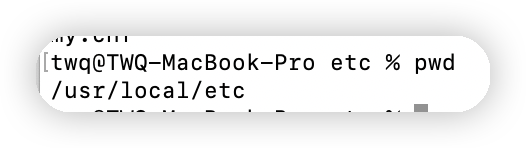
sudo mkdir etc
然后回车即可创建etc文件
sudo vi my.cnf
然后将以下代码全部复制进去即可
# Example MySQL config file for medium systems.
  #
  # This is for a system with little memory (32M - 64M) where MySQL plays
  # an important part, or systems up to 128M where MySQL is used together with
  # other programs (such as a web server)
  #
  # MySQL programs look for option files in a set of
  # locations which depend on the deployment platform.
  # You can copy this option file to one of those
  # locations. For information about these locations, see:
  # http://dev.mysql.com/doc/mysql/en/option-files.html
  #
  # In this file, you can use all long options that a program supports.
  # If you want to know which options a program supports, run the program
  # with the "--help" option.
  # The following options will be passed to all MySQL clients
  [client]
  default-character-set=utf8
  #password   = your_password
  port        = 3306
  socket      = /tmp/mysql.sock
  # Here follows entries for some specific programs
  # The MySQL server
  [mysqld]
  character-set-server=utf8
  init_connect='SET NAMES utf8'
  port        = 3306
  socket      = /tmp/mysql.sock
  skip-external-locking
  key_buffer_size = 16M
  max_allowed_packet = 1M
  table_open_cache = 64
  sort_buffer_size = 512K
  net_buffer_length = 8K
  read_buffer_size = 256K
  read_rnd_buffer_size = 512K
  myisam_sort_buffer_size = 8M
# Don't listen on a TCP/IP port at all. This can be a security enhancement,
# if all processes that need to connect to mysqld run on the same host.
# All interaction with mysqld must be made via Unix sockets or named pipes.
# Note that using this option without enabling named pipes on Windows
# (via the "enable-named-pipe" option) will render mysqld useless!
#
#skip-networking

  # Replication Master Server (default)
  # binary logging is required for replication
  log-bin=mysql-bin

    # binary logging format - mixed recommended
    binlog_format=mixed

      # required unique id between 1 and 2^32 - 1
      # defaults to 1 if master-host is not set
      # but will not function as a master if omitted
      server-id   = 1

    # Replication Slave (comment out master section to use this)
    #
    # To configure this host as a replication slave, you can choose between
    # two methods :
    #
    # 1) Use the CHANGE MASTER TO command (fully described in our manual) -
    #    the syntax is:
    #
    #    CHANGE MASTER TO MASTER_HOST=<host>, MASTER_PORT=<port>,
    #    MASTER_USER=<user>, MASTER_PASSWORD=<password> ;
    #
    #    where you replace <host>, <user>, <password> by quoted strings and
    #    <port> by the master's port number (3306 by default).
    #
    #    Example:
    #
    #    CHANGE MASTER TO MASTER_HOST='125.564.12.1', MASTER_PORT=3306,
    #    MASTER_USER='joe', MASTER_PASSWORD='secret';
    #
    # OR
    #
    # 2) Set the variables below. However, in case you choose this method, then
    #    start replication for the first time (even unsuccessfully, for example
    #    if you mistyped the password in master-password and the slave fails to
    #    connect), the slave will create a master.info file, and any later
    #    change in this file to the variables' values below will be ignored and
    #    overridden by the content of the master.info file, unless you shutdown
    #    the slave server, delete master.info and restart the slaver server.
    #    For that reason, you may want to leave the lines below untouched
    #    (commented) and instead use CHANGE MASTER TO (see above)
    #
    # required unique id between 2 and 2^32 - 1
    # (and different from the master)
    # defaults to 2 if master-host is set
    # but will not function as a slave if omitted
    #server-id       = 2
    #
    # The replication master for this slave - required
    #master-host     =   <hostname>
    #
    # The username the slave will use for authentication when connecting
    # to the master - required
    #master-user     =   <username>
    #
    # The password the slave will authenticate with when connecting to
    # the master - required
    #master-password =   <password>
    #
    # The port the master is listening on.
    # optional - defaults to 3306
    #master-port     =  <port>
    #
    # binary logging - not required for slaves, but recommended
    #log-bin=mysql-bin

      # Uncomment the following if you are using InnoDB tables
      #innodb_data_home_dir = /usr/local/mysql/data
      #innodb_data_file_path = ibdata1:10M:autoextend
      #innodb_log_group_home_dir = /usr/local/mysql/data
      # You can set .._buffer_pool_size up to 50 - 80 %
      # of RAM but beware of setting memory usage too high
      #innodb_buffer_pool_size = 16M
      #innodb_additional_mem_pool_size = 2M
      # Set .._log_file_size to 25 % of buffer pool size
      #innodb_log_file_size = 5M
      #innodb_log_buffer_size = 8M
      #innodb_flush_log_at_trx_commit = 1
      #innodb_lock_wait_timeout = 50

        [mysqldump]
        quick
        max_allowed_packet = 16M

          [mysql]
          no-auto-rehash
          # Remove the next comment character if you are not familiar with SQL
          #safe-updates
          default-character-set=utf8

        [myisamchk]
        key_buffer_size = 20M
        sort_buffer_size = 20M
        read_buffer = 2M
        write_buffer = 2M

          [mysqlhotcopy]
          interactive-timeout
————————————————
然后按esc并输入:wq保存即可
sudo chmod 664 my.cnf
最后输入以下命令 即可启动MySQL
sudo /usr/local/mysql/support-files/mysql.server start
我有一个在Linux服务器上运行的ruby脚本。它不使用rails或任何东西。它基本上是一个命令行ruby脚本,可以像这样传递参数:./ruby_script.rbarg1arg2如何将参数抽象到配置文件(例如yaml文件或其他文件)中?您能否举例说明如何做到这一点?提前谢谢你。 最佳答案 首先,您可以运行一个写入YAML配置文件的独立脚本:require"yaml"File.write("path_to_yaml_file",[arg1,arg2].to_yaml)然后,在您的应用中阅读它:require"yaml"arg
我已经在Sinatra上创建了应用程序,它代表了一个简单的API。我想在生产和开发上进行部署。我想在部署时选择,是开发还是生产,一些方法的逻辑应该改变,这取决于部署类型。是否有任何想法,如何完成以及解决此问题的一些示例。例子:我有代码get'/api/test'doreturn"Itisdev"end但是在部署到生产环境之后我想在运行/api/test之后看到ItisPROD如何实现? 最佳答案 根据SinatraDocumentation:EnvironmentscanbesetthroughtheRACK_ENVenvironm
我想将我的MacSnowLeopardruby从1.8.7升级到1.9.1版本,有人知道轻松且最好的升级方法吗?因为我读了一些论坛/帖子/博客/讨论说覆盖苹果发布的ruby不好将Rails从版本2.2.2升级到2.3.8的最佳方法是什么?因为我找到的所有信息都仅适用于豹/老虎,而且很少有关于雪豹的复杂文章。他们还说覆盖apple提供的rails不好吗。谁能帮帮我?谢谢。 最佳答案 DanBenjamin有一些greatinstructionsforcompilingandinstallingRuby,RubyGemsandRai
我最近决定从我的系统中卸载RVM。在thispage提出的一些论点说服我:实际上,我的决定是,我根本不想担心Ruby的多个版本。我只想使用1.9.2-p290版本而不用担心其他任何事情。但是,当我在我的Mac上运行ruby--version时,它告诉我我的版本是1.8.7。我四处寻找如何简单地从我的Mac上卸载这个Ruby,但奇怪的是我没有找到任何东西。似乎唯一想卸载Ruby的人运行linux,而使用Mac的每个人都推荐RVM。如何从我的Mac上卸载Ruby1.8.7?我想升级到1.9.2-p290版本,并且我希望我的系统上只有一个版本。 最佳答案
之前在培训新生的时候,windows环境下配置opencv环境一直教的都是网上主流的vsstudio配置属性表,但是这个似乎对新生来说难度略高(虽然个人觉得完全是他们自己的问题),加之暑假之后对cmake实在是爱不释手,且这样配置确实十分简单(其实都不需要配置),故斗胆妄言vscode下配置CV之法。其实极为简单,图比较多所以很长。如果你看此文还配不好,你应该思考一下是不是自己的问题。闲话少说,直接开始。0.CMkae简介有的人到大二了都不知道cmake是什么,我不说是谁。CMake是一个开源免费并且跨平台的构建工具,可以用简单的语句来描述所有平台的编译过程。它能够根据当前所在平台输出对应的m
注意:本文主要掌握DCN自研无线产品的基本配置方法和注意事项,能够进行一般的项目实施、调试与运维AP基本配置命令AP登录用户名和密码均为:adminAP默认IP地址为:192.168.1.10AP默认情况下DHCP开启AP静态地址配置:setmanagementstatic-ip192.168.10.1AP开启/关闭DHCP功能:setmanagementdhcp-statusup/downAP设置默认网关:setstatic-ip-routegeteway192.168.10.254查看AP基本信息:getsystemgetmanagementgetmanaged-apgetrouteAP配
1.1.1 YARN的介绍 为克服Hadoop1.0中HDFS和MapReduce存在的各种问题⽽提出的,针对Hadoop1.0中的MapReduce在扩展性和多框架⽀持⽅⾯的不⾜,提出了全新的资源管理框架YARN. ApacheYARN(YetanotherResourceNegotiator的缩写)是Hadoop集群的资源管理系统,负责为计算程序提供服务器计算资源,相当于⼀个分布式的操作系统平台,⽽MapReduce等计算程序则相当于运⾏于操作系统之上的应⽤程序。 YARN被引⼊Hadoop2,最初是为了改善MapReduce的实现,但是因为具有⾜够的通⽤性,同样可以⽀持其他的分布式计算模
我是ruby的新手,正在配置IRB。我喜欢pretty-print(需要'pp'),但总是输入pp来漂亮地打印它似乎很麻烦。我想做的是默认情况下让它漂亮地打印出来,所以如果我有一个var,比如说,'myvar',然后键入myvar,它会自动调用pretty_inspect而不是常规检查。我从哪里开始?理想情况下,我将能够向我的.irbrc文件添加一个自动调用的方法。有什么想法吗?谢谢! 最佳答案 irb中默认pretty-print对象正是hirb被迫去做。Theseposts解释hirb如何将几乎所有内容转换为ascii表。虽
我想在IRB中浏览文件系统并让提示更改以反射(reflect)当前工作目录,但我不知道如何在每个命令后进行提示更新。最终,我想在日常工作中更多地使用IRB,让bash溜走。我在我的.irbrc中试过这个:require'fileutils'includeFileUtilsIRB.conf[:PROMPT][:CUSTOM]={:PROMPT_N=>"\e[1m:\e[m",:PROMPT_I=>"\e[1m#{pwd}>\e[m",:PROMPT_S=>"FOO",:PROMPT_C=>"\e[1m#{pwd}>\e[m",:RETURN=>""}IRB.conf[:PROMPT_MO
我正在使用Ruby/Mechanize编写一个“自动填写表格”应用程序。它几乎可以工作。我可以使用精彩CharlesWeb代理以查看服务器和我的Firefox浏览器之间的交换。现在我想使用Charles查看服务器和我的应用程序之间的交换。Charles在端口8888上代理。假设服务器位于https://my.host.com。.一件不起作用的事情是:@agent||=Mechanize.newdo|agent|agent.set_proxy("my.host.com",8888)end这会导致Net::HTTP::Persistent::Error:...lib/net/http/pe
