kubernetes 1.24.0以上版本已经移除了docker cri,因此在使用的docker来的安装k8s时,你需要自己安装cri-docker
以下为ansible的剧本,cri-docker.service设置部分没写,自己搞搞
---
- hosts: localhost
  remote_user: root
  tasks:
   - name: 关闭firewalld并且取消开机启动
     systemd:
      enabled: FALSE
      state: stopped
      name: firewalld.service

   - name: 永久关闭selinux
     lineinfile:
      dest: /etc/selinux/config
      regexp: "^SELINUX="
      line: "SELINUX=disabled"

   - name: 临时关闭selinux
     shell: "setenforce 0"
     failed_when: FALSE

   - name: 关闭swap
     shell: "swapoff -a && sed -i 's/^[^#]*swap/#&/g' /etc/fstab"

   - name: 安装yum-utils
     yum: name=yum-utils state=present

   - name: 添加docker-ce repo文件
     shell: yum-config-manager --add-repo https://download.docker.com/linux/centos/docker-ce.repo

   - name: 安装docker
     shell: yum install docker-ce -y

   - name: 创建/root/cri目录
     file:
       state: directory
       path: /root/cri

   - name: 拷贝cri-docker rpm包
     copy:
      src: /root/cri/cri-dockerd-0.2.5-3.el7.x86_64.rpm
      dest: /root/cri/cri-dockerd-0.2.5-3.el7.x86_64.rpm

   - name: 安装cri-docker
     shell: rpm -ivh /root/cri/cri-dockerd-0.2.5-3.el7.x86_64.rpm

   - name: 创建k8s.config文件
     shell:
      cmd: |
       cat <<EOF | sudo tee /etc/modules-load.d/k8s.conf
       overlay
       br_netfilter
       EOF

   - name: 安装overlay模块
     shell: sudo modprobe overlay

   - name: 安装br_netfilter模块
     shell: sudo modprobe br_netfilter

   - name: 设置所需的 sysctl参数,参数在重新启动后保持不变
     shell:
      cmd: |
        cat <<EOF | sudo tee /etc/sysctl.d/k8s.conf
        net.bridge.bridge-nf-call-iptables  = 1
        net.bridge.bridge-nf-call-ip6tables = 1
        net.ipv4.ip_forward                 = 1
        EOF

   - name: 应用 sysctl 参数而不重新启动
     shell: sudo sysctl --system
   - name: 创建k8s.config文件
     shell:
      cmd: |
       cat <<EOF | sudo tee /etc/modules-load.d/k8s.conf
       overlay
       br_netfilter
       EOF

   - name: 安装overlay模块
     shell: sudo modprobe overlay

   - name: 安装br_netfilter模块
     shell: sudo modprobe br_netfilter

   - name: 设置所需的 sysctl参数,参数在重新启动后保持不变
     shell:
      cmd: |
        cat <<EOF | sudo tee /etc/sysctl.d/k8s.conf
        net.bridge.bridge-nf-call-iptables  = 1
        net.bridge.bridge-nf-call-ip6tables = 1
        net.ipv4.ip_forward                 = 1
        EOF

   - name: 应用 sysctl 参数而不重新启动
     shell: sudo sysctl --system
https://github.com/Mirantis/cri-dockerd/releases/tag/v0.2.5
此文件可命令kubeadm config print init-defaults生成,生产以后按自己实际情况修改文件,不要抄!
apiVersion: kubeadm.k8s.io/v1beta3
bootstrapTokens:
- groups:
  - system:bootstrappers:kubeadm:default-node-token
  token: abcdef.0123456789abcdef
  ttl: 24h0m0s
  usages:
  - signing
  - authentication
kind: InitConfiguration
localAPIEndpoint:
  advertiseAddress: 192.168.100.101  #改成你自己的IP地址
  bindPort: 6443
nodeRegistration:
  criSocket: unix:///run/cri-dockerd.sock #改成这个套接字
  imagePullPolicy: IfNotPresent
  name: master01  #改成你自己的主机名
  taints: null
---
apiServer:
  timeoutForControlPlane: 4m0s
apiVersion: kubeadm.k8s.io/v1beta3
certificatesDir: /etc/kubernetes/pki
clusterName: kubernetes
controllerManager: {}
dns: {}
etcd:
  local:
    dataDir: /var/lib/etcd
imageRepository: registry.aliyuncs.com/google_containers
kind: ClusterConfiguration
kubernetesVersion: 1.24.3
networking:
  dnsDomain: cluster.local
  serviceSubnet: 10.96.0.0/12
scheduler: {}
kubeadm config images list命令可以查看1.24.3版本需要的镜像文件
国内仓库:registry.aliyuncs.com/google_containers
注意:etcd在registry.aliyuncs.com/google_containers仓库中可能找不到,可以上dockerhub上找找
[root@master01 ~]# kubeadm config images list
k8s.gcr.io/kube-apiserver:v1.24.3
k8s.gcr.io/kube-controller-manager:v1.24.3
k8s.gcr.io/kube-scheduler:v1.24.3
k8s.gcr.io/kube-proxy:v1.24.3
k8s.gcr.io/pause:3.7
k8s.gcr.io/etcd:3.5.3-0
k8s.gcr.io/coredns/coredns:v1.8.6
拉取指定仓库的镜像
kubeadm config images pull --image-repository="registry.aliyuncs.com/google_containers" --cri-socket="unix:///run/cri-dockerd.sock"
安装好cri-docker 以后,直接kubeadm init --config init.yaml 会提示超时,查看kubelet日志会提示找不到节点
这时,你需要配置cri-docker.service文件,ExecStart=/usr/bin/cri-dockerd项后面指定你的指定你的pause版本,
例如:–pod-infra-container-image=registry.aliyuncs.com/google_containers/pause:3.7,
错误如下
Error getting node" err="node \"master01\" not found
解决方法
[root@master01 ansible]# cat /usr/lib/systemd/system/cri-docker.service
[Unit]
Description=CRI Interface for Docker Application Container Engine
Documentation=https://docs.mirantis.com
After=network-online.target firewalld.service docker.service
Wants=network-online.target
Requires=cri-docker.socket

[Service]
Type=notify
ExecStart=/usr/bin/cri-dockerd --pod-infra-container-image=registry.aliyuncs.com/google_containers/pause:3.7 --container-runtime-endpoint fd://
ExecReload=/bin/kill -s HUP $MAINPID
TimeoutSec=0
RestartSec=2
Restart=always

# Note that StartLimit* options were moved from "Service" to "Unit" in systemd 229.
# Both the old, and new location are accepted by systemd 229 and up, so using the old location
# to make them work for either version of systemd.
StartLimitBurst=3

# Note that StartLimitInterval was renamed to StartLimitIntervalSec in systemd 230.
# Both the old, and new name are accepted by systemd 230 and up, so using the old name to make
# this option work for either version of systemd.
StartLimitInterval=60s

# Having non-zero Limit*s causes performance problems due to accounting overhead
# in the kernel. We recommend using cgroups to do container-local accounting.
LimitNOFILE=infinity
LimitNPROC=infinity
LimitCORE=infinity

# Comment TasksMax if your systemd version does not support it.
# Only systemd 226 and above support this option.
TasksMax=infinity
Delegate=yes
KillMode=process

[Install]
WantedBy=multi-user.target
完成后重启cri-service服务
[root@master01 ~]# systemctl daemon-reload && systemctl restart cri-docker.service
此时在此运算kubeadm init 就能成功初始化集群
与以往不同的是需要指定一下cri-socket
[root@master01 ~]# kubeadm reset --cri-socket="unix:///run/cri-dockerd.sock" --v=5
拉取镜像时需要很长时间,避免长时间不操作导致远程断开,你可以在tmux中执行,非常好用的小工具,建议安装
文档
可选CNI方案有如下几种
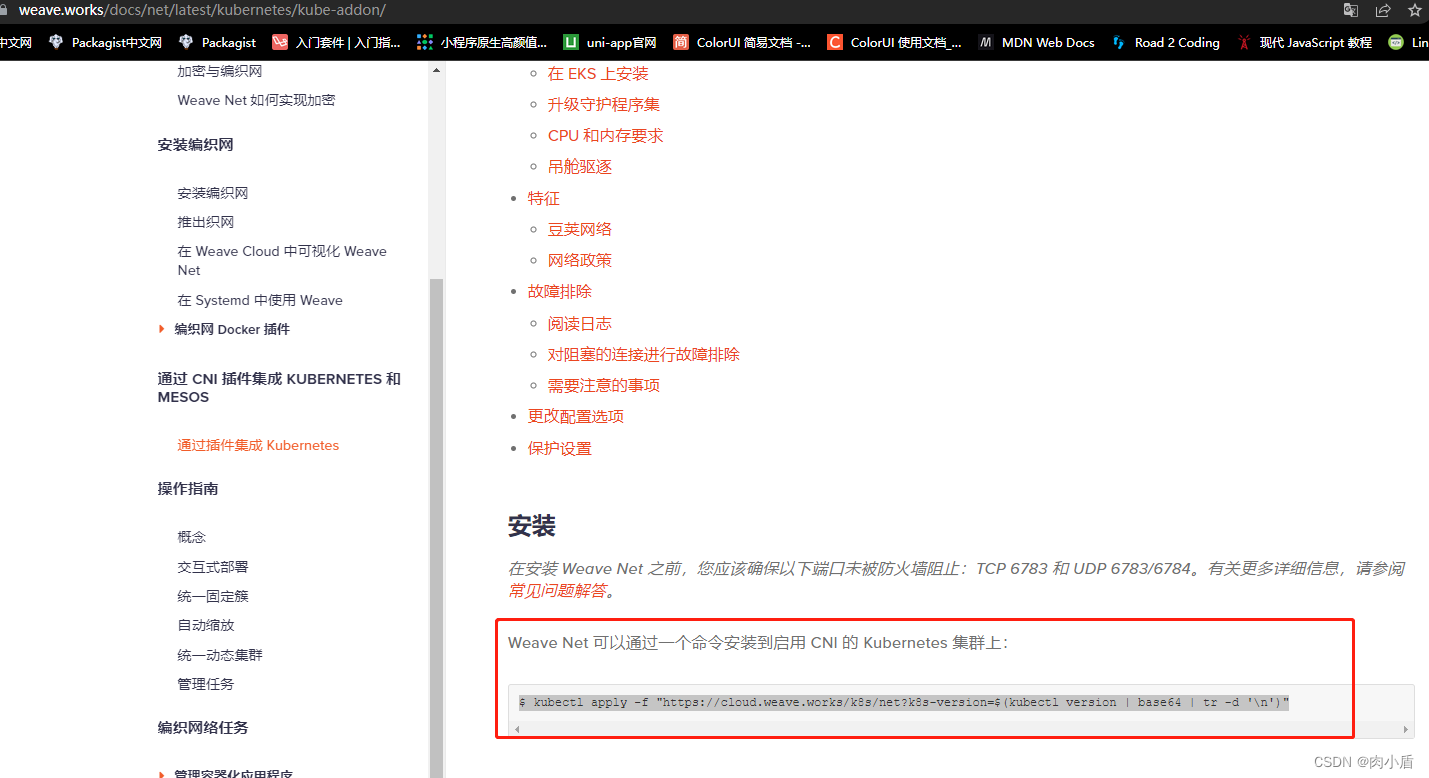
$ kubectl apply -f "https://cloud.weave.works/k8s/net?k8s-version=$(kubectl version | base64 | tr -d '\n')"
我正在尝试在我的centos服务器上安装therubyracer,但遇到了麻烦。$geminstalltherubyracerBuildingnativeextensions.Thiscouldtakeawhile...ERROR:Errorinstallingtherubyracer:ERROR:Failedtobuildgemnativeextension./usr/local/rvm/rubies/ruby-1.9.3-p125/bin/rubyextconf.rbcheckingformain()in-lpthread...yescheckingforv8.h...no***e
需求:要创建虚拟机,就需要给他提供一个虚拟的磁盘,我们就在/opt目录下创建一个10G大小的raw格式的虚拟磁盘CentOS-7-x86_64.raw命令格式:qemu-imgcreate-f磁盘格式磁盘名称磁盘大小qemu-imgcreate-f磁盘格式-o?1.创建磁盘qemu-imgcreate-fraw/opt/CentOS-7-x86_64.raw10G执行效果#ls/opt/CentOS-7-x86_64.raw2.安装虚拟机使用virt-install命令,基于我们提供的系统镜像和虚拟磁盘来创建一个虚拟机,另外在创建虚拟机之前,提前打开vnc客户端,在创建虚拟机的时候,通过vnc
Activeadmingem已添加到我的rails项目中,但每次我尝试安装railsgactive_admin:install时,我都会收到类似的错误git://github.com/activeadmin/activeadmin.git(atmaster)isnotyetcheckedout.Runbundleinstallfirst.我肯定在运行“railsgactive_admin:install”之前运行了bundle。运行“bundleshow”后,我看到我已将“*activeadmin(1.0.0.pre3f916d6)”添加到我的项目中,但不断收到此错误消息。我的gem文
我有一个使用Jekyll托管在GitHub上的静态网站。问题是,我真的不需要master分支,因为存储库唯一包含的是网站。这样我就必须gitcheckoutgh-pages,然后gitmergemaster,然后gitpushorigingh-pages。有什么简单的方法可以摆脱gh-pages分支并直接从master推送? 最佳答案 Theproblemis,Idon'treallyneedthemasterbranch,astheonlythingtherepositorycontainsisthewebsite.Isthere
我有一个包含多个组件的存储库,其中大部分是用JavaScript(Node.js)编写的,一个是用Ruby(RubyonRails)编写的。我想要一个.travis.yml文件来触发一个运行每个组件的所有测试的构建。根据thisTravisCIGoogleGroupthread,目前还没有官方支持。我的目录结构是这样的:.├──构建服务器├──核心├──扩展├──网络应用├──流浪文件├──package.json├──.travis.yml└──生成文件我希望能够运行特定版本的Ruby(2.2.2)和Node.js(0.12.2)。我已经有了一个make目标,所以maketest在每
在安装了openssllib的linux机器上,当您执行带有“-nodes”选项的“opensslpkcs12”时,您将获得带有未加密私钥的输出,但如果您跳过–nodes选项,则输出将具有加密的私钥。e.g.opensslpkcs12-intest.pfx-outtest.pem你应该看到像下面这样加密的私钥-----BEGINENCRYPTEDPRIVATEKEY-----MIIFDjBABgkqhkiGG7s=-----ENDENCRYPTEDPRIVATEKEY-----如何使用ruby的开放ssl库实现上述目标?这就是我用ruby生成私钥的方式:@private_key
我在nginx+unicorn后面运行一系列Rails/Sinatra应用程序,零停机部署。我喜欢这个设置,但Unicorn需要一段时间才能完成重新启动,所以我想在完成时发送某种通知。我能在Unicorn文档中找到的唯一回调与workerfork相关,但我认为这些回调对此不起作用。这是我从赏金中寻找的东西:老unicorn主人启动新主人,然后新主人开始它的worker,然后旧主人停止它的worker并让新主人接管。我想在交接完成后执行一些ruby代码。理想情况下,我不想为此实现任何复杂的流程监控。如果这是唯一的方法,那就这样吧。但在走那条路之前,我正在寻找更简单的选择。
按照目前的情况,这个问题不适合我们的问答形式。我们希望答案得到事实、引用或专业知识的支持,但这个问题可能会引发辩论、争论、投票或扩展讨论。如果您觉得这个问题可以改进并可能重新打开,visitthehelpcenter指导。关闭9年前。多年来,我一直在使用多种语言进行编程,并且认为自己总体上相当擅长。但是,我从未编写过任何自动化测试:没有单元测试,没有TDD,没有BDD,什么都没有。我已经尝试开始为我的项目编写适当的测试套件。我可以看到在进行任何更改后能够自动测试项目中所有代码的理论值(value)。我可以看到像RSpec和Mocha这样的测试框架应该如何使设置和运行所述测试变得相当容易
目标:我想从动画GIF中抓取最佳帧并将其用作静态预览图像。我相信最好的帧是显示最多内容的帧-不一定是第一帧或最后一帧。以这张动图为例:--这是第一帧:--这是第28帧:很明显,第28帧很好地代表了整个GIF。我如何以编程方式确定一帧是否比另一帧具有更多像素/内容?如果您能向我指出任何想法、想法、包/模块或文章,我们将不胜感激。 最佳答案 实现此目的的一种直接方法是估计entropy每个图像的帧,并选择具有最大熵的帧。在信息论中,熵可以被认为是图像的“随机性”。单一颜色的图像是非常可预测的,分布越平坦,越随机。这与Arthur-R描述
require'openssl'ifARGV.length==2pkcs12=OpenSSL::PKCS12.new(File.read(ARGV[0]),ARGV[1])ppkcs12.certificateelseputs"Usage:load_cert.rb"end运行它会在Windows上产生错误,但在Linux上不会。错误:OpenSSL::PKCS12::PKCS12Error:PKCS12_parse:macverifyfailurefrom(irb):21:ininitializefrom(irb):21:innewfrom(irb):21fromC:/Ruby192/
