文章目录
最近公司在打算以后规范写单元测试的,之前只知道后端有这个,然后就上网翻了翻前端怎么写单元测试,查到了jest这个框架,这篇主要说下我想要使用组件测试时候踩得坑,以及几种方式
这里我使用的是vue项目
先安装vue-cli,当然没安装的小伙伴可以自行百度下,我这里只介绍安装选择的配置
运行命令vue create my-app来创建vue项目,找到如图Unit Test这项,选中,回车进行下一步
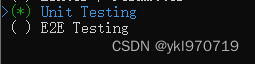
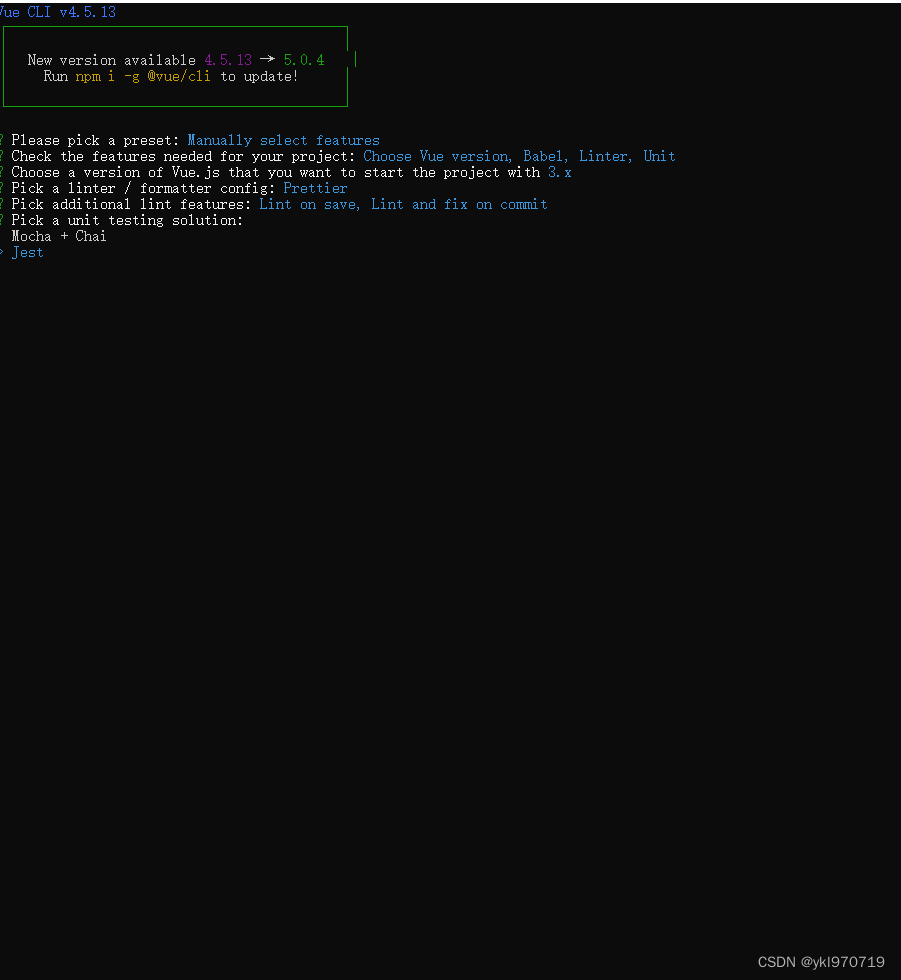
这里选择jest
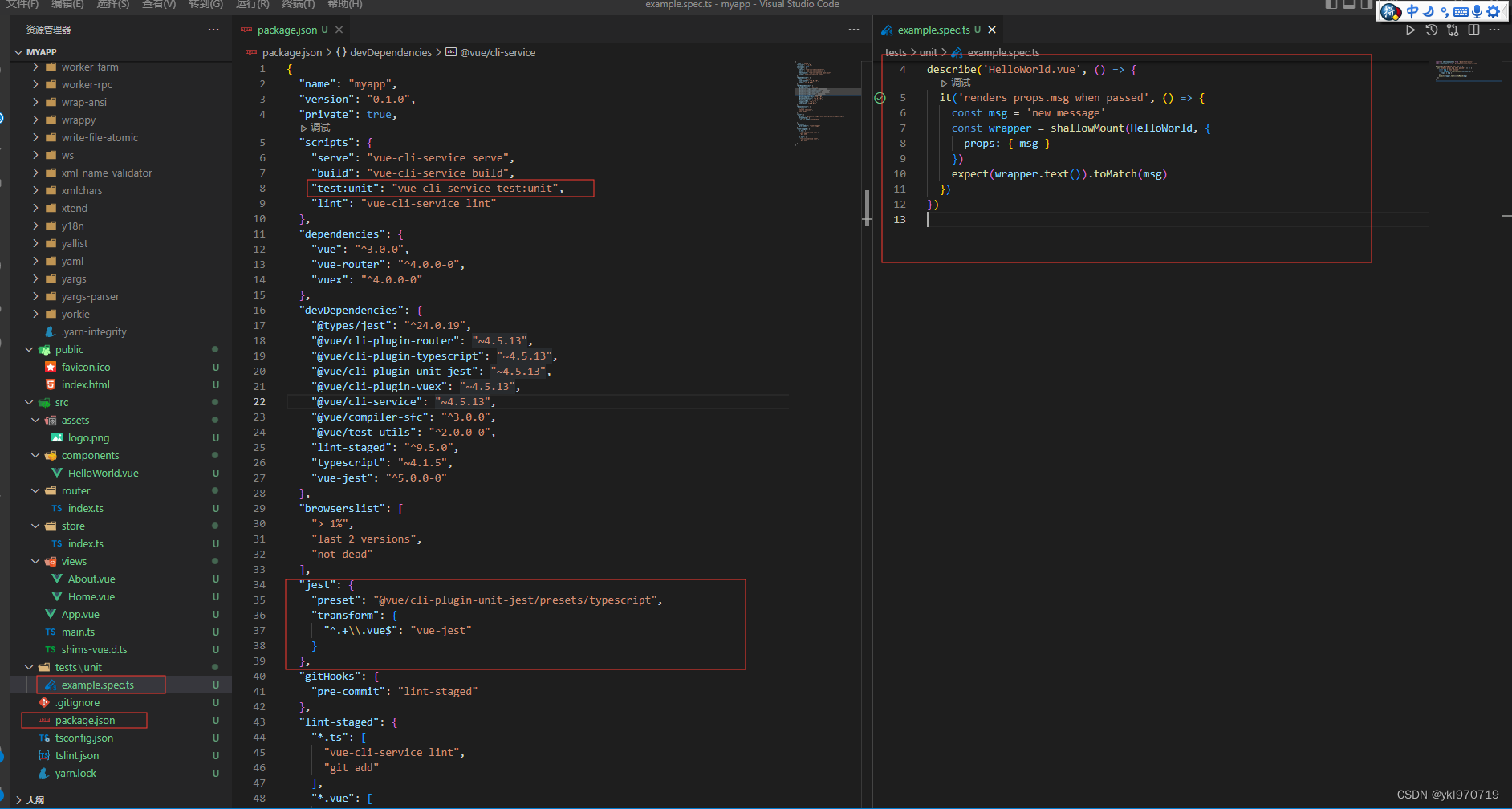
项目创建好之后就可以看见这个项目已经具备jest
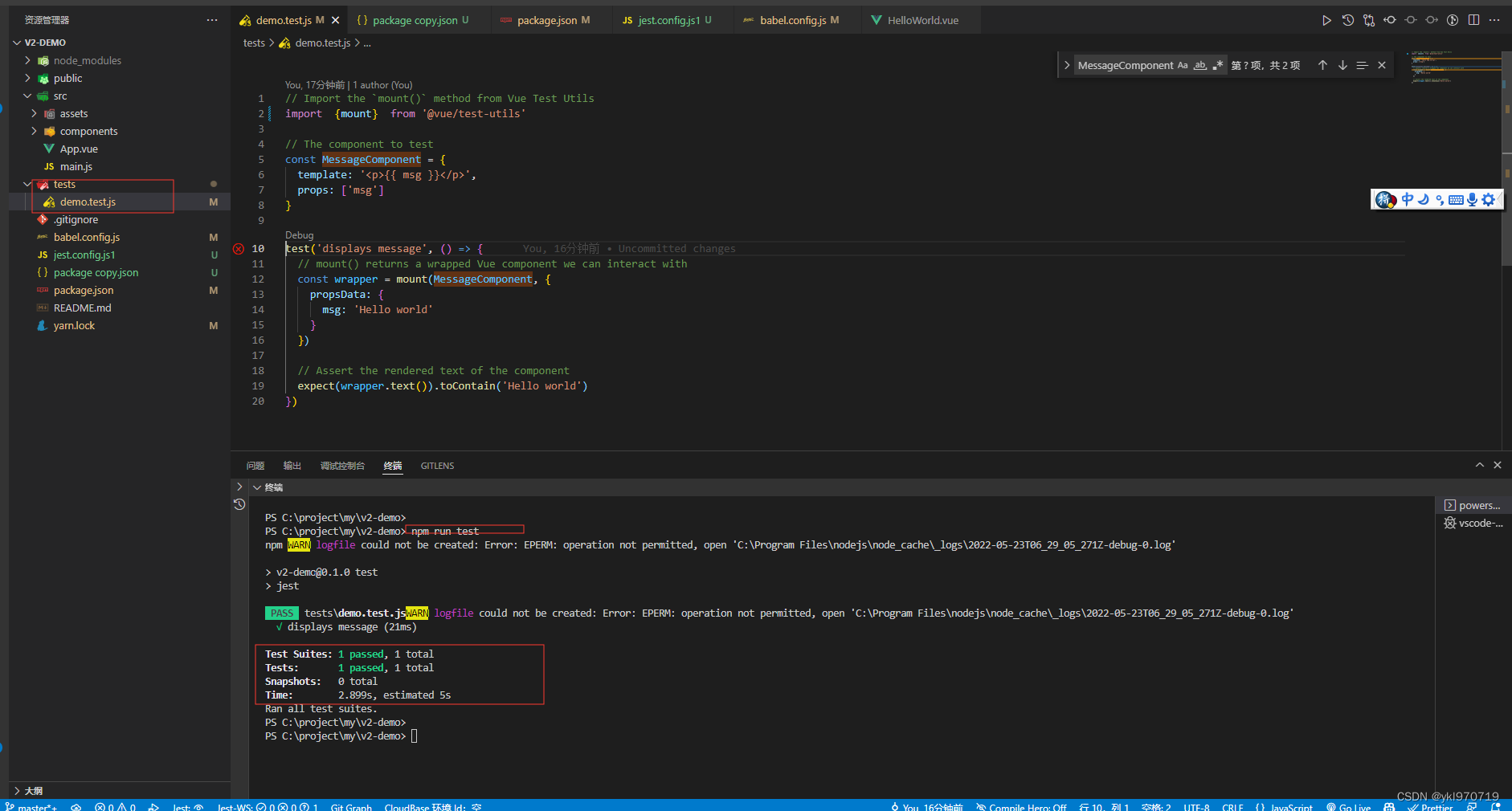
运行命令yarn test:unit可以看到运行成功
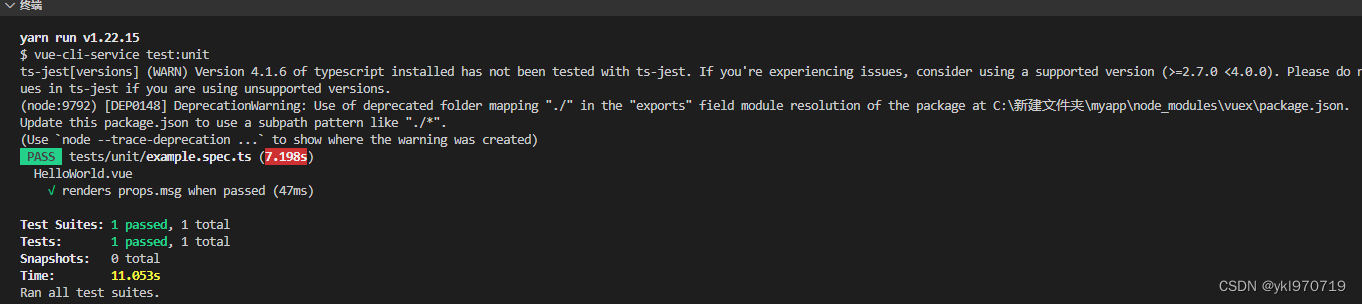
当然也可以将它估计改成不匹配的来查看结果
可能有的小伙伴手里已经有了项目,不允许重新创建,那么这个方法可能更适合你
官方文档
因为单元测试只在dev环境使用所以按在dev下即可 两个包用空格隔开,可以同时安两个包()
npm install --save-dev jest @vue/test-utils
在 package.json添加命令
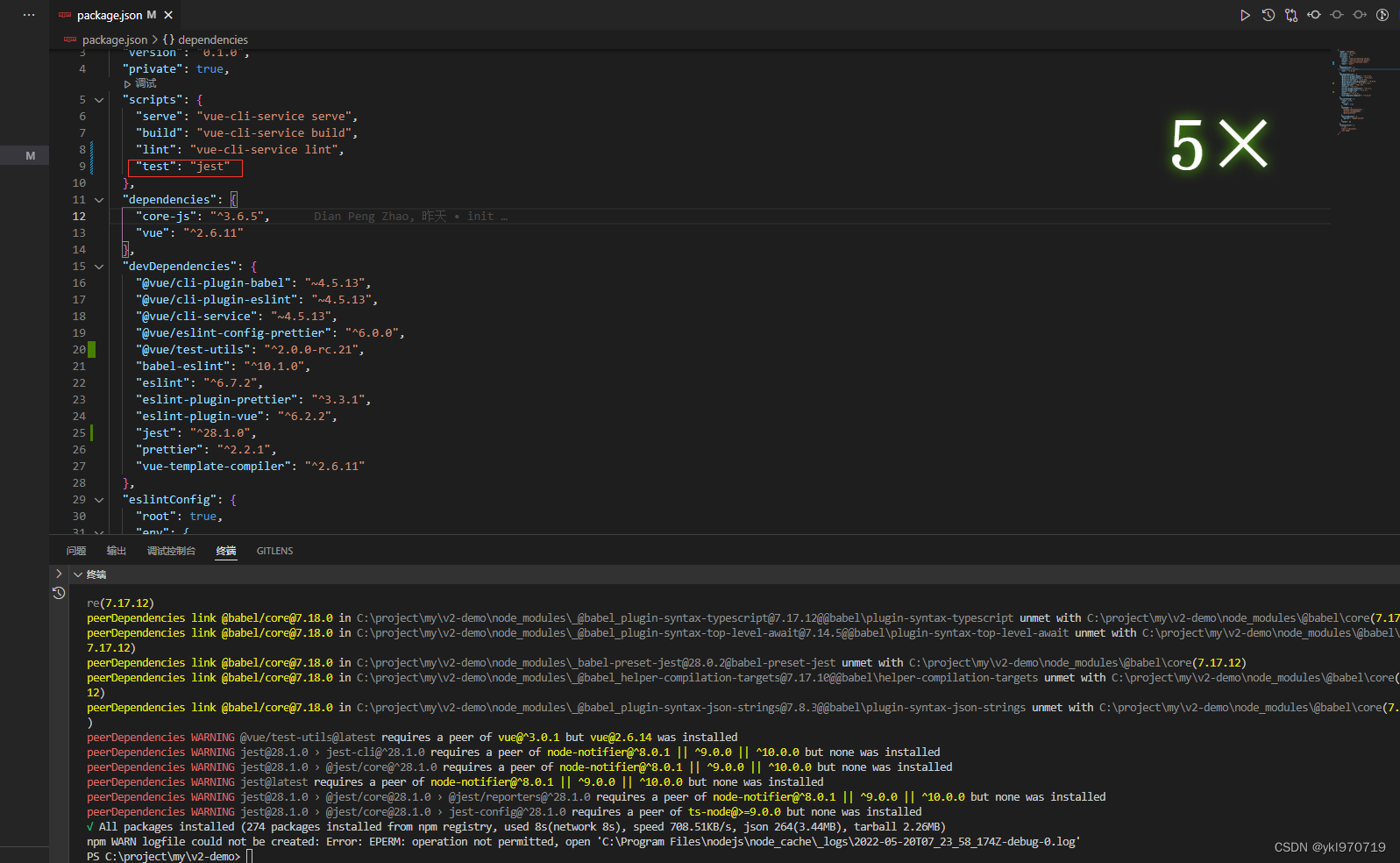
运行命令
npm install --save-dev vue-jest
添加好配置
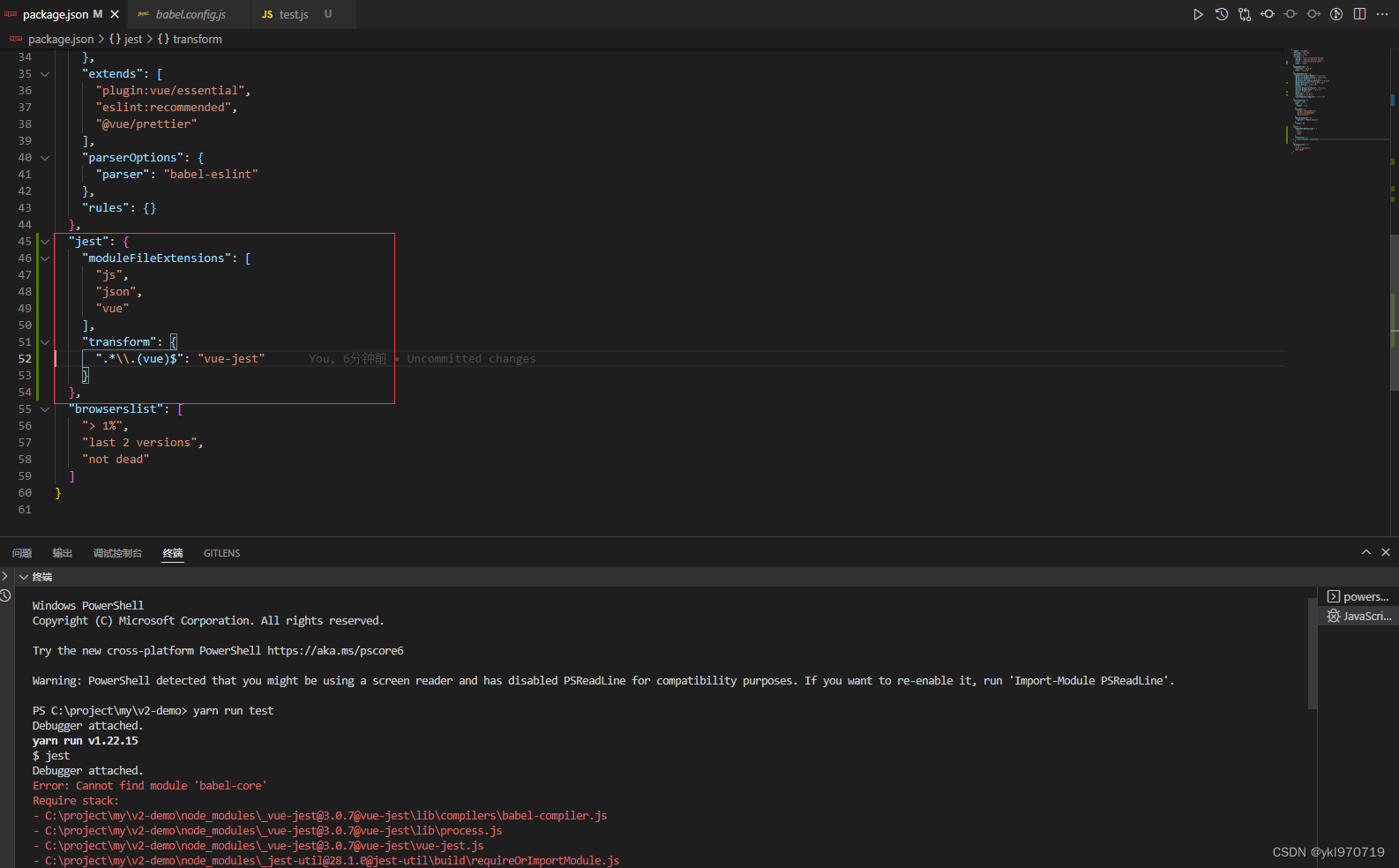
如果有jest.config.js这个文件,就不要写在package.json,写在jest.config.js这个文件里,这个我一会在vue3项目中使用时介绍
npm install --save-dev babel-core@^7.0.0-bridge.0
npm install --save-dev @babel/core@7.4.5 @babel/preset-env@7.4.5
{
    "presets": [
        [
            "@babel/preset-env",
            {
                "targets": {
                    "node": "current"
                }
            }
        ]
    ]
}
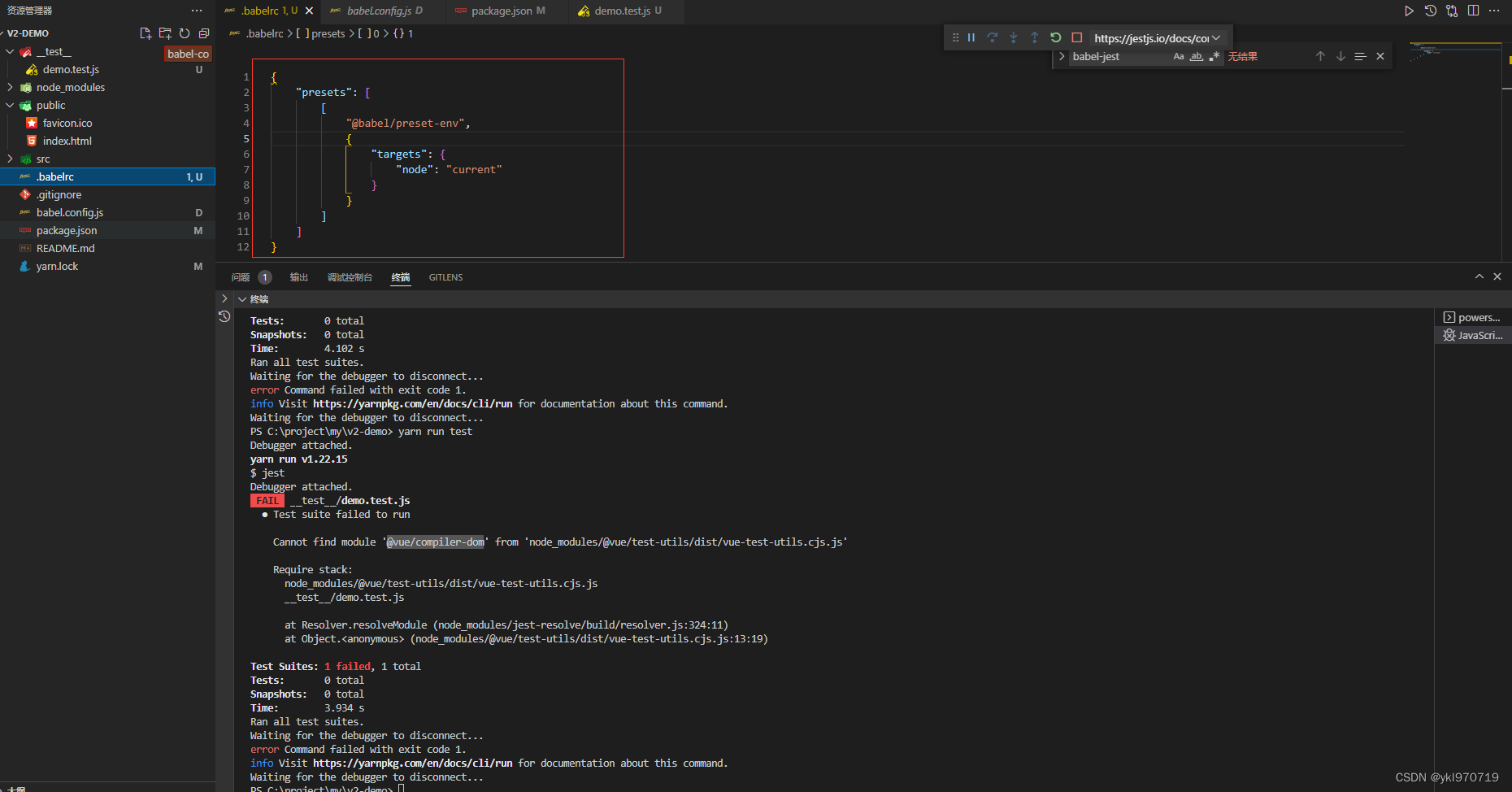
npm install --save-dev babel-jest
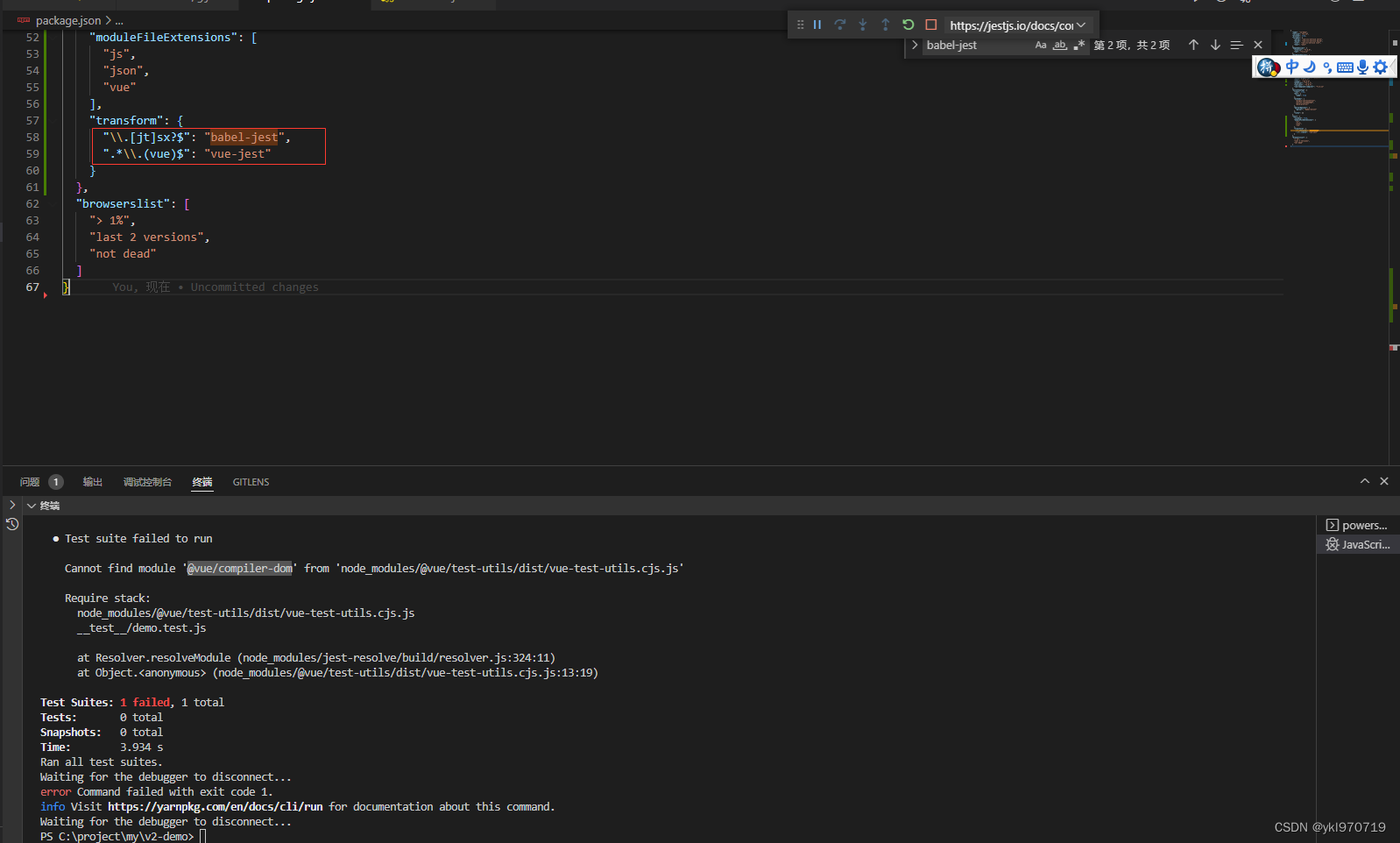
npm install --save-dev @vue/compiler-dom
最后可能会因为一些版本什么会发生一些奇妙的错误,我直接把我的package.json贴出来帮大家排个坑
{
  "name": "v2-demo",
  "version": "0.1.0",
  "private": true,
  "scripts": {
    "serve": "vue-cli-service serve",
    "build": "vue-cli-service build",
    "lint": "vue-cli-service lint",
    "test": "jest"
  },
  "dependencies": {
    "babel-plugin-transform-es2015-modules-commonjs": "^6.26.2",
    "core-js": "^3.6.5",
    "vue": "^2.6.11",
    "vue-router": "3.5.3"
  },
  "devDependencies": {
    "@babel/core": "7.4.5",
    "@babel/plugin-transform-runtime": "^7.18.0",
    "@babel/preset-env": "7.4.5",
    "@vue/cli-plugin-babel": "~4.5.13",
    "@vue/cli-plugin-eslint": "~4.5.13",
    "@vue/cli-service": "~4.5.13",
    "@vue/compiler-dom": "^3.2.34",
    "@vue/eslint-config-prettier": "^6.0.0",
    "@vue/server-test-utils": "1",
    "@vue/test-utils": "^1.0.0-beta.29",
    "babel-core": "^7.0.0-bridge.0",
    "babel-eslint": "^10.1.0",
    "babel-jest": "21.2.0",
    "eslint": "^6.7.2",
    "eslint-plugin-prettier": "^3.3.1",
    "eslint-plugin-vue": "^6.2.2",
    "jest": "21.2.1",
    "jest-environment-jsdom-fifteen": "^1.0.2",
    "jest-environment-jsdom-global": "^3.1.1",
    "jest-serializer-vue": "^2.0.2",
    "jsdom": "^19.0.0",
    "prettier": "^2.2.1",
    "vue-jest": "^3.0.4",
    "vue-template-compiler": "^2.6.14"
  },
  "eslintConfig": {
    "root": true,
    "env": {
      "node": true
    },
    "extends": [
      "plugin:vue/essential",
      "eslint:recommended",
      "@vue/prettier"
    ],
    "parserOptions": {
      "parser": "babel-eslint"
    },
    "rules": {}
  },
  "jest": {
    "testMatch": [
      "**/tests/**/*.[jt]s?(x)",
      "**/?(*.)+(spec|test).[tj]s?(x)",
      "(/__tests__/.*|(\\.|/)(test|spec))\\.(js|ts)$"
    ],
    "verbose": true,
    "collectCoverage": false,
    "collectCoverageFrom": [
      "src/**/*.{js,ts,vue}"
    ],
    "moduleFileExtensions": [
      "js",
      "json",
      "vue"
    ],
    "snapshotSerializers": ["jest-serializer-vue"],
    "transform": {
      "^.+\\.vue$": "vue-jest",
      "^.+\\.js$": "babel-jest"
    }
  },
  "browserslist": [
    "> 1%",
    "last 2 versions",
    "not dead"
  ]
}
// Import the `mount()` method from Vue Test Utils
import  {mount}  from '@vue/test-utils'

// The component to test
const MessageComponent = {
  template: '<p>{{ msg }}</p>',
  props: ['msg']
}

test('displays message', () => {
  // mount() returns a wrapped Vue component we can interact with
  const wrapper = mount(MessageComponent, {
    propsData: {
      msg: 'Hello world'
    }
  })

  // Assert the rendered text of the component
  expect(wrapper.text()).toContain('Hello world')
})
我是直接用的开源框架添加,这里主要介绍在vben admin添加
这些包安装后面都有–dev 主要是只在开发环境使用
这一步主要是使用jest涉及到的
yarn add jest ts-jest @types/jest --dev
这一步主要是为了支持写涉及到dom的测试
yarn add jest-environment-jsdom jest-environment-jsdom-global --dev
yarn add @vue/vue3-jest jest-serializer-vue --dev
yarn add @vue/test-utils@next --dev
老规矩我还是贴出我的package.json
{
  "name": "vben-admin",
  "version": "2.8.0",
  "author": {
    "name": "vben",
    "email": "anncwb@126.com",
    "url": "https://github.com/anncwb"
  },
  "scripts": {
    "bootstrap": "pnpm install",
    "serve": "npm run dev",
    "dev": "vite",
    "build": "cross-env NODE_ENV=production vite build && esno ./build/script/postBuild.ts",
    "build:test": "cross-env vite build --mode test && esno ./build/script/postBuild.ts",
    "build:no-cache": "pnpm clean:cache && npm run build",
    "report": "cross-env REPORT=true npm run build",
    "type:check": "vue-tsc --noEmit --skipLibCheck",
    "preview": "npm run build && vite preview",
    "preview:dist": "vite preview",
    "log": "conventional-changelog -p angular -i CHANGELOG.md -s",
    "clean:cache": "rimraf node_modules/.cache/ && rimraf node_modules/.vite",
    "clean:lib": "rimraf node_modules",
    "lint:eslint": "eslint --cache --max-warnings 0  \"{src,mock}/**/*.{vue,ts,tsx}\" --fix",
    "lint:prettier": "prettier --write  \"src/**/*.{js,json,tsx,css,less,scss,vue,html,md}\"",
    "lint:stylelint": "stylelint --cache --fix \"**/*.{vue,less,postcss,css,scss}\" --cache --cache-location node_modules/.cache/stylelint/",
    "lint:lint-staged": "lint-staged",
    "test:unit": "jest",
    "test:gzip": "npx http-server dist --cors --gzip -c-1",
    "test:br": "npx http-server dist --cors --brotli -c-1",
    "reinstall": "rimraf pnpm-lock.yaml && rimraf package.lock.json && rimraf node_modules && npm run bootstrap",
    "prepare": "husky install",
    "gen:icon": "esno ./build/generate/icon/index.ts"
  },
  "dependencies": {
    "@ant-design/colors": "^6.0.0",
    "@ant-design/icons-vue": "^6.1.0",
    "@iconify/iconify": "^2.2.1",
    "@logicflow/core": "^1.1.13",
    "@logicflow/extension": "^1.1.13",
    "@vue/runtime-core": "^3.2.33",
    "@vue/shared": "^3.2.33",
    "@vueuse/core": "^8.3.0",
    "@vueuse/shared": "^8.3.0",
    "@zxcvbn-ts/core": "^2.0.1",
    "ant-design-vue": "^3.2.0",
    "axios": "^0.26.1",
    "codemirror": "^5.65.3",
    "cropperjs": "^1.5.12",
    "crypto-js": "^4.1.1",
    "dayjs": "^1.11.1",
    "echarts": "^5.3.2",
    "intro.js": "^5.1.0",
    "lodash-es": "^4.17.21",
    "mockjs": "^1.1.0",
    "nprogress": "^0.2.0",
    "path-to-regexp": "^6.2.0",
    "pinia": "2.0.12",
    "print-js": "^1.6.0",
    "qrcode": "^1.5.0",
    "qs": "^6.10.3",
    "resize-observer-polyfill": "^1.5.1",
    "showdown": "^2.1.0",
    "sortablejs": "^1.15.0",
    "tinymce": "^5.10.3",
    "vditor": "^3.8.13",
    "vue": "^3.2.33",
    "vue-i18n": "^9.1.9",
    "vue-json-pretty": "^2.0.6",
    "vue-router": "^4.0.14",
    "vue-types": "^4.1.1",
    "xlsx": "^0.18.5"
  },
  "devDependencies": {
    "@commitlint/cli": "^16.2.3",
    "@commitlint/config-conventional": "^16.2.1",
    "@iconify/json": "^2.1.30",
    "@purge-icons/generated": "^0.8.1",
    "@types/codemirror": "^5.60.5",
    "@types/crypto-js": "^4.1.1",
    "@types/fs-extra": "^9.0.13",
    "@types/inquirer": "^8.2.1",
    "@types/intro.js": "^3.0.2",
    "@types/jest": "^27.5.1",
    "@types/lodash-es": "^4.17.6",
    "@types/mockjs": "^1.0.6",
    "@types/node": "^17.0.25",
    "@types/nprogress": "^0.2.0",
    "@types/qrcode": "^1.4.2",
    "@types/qs": "^6.9.7",
    "@types/showdown": "^1.9.4",
    "@types/sortablejs": "^1.10.7",
    "@typescript-eslint/eslint-plugin": "^5.20.0",
    "@typescript-eslint/parser": "^5.20.0",
    "@vitejs/plugin-legacy": "^1.8.1",
    "@vitejs/plugin-vue": "^2.3.1",
    "@vitejs/plugin-vue-jsx": "^1.3.10",
    "@vue/compiler-sfc": "^3.2.33",
    "@vue/test-utils": "^2.0.0-rc.18",
    "@vue/vue3-jest": "^28.0.0",
    "autoprefixer": "^10.4.4",
    "commitizen": "^4.2.4",
    "conventional-changelog-cli": "^2.2.2",
    "cross-env": "^7.0.3",
    "dotenv": "^16.0.0",
    "eslint": "^8.13.0",
    "eslint-config-prettier": "^8.5.0",
    "eslint-plugin-prettier": "^4.0.0",
    "eslint-plugin-vue": "^8.6.0",
    "esno": "^0.14.1",
    "fs-extra": "^10.1.0",
    "husky": "^7.0.4",
    "inquirer": "^8.2.2",
    "jest": "^28.1.0",
    "jest-environment-jsdom": "^28.1.0",
    "jest-environment-jsdom-global": "^3.1.2",
    "jest-serializer-vue": "^2.0.2",
    "less": "^4.1.2",
    "lint-staged": "12.3.7",
    "npm-run-all": "^4.1.5",
    "picocolors": "^1.0.0",
    "postcss": "^8.4.12",
    "postcss-html": "^1.4.1",
    "postcss-less": "^6.0.0",
    "prettier": "^2.6.2",
    "rimraf": "^3.0.2",
    "rollup": "^2.70.2",
    "rollup-plugin-visualizer": "^5.6.0",
    "stylelint": "^14.7.1",
    "stylelint-config-prettier": "^9.0.3",
    "stylelint-config-recommended": "^7.0.0",
    "stylelint-config-recommended-vue": "^1.4.0",
    "stylelint-config-standard": "^25.0.0",
    "stylelint-order": "^5.0.0",
    "ts-jest": "^28.0.3",
    "ts-node": "^10.7.0",
    "typescript": "^4.6.3",
    "vite": "^2.9.5",
    "vite-plugin-compression": "^0.5.1",
    "vite-plugin-html": "^3.2.0",
    "vite-plugin-imagemin": "^0.6.1",
    "vite-plugin-mkcert": "^1.6.0",
    "vite-plugin-mock": "^2.9.6",
    "vite-plugin-purge-icons": "^0.8.1",
    "vite-plugin-pwa": "^0.11.13",
    "vite-plugin-style-import": "^2.0.0",
    "vite-plugin-svg-icons": "^2.0.1",
    "vite-plugin-theme": "^0.8.6",
    "vite-plugin-vue-setup-extend": "^0.4.0",
    "vite-plugin-windicss": "^1.8.4",
    "vue-eslint-parser": "^8.3.0",
    "vue-tsc": "^0.33.9"
  },
  "resolutions": {
    "bin-wrapper": "npm:bin-wrapper-china",
    "rollup": "^2.56.3",
    "gifsicle": "5.2.0"
  },
  "repository": {
    "type": "git",
    "url": "git+https://github.com/anncwb/vue-vben-admin.git"
  },
  "license": "MIT",
  "bugs": {
    "url": "https://github.com/anncwb/vue-vben-admin/issues"
  },
  "homepage": "https://github.com/anncwb/vue-vben-admin",
  "engines": {
    "node": "^12 || >=14"
  },
  "lint-staged": {
    "*.{js,jsx,ts,tsx}": [
      "eslint --fix",
      "prettier --write"
    ],
    "{!(package)*.json,*.code-snippets,.!(browserslist)*rc}": [
      "prettier --write--parser json"
    ],
    "package.json": [
      "prettier --write"
    ],
    "*.vue": [
      "eslint --fix",
      "prettier --write",
      "stylelint --fix"
    ],
    "*.{scss,less,styl,html}": [
      "stylelint --fix",
      "prettier --write"
    ],
    "*.md": [
      "prettier --write"
    ]
  }
}
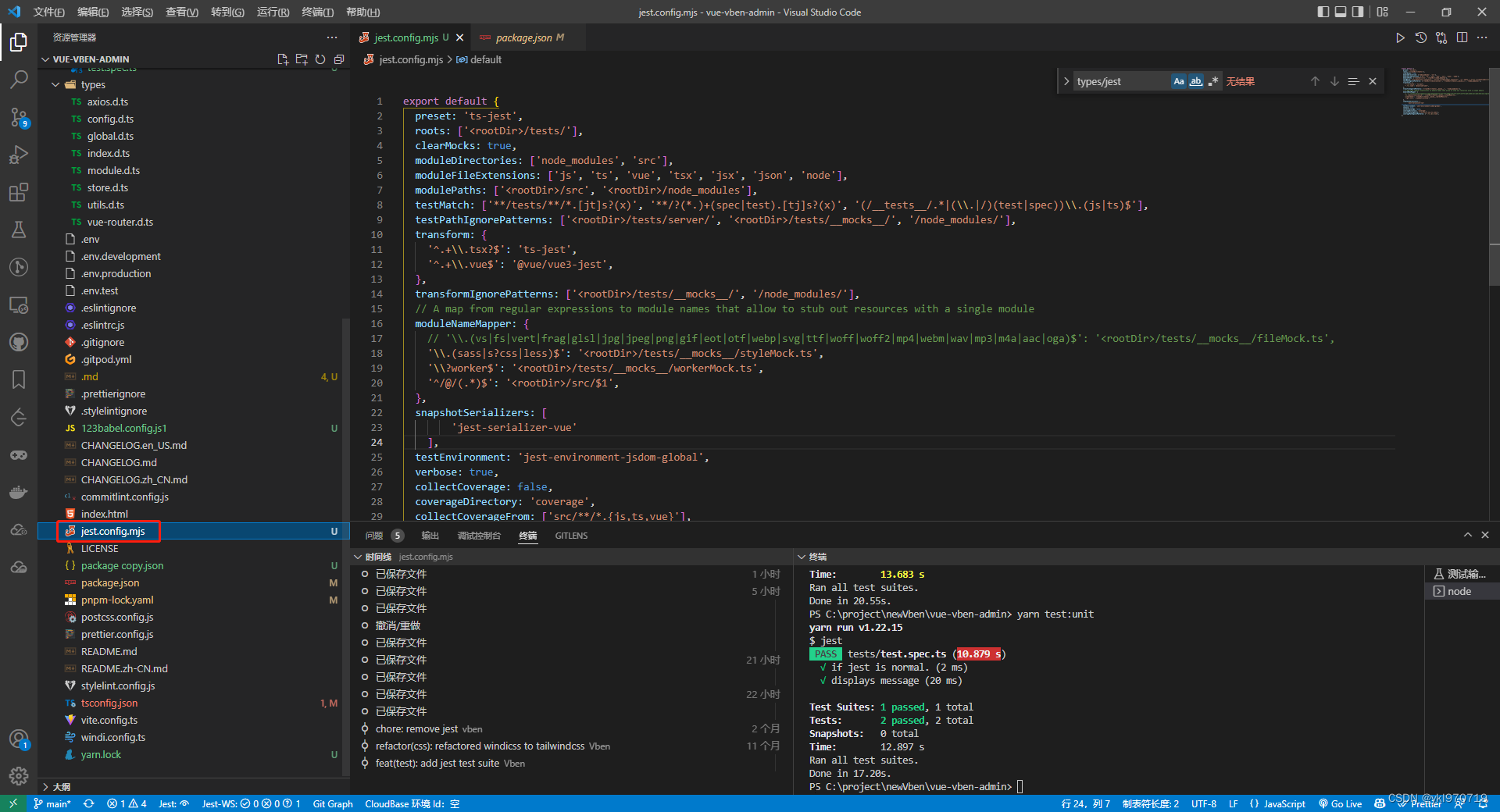
export default {
	preset: 'ts-jest',
	roots: ['<rootDir>/tests/'],
	clearMocks: true,
	moduleDirectories: ['node_modules', 'src'],
	moduleFileExtensions: ['js', 'ts', 'vue', 'tsx', 'jsx', 'json', 'node'],
	modulePaths: ['<rootDir>/src', '<rootDir>/node_modules'],
	testMatch: ['**/tests/**/*.[jt]s?(x)', '**/?(*.)+(spec|test).[tj]s?(x)', '(/__tests__/.*|(\\.|/)(test|spec))\\.(js|ts)$'],
	testPathIgnorePatterns: ['<rootDir>/tests/server/', '<rootDir>/tests/__mocks__/', '/node_modules/'],
	transform: {
		'^.+\\.tsx?$': 'ts-jest',
		'^.+\\.vue$': '@vue/vue3-jest',
	},
	transformIgnorePatterns: ['<rootDir>/tests/__mocks__/', '/node_modules/'],
	// A map from regular expressions to module names that allow to stub out resources with a single module
	moduleNameMapper: {
		// '\\.(vs|fs|vert|frag|glsl|jpg|jpeg|png|gif|eot|otf|webp|svg|ttf|woff|woff2|mp4|webm|wav|mp3|m4a|aac|oga)$': '<rootDir>/tests/__mocks__/fileMock.ts',
		'\\.(sass|s?css|less)$': '<rootDir>/tests/__mocks__/styleMock.ts',
		'\\?worker$': '<rootDir>/tests/__mocks__/workerMock.ts',
		'^/@/(.*)$': '<rootDir>/src/$1',
	},
	snapshotSerializers: [
        'jest-serializer-vue'
    ],
	testEnvironment: 'jest-environment-jsdom-global',
	verbose: true,
	collectCoverage: false,
	coverageDirectory: 'coverage',
	collectCoverageFrom: ['src/**/*.{js,ts,vue}'],
	coveragePathIgnorePatterns: ['^.+\\.d\\.ts$'],
};
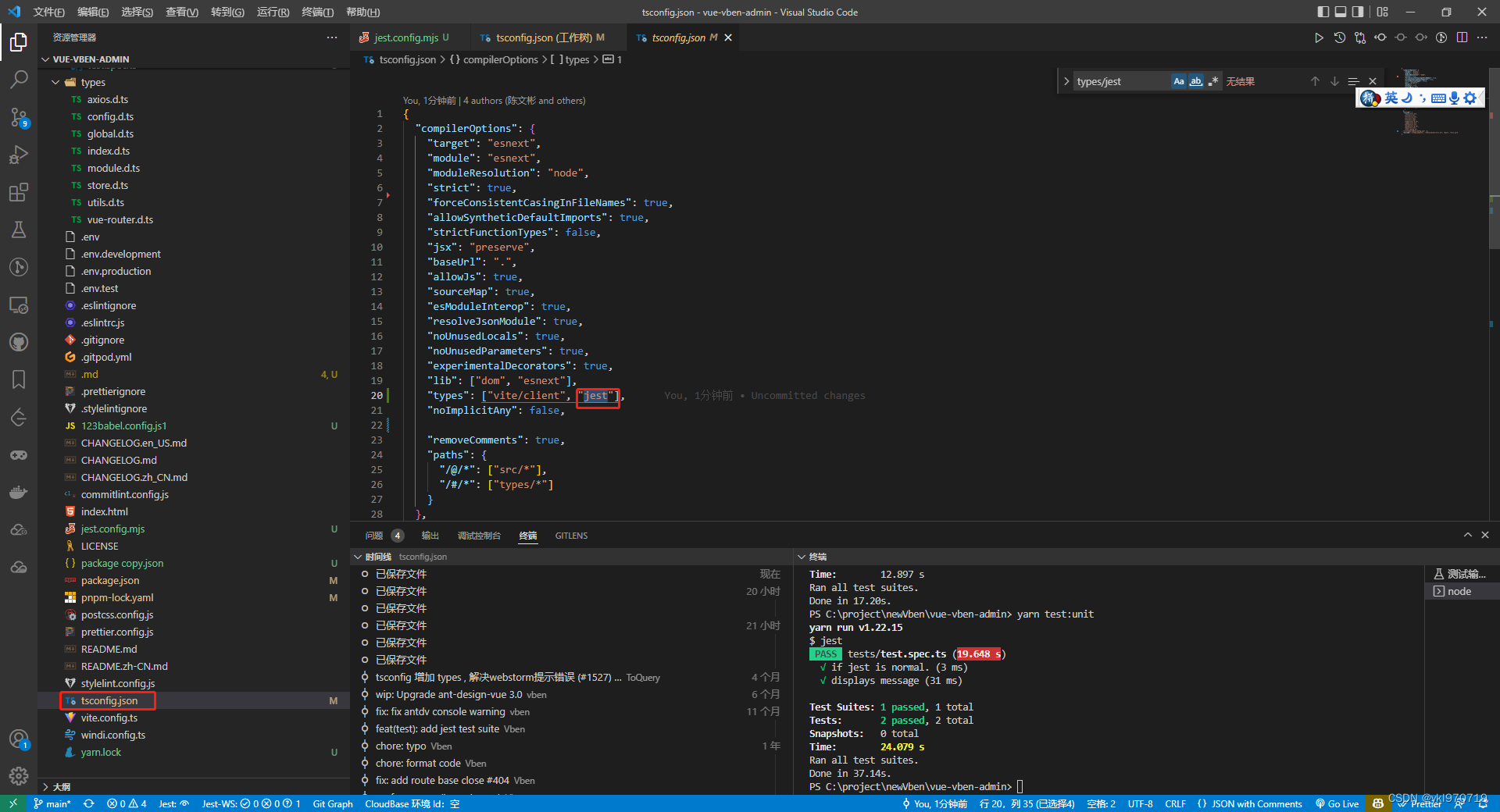
{
  "compilerOptions": {
    "target": "esnext",
    "module": "esnext",
    "moduleResolution": "node",
    "strict": true,
    "forceConsistentCasingInFileNames": true,
    "allowSyntheticDefaultImports": true,
    "strictFunctionTypes": false,
    "jsx": "preserve",
    "baseUrl": ".",
    "allowJs": true,
    "sourceMap": true,
    "esModuleInterop": true,
    "resolveJsonModule": true,
    "noUnusedLocals": true,
    "noUnusedParameters": true,
    "experimentalDecorators": true,
    "lib": ["dom", "esnext"],
    "types": ["vite/client", "jest"],
    "noImplicitAny": false,

    "removeComments": true,
    "paths": {
      "/@/*": ["src/*"],
      "/#/*": ["types/*"]
    }
  },
  "include": [
    "tests/**/*.ts",
    "src/**/*.ts",
    "src/**/*.d.ts",
    "src/**/*.tsx",
    "src/**/*.vue",
    "types/**/*.d.ts",
    "types/**/*.ts",
    "build/**/*.ts",
    "build/**/*.d.ts",
    "mock/**/*.ts",
    "vite.config.ts"
, "src/views/Table/config.jsx"  ],
  "exclude": ["node_modules", "tests/server/**/*.ts", "dist", "**/*.js"]
}
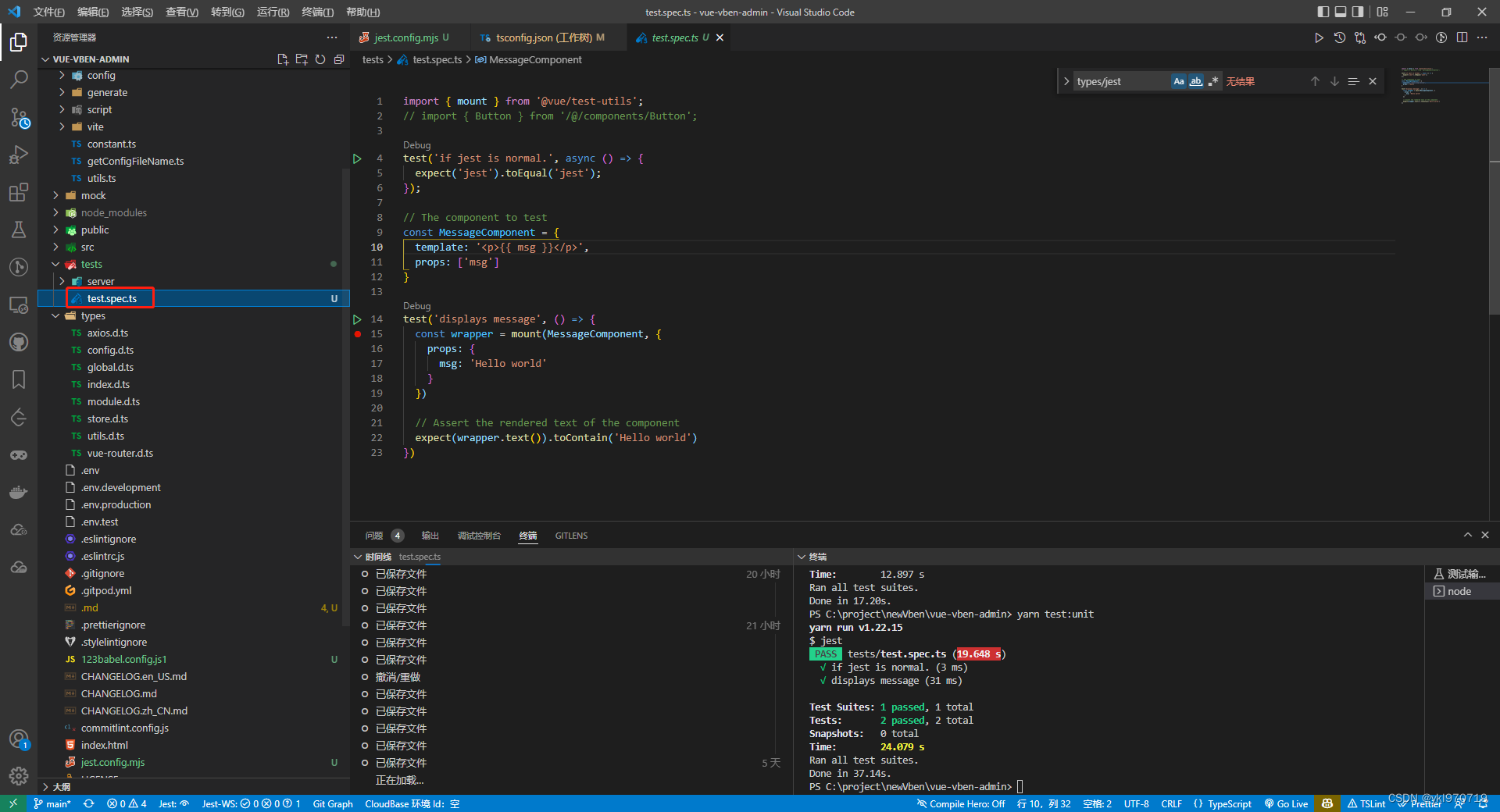
// test.spec.ts
import { mount } from '@vue/test-utils';

test('if jest is normal.', async () => {
  expect('jest').toEqual('jest');
});

// The component to test
const MessageComponent = {
  template: '<p>{{ msg }}</p>',
  props: ['msg']
}

test('displays message', () => {
  const wrapper = mount(MessageComponent, {
    props: {
      msg: 'Hello world'
    }
  })

  // Assert the rendered text of the component
  expect(wrapper.text()).toContain('Hello world')
})
很好奇,就使用rubyonrails自动化单元测试而言,你们正在做什么?您是否创建了一个脚本来在cron中运行rake作业并将结果邮寄给您?git中的预提交Hook?只是手动调用?我完全理解测试,但想知道在错误发生之前捕获错误的最佳实践是什么。让我们理所当然地认为测试本身是完美无缺的,并且可以正常工作。下一步是什么以确保他们在正确的时间将可能有害的结果传达给您? 最佳答案 不确定您到底想听什么,但是有几个级别的自动代码库控制:在处理某项功能时,您可以使用类似autotest的内容获得关于哪些有效,哪些无效的即时反馈。要确保您的提
我正在编写一个包含C扩展的gem。通常当我写一个gem时,我会遵循TDD的过程,我会写一个失败的规范,然后处理代码直到它通过,等等......在“ext/mygem/mygem.c”中我的C扩展和在gemspec的“扩展”中配置的有效extconf.rb,如何运行我的规范并仍然加载我的C扩展?当我更改C代码时,我需要采取哪些步骤来重新编译代码?这可能是个愚蠢的问题,但是从我的gem的开发源代码树中输入“bundleinstall”不会构建任何native扩展。当我手动运行rubyext/mygem/extconf.rb时,我确实得到了一个Makefile(在整个项目的根目录中),然后当
我有一个围绕一些对象的包装类,我想将这些对象用作散列中的键。包装对象和解包装对象应映射到相同的键。一个简单的例子是这样的:classAattr_reader:xdefinitialize(inner)@inner=innerenddefx;@inner.x;enddef==(other)@inner.x==other.xendenda=A.new(o)#oisjustanyobjectthatallowso.xb=A.new(o)h={a=>5}ph[a]#5ph[b]#nil,shouldbe5ph[o]#nil,shouldbe5我试过==、===、eq?并散列所有无济于事。
我有一些Ruby代码,如下所示:Something.createdo|x|x.foo=barend我想编写一个测试,它使用double代替block参数x,这样我就可以调用:x_double.should_receive(:foo).with("whatever").这可能吗? 最佳答案 specify'something'dox=doublex.should_receive(:foo=).with("whatever")Something.should_receive(:create).and_yield(x)#callthere
我有一个在Linux服务器上运行的ruby脚本。它不使用rails或任何东西。它基本上是一个命令行ruby脚本,可以像这样传递参数:./ruby_script.rbarg1arg2如何将参数抽象到配置文件(例如yaml文件或其他文件)中?您能否举例说明如何做到这一点?提前谢谢你。 最佳答案 首先,您可以运行一个写入YAML配置文件的独立脚本:require"yaml"File.write("path_to_yaml_file",[arg1,arg2].to_yaml)然后,在您的应用中阅读它:require"yaml"arg
Sinatra新手;我正在运行一些rspec测试,但在日志中收到了一堆不需要的噪音。如何消除日志中过多的噪音?我仔细检查了环境是否设置为:test,这意味着记录器级别应设置为WARN而不是DEBUG。spec_helper:require"./app"require"sinatra"require"rspec"require"rack/test"require"database_cleaner"require"factory_girl"set:environment,:testFactoryGirl.definition_file_paths=%w{./factories./test/
我遵循MichaelHartl的“RubyonRails教程:学习Web开发”,并创建了检查用户名和电子邮件长度有效性的测试(名称最多50个字符,电子邮件最多255个字符)。test/helpers/application_helper_test.rb的内容是:require'test_helper'classApplicationHelperTest在运行bundleexecraketest时,所有测试都通过了,但我看到以下消息在最后被标记为错误:ERROR["test_full_title_helper",ApplicationHelperTest,1.820016791]test
我已经在Sinatra上创建了应用程序,它代表了一个简单的API。我想在生产和开发上进行部署。我想在部署时选择,是开发还是生产,一些方法的逻辑应该改变,这取决于部署类型。是否有任何想法,如何完成以及解决此问题的一些示例。例子:我有代码get'/api/test'doreturn"Itisdev"end但是在部署到生产环境之后我想在运行/api/test之后看到ItisPROD如何实现? 最佳答案 根据SinatraDocumentation:EnvironmentscanbesetthroughtheRACK_ENVenvironm
我已经构建了一些serverspec代码来在多个主机上运行一组测试。问题是当任何测试失败时,测试会在当前主机停止。即使测试失败,我也希望它继续在所有主机上运行。Rakefile:namespace:specdotask:all=>hosts.map{|h|'spec:'+h.split('.')[0]}hosts.eachdo|host|begindesc"Runserverspecto#{host}"RSpec::Core::RakeTask.new(host)do|t|ENV['TARGET_HOST']=hostt.pattern="spec/cfengine3/*_spec.r
我在app/helpers/sessions_helper.rb中有一个帮助程序文件,其中包含一个方法my_preference,它返回当前登录用户的首选项。我想在集成测试中访问该方法。例如,这样我就可以在测试中使用getuser_path(my_preference)。在其他帖子中,我读到这可以通过在测试文件中包含requiresessions_helper来实现,但我仍然收到错误NameError:undefinedlocalvariableormethod'my_preference'.我做错了什么?require'test_helper'require'sessions_hel
