目录
(4)Choose lnstall Location:选择安装位置
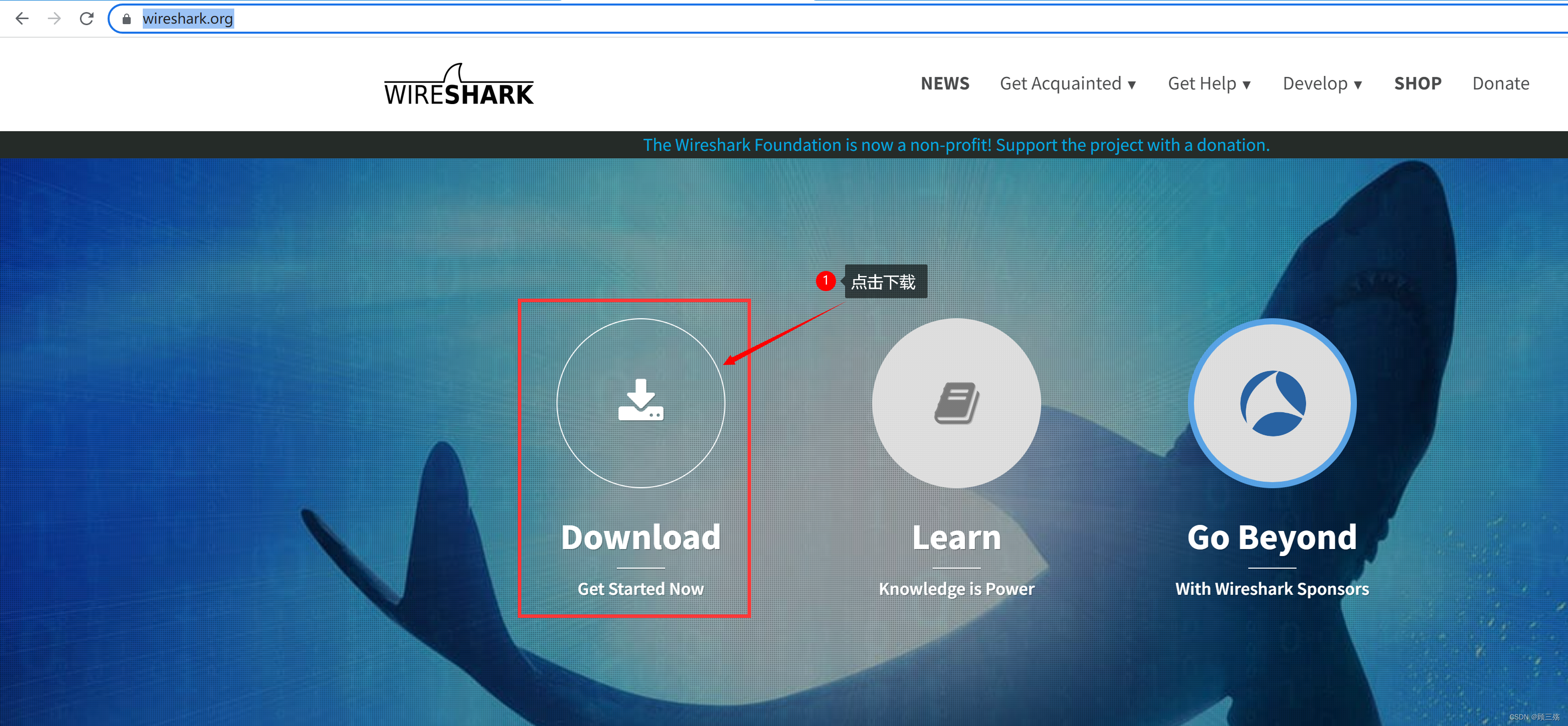
官网下载地址:https://www.wireshark.org/





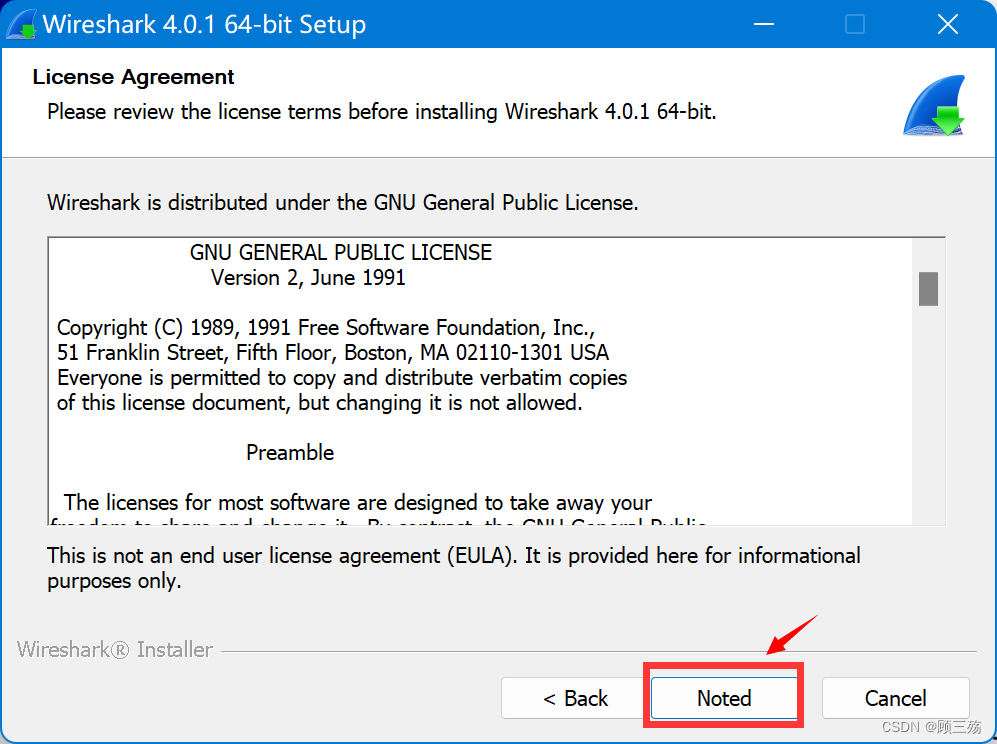
Choose which features of Wireshark 4.0.1 64-bit you want to install.
选择要安装的 Wireshark 4.0.1 64 位的需要的功能,默认全选即可
The following components are available for installation.
以下组件可供安装。
Select components to install:
选择要安装的组件:
- Wireshark:The main network protocol analyzer application. 主要的网络协议分析器应用。
- TShark:Text based network protocol analyzer. 基于文本的网络协议分析仪。
- Plugins & Extensionslools:Plugins and extensions for both Wireshark and TShark. Wireshark 和 TShark 的插件和扩展。
- Tools:Additional command line based tools. 其他基于命令行的工具。
- Documentation:Install an offline copy of the User's Guide and FAQ. 安装 “用户指南” 和 “常见问题” 的脱机副本文献。

Create shortcuts and associate file extensions.
创建快捷方式并关联文件扩展名,默认全选即可
Create Shortcuts:创建快捷方式
- Wireshark Start Menu Item:Wireshark开始菜单项
- Wireshark Desktop Icon:Wireshark桌面图标
- Wireshark Quick Launch Icon:Wireshark 快捷方式图标
Associate File Extensions:关联文件扩展
Associate trace file extensions with Wireshark将跟踪文件扩展名与 Wireshark 关联起来
Extensions include 5vw, acp, apc, atc, bfr, cap, enc, erf , fdc, ipfix, Icap,
mplog, ntar, out, pcap, pcapng, pklg, pkt, rf5, snoop, syc, tpc, tr1, trace, trc,vwr, wpc, and wpz.扩展包括 5vw, acp, apc, atc, bfr, cap, enc, erf , fdc, ipfix, Icap,
mplog, ntar, out, pcap, pcapng, pklg, pkt, rf5, snoop, syc, tpc, tr1, trace, trc,vwr, wpc, and wpz.

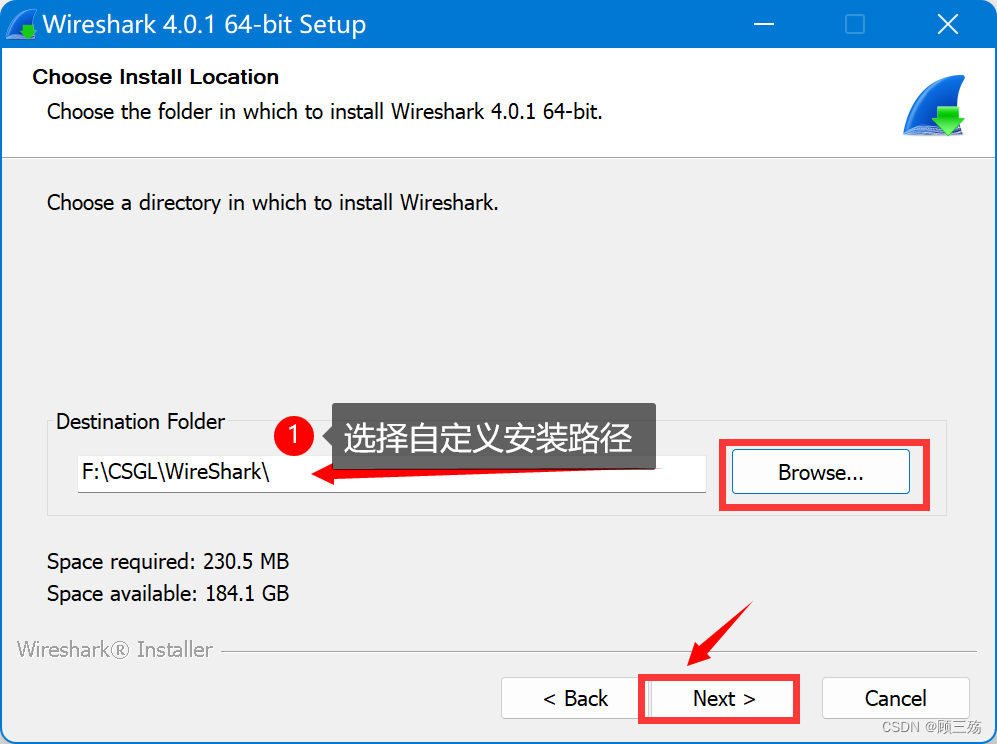
Choose the folder in which to install Wireshark 4.0.1 64-bit.
选择要安装Wireshark 4.0.1 64位的文件夹,需自定义安装路径
Wireshark requires either Npcap or WinPcap to capture live network data.
Wireshark 需要 Npcap 或 WinPcap 来捕获实时网络数据,默认全选即可
Currently installed Npcap or WinPcap version
当前已安装的 Npcap 或 WinPcap 版本号
- WinPcap 4.1.3
Install:安装
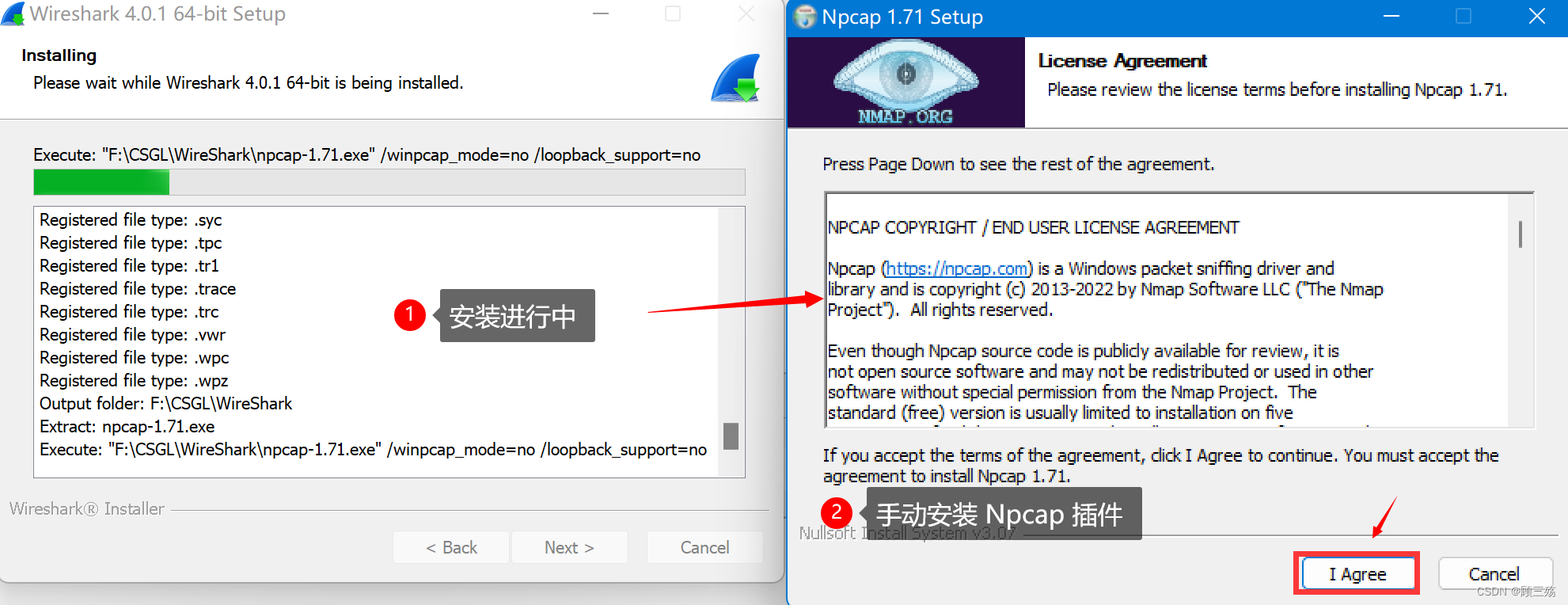
Install Npcap 1.71:安装 Npcap 1.71
The currently installed WinPcap 4.1.3 may be uninstalled first.当前安装的 WinPcap4.1.3 可以先卸载。
Important notice:重要通知
lf your system has crashed during a Wireshark installation, you must run the command'net stop npcap' as Administrator before upgrading Npcap, so that it doesn't crash again如果您的系统在 Wireshark 安装期间崩溃,则必须在升级 Npcapk 之前以管理员身份运行命令 ‘net Stop npcape’,这样它就不会再次崩溃

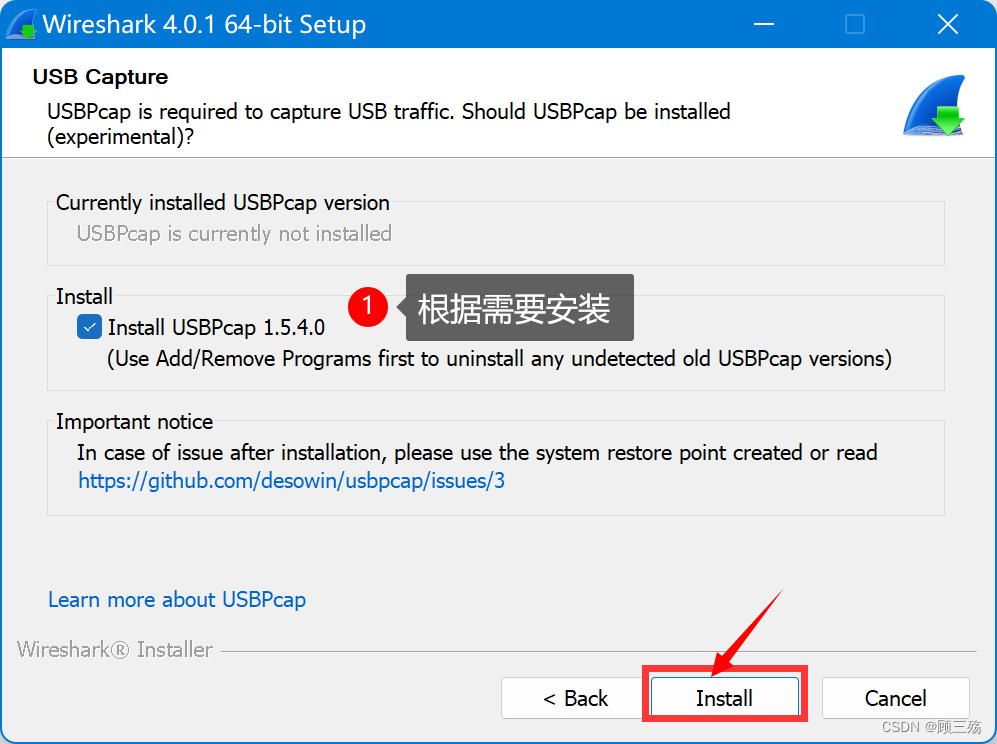
USBPcap is required to capture USB traffic. Should USBPcap be installed(experimental)?
要捕获 USB 流量,需要 USBPcap。是否应该安装 USBPcap (实验)?
注意:此处根据需要选择安装,这个插件还是测试版本的,本人选择安装
Currently installed USBPcap version
当前已安装的 USBPcap 版本号
- USBPcap is currently not installed:当前未安装 USBPcap
Install:安装
Install USBPcap 1.5.4.0:安装 USBPcap 1.5.4.0
(Use Add/Remove Programs first to uninstall any undetected old USBPcap versions)(首先使用添加/删除程序卸载任何未检测到的旧 USBPcap 版本)
Important notice:重要通知
In case of issue after installation, please use the system restore point created or readhttps://github.com/desowin/usbpcap/issues/3如果安装后出现问题,请使用所创建的系统恢复点或浏览网址说明:
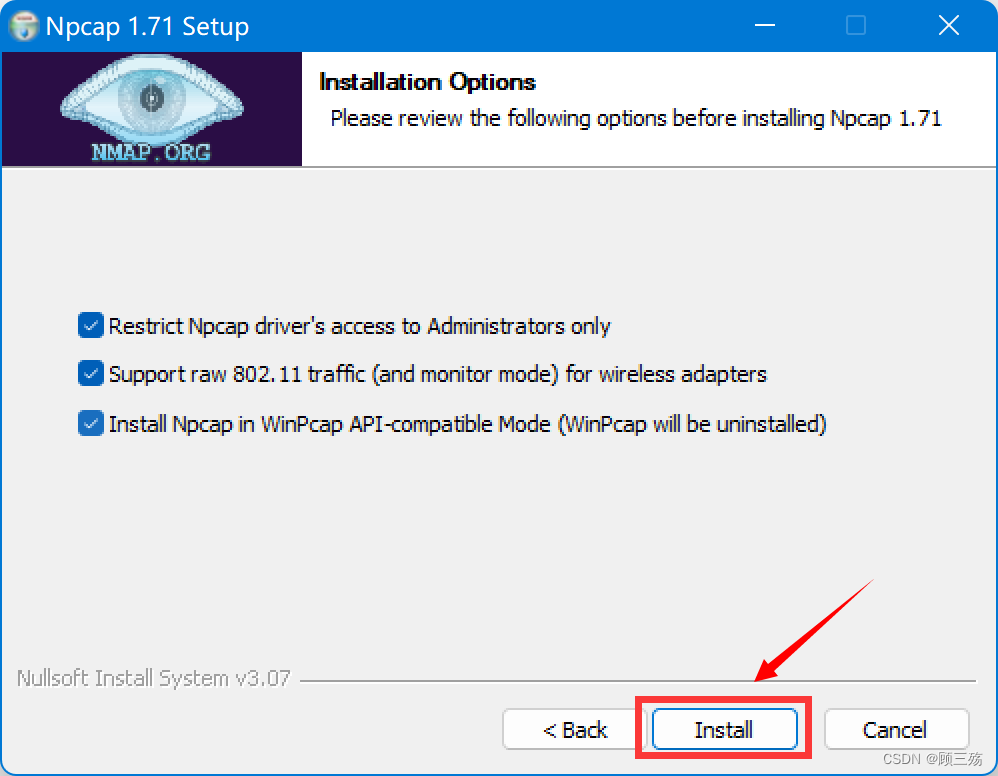
Installation Options:安装选项
Please review the following options before installing Npcap 1.71在安装 Npcap1.71 之前,请检查以下选项,默认全选即可
- Restrict Npcap driver's access to Administrators only:仅限制 Npcap 驱动程序访问管理员
- Support raw 802.11 traffic (and monitor mode) for wireless adapters:支持无线适配器的原始 802.11 通信量(和监视模式)
- Install Npcap in WinPcap API-compatible Mode (WinPcap will be uninstalled) :在WinPcapAPI 兼容模式下安装 Npcap (将卸载 WinPcapd )
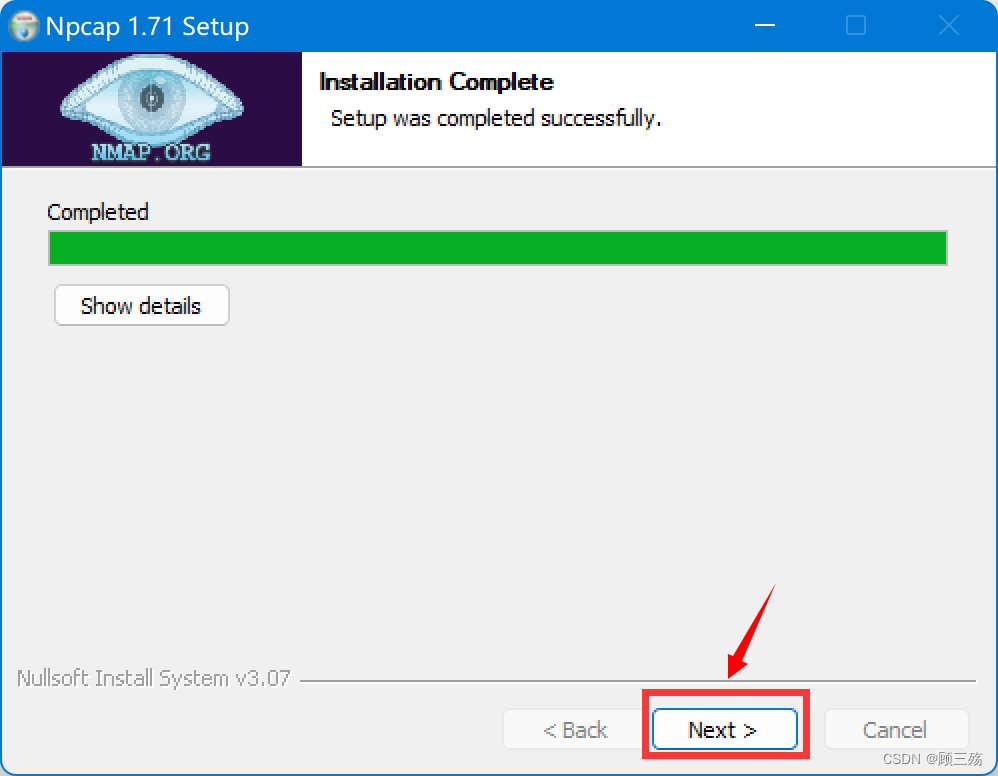
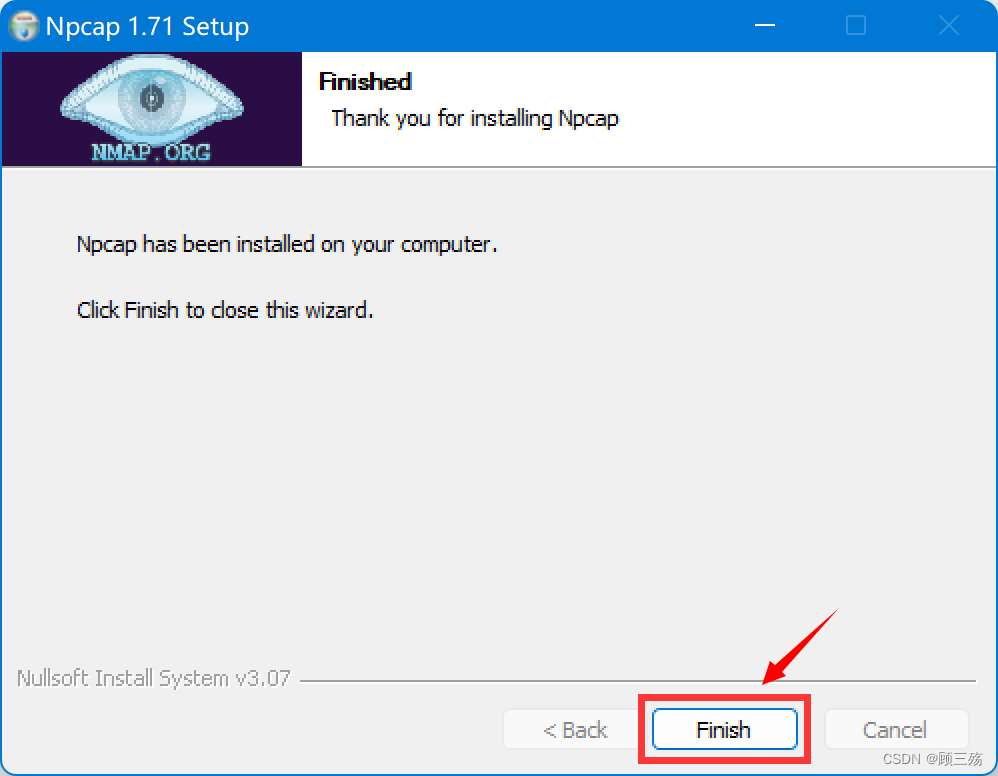
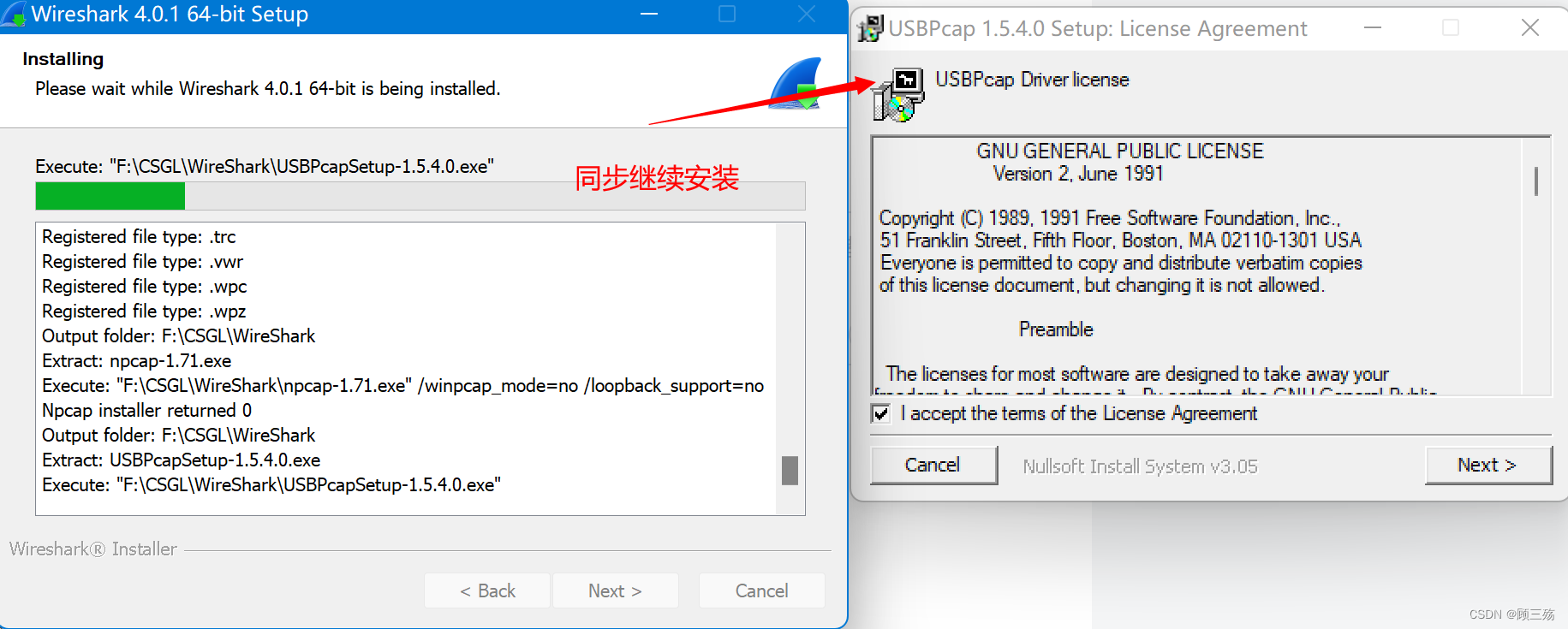
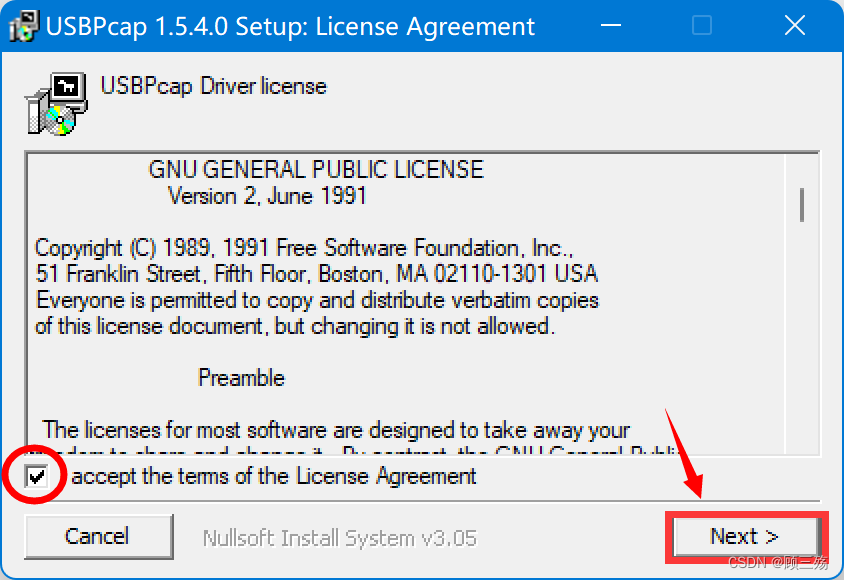
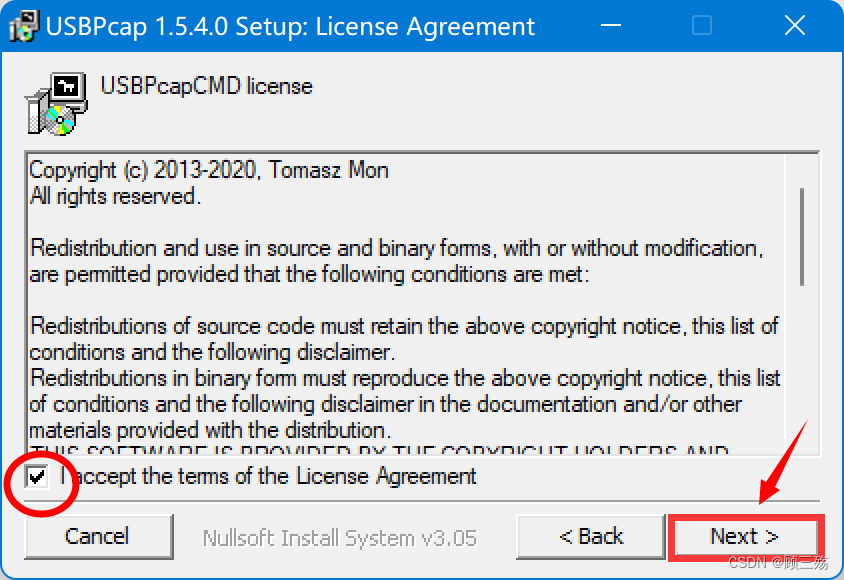

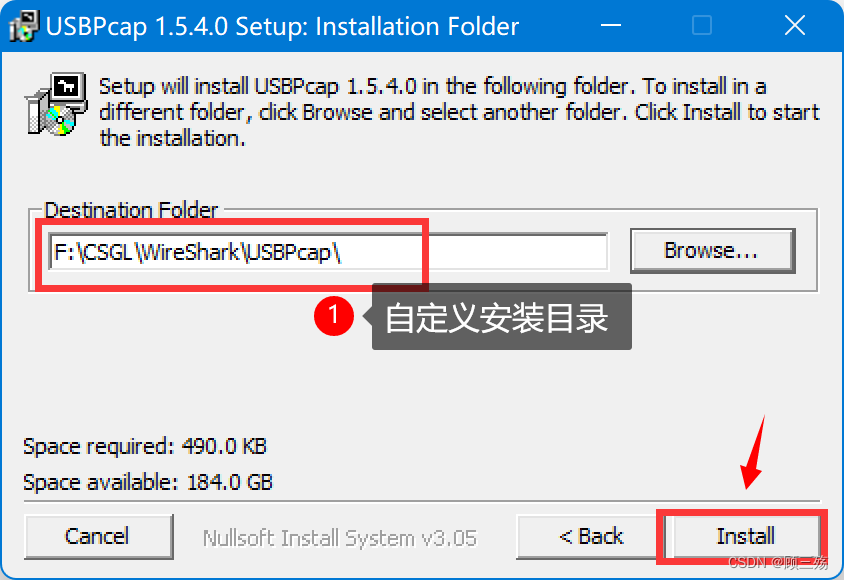

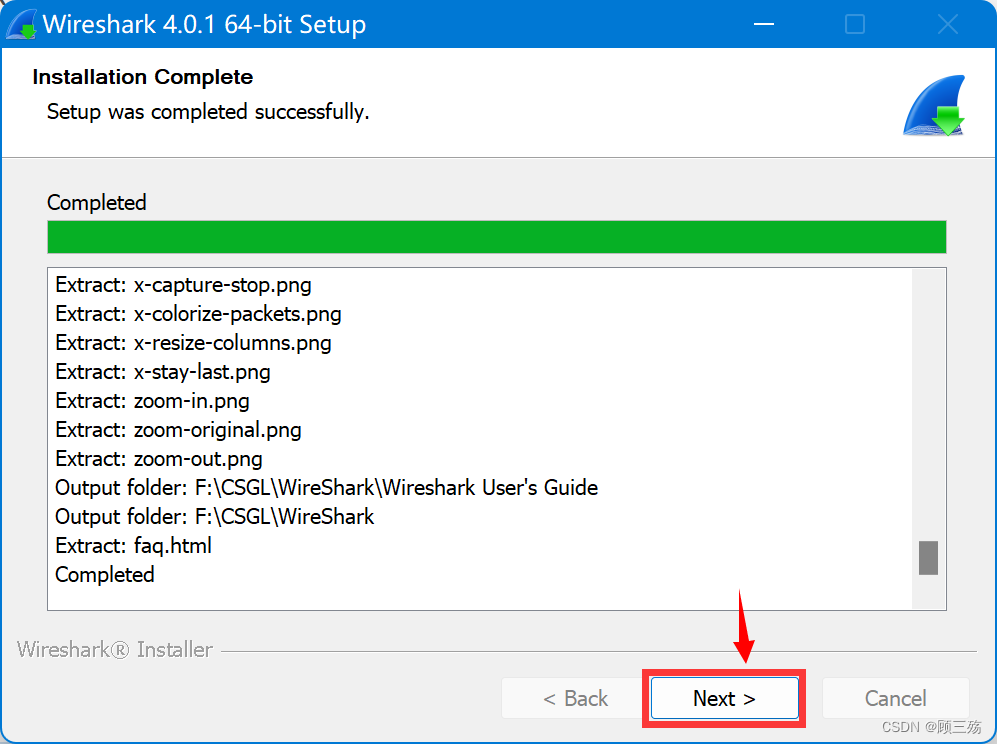
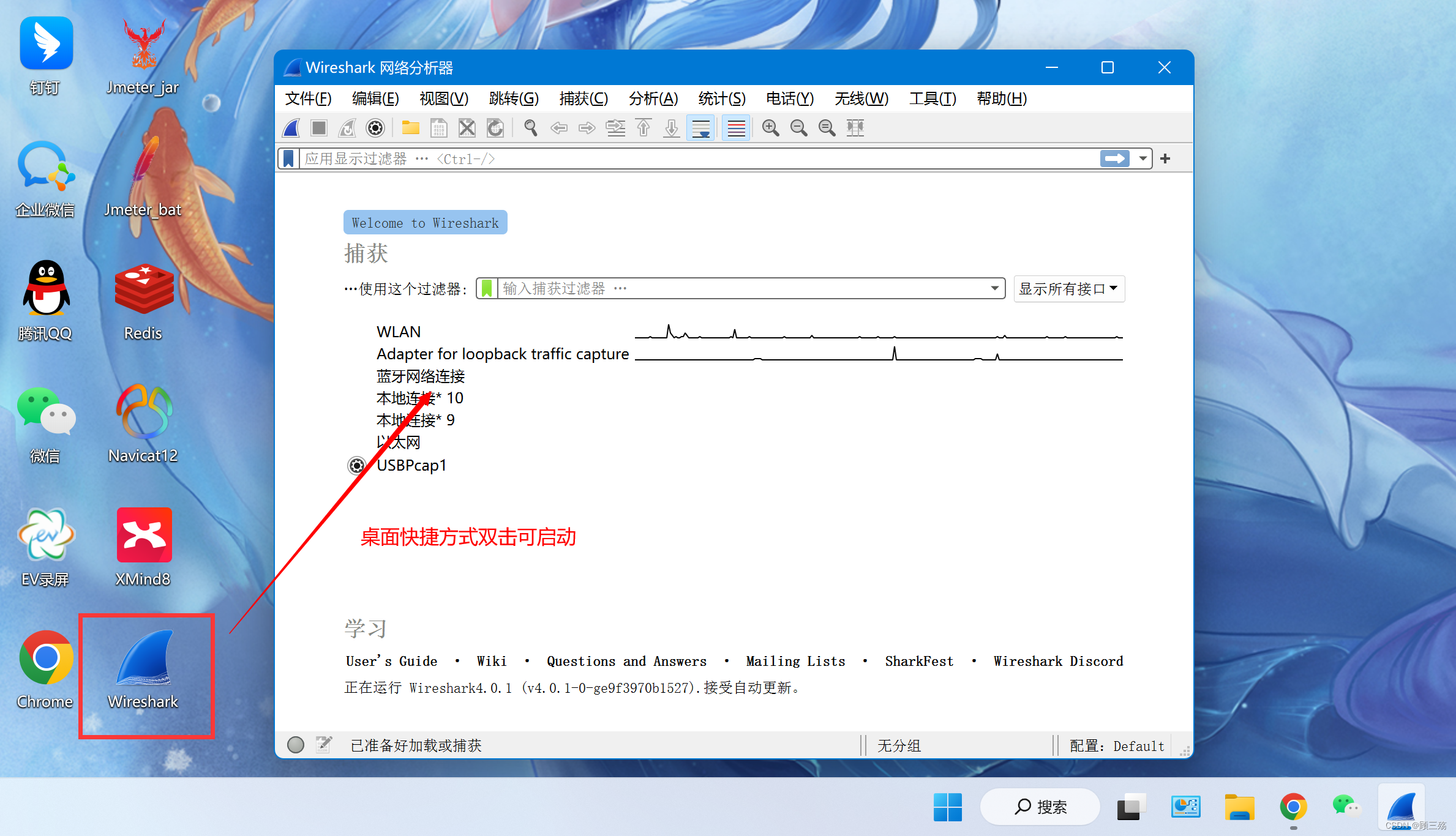
检查电脑的文件是否保存,此步骤需要重新 Windows 系统,WireShark 才可以完全安装成功,重启后才可以使用 WireShark

查看我的另一博文:
【抓包工具】实战:WireShark 捕获过滤器的超全使用教程
https://blog.csdn.net/qq_39720249/article/details/128157288
查看『 元宇宙-Metaverse 』所写的博客:
Wireshark零基础使用教程(超详细)
https://www.cnblogs.com/yuanyuzhou/p/16308963.html
我想为Heroku构建一个Rails3应用程序。他们使用Postgres作为他们的数据库,所以我通过MacPorts安装了postgres9.0。现在我需要一个postgresgem并且共识是出于性能原因你想要pggem。但是我对我得到的错误感到非常困惑当我尝试在rvm下通过geminstall安装pg时。我已经非常明确地指定了所有postgres目录的位置可以找到但仍然无法完成安装:$envARCHFLAGS='-archx86_64'geminstallpg--\--with-pg-config=/opt/local/var/db/postgresql90/defaultdb/po
我打算为ruby脚本创建一个安装程序,但我希望能够确保机器安装了RVM。有没有一种方法可以完全离线安装RVM并且不引人注目(通过不引人注目,就像创建一个可以做所有事情的脚本而不是要求用户向他们的bash_profile或bashrc添加一些东西)我不是要脚本本身,只是一个关于如何走这条路的快速指针(如果可能的话)。我们还研究了这个很有帮助的问题:RVM-isthereawayforsimpleofflineinstall?但有点误导,因为答案只向我们展示了如何离线在RVM中安装ruby。我们需要能够离线安装RVM本身,并查看脚本https://raw.github.com/wayn
我有一个奇怪的问题:我在rvm上安装了rubyonrails。一切正常,我可以创建项目。但是在我输入“railsnew”时重新启动后,我有“程序'rails'当前未安装。”。SystemUbuntu12.04ruby-v"1.9.3p194"gemlistactionmailer(3.2.5)actionpack(3.2.5)activemodel(3.2.5)activerecord(3.2.5)activeresource(3.2.5)activesupport(3.2.5)arel(3.0.2)builder(3.0.0)bundler(1.1.4)coffee-rails(
我刚刚为fedora安装了emacs。我想用emacs编写ruby。为ruby提供代码提示、代码完成类型功能所需的工具、扩展是什么? 最佳答案 ruby-mode已经包含在Emacs23之后的版本中。不过,它也可以通过ELPA获得。您可能感兴趣的其他一些事情是集成RVM、feature-mode(Cucumber)、rspec-mode、ruby-electric、inf-ruby、rinari(用于Rails)等。这是我当前用于Ruby开发的Emacs配置:https://github.com/citizen428/emacs
我正在尝试在我的centos服务器上安装therubyracer,但遇到了麻烦。$geminstalltherubyracerBuildingnativeextensions.Thiscouldtakeawhile...ERROR:Errorinstallingtherubyracer:ERROR:Failedtobuildgemnativeextension./usr/local/rvm/rubies/ruby-1.9.3-p125/bin/rubyextconf.rbcheckingformain()in-lpthread...yescheckingforv8.h...no***e
我正在编写一个小脚本来定位aws存储桶中的特定文件,并创建一个临时验证的url以发送给同事。(理想情况下,这将创建类似于在控制台上右键单击存储桶中的文件并复制链接地址的结果)。我研究过回形针,它似乎不符合这个标准,但我可能只是不知道它的全部功能。我尝试了以下方法:defauthenticated_url(file_name,bucket)AWS::S3::S3Object.url_for(file_name,bucket,:secure=>true,:expires=>20*60)end产生这种类型的结果:...-1.amazonaws.com/file_path/file.zip.A
我的最终目标是安装当前版本的RubyonRails。我在OSXMountainLion上运行。到目前为止,这是我的过程:已安装的RVM$\curl-Lhttps://get.rvm.io|bash-sstable检查已知(我假设已批准)安装$rvmlistknown我看到当前的稳定版本可用[ruby-]2.0.0[-p247]输入命令安装$rvminstall2.0.0-p247注意:我也试过这些安装命令$rvminstallruby-2.0.0-p247$rvminstallruby=2.0.0-p247我很快就无处可去了。结果:$rvminstall2.0.0-p247Search
我实际上是在尝试使用RVM在我的OSX10.7.5上更新ruby,并在输入以下命令后:rvminstallruby我得到了以下回复:Searchingforbinaryrubies,thismighttakesometime.Checkingrequirementsforosx.Installingrequirementsforosx.Updatingsystem.......Errorrunning'requirements_osx_brew_update_systemruby-2.0.0-p247',pleaseread/Users/username/.rvm/log/138121
由于fast-stemmer的问题,我很难安装我想要的任何rubygem。我把我得到的错误放在下面。Buildingnativeextensions.Thiscouldtakeawhile...ERROR:Errorinstallingfast-stemmer:ERROR:Failedtobuildgemnativeextension./System/Library/Frameworks/Ruby.framework/Versions/2.0/usr/bin/rubyextconf.rbcreatingMakefilemake"DESTDIR="cleanmake"DESTDIR=
当我尝试安装Ruby时遇到此错误。我试过查看this和this但无济于事➜~brewinstallrubyWarning:YouareusingOSX10.12.Wedonotprovidesupportforthispre-releaseversion.Youmayencounterbuildfailuresorotherbreakages.Pleasecreatepull-requestsinsteadoffilingissues.==>Installingdependenciesforruby:readline,libyaml,makedepend==>Installingrub
