MiniWord .NET Word模板引擎,藉由Word模板和数据简单、快速生成文件。
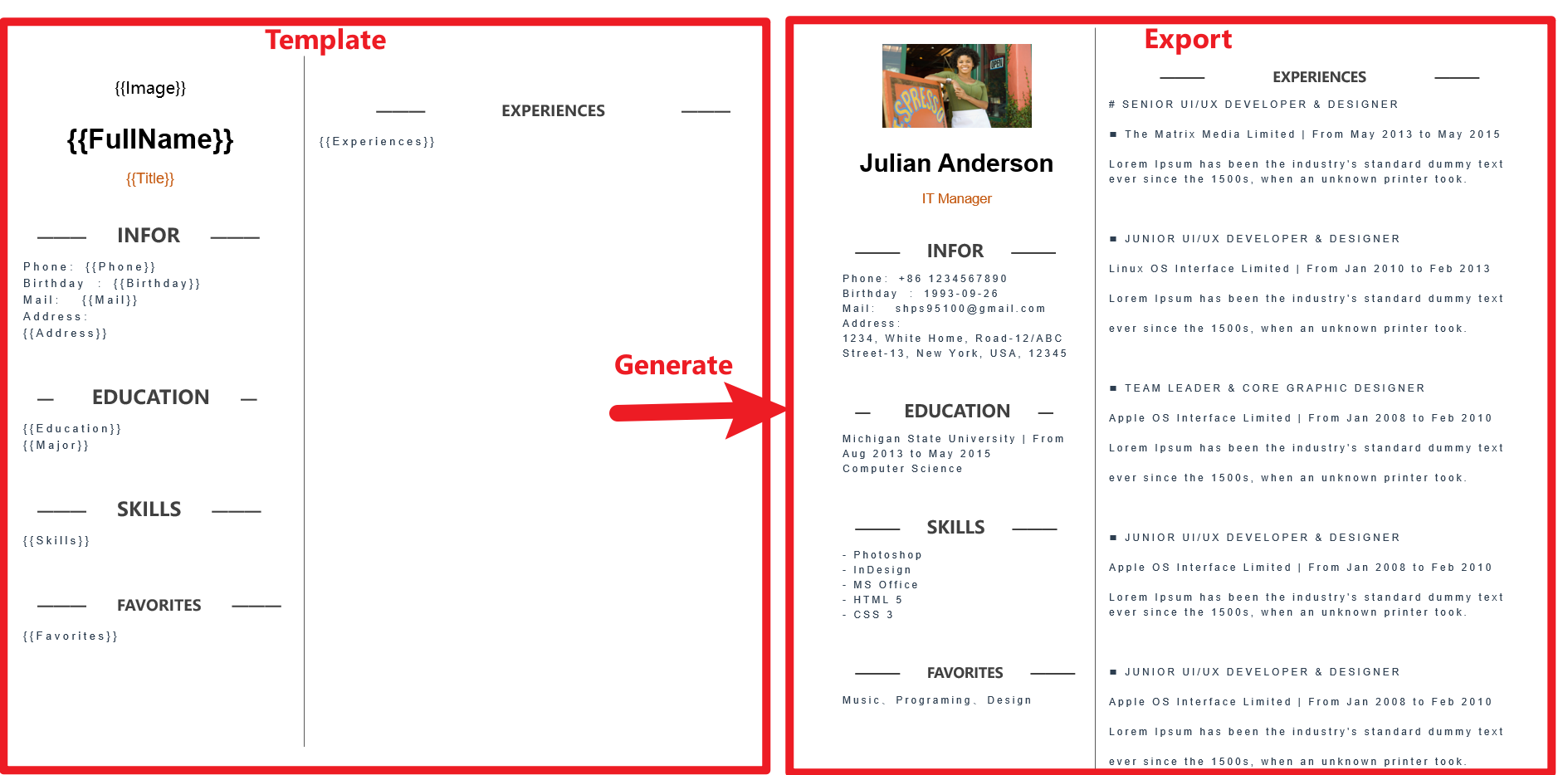
<PackageReference Include="MiniWord" Version="0.4.0" />dotnet add package MiniWord --version 0.4.0模板遵循“所见即所得”的设计,模板和标签的样式会被完全保留
var value = new Dictionary<string, object>(){["title"] = "Hello MiniWord"};
MiniSoftware.MiniWord.SaveAsByTemplate(outputPath, templatePath, value);
SaveAsByTemplate(string path, string templatePath, Dictionary<string, object> value)
SaveAsByTemplate(string path, byte[] templateBytes, Dictionary<string, object> value)
SaveAsByTemplate(this Stream stream, string templatePath, Dictionary<string, object> value)
SaveAsByTemplate(this Stream stream, byte[] templateBytes, Dictionary<string, object> value)
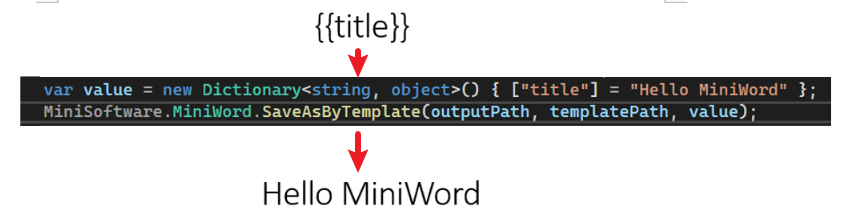
MiniWord 使用类似 Vue, React 的模版字串 {{tag}},只需要确保 tag 与 value 参数的 key 一样(大小写敏感),系统会自动替换字串。
{{tag}}
var value = new Dictionary<string, object>()
{
    ["Name"] = "Jack",
    ["Department"] = "IT Department",
    ["Purpose"] = "Shanghai site needs a new system to control HR system.",
    ["StartDate"] = DateTime.Parse("2022-09-07 08:30:00"),
    ["EndDate"] = DateTime.Parse("2022-09-15 15:30:00"),
    ["Approved"] = true,
    ["Total_Amount"] = 123456,
};
MiniWord.SaveAsByTemplate(path, templatePath, value);


标签值为 MiniWordPicture 类别
var value = new Dictionary<string, object>()
{
    ["Logo"] = new MiniWordPicture() { Path= PathHelper.GetFile("DemoLogo.png"), Width= 180, Height= 180 }
};
MiniWord.SaveAsByTemplate(path, templatePath, value);

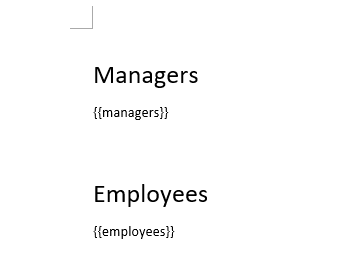
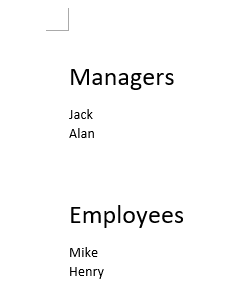
标签值为 string[] 或是 IList<string>类别
var value = new Dictionary<string, object>()
{
    ["managers"] = new[] { "Jack" ,"Alan"},
    ["employees"] = new[] { "Mike" ,"Henry"},
};
MiniWord.SaveAsByTemplate(path, templatePath, value);
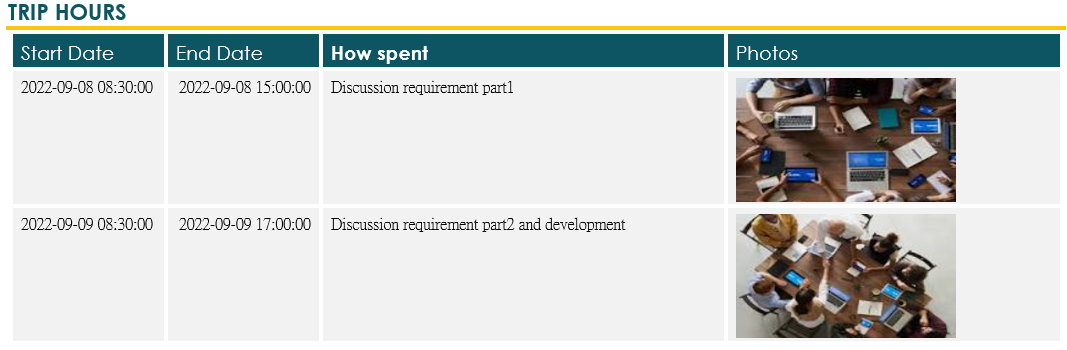
标签值为 IEmerable<Dictionary<string,object>>类别
var value = new Dictionary<string, object>()
{
    ["TripHs"] = new List<Dictionary<string, object>>
    {
        new Dictionary<string, object>
        {
            { "sDate",DateTime.Parse("2022-09-08 08:30:00")},
            { "eDate",DateTime.Parse("2022-09-08 15:00:00")},
            { "How","Discussion requirement part1"},
            { "Photo",new MiniWordPicture() { Path = PathHelper.GetFile("DemoExpenseMeeting02.png"), Width = 160, Height = 90 }},
        },
        new Dictionary<string, object>
        {
            { "sDate",DateTime.Parse("2022-09-09 08:30:00")},
            { "eDate",DateTime.Parse("2022-09-09 17:00:00")},
            { "How","Discussion requirement part2 and development"},
            { "Photo",new MiniWordPicture() { Path = PathHelper.GetFile("DemoExpenseMeeting01.png"), Width = 160, Height = 90 }},
        },
    }
};
MiniWord.SaveAsByTemplate(path, templatePath, value);

v0.5.0 支持 POCO 或 dynamic parameter
var value = new { title = "Hello MiniWord" };
MiniWord.SaveAsByTemplate(outputPath, templatePath, value);
var value = new
{
    Company_Name = new MiniWordColorText { Text = "MiniSofteware", FontColor = "#eb70AB" },
    Name = new MiniWordColorText { Text = "Jack", HighlightColor = "#eb70AB" },
    CreateDate = new MiniWordColorText { Text = new DateTime(2021, 01, 01).ToString(), HighlightColor = "#eb70AB", FontColor = "#ffffff" },
    VIP = true,
    Points = 123,
    APP = "Demo APP",
};
我们可以尝试使用 MiniWodrHyperLink 类,用模板测试替换为超链接。
MiniWordHyperLink 提供了两个主要参数。
var value = new
{
    ["Name"] = new MiniWordHyperLink(){
        Url = "https://google.com",
        Text = "測試連結!!"
    },
    ["Company_Name"] = "MiniSofteware",
    ["CreateDate"] = new DateTime(2021, 01, 01),
    ["VIP"] = true,
    ["Points"] = 123,
    ["APP"] = "Demo APP",
};
MiniWord.SaveAsByTemplate(path, templatePath, value);
using Microsoft.AspNetCore.Builder;
using Microsoft.AspNetCore.Hosting;
using Microsoft.AspNetCore.Mvc;
using Microsoft.Extensions.DependencyInjection;
using Microsoft.Extensions.Hosting;
using System;
using System.Collections.Generic;
using System.IO;
using System.Net;
using MiniSoftware;

public class Program
{
    public static void Main(string[] args) => CreateHostBuilder(args).Build().Run();

    public static IHostBuilder CreateHostBuilder(string[] args) => Host.CreateDefaultBuilder(args).ConfigureWebHostDefaults(webBuilder => webBuilder.UseStartup<Startup>());
}

public class Startup
{
    public void ConfigureServices(IServiceCollection services) => services.AddMvc();
    public void Configure(IApplicationBuilder app, IWebHostEnvironment env)
    {
        app.UseStaticFiles();
        app.UseRouting();
        app.UseEndpoints(endpoints =>
        {
            endpoints.MapControllerRoute(
                name: "default",
                pattern: "{controller=api}/{action=Index}/{id?}");
        });
    }
}

public class ApiController : Controller
{
    public IActionResult Index()
    {
        return new ContentResult
        {
            ContentType = "text/html",
            StatusCode = (int)HttpStatusCode.OK,
            Content = @"<html><body>
<a href='api/DownloadWordFromTemplatePath'>DownloadWordFromTemplatePath</a><br>
<a href='api/DownloadWordFromTemplateBytes'>DownloadWordFromTemplateBytes</a><br>
</body></html>"
        };
    }

    static Dictionary<string, object> defaultValue = new Dictionary<string, object>()
    {
        ["title"] = "FooCompany",
        ["managers"] = new List<Dictionary<string, object>> {
            new Dictionary<string, object>{{"name","Jack"},{ "department", "HR" } },
            new Dictionary<string, object> {{ "name", "Loan"},{ "department", "IT" } }
        },
        ["employees"] = new List<Dictionary<string, object>> {
            new Dictionary<string, object>{{ "name", "Wade" },{ "department", "HR" } },
            new Dictionary<string, object> {{ "name", "Felix" },{ "department", "HR" } },
            new Dictionary<string, object>{{ "name", "Eric" },{ "department", "IT" } },
            new Dictionary<string, object> {{ "name", "Keaton" },{ "department", "IT" } }
        }
    };

    public IActionResult DownloadWordFromTemplatePath()
    {
        string templatePath = "TestTemplateComplex.docx";

        Dictionary<string, object> value = defaultValue;

        MemoryStream memoryStream = new MemoryStream();
        MiniWord.SaveAsByTemplate(memoryStream, templatePath, value);
        memoryStream.Seek(0, SeekOrigin.Begin);
        return new FileStreamResult(memoryStream, "application/vnd.openxmlformats-officedocument.wordprocessingml.document")
        {
            FileDownloadName = "demo.docx"
        };
    }

    private static Dictionary<string, Byte[]> TemplateBytesCache = new Dictionary<string, byte[]>();

    static ApiController()
    {
        string templatePath = "TestTemplateComplex.docx";
        byte[] bytes = System.IO.File.ReadAllBytes(templatePath);
        TemplateBytesCache.Add(templatePath, bytes);
    }

    public IActionResult DownloadWordFromTemplateBytes()
    {
        byte[] bytes = TemplateBytesCache["TestTemplateComplex.docx"];

        Dictionary<string, object> value = defaultValue;

        MemoryStream memoryStream = new MemoryStream();
        MiniWord.SaveAsByTemplate(memoryStream, bytes, value);
        memoryStream.Seek(0, SeekOrigin.Begin);
        return new FileStreamResult(memoryStream, "application/vnd.openxmlformats-officedocument.wordprocessingml.document")
        {
            FileDownloadName = "demo.docx"
        };
    }
}
建议 {{tag}} 复制重新整串复制贴上,有时打字 word 在底层 {{}}会被切开变成<w:t>{</w:t><w:t>{<w:/t><w:t>Tag</w:t><w:t>}</w:t><w:t>}<w:/t> 如图片

我正在使用puppet为ruby程序提供一组常量。我需要提供一组主机名,我的程序将对其进行迭代。在我之前使用的bash脚本中,我只是将它作为一个puppet变量hosts=>"host1,host2"我将其提供给bash脚本作为HOSTS=显然这对ruby不太适用——我需要它的格式hosts=["host1","host2"]自从phosts和putsmy_array.inspect提供输出["host1","host2"]我希望使用其中之一。不幸的是,我终其一生都无法弄清楚如何让它发挥作用。我尝试了以下各项:我发现某处他们指出我需要在函数调用前放置“function_”……这
我想在一个没有Sass引擎的类中使用Sass颜色函数。我已经在项目中使用了sassgem,所以我认为搭载会像以下一样简单:classRectangleincludeSass::Script::FunctionsdefcolorSass::Script::Color.new([0x82,0x39,0x06])enddefrender#hamlengineexecutedwithcontextofself#sothatwithintemlateicouldcall#%stop{offset:'0%',stop:{color:lighten(color)}}endend更新:参见上面的#re
有没有办法在这个简单的get方法中添加超时选项?我正在使用法拉第3.3。Faraday.get(url)四处寻找,我只能先发起连接后应用超时选项,然后应用超时选项。或者有什么简单的方法?这就是我现在正在做的:conn=Faraday.newresponse=conn.getdo|req|req.urlurlreq.options.timeout=2#2secondsend 最佳答案 试试这个:conn=Faraday.newdo|conn|conn.options.timeout=20endresponse=conn.get(url
我想在Ruby中创建一个用于开发目的的极其简单的Web服务器(不,不想使用现成的解决方案)。代码如下:#!/usr/bin/rubyrequire'socket'server=TCPServer.new('127.0.0.1',8080)whileconnection=server.acceptheaders=[]length=0whileline=connection.getsheaders想法是从命令行运行这个脚本,提供另一个脚本,它将在其标准输入上获取请求,并在其标准输出上返回完整的响应。到目前为止一切顺利,但事实证明这真的很脆弱,因为它在第二个请求上中断并出现错误:/usr/b
我意识到这可能是一个非常基本的问题,但我现在已经花了几天时间回过头来解决这个问题,但出于某种原因,Google就是没有帮助我。(我认为部分问题在于我是一个初学者,我不知道该问什么......)我也看过O'Reilly的RubyCookbook和RailsAPI,但我仍然停留在这个问题上.我找到了一些关于多态关系的信息,但它似乎不是我需要的(尽管如果我错了请告诉我)。我正在尝试调整MichaelHartl'stutorial创建一个包含用户、文章和评论的博客应用程序(不使用脚手架)。我希望评论既属于用户又属于文章。我的主要问题是:我不知道如何将当前文章的ID放入评论Controller。
我想为我的Rails网络应用程序提供推荐功能。特别是,我想向新注册的用户推荐他可能想要关注的其他用户。Rails中是否有用于此目的的引擎/gem?如果没有,我应该从哪里开始构建它?谢谢。 最佳答案 有Coletivogemhttps://github.com/diogenes/coletivo我试了一下。在MySQL上运行。Neo4jhttp://neo4j.org真的很容易实现一个“跟随谁”。事实上,大多数展示其能力的样本都涉及“跟随谁”。快速提示-只有在JRuby上运行时,Neo4j.rb才会很酷。如果不是-使用Neograph
无论您是想搭建桌面端、WEB端或者移动端APP应用,HOOPSPlatform组件都可以为您提供弹性的3D集成架构,同时,由工业领域3D技术专家组成的HOOPS技术团队也能为您提供技术支持服务。如果您的客户期望有一种在多个平台(桌面/WEB/APP,而且某些客户端是“瘦”客户端)快速、方便地将数据接入到3D应用系统的解决方案,并且当访问数据时,在各个平台上的性能和用户体验保持一致,HOOPSPlatform将帮助您完成。利用HOOPSPlatform,您可以开发在任何环境下的3D基础应用架构。HOOPSPlatform可以帮您打造3D创新型产品,HOOPSSDK包含的技术有:快速且准确的CAD
我的工作要求我为某些测试自动生成电子邮件。我一直在四处寻找,但未能找到可以快速实现的合理解决方案。它需要在outlook而不是其他邮件服务器中,因为我们有一些奇怪的身份验证规则,我们需要保存草稿而不是仅仅发送邮件的选项。显然win32ole可以做到这一点,但我找不到任何相当简单的例子。 最佳答案 假设存储了Outlook凭据并且您设置为自动登录到Outlook,WIN32OLE可以很好地完成此操作:require'win32ole'outlook=WIN32OLE.new('Outlook.Application')message=
导读:随着叮咚买菜业务的发展,不同的业务场景对数据分析提出了不同的需求,他们希望引入一款实时OLAP数据库,构建一个灵活的多维实时查询和分析的平台,统一数据的接入和查询方案,解决各业务线对数据高效实时查询和精细化运营的需求。经过调研选型,最终引入ApacheDoris作为最终的OLAP分析引擎,Doris作为核心的OLAP引擎支持复杂地分析操作、提供多维的数据视图,在叮咚买菜数十个业务场景中广泛应用。作者|叮咚买菜资深数据工程师韩青叮咚买菜创立于2017年5月,是一家专注美好食物的创业公司。叮咚买菜专注吃的事业,为满足更多人“想吃什么”而努力,通过美好食材的供应、美好滋味的开发以及美食品牌的孵
一、引擎主循环UE版本:4.27一、引擎主循环的位置:Launch.cpp:GuardedMain函数二、、GuardedMain函数执行逻辑:1、EnginePreInit:加载大多数模块int32ErrorLevel=EnginePreInit(CmdLine);PreInit模块加载顺序:模块加载过程:(1)注册模块中定义的UObject,同时为每个类构造一个类默认对象(CDO,记录类的默认状态,作为模板用于子类实例创建)(2)调用模块的StartUpModule方法2、FEngineLoop::Init()1、检查Engine的配置文件找出使用了哪一个GameEngine类(UGame
