本文适合有一定java基础的同学,通过自定义持久层框架,可以更加清楚常用的mybatis等开源框架的原理。
学习java的同学一定避免不了接触过jdbc,让我们来回顾下初学时期接触的jdbc操作吧
以下代码连接数据库查询用户表信息,用户表字段分别为用户id,用户名username。
Connection connection = null;
        PreparedStatement preparedStatement = null;
        ResultSet resultSet = null;
        User user = new User();
        try {
            // 加载数据库驱动
            //Class.forName("com.mysql.jdbc.Driver");
            Class.forName("com.mysql.cj.jdbc.Driver");
            // 通过驱动管理类获取数据库链接
            connection = DriverManager.getConnection("jdbc:mysql://localhost:3306/mybatis?characterEncoding=utf-8", "root", "mimashi3124");
            // 定义sql语句?表示占位符
            String sql = "select * from user where username = ?";
            // 获取预处理statement
            preparedStatement = connection.prepareStatement(sql);
            // 设置参数,第⼀个参数为sql语句中参数的序号(从1开始),第⼆个参数为设置的参数值
            preparedStatement.setString(1, "盖伦");
            // 向数据库发出sql执⾏查询,查询出结果集
            resultSet = preparedStatement.executeQuery();
            // 遍历查询结果集
            while (resultSet.next()) {
                int id = resultSet.getInt("id");
                String username = resultSet.getString("username");
                // 封装User
                user.setId(id);
                user.setUsername(username);
            }
            System.out.println(user);
        } catch (
                Exception e) {
            e.printStackTrace();
        } finally {
            // 释放资源
            if (resultSet != null) {
                try {
                    resultSet.close();
                } catch (SQLException e) {
                    e.printStackTrace();
                }
            }
            if (preparedStatement != null) {
                try {
                    preparedStatement.close();
                } catch (SQLException e) {
                    e.printStackTrace();
                }
            }
            if (connection != null) {
                try {
                    connection.close();
                } catch (SQLException e) {
                    e.printStackTrace();
                }
            }
        }
查看代码我们可以发现使用JDBC操作数据库存在以下问题:
问题解决思路
接下来,我们来一个个解决上面的问题
数据库连接池我们可以直接使用c3p0提供的ComboPooledDataSource即可
为了解决sql硬编码问题,我们要把sql写到xml文件中,那自然是要定义一个xml文件了。
光有sql肯定不行,毕竟我们要先连接数据库,sql语句才有存在的意义。所以xml中得先定义数据配置信息,然后才是sql语句。
我们新建一个sqlMapConfig.xml,定义数据源信息、并且增加两个sql语句,parameterType为sql执行参数,resultType为方法返回实体。
代码如下(数据库不同版本使用驱动类可能不同):
<configuration>
    <!--数据库连接信息-->
    <property name="driverClass" value="com.mysql.cj.jdbc.Driver"/>
<!--    <property name="driverClass" value="com.mysql.jdbc.Driver"/>-->
    <property name="jdbcUrl" value="jdbc:mysql://localhost:3306/mybatis?serverTimezone=Asia/Shanghai"/>
    <property name="username" value="root"/>
    <property name="password" value="mimashi3124"/>

	<select id="selectOne" parameterType="org.example.pojo.User"
            resultType="org.example.pojo.User">
        select * from user where id = #{id} and username =#{username}
    </select>

    <select id="selectList" resultType="org.example.pojo.User">
        select * from user
    </select>
</configuration>
现在xml文件数据库信息也有了,sql语句定义也有了,还有什么问题呢?
我们实际中对sql的操作会涉及到不同的表,所以我们改进一下,把每个表的sql语句单独放在一个xml里,这样结构更清晰就容易维护。
优化以后的xml配置现在是这样了
sqlMapConfig.xml
<configuration>
    <!--数据库连接信息-->
    <property name="driverClass" value="com.mysql.cj.jdbc.Driver"/>
	<!-- <property name="driverClass" value="com.mysql.jdbc.Driver"/>-->
    <property name="jdbcUrl" value="jdbc:mysql://localhost:3306/mybatis?serverTimezone=Asia/Shanghai"/>
    <property name="username" value="root"/>
    <property name="password" value="mimashi3124"/>
    <!--引⼊sql配置信息-->
	<mapper resource="mapper.xml"></mapper>
</configuration>
mapper.xml
<mapper namespace="user">
    <select id="selectOne" parameterType="org.example.pojo.User"
            resultType="org.example.pojo.User">
        select * from user where id = #{id} and username =#{username}
    </select>

    <select id="selectList" resultType="org.example.pojo.User">
        select * from user
    </select>
</mapper>
顺便定义一下业务实体User
public class User {
    private int id;
    private String username;

    public int getId() {
        return id;
    }

    public void setId(int id) {
        this.id = id;
    }

    public String getUsername() {
        return username;
    }

    public void setUsername(String username) {
        this.username = username;
    }

    @Override
    public String toString() {
        return "User{" +
                "id=" + id +
                ", username='" + username + '\'' +
                '}';
    }
}
读取完成以后以流的形式存在,不好操作,所以我们要做解析拿到信息,创建实体对象来存储。
xml解析我们使用dom4j
首先引入maven依赖
代码如下(mysql驱动版本根据实际使用mysql版本调整):
<properties>
        <maven.compiler.source>8</maven.compiler.source>
        <maven.compiler.target>8</maven.compiler.target>
    </properties>

    <dependencies>
        <dependency>
            <groupId>mysql</groupId>
            <artifactId>mysql-connector-java</artifactId>
            <version>8.0.22</version>
        </dependency>
        <dependency>
            <groupId>c3p0</groupId>
            <artifactId>c3p0</artifactId>
            <version>0.9.1.2</version>
        </dependency>
        <dependency>
            <groupId>log4j</groupId>
            <artifactId>log4j</artifactId>
            <version>1.2.12</version>
        </dependency>
        <dependency>
            <groupId>junit</groupId>
            <artifactId>junit</artifactId>
            <version>4.10</version>
        </dependency>
        <dependency>
            <groupId>dom4j</groupId>
            <artifactId>dom4j</artifactId>
            <version>1.6.1</version>
        </dependency>
        <dependency>
            <groupId>jaxen</groupId>
            <artifactId>jaxen</artifactId>
            <version>1.1.6</version>
        </dependency>
    </dependencies>
数据库配置实体 Configuration
public class Configuration {
    //数据源
    private DataSource dataSource;
    //map集合: key:statementId value:MappedStatement
    private Map<String,MappedStatement> mappedStatementMap = new HashMap<>();

    public DataSource getDataSource() {
        return dataSource;
    }

    public Configuration setDataSource(DataSource dataSource) {
        this.dataSource = dataSource;
        return this;
    }

    public Map<String, MappedStatement> getMappedStatementMap() {
        return mappedStatementMap;
    }

    public Configuration setMappedStatementMap(Map<String, MappedStatement> mappedStatementMap) {
        this.mappedStatementMap = mappedStatementMap;
        return this;
    }
}
Sql语句信息实体
public class MappedStatement {

    //id
    private String id;
    //sql语句
    private String sql;
    //输⼊参数
    private String parameterType;
    //输出参数
    private String resultType;

    public String getId() {
        return id;
    }

    public MappedStatement setId(String id) {
        this.id = id;
        return this;
    }

    public String getSql() {
        return sql;
    }

    public MappedStatement setSql(String sql) {
        this.sql = sql;
        return this;
    }

    public String getParameterType() {
        return parameterType;
    }

    public MappedStatement setParameterType(String parameterType) {
        this.parameterType = parameterType;
        return this;
    }

    public String getResultType() {
        return resultType;
    }

    public MappedStatement setResultType(String resultType) {
        this.resultType = resultType;
        return this;
    }
}
顺便定义一个Resources类来读取xml文件流
public class Resources {
    public static InputStream getResourceAsSteam(String path) {
        return Resources.class.getClassLoader().getResourceAsStream(path);
    }
}
接下来就是实际的解析了,因为解析代码比较多,我们考虑封装类单独处理解析
定义XMLConfigBuilder类解析数据库配置信息
public class XMLConfigBuilder {

    private Configuration configuration;


    public XMLConfigBuilder() {
        this.configuration = new Configuration();
    }

    public Configuration parserConfiguration(InputStream inputStream) throws DocumentException, PropertyVetoException, ClassNotFoundException {
        Document document = new SAXReader().read(inputStream);
        Element rootElement = document.getRootElement();
        List<Element> propertyElements = rootElement.selectNodes("//property");
        Properties properties = new Properties();
        for (Element propertyElement : propertyElements) {
            String name = propertyElement.attributeValue("name");
            String value = propertyElement.attributeValue("value");
            properties.setProperty(name,value);
        }
        //解析到数据库配置信息,设置数据源信息
        ComboPooledDataSource comboPooledDataSource = new ComboPooledDataSource();
        comboPooledDataSource.setDriverClass(properties.getProperty("driverClass"));
        comboPooledDataSource.setJdbcUrl(properties.getProperty("jdbcUrl"));
        comboPooledDataSource.setUser(properties.getProperty("username"));
        comboPooledDataSource.setPassword(properties.getProperty("password"));

        configuration.setDataSource(comboPooledDataSource);

		//将configuration传入XMLMapperBuilder中做sql语句解析。
        XMLMapperBuilder xmlMapperBuilder = new XMLMapperBuilder(this.configuration);
        List<Element> mapperElements = rootElement.selectNodes("//mapper");
        for (Element mapperElement : mapperElements) {
            String mapperPath = mapperElement.attributeValue("resource");
            InputStream resourceAsStream = this.getClass().getClassLoader().getResourceAsStream(mapperPath);
            xmlMapperBuilder.parse(resourceAsStream);
        }
        return configuration;
    }
}
定义XMLMapperBuilder类解析数据库配置信息
public class XMLMapperBuilder {

    private Configuration configuration;

    public XMLMapperBuilder(Configuration configuration) {
        this.configuration = configuration;
    }
    public void parse(InputStream inputStream) throws DocumentException,
            ClassNotFoundException {
        Document document = new SAXReader().read(inputStream);
        Element rootElement = document.getRootElement();
        String namespace = rootElement.attributeValue("namespace");
        List<Element> select = rootElement.selectNodes("select");
        for (Element element : select) { //id的值
            String id = element.attributeValue("id");
            String parameterType = element.attributeValue("parameterType"); //输⼊参数
            String resultType = element.attributeValue("resultType"); //返回参数
            //statementId,后续调用通过statementId,找到对应的sql执行
            String key = namespace + "." + id;
            //sql语句
            String textTrim = element.getTextTrim();
            //封装 mappedStatement
            MappedStatement mappedStatement = new MappedStatement();
            mappedStatement.setId(id);
            mappedStatement.setParameterType(parameterType);
            mappedStatement.setResultType(resultType);
            mappedStatement.setSql(textTrim);
            //填充 configuration
            configuration.getMappedStatementMap().put(key, mappedStatement);
        }
    }
}
现在我们可以通过调用配置解析的方法拿到Configuration对象了。但是我们实际使用,肯定是希望我给你配置信息、sql语句,再调用你的方法就返回结果了。
所以我们还需要定义一个数据库操作接口(类)
public interface SqlSession {
	//查询多个
    public <E> List<E> selectList(String statementId, Object... param) throws Exception;

	//查询一个
    public <T> T selectOne(String statementId,Object... params) throws Exception;
}
对操作接口SqlSession做具体实现,这里主要是通过statementId找到对应的sql信息,进行执行
代码中simpleExcutor做真正的数据库语句执行、返回参数封装等操作
public class DefaultSqlSession implements SqlSession {

    private Configuration configuration;
    private Executor simpleExcutor = new SimpleExecutor();

    public DefaultSqlSession(Configuration configuration) {
        this.configuration = configuration;
    }

    @Override
    public <E> List<E> selectList(String statementId, Object... param) throws Exception {
        MappedStatement mappedStatement =
                configuration.getMappedStatementMap().get(statementId);
        List<E> query = simpleExcutor.query(configuration, mappedStatement, param);
        return query;
    }

    @Override
    public <T> T selectOne(String statementId, Object... params) throws Exception {
        List<Object> objects = selectList(statementId, params);
        if (objects.size() == 1) {
            return (T) objects.get(0);
        } else {
            throw new RuntimeException("返回结果过多");
        }
    }
}
数据库操作类DefaultSqlSession中的selectList方法调用到了simpleExcutor.query()方法
public class SimpleExecutor implements Executor {

    private Connection connection = null;

    @Override
    public <E> List<E> query(Configuration configuration, MappedStatement mappedStatement, Object[] params) throws Exception {
        //获取连接
        connection = configuration.getDataSource().getConnection();
        // select * from user where id = #{id} and username = #{username} String sql =
        String sql = mappedStatement.getSql();
        //对sql进⾏处理
        BoundSql boundSql = getBoundSql(sql);
        // 3.获取预处理对象:preparedStatement
        PreparedStatement preparedStatement = connection.prepareStatement(boundSql.getSqlText());

        // 4. 设置参数
        //获取到了参数的全路径
        String parameterType = mappedStatement.getParameterType();
        Class<?> parameterTypeClass = getClassType(parameterType);

        List<ParameterMapping> parameterMappingList = boundSql.getParameterMappingList();
        for (int i = 0; i < parameterMappingList.size(); i++) {
            ParameterMapping parameterMapping = parameterMappingList.get(i);
            String content = parameterMapping.getContent();

            //反射
            Field declaredField = parameterTypeClass.getDeclaredField(content);
            //暴力访问
            declaredField.setAccessible(true);
            Object o = declaredField.get(params[0]);

            preparedStatement.setObject(i+1,o);

        }
        // 5. 执行sql
        ResultSet resultSet = preparedStatement.executeQuery();
        String resultType = mappedStatement.getResultType();
        Class<?> resultTypeClass = getClassType(resultType);

        ArrayList<Object> objects = new ArrayList<>();

        // 6. 封装返回结果集
        while (resultSet.next()){
            Object o =resultTypeClass.newInstance();
            //元数据
            ResultSetMetaData metaData = resultSet.getMetaData();
            for (int i = 1; i <= metaData.getColumnCount(); i++) {
                // 字段名
                String columnName = metaData.getColumnName(i);
                // 字段的值
                Object value = resultSet.getObject(columnName);
                //使用反射或者内省,根据数据库表和实体的对应关系,完成封装
                PropertyDescriptor propertyDescriptor = new PropertyDescriptor(columnName, resultTypeClass);
                Method writeMethod = propertyDescriptor.getWriteMethod();
                writeMethod.invoke(o,value);
            }
            objects.add(o);
        }
        return (List<E>) objects;
    }

    @Override
    public void close() throws SQLException {

    }

    private Class<?> getClassType(String parameterType) throws ClassNotFoundException {
        if(parameterType!=null){
            Class<?> aClass = Class.forName(parameterType);
            return aClass;
        }
        return null;

    }

    private BoundSql getBoundSql(String sql) {
        //标记处理类:主要是配合通⽤标记解析器GenericTokenParser类完成对配置⽂件等的解 析⼯作,其中
        //TokenHandler主要完成处理
        ParameterMappingTokenHandler parameterMappingTokenHandler = new
                ParameterMappingTokenHandler();
        //GenericTokenParser :通⽤的标记解析器,完成了代码⽚段中的占位符的解析,然后再根 据给定的
       // 标记处理器(TokenHandler)来进⾏表达式的处理
        //三个参数:分别为openToken (开始标记)、closeToken (结束标记)、handler (标记处 理器)
        GenericTokenParser genericTokenParser = new GenericTokenParser("#{", "}",
                parameterMappingTokenHandler);
        String parse = genericTokenParser.parse(sql);
        List<ParameterMapping> parameterMappings =
                parameterMappingTokenHandler.getParameterMappings();
        return new BoundSql(parse, parameterMappings);
    }
}
上面的注释比较详细,流程为
通过以上步骤,我们获取到了数据库配置、sql语句信息。定义了数据库操作类SqlSession,但是我们并没有在什么地方调用解析配置文件。
我们还需要一个东西把两者给串起来,这里我们可以使用工厂模式来生成SqlSession
使用工厂模式创建SqlSession
public interface SqlSessionFactory {
    public SqlSession openSession();
}
public class DefaultSqlSessionFactory implements SqlSessionFactory{

    private Configuration configuration;

    public DefaultSqlSessionFactory(Configuration configuration) {
        this.configuration = configuration;
    }

    @Override
    public SqlSession openSession() {
        return new DefaultSqlSession(configuration);
    }
}
同时为了屏蔽构建SqlSessionFactory工厂类时获取Configuration的解析过程,我们可以使用构建者模式来获得一个SqlSessionFactory类。
public class SqlSessionFactoryBuilder {
    public SqlSessionFactory build(InputStream inputStream) throws PropertyVetoException, DocumentException, ClassNotFoundException {
        XMLConfigBuilder xmlConfigerBuilder = new XMLConfigBuilder();
        Configuration configuration = xmlConfigerBuilder.parserConfiguration(inputStream);
        SqlSessionFactory sqlSessionFactory = new DefaultSqlSessionFactory(configuration);
        return sqlSessionFactory;
    }
}
终于好了,通过以上几个步骤我们现在可以具体调用执行代码了。
 public static void main(String[] args) throws Exception {
        InputStream resourceAsSteam = Resources.getResourceAsSteam("sqlMapConfig.xml");
        SqlSessionFactory sqlSessionFactory = new SqlSessionFactoryBuilder().build(resourceAsSteam);
        SqlSession sqlSession = sqlSessionFactory.openSession();
        User user = new User();
        user.setId(1);
        user.setUsername("盖伦");
        User user2 = sqlSession.selectOne("user.selectOne", user);

        System.out.println(user2);
        List<User> users = sqlSession.selectList("user.selectList");
        for (User user1 : users) {
            System.out.println(user1);
        }
    }
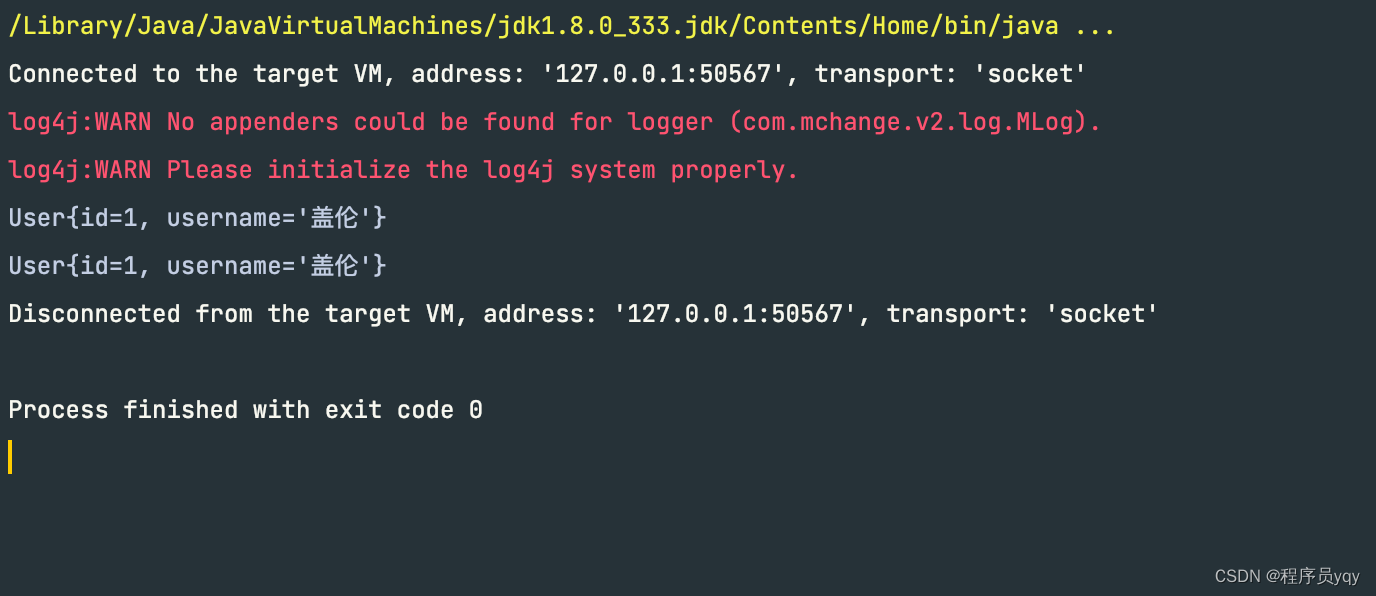
代码正确执行,输出
上述⾃定义框架,解决了JDBC操作数据库带来的⼀些问题:例如频繁创建释放数据库连接,硬编
码,⼿动封装返回结果集等问题,现在我们继续来分析刚刚完成的⾃定义框架代码,有没有什么问题呢?
问题如下:
我们可以使用代理模式,生成代理对象,在调用之前获取到执行方法的方法名、具体类。这样我们就能获取到statementId。
为SqlSession类新增getMappper方法,获取代理对象
public interface SqlSession {
    public <E> List<E> selectList(String statementId, Object... param) throws Exception;

    public <T> T selectOne(String statementId,Object... params) throws Exception;

    //为Dao接口生成代理实现类
    public <T> T getMapper(Class<?> mapperClass);
}
public class DefaultSqlSession implements SqlSession {

    private Configuration configuration;
    private Executor simpleExcutor = new SimpleExecutor();

    public DefaultSqlSession(Configuration configuration) {
        this.configuration = configuration;
    }

    @Override
    public <E> List<E> selectList(String statementId, Object... param) throws Exception {
        MappedStatement mappedStatement =
                configuration.getMappedStatementMap().get(statementId);
        List<E> query = simpleExcutor.query(configuration, mappedStatement, param);
        return query;
    }

    @Override
    public <T> T selectOne(String statementId, Object... params) throws Exception {
        List<Object> objects = selectList(statementId, params);
        if (objects.size() == 1) {
            return (T) objects.get(0);
        } else {
            throw new RuntimeException("返回结果过多");
        }
    }

    @Override
    public <T> T getMapper(Class<?> mapperClass) {
        Object proxyInstance = Proxy.newProxyInstance(DefaultSqlSession.class.getClassLoader(), new Class[]{mapperClass}, new InvocationHandler() {
            @Override
            public Object invoke(Object proxy, Method method, Object[] args) throws Throwable {
            	// selectOne
                String methodName = method.getName();
                // className:namespace
                String className = method.getDeclaringClass().getName();
                //statementId
                String statementId = className+'.'+methodName;
                Type genericReturnType = method.getGenericReturnType();
                //判断是否实现泛型类型参数化
                if (genericReturnType instanceof ParameterizedType){
                    List<Object> objects = selectList(statementId,args);
                    return objects;
                }
                return selectOne(statementId,args);
            }
        });
        return (T) proxyInstance;
    }
}
定义业务数据dao接口
public interface IUserDao {

    //查询所有用户
    public List<User> findAll() throws Exception;


    //根据条件进行用户查询
    public User findByCondition(User user) throws Exception;
}
接下来我们只需获取到代理对象,调用方法即可。
public class Main2 {
    public static void main(String[] args) throws Exception {
        InputStream resourceAsSteam = Resources.getResourceAsSteam("sqlMapConfig.xml");
        SqlSessionFactory sqlSessionFactory = new SqlSessionFactoryBuilder().build(resourceAsSteam);
        SqlSession sqlSession = sqlSessionFactory.openSession();
		//获取到代理对象
        IUserDao userDao = sqlSession.getMapper(IUserDao.class);
        List<User> all = userDao.findAll();
        for (User user1 : all) {
            System.out.println(user1);
        }
    }
}
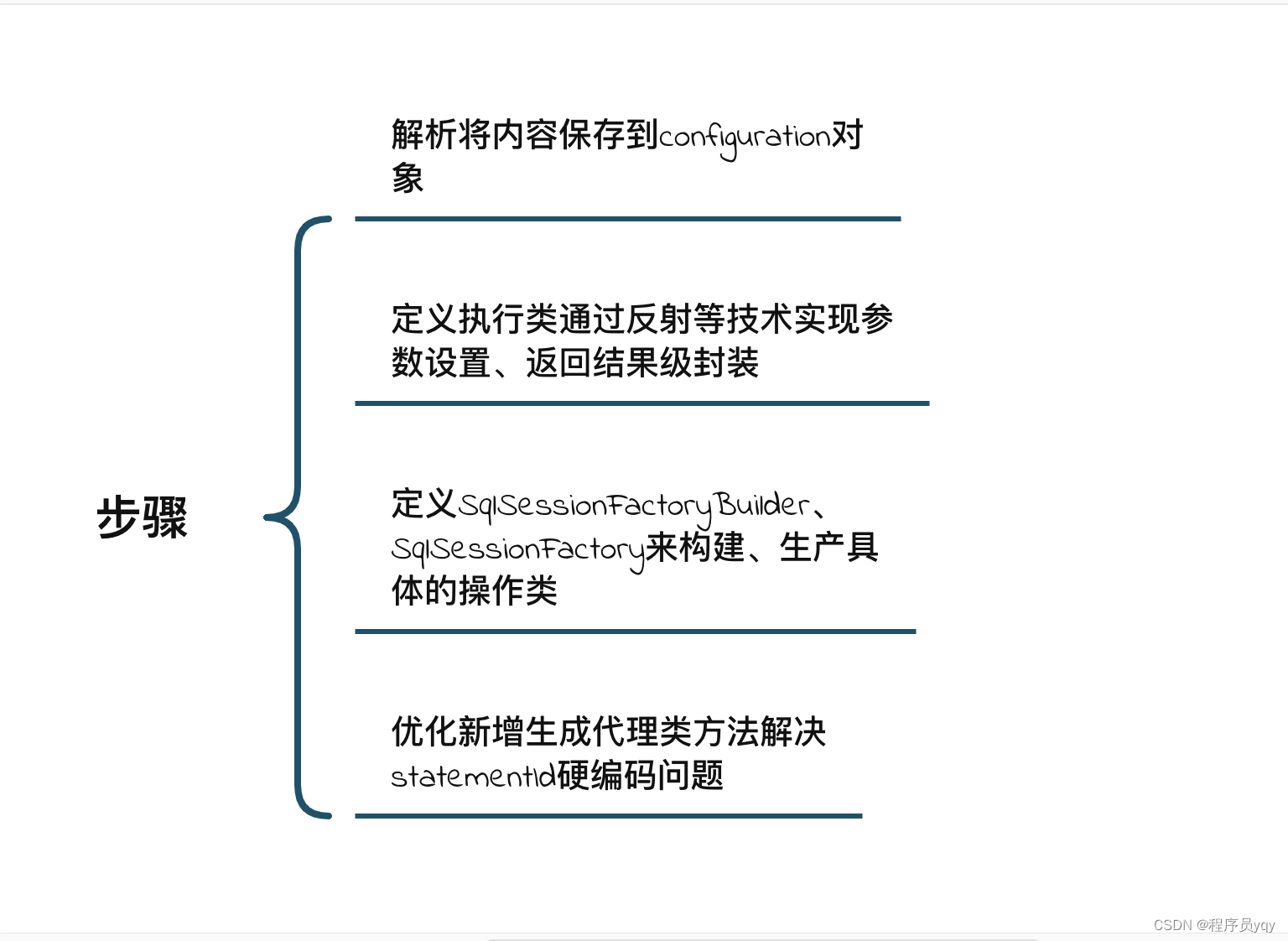
为了解决JDBC操作数据库存在的问题,我们主要干了这些事
以下为本文的大体流程图:
源码以及数据库建表语句链接 :java自定义简易持久层框架
如果本文对你有帮助,请右下角点下??哈
我真的很习惯使用Ruby编写以下代码:my_hash={}my_hash['test']=1Java中对应的数据结构是什么? 最佳答案 HashMapmap=newHashMap();map.put("test",1);我假设? 关于java-等价于Java中的RubyHash,我们在StackOverflow上找到一个类似的问题: https://stackoverflow.com/questions/22737685/
对于Rails模型,是否可以/建议让一个类的成员不持久保存到数据库中?我想将用户最后选择的类型存储在session变量中。由于我无法从我的模型中设置session变量,我想将值存储在一个“虚拟”类成员中,该成员只是将值传递回Controller。你能有这样的类(class)成员吗? 最佳答案 将非持久属性添加到Rails模型就像任何其他Ruby类一样:classUser扩展解释:在Ruby中,所有实例变量都是私有(private)的,不需要在赋值前定义。attr_accessor创建一个setter和getter方法:classUs
我正在尝试使用boilerpipe来自JRuby。我看过guide从JRuby调用Java,并成功地将它与另一个Java包一起使用,但无法弄清楚为什么同样的东西不能用于boilerpipe。我正在尝试基本上从JRuby中执行与此Java等效的操作:URLurl=newURL("http://www.example.com/some-location/index.html");Stringtext=ArticleExtractor.INSTANCE.getText(url);在JRuby中试过这个:require'java'url=java.net.URL.new("http://www
我只想对我一直在思考的这个问题有其他意见,例如我有classuser_controller和classuserclassUserattr_accessor:name,:usernameendclassUserController//dosomethingaboutanythingaboutusersend问题是我的User类中是否应该有逻辑user=User.newuser.do_something(user1)oritshouldbeuser_controller=UserController.newuser_controller.do_something(user1,user2)我
什么是ruby的rack或python的Java的wsgi?还有一个路由库。 最佳答案 来自Python标准PEP333:Bycontrast,althoughJavahasjustasmanywebapplicationframeworksavailable,Java's"servlet"APImakesitpossibleforapplicationswrittenwithanyJavawebapplicationframeworktoruninanywebserverthatsupportstheservletAPI.ht
这篇文章是继上一篇文章“Observability:从零开始创建Java微服务并监控它(一)”的续篇。在上一篇文章中,我们讲述了如何创建一个Javaweb应用,并使用Filebeat来收集应用所生成的日志。在今天的文章中,我来详述如何收集应用的指标,使用APM来监控应用并监督web服务的在线情况。源码可以在地址 https://github.com/liu-xiao-guo/java_observability 进行下载。摄入指标指标被视为可以随时更改的时间点值。当前请求的数量可以改变任何毫秒。你可能有1000个请求的峰值,然后一切都回到一个请求。这也意味着这些指标可能不准确,你还想提取最小/
HashMap中为什么引入红黑树,而不是AVL树呢1.概述开始学习这个知识点之前我们需要知道,在JDK1.8以及之前,针对HashMap有什么不同。JDK1.7的时候,HashMap的底层实现是数组+链表JDK1.8的时候,HashMap的底层实现是数组+链表+红黑树我们要思考一个问题,为什么要从链表转为红黑树呢。首先先让我们了解下链表有什么不好???2.链表上述的截图其实就是链表的结构,我们来看下链表的增删改查的时间复杂度增:因为链表不是线性结构,所以每次添加的时候,只需要移动一个节点,所以可以理解为复杂度是N(1)删:算法时间复杂度跟增保持一致查:既然是非线性结构,所以查询某一个节点的时候
Transformers开始在视频识别领域的“猪突猛进”,各种改进和魔改层出不穷。由此作者将开启VideoTransformer系列的讲解,本篇主要介绍了FBAI团队的TimeSformer,这也是第一篇使用纯Transformer结构在视频识别上的文章。如果觉得有用,就请点赞、收藏、关注!paper:https://arxiv.org/abs/2102.05095code(offical):https://github.com/facebookresearch/TimeSformeraccept:ICML2021author:FacebookAI一、前言Transformers(VIT)在图
遍历文件夹我们通常是使用递归进行操作,这种方式比较简单,也比较容易理解。本文为大家介绍另一种不使用递归的方式,由于没有使用递归,只用到了循环和集合,所以效率更高一些!一、使用递归遍历文件夹整体思路1、使用File封装初始目录,2、打印这个目录3、获取这个目录下所有的子文件和子目录的数组。4、遍历这个数组,取出每个File对象4-1、如果File是否是一个文件,打印4-2、否则就是一个目录,递归调用代码实现publicclassSearchFile{publicstaticvoidmain(String[]args){//初始目录Filedir=newFile("d:/Dev");Datebeg
我基本上来自Java背景并且努力理解Ruby中的模运算。(5%3)(-5%3)(5%-3)(-5%-3)Java中的上述操作产生,2个-22个-2但在Ruby中,相同的表达式会产生21个-1-2.Ruby在逻辑上有多擅长这个?模块操作在Ruby中是如何实现的?如果将同一个操作定义为一个web服务,两个服务如何匹配逻辑。 最佳答案 在Java中,模运算的结果与被除数的符号相同。在Ruby中,它与除数的符号相同。remainder()在Ruby中与被除数的符号相同。您可能还想引用modulooperation.
