先点赞后观看,养成好习惯
“不想动手的小伙伴可以直接拿网盘成品”
阿里云盘------提取码: 0d5j
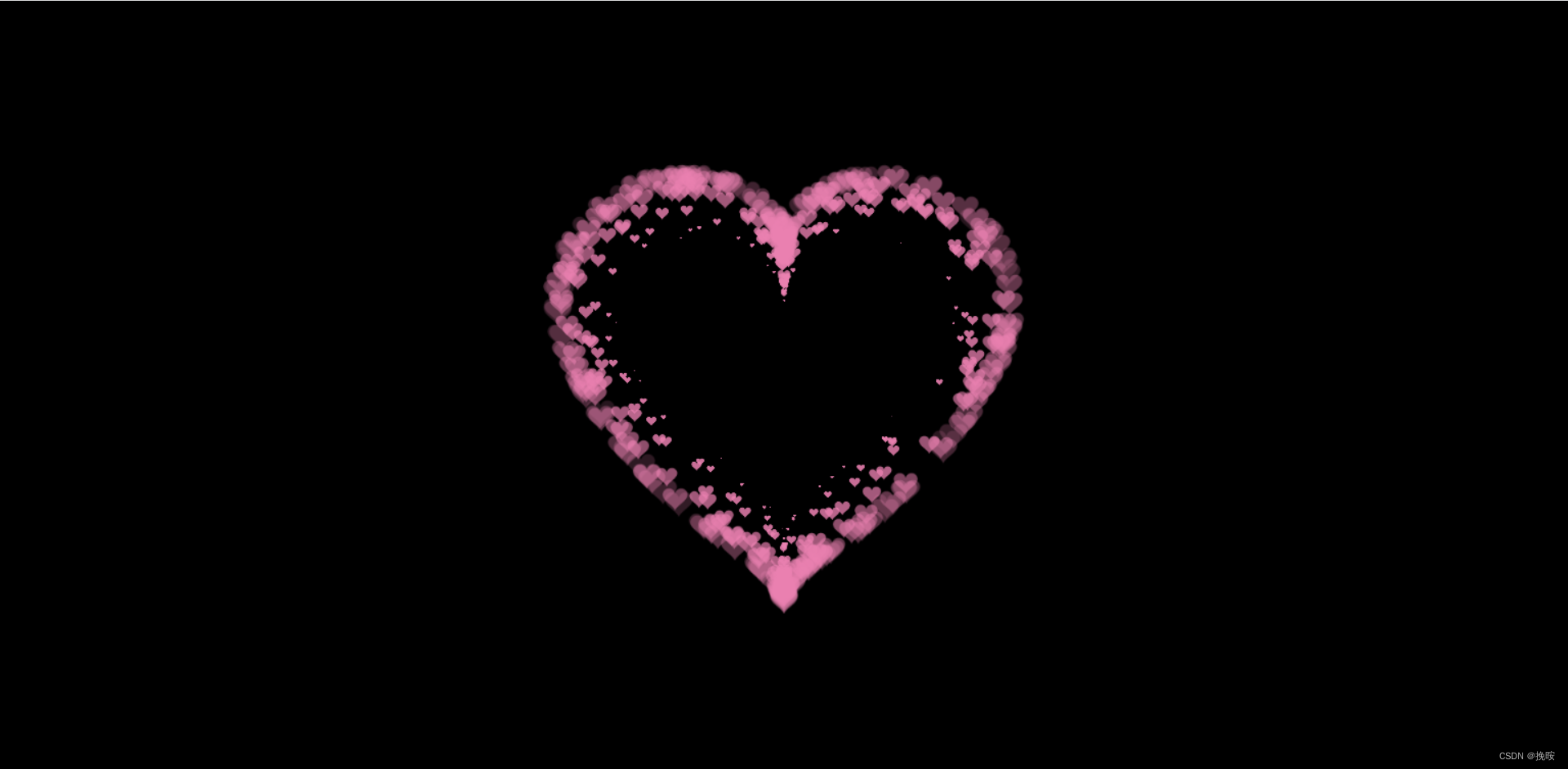
注:任意浏览器都可以,建议使用谷歌浏览器
代码如下仅供参考
可以直接拿去复制粘贴
<!DOCTYPE html>
<html>
  <head>
    <title></title>
    <script src="js/jquery.min.js"></script>
  </head>
  <style>
    * {
      padding: 0;
      margin: 0;
    }
    html,
    body {
      height: 100%;
      padding: 0;
      margin: 0;
      background: #000;
    }

    .aa {
      position: fixed;
      left: 50%;
      bottom: 10px;
      color: #ccc;
    }

    .container {
      width: 100%;
      height: 100%;
    }
    canvas {
      z-index: 99;
      position: absolute;
      width: 100%;
      height: 100%;
    }
  </style>
  <body>
    <!-- 樱花 -->
    <div id="jsi-cherry-container" class="container">
      <audio autoplay="autopaly">
        <source src="renxi.mp3" type="audio/mp3" />
      </audio>
      <img class="img" src="./123.png" alt="" />
      <!-- 爱心 -->
      <canvas id="pinkboard" class="container"> </canvas>
    </div>

  </body>
</html>
<script>
    /*
     * Settings
     */
    var settings = {
      particles: {
        length: 500, // maximum amount of particles
        duration: 2, // particle duration in sec
        velocity: 100, // particle velocity in pixels/sec
        effect: -0.75, // play with this for a nice effect
        size: 30, // particle size in pixels
      },
    };

    (function () {
      var b = 0;
      var c = ["ms", "moz", "webkit", "o"];
      for (var a = 0; a < c.length && !window.requestAnimationFrame; ++a) {
        window.requestAnimationFrame = window[c[a] + "RequestAnimationFrame"];
        window.cancelAnimationFrame =
          window[c[a] + "CancelAnimationFrame"] ||
          window[c[a] + "CancelRequestAnimationFrame"];
      }
      if (!window.requestAnimationFrame) {
        window.requestAnimationFrame = function (h, e) {
          var d = new Date().getTime();
          var f = Math.max(0, 16 - (d - b));
          var g = window.setTimeout(function () {
            h(d + f);
          }, f);
          b = d + f;
          return g;
        };
      }
      if (!window.cancelAnimationFrame) {
        window.cancelAnimationFrame = function (d) {
          clearTimeout(d);
        };
      }
    })();

    /*
     * Point class
     */
    var Point = (function () {
      function Point(x, y) {
        this.x = typeof x !== "undefined" ? x : 0;
        this.y = typeof y !== "undefined" ? y : 0;
      }
      Point.prototype.clone = function () {
        return new Point(this.x, this.y);
      };
      Point.prototype.length = function (length) {
        if (typeof length == "undefined")
          return Math.sqrt(this.x * this.x + this.y * this.y);
        this.normalize();
        this.x *= length;
        this.y *= length;
        return this;
      };
      Point.prototype.normalize = function () {
        var length = this.length();
        this.x /= length;
        this.y /= length;
        return this;
      };
      return Point;
    })();

    /*
     * Particle class
     */
    var Particle = (function () {
      function Particle() {
        this.position = new Point();
        this.velocity = new Point();
        this.acceleration = new Point();
        this.age = 0;
      }
      Particle.prototype.initialize = function (x, y, dx, dy) {
        this.position.x = x;
        this.position.y = y;
        this.velocity.x = dx;
        this.velocity.y = dy;
        this.acceleration.x = dx * settings.particles.effect;
        this.acceleration.y = dy * settings.particles.effect;
        this.age = 0;
      };
      Particle.prototype.update = function (deltaTime) {
        this.position.x += this.velocity.x * deltaTime;
        this.position.y += this.velocity.y * deltaTime;
        this.velocity.x += this.acceleration.x * deltaTime;
        this.velocity.y += this.acceleration.y * deltaTime;
        this.age += deltaTime;
      };
      Particle.prototype.draw = function (context, image) {
        function ease(t) {
          return --t * t * t + 1;
        }
        var size = image.width * ease(this.age / settings.particles.duration);
        context.globalAlpha = 1 - this.age / settings.particles.duration;
        context.drawImage(
          image,
          this.position.x - size / 2,
          this.position.y - size / 2,
          size,
          size
        );
      };
      return Particle;
    })();

    /*
     * ParticlePool class
     */
    var ParticlePool = (function () {
      var particles,
        firstActive = 0,
        firstFree = 0,
        duration = settings.particles.duration;

      function ParticlePool(length) {
        // create and populate particle pool
        particles = new Array(length);
        for (var i = 0; i < particles.length; i++)
          particles[i] = new Particle();
      }
      ParticlePool.prototype.add = function (x, y, dx, dy) {
        particles[firstFree].initialize(x, y, dx, dy);

        // handle circular queue
        firstFree++;
        if (firstFree == particles.length) firstFree = 0;
        if (firstActive == firstFree) firstActive++;
        if (firstActive == particles.length) firstActive = 0;
      };
      ParticlePool.prototype.update = function (deltaTime) {
        var i;

        // update active particles
        if (firstActive < firstFree) {
          for (i = firstActive; i < firstFree; i++)
            particles[i].update(deltaTime);
        }
        if (firstFree < firstActive) {
          for (i = firstActive; i < particles.length; i++)
            particles[i].update(deltaTime);
          for (i = 0; i < firstFree; i++) particles[i].update(deltaTime);
        }

        // remove inactive particles
        while (
          particles[firstActive].age >= duration &&
          firstActive != firstFree
        ) {
          firstActive++;
          if (firstActive == particles.length) firstActive = 0;
        }
      };
      ParticlePool.prototype.draw = function (context, image) {
        // draw active particles
        if (firstActive < firstFree) {
          for (i = firstActive; i < firstFree; i++)
            particles[i].draw(context, image);
        }
        if (firstFree < firstActive) {
          for (i = firstActive; i < particles.length; i++)
            particles[i].draw(context, image);
          for (i = 0; i < firstFree; i++) particles[i].draw(context, image);
        }
      };
      return ParticlePool;
    })();

    /*
     * Putting it all together
     */
    (function (canvas) {
      var context = canvas.getContext("2d"),
        particles = new ParticlePool(settings.particles.length),
        particleRate =
          settings.particles.length / settings.particles.duration, // particles/sec
        time;

      // get point on heart with -PI <= t <= PI
      function pointOnHeart(t) {
        return new Point(
          160 * Math.pow(Math.sin(t), 3),
          130 * Math.cos(t) -
            50 * Math.cos(2 * t) -
            20 * Math.cos(3 * t) -
            10 * Math.cos(4 * t) +
            25
        );
      }

      // creating the particle image using a dummy canvas
      var image = (function () {
        var canvas = document.createElement("canvas"),
          context = canvas.getContext("2d");
        canvas.width = settings.particles.size;
        canvas.height = settings.particles.size;
        // helper function to create the path
        function to(t) {
          var point = pointOnHeart(t);
          point.x =
            settings.particles.size / 2 +
            (point.x * settings.particles.size) / 350;
          point.y =
            settings.particles.size / 2 -
            (point.y * settings.particles.size) / 350;
          return point;
        }
        // create the path
        context.beginPath();
        var t = -Math.PI;
        var point = to(t);
        context.moveTo(point.x, point.y);
        while (t < Math.PI) {
          t += 0.01; // baby steps!
          point = to(t);
          context.lineTo(point.x, point.y);
        }
        context.closePath();
        // create the fill
        context.fillStyle = "#ea80b0";
        context.fill();
        // create the image
        var image = new Image();
        image.src = canvas.toDataURL();
        return image;
      })();

      // render that thing!
      function render() {
        // next animation frame
        requestAnimationFrame(render);

        // update time
        var newTime = new Date().getTime() / 1000,
          deltaTime = newTime - (time || newTime);
        time = newTime;

        // clear canvas
        context.clearRect(0, 0, canvas.width, canvas.height);

        // create new particles
        var amount = particleRate * deltaTime;
        for (var i = 0; i < amount; i++) {
          var pos = pointOnHeart(Math.PI - 2 * Math.PI * Math.random());
          var dir = pos.clone().length(settings.particles.velocity);
          particles.add(
            canvas.width / 2 + pos.x,
            canvas.height / 2 - pos.y,
            dir.x,
            -dir.y
          );
        }

        // update and draw particles
        particles.update(deltaTime);
        particles.draw(context, image);
      }

      // handle (re-)sizing of the canvas
      function onResize() {
        canvas.width = canvas.clientWidth;
        canvas.height = canvas.clientHeight;
      }
      window.onresize = onResize;

      // delay rendering bootstrap
      setTimeout(function () {
        onResize();
        render();
      }, 10);
    })(document.getElementById("pinkboard"));
  </script>

  <script>
    var RENDERER = {
      INIT_CHERRY_BLOSSOM_COUNT: 30,
      MAX_ADDING_INTERVAL: 10,

      init: function () {
        this.setParameters();
        this.reconstructMethods();
        this.createCherries();
        this.render();
        if (
          navigator.userAgent.match(
            /(phone|pod|iPhone|iPod|ios|Android|Mobile|BlackBerry|IEMobile|MQQBrowser|JUC|Fennec|wOSBrowser|BrowserNG|WebOS|Symbian|Windows Phone)/i
          )
        ) {
          // var box = document.querySelectorAll(".box")[0];
          // console.log(box, "移动端");
          // box.style.marginTop = "65%";
        }
      },
      setParameters: function () {
        this.$container = $("#jsi-cherry-container");
        this.width = this.$container.width();
        this.height = this.$container.height();
        this.context = $("<canvas />")
          .attr({ width: this.width, height: this.height })
          .appendTo(this.$container)
          .get(0)
        var rate = this.FOCUS_POSITION / (this.z + this.FOCUS_POSITION),
          x = this.renderer.width / 2 + this.x * rate,
          y = this.renderer.height / 2 - this.y * rate;
        return { rate: rate, x: x, y: y };
      },
      re
          }
        } else {
          this.phi += Math.PI / (axis.y == this.thresholdY ? 200 : 500);
          this.phi %= Math.PI;
        }
        if (this.y <= -this.renderer.height * this.SURFACE_RATE) {
          this.x += 2;
          this.y = -this.renderer.height * this.SURFACE_RATE;
        } else {
          this.x += this.vx;
          this.y += this.vy;
        }
        return (
          this.z > -this.FOCUS_POSITION &&
          this.z < this.FAR_LIMIT &&
          this.x < this.renderer.width * 1.5
        );
      },
    };
    $(function () {
      RENDERER.init();
    });
  </script>
我想将html转换为纯文本。不过,我不想只删除标签,我想智能地保留尽可能多的格式。为插入换行符标签,检测段落并格式化它们等。输入非常简单,通常是格式良好的html(不是整个文档,只是一堆内容,通常没有anchor或图像)。我可以将几个正则表达式放在一起,让我达到80%,但我认为可能有一些现有的解决方案更智能。 最佳答案 首先,不要尝试为此使用正则表达式。很有可能你会想出一个脆弱/脆弱的解决方案,它会随着HTML的变化而崩溃,或者很难管理和维护。您可以使用Nokogiri快速解析HTML并提取文本:require'nokogiri'h
在我的Controller中,我通过以下方式在我的index方法中支持HTML和JSON:respond_todo|format|format.htmlformat.json{renderjson:@user}end在浏览器中拉起它时,它会自然地以HTML呈现。但是,当我对/user资源进行内容类型为application/json的curl调用时(因为它是索引方法),我仍然将HTML作为响应。如何获取JSON作为响应?我还需要说明什么? 最佳答案 您应该将.json附加到请求的url,提供的格式在routes.rb的路径中定义。这
所以我在关注Railscast,我注意到在html.erb文件中,ruby代码有一个微弱的背景高亮效果,以区别于其他代码HTML文档。我知道Ryan使用TextMate。我正在使用SublimeText3。我怎样才能达到同样的效果?谢谢! 最佳答案 为SublimeText安装ERB包。假设您安装了SublimeText包管理器*,只需点击cmd+shift+P即可获得命令菜单,然后键入installpackage并选择PackageControl:InstallPackage获取包管理器菜单。在该菜单中,键入ERB并在看到包时选择
我正在使用Rails构建一个简单的聊天应用程序。当用户输入url时,我希望将其输出为html链接(即“url”)。我想知道在Ruby中是否有任何库或众所周知的方法可以做到这一点。如果没有,我有一些不错的正则表达式示例代码可以使用... 最佳答案 查看auto_linkRails提供的辅助方法。这会将所有URL和电子邮件地址变成可点击的链接(htmlanchor标记)。这是文档中的代码示例。auto_link("Gotohttp://www.rubyonrails.organdsayhellotodavid@loudthinking.
我正在学习http://ruby.railstutorial.org/chapters/static-pages上的RubyonRails教程并遇到以下错误StaticPagesHomepageshouldhavethecontent'SampleApp'Failure/Error:page.shouldhave_content('SampleApp')Capybara::ElementNotFound:Unabletofindxpath"/html"#(eval):2:in`text'#./spec/requests/static_pages_spec.rb:7:in`(root)'
Unity自动旋转动画1.开门需要门把手先动,门再动2.关门需要门先动,门把手再动3.中途播放过程中不可以再次进行操作觉得太复杂?查看我的文章开关门简易进阶版效果:如果这个门可以直接打开的话,就不需要放置"门把手"如果门把手还有钥匙需要旋转,那就可以把钥匙放在门把手的"门把手",理论上是可以无限套娃的可调整参数有:角度,反向,轴向,速度运行时点击Test进行测试自己写的代码比较垃圾,命名与结构比较拉,高手轻点喷,新手有类似的需求可以拿去做参考上代码usingSystem.Collections;usingSystem.Collections.Generic;usingUnityEngine;u
动漫制作技巧是很多新人想了解的问题,今天小编就来解答与大家分享一下动漫制作流程,为了帮助有兴趣的同学理解,大多数人会选择动漫培训机构,那么今天小编就带大家来看看动漫制作要掌握哪些技巧?一、动漫作品首先完成草图设计和原型制作。设计草图要有目的、有对象、有步骤、要形象、要简单、符合实际。设计图要一致性,以保证制作的顺利进行。二、原型制作是根据设计图纸和制作材料,可以是手绘也可以是3d软件创建。在此步骤中,要注意的问题是色彩和平面布局。三、动漫制作制作完成后,加工成型。完成不同的表现形式后,就要对设计稿进行加工处理,使加工的难易度降低,并得到一些基本准确的概念,以便于后续的大样、准确的尺寸制定。四、
我正在尝试将一个简单的CSV文件读入HTML表格以在浏览器中显示,但我遇到了麻烦。这就是我正在尝试的:Controller:defshow@csv=CSV.open("file.csv",:headers=>true)end查看:输出:NameStartDateEndDateQuantityPostalCode基本上我只获取标题,而不会读取和呈现CSV正文。 最佳答案 这最终成为最终解决方案:Controller:defshow#OpenaCSVfile,andthenreaditintoaCSV::Tableobjectforda
我想用Nokogiri解析HTML页面。页面的一部分有一个表,它没有使用任何特定的ID。是否可以提取如下内容:Today,3,455,34Today,1,1300,3664Today,10,100000,3444,Yesterday,3454,5656,3Yesterday,3545,1000,10Yesterday,3411,36223,15来自这个HTML:TodayYesterdayQntySizeLengthLengthSizeQnty345534345456563113003664354510001010100000344434113622315
考虑一下:现在这些情况:#output:http://domain.com/?foo=1&bar=2#output:http://domain.com/?foo=1&bar=2#output:http://domain.com/?foo=1&bar=2#output:http://domain.com/?foo=1&bar=2我需要用其他字符串输出URL。我如何保证&符号不会被转义?由于我无法控制的原因,我无法发送&。求助!把我的头发拉到这里:\编辑:为了澄清,我实际上有一个像这样的数组:@images=[{:id=>"fooid",:url=>"http://
