此文章仅用来记录3d-force-graph示例学习过程中的问题,以及相关笔记。
const Graph = ForceGraph3D()(document.getElementById('3d-graph')).graphData(gData);// URL scheme "file" is not supported. 未解决
const Graph = ForceGraph3D()(document.getElementById('3d-graph'))
.jsonUrl('../datasets/miserables.json')
.nodeLabel('id')//鼠标悬浮至mesh上显示标签,标签内容未id
.nodeAutoColorBy('group');//按照group进行分类报错:URL scheme "file" is not supported. 未解决,改为:
const Graph = ForceGraph3D()(document.getElementById('3d-graph'))
            .graphData(gData) //直接把json内容粘贴到gData
            .nodeLabel('id')
            .nodeAutoColorBy('group');
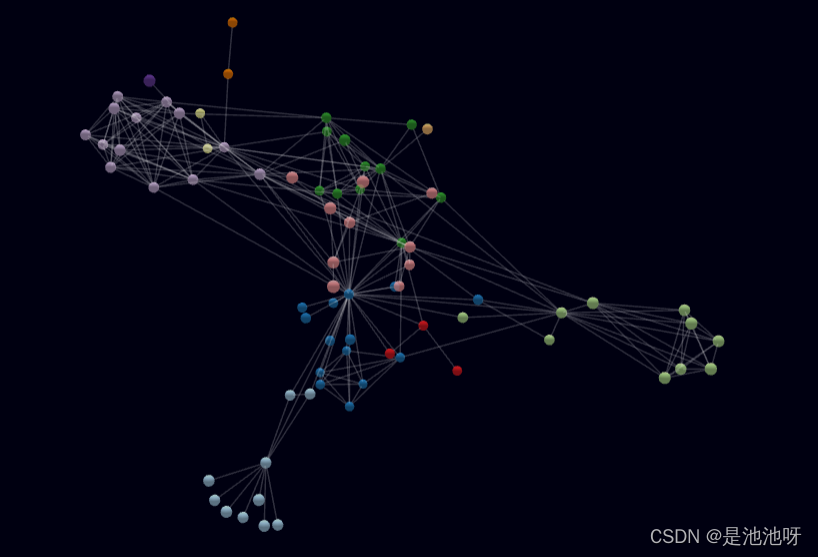
效果:
新知识点:
onNodeClick:监听事件单击,在新页面打开
const Graph = ForceGraph3D()(elem)
            .jsonUrl('../datasets/blocks.json')
            .nodeAutoColorBy('user')
            .nodeLabel(node => `${node.user}: ${node.description}`)
            .onNodeClick(
                node => window.open(`https://bl.ocks.org/${node.user}/${node.id}`, '_blank') //单击在新页面打开
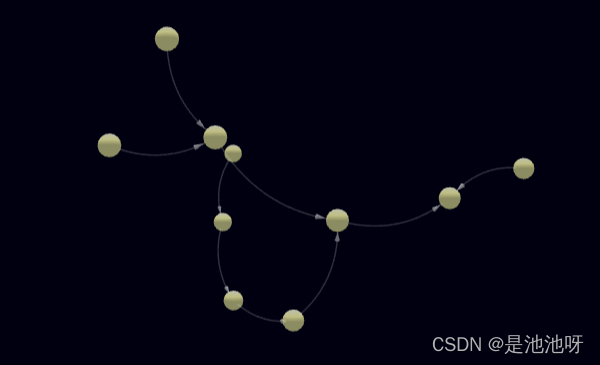
);const Graph = ForceGraph3D()(document.getElementById('3d-graph'))
.graphData(gData)
.nodeLabel('id')
.linkDirectionalArrowLength(3.5) //箭头长度
.linkDirectionalArrowRelPos(1) //箭头位置偏移 source指向target
.linkCurvature(0.25); //曲度效果:
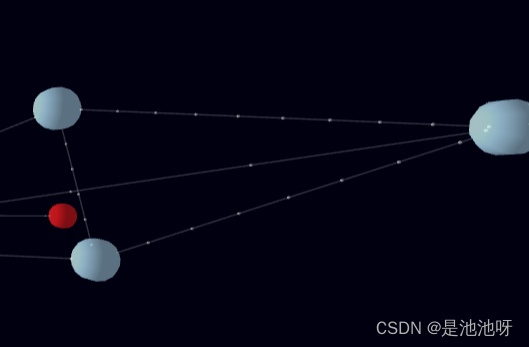
const Graph = ForceGraph3D()(document.getElementById('3d-graph'))
            .graphData(gData)
            .nodeLabel('id')
            .nodeAutoColorBy('group')
            .linkDirectionalParticles('value') //粒子个数
            .linkDirectionalParticleSpeed(d => d.value * 0.001); //粒子运动速度
效果(部分截图):
const Graph = ForceGraph3D()(document.getElementById('3d-graph'))
            .nodeLabel('id')
            .linkCurvature('curvature') //曲率 数值越大 弯曲程度越小
            .linkCurveRotation('rotation') // 链接旋转方向
            .linkDirectionalParticles(2)
            .graphData(gData);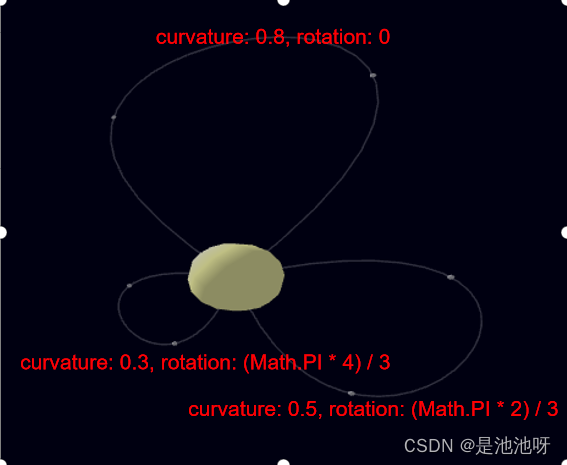
const Graph = ForceGraph3D()(document.getElementById('3d-graph'))
            .nodeAutoColorBy('group') //节点根据group着色
            .linkAutoColorBy(d => gData.nodes[d.source].group) //链接根据group着色
            .linkOpacity(0.5) //链接透明度
            .graphData(gData);
效果:
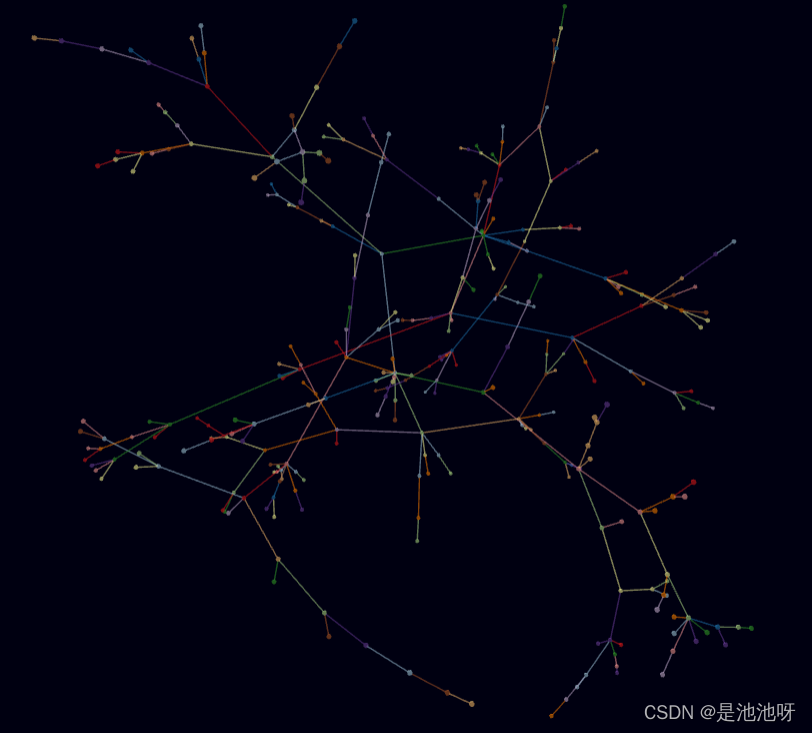
        const Graph = ForceGraph3D()(document.getElementById('3d-graph'))
            .jsonUrl('../datasets/miserables.json')
            .nodeAutoColorBy('group')
            .nodeThreeObject(node => {
                const sprite = new SpriteText(node.id);
                // sprite.material.depthWrite = false; // make sprite background transparent
                sprite.color = node.color;
                sprite.textHeight = 8;
                return sprite;
            });

        // Spread nodes a little wider
        Graph.d3Force('charge').strength(-120); //设定引力,是排斥还是吸引
效果:
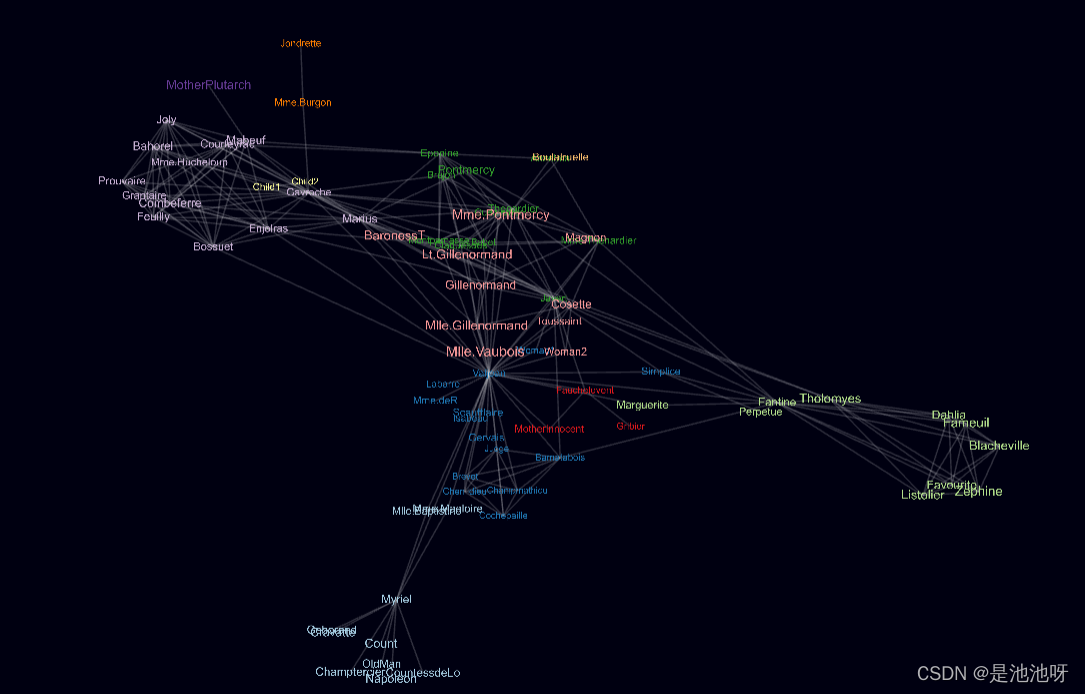
        const Graph = ForceGraph3D()(document.getElementById('3d-graph'))
            .nodeThreeObject(({ img }) => {
                const imgTexture = new THREE.TextureLoader().load(`./imgs/${img}`); //创建纹理贴图
                const material = new THREE.SpriteMaterial({ map: imgTexture });
                const sprite = new THREE.Sprite(material);
                sprite.scale.set(12, 12);
                return sprite;
            })
            .graphData(gData);
效果:
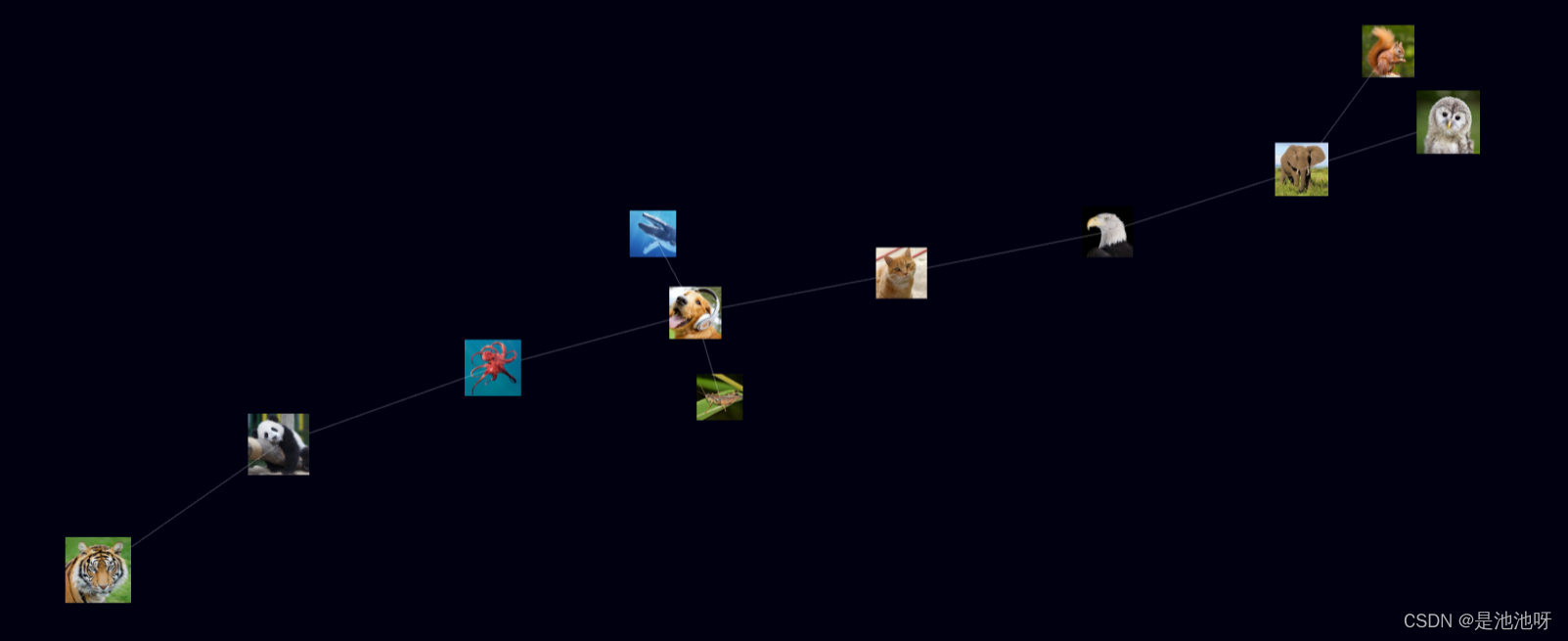
        const Graph = ForceGraph3D({
            extraRenderers: [new THREE.CSS2DRenderer()]
        })(document.getElementById('3d-graph'))
            .graphData(gData)
            .nodeAutoColorBy('group')
            .nodeThreeObject(node => {
                const nodeEl = document.createElement('div');
                nodeEl.textContent = node.id;
                nodeEl.style.color = node.color;
                nodeEl.className = 'node-label';
                return new THREE.CSS2DObject(nodeEl);
            })
            .nodeThreeObjectExtend(true); //节点对象访问器函数、属性或布尔值,用于确定在使用自定义nodeThreeObject(false)时是替换默认节点还是扩展它(true)
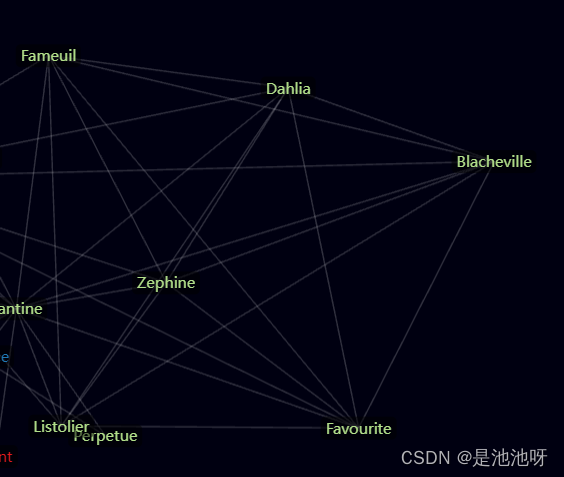
效果:(nodeThreeObjectExtend分别是true false)
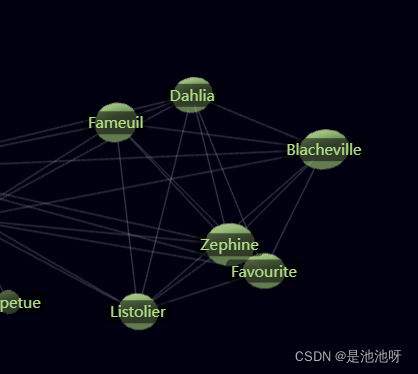
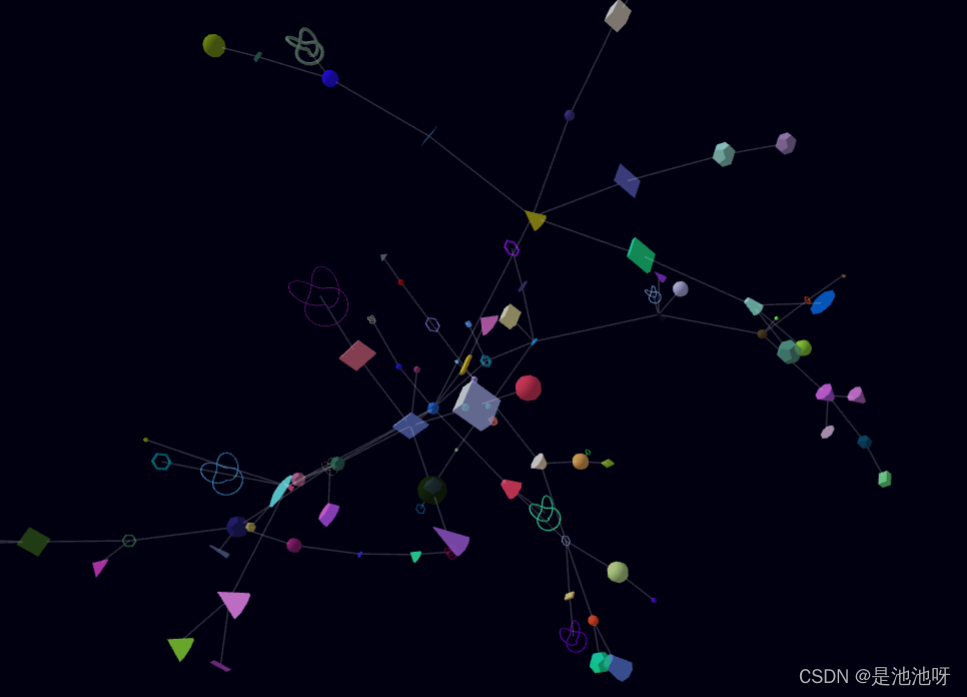
        const Graph = ForceGraph3D()(document.getElementById('3d-graph'))
            .nodeThreeObject(
                ({ id }) =>
                    new THREE.Mesh(
                        [
                            // 方块
                            new THREE.BoxGeometry(
                                Math.random() * 20,
                                Math.random() * 20,
                                Math.random() * 20
                            ),
                            // 锥体
                            new THREE.ConeGeometry(Math.random() * 10, Math.random() * 20),
                            // 圆柱
                            new THREE.CylinderGeometry(
                                Math.random() * 10,
                                Math.random() * 10,
                                Math.random() * 20
                            ),
                            // 十二面体
                            new THREE.DodecahedronGeometry(Math.random() * 10),
                            // 球体
                            new THREE.SphereGeometry(Math.random() * 10),
                            // 圆环
                            new THREE.TorusGeometry(Math.random() * 10, Math.random() * 2),
                            // 环面扭结
                            new THREE.TorusKnotGeometry(Math.random() * 10, Math.random() * 2)
                        ][id % 7],
                        new THREE.MeshLambertMaterial({
                            color: Math.round(Math.random() * Math.pow(2, 24)),
                            transparent: true,
                            opacity: 0.75
                        })
                    )
            )
            .graphData(gData);
效果:
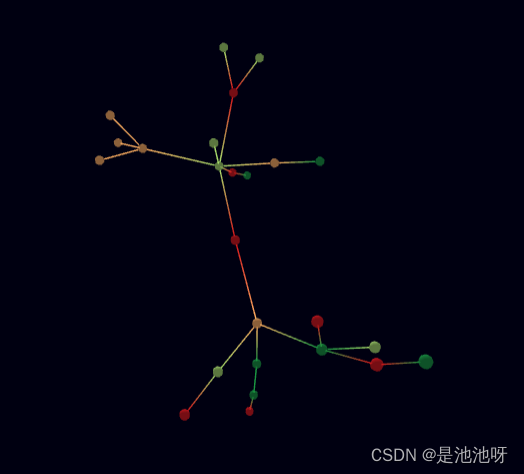
        const Graph = ForceGraph3D()(document.getElementById('3d-graph'))
            .nodeColor(node => nodeColorScale(node.id)) //id=0,color=c1;id=1,color=c2....id=4,color=c1...
            .linkThreeObject(link => {
                const colors = new Float32Array(
                    [].concat(
                        ...[link.source, link.target]
                            .map(nodeColorScale)
                            .map(d3.color)
                            .map(({ r, g, b }) => [r, g, b].map(v => v / 255))
                    )
                );

                const material = new THREE.LineBasicMaterial({ vertexColors: THREE.VertexColors });
                const geometry = new THREE.BufferGeometry();
                geometry.setAttribute(
                    'position',
                    new THREE.BufferAttribute(new Float32Array(2 * 3), 3) //三个为一组 作为坐标
                );
                geometry.setAttribute('color', new THREE.BufferAttribute(colors, 3)); //三个为一组 作为颜色

                return new THREE.Line(geometry, material);
            })
            .graphData(gData);
效果:
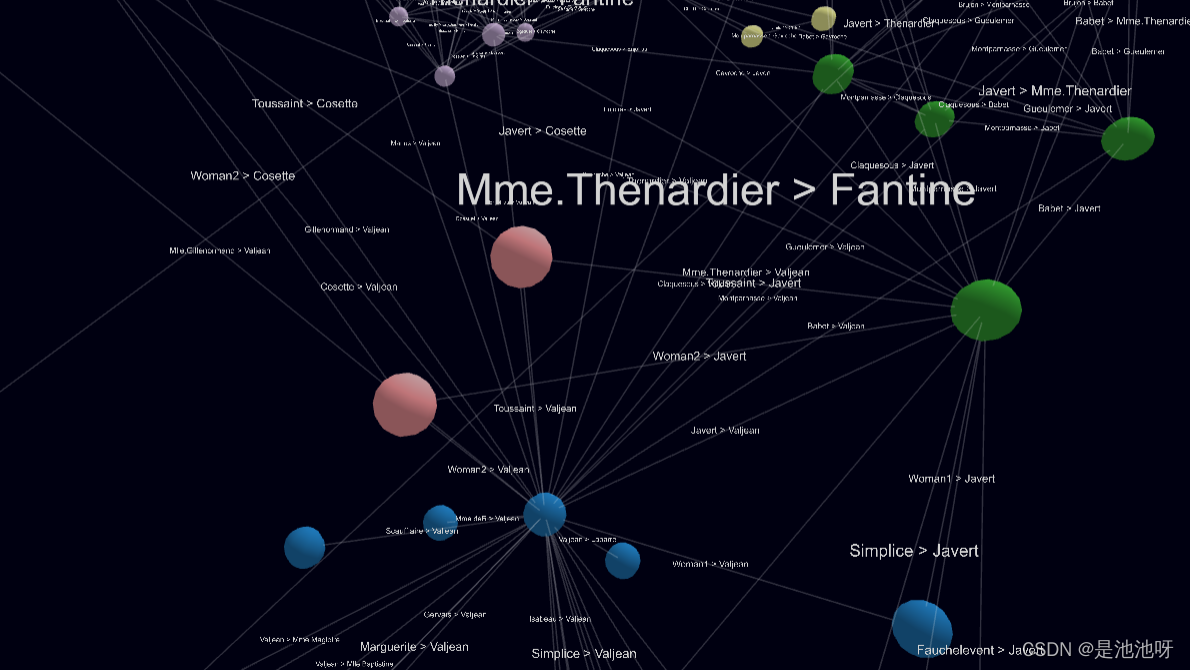
         const Graph = ForceGraph3D()(document.getElementById('3d-graph'))
            .graphData(gData)
            .nodeLabel('id')
            .nodeAutoColorBy('group')
            .linkThreeObjectExtend(true)
            .linkThreeObject(link => {
                // extend link with text sprite
                const sprite = new SpriteText(`${link.source} > ${link.target}`);
                sprite.color = 'lightgrey';
                sprite.textHeight = 1.5;
                return sprite;
            })
            .linkPositionUpdate((sprite, { start, end }) => {
                const middlePos = Object.assign(
                    ...['x', 'y', 'z'].map(c => ({
                        [c]: start[c] + (end[c] - start[c]) / 2 // calc middle point
                    }))
                );
                // Position sprite
                Object.assign(sprite.position, middlePos);
            });
效果:
const Graph = ForceGraph3D({ controlType: 'orbit' })(document.getElementById('3d-graph'))
            .jsonUrl('../datasets/miserables.json')
            .nodeLabel('id')
            .nodeAutoColorBy('group');

const Graph = ForceGraph3D({ controlType: 'fly' })(document.getElementById('3d-graph'))
            .jsonUrl('../datasets/miserables.json')
            .nodeLabel('id')
            .nodeAutoColorBy('group');
设置threejs控制器的类型,效果相当于:
this.controls = new OrbitControls(this.camera, this.renderer.domElement);
this.controls = new TrackballControls(this.camera, this.renderer.domElement);
        const distance = 1400;
        const Graph = ForceGraph3D()(document.getElementById('3d-graph'))
            .enableNodeDrag(false) //节点拖拽
            .enableNavigationControls(false) //拖拽
            .showNavInfo(false)
            .cameraPosition({ z: distance })
            .graphData(gData);

        // camera orbit
        // 每10ms更新一下相机的位置
        let angle = 0;
        setInterval(() => {
            Graph.cameraPosition({
                x: distance * Math.sin(angle),
                z: distance * Math.cos(angle)
            });
            angle += Math.PI / 300;
        }, 10);
相当于:camera.position.set(position);
        const Graph = ForceGraph3D()(document.getElementById('3d-graph'))
            .graphData(gData)
            .nodeLabel('id')
            .nodeAutoColorBy('group')
            //点击事件
            .onNodeClick(node => {
                // Aim at node from outside it
                const distance = 40;
                const distRatio = 1 + distance / Math.hypot(node.x, node.y, node.z);

                Graph.cameraPosition(
                    { x: node.x * distRatio, y: node.y * distRatio, z: node.z * distRatio }, // new position
                    node, // lookAt ({ x, y, z })
                    3000 // ms transition duration
                );
}); const Graph = ForceGraph3D()(elem)
.graphData(getPrunedTree())
.linkDirectionalParticles(2)
//子节点折叠 red;子节点展开 yellow;无子节点 green;
.nodeColor(node =>
!node.childLinks.length ? 'green' : node.collapsed ? 'red' : 'yellow'
)
.onNodeHover(
node => (elem.style.cursor = node && node.childLinks.length ? 'pointer' : null)
)
//点击事件调用getPrunedTree()更新gdata
.onNodeClick(node => {
if (node.childLinks.length) {
node.collapsed = !node.collapsed; // toggle collapse state
Graph.graphData(getPrunedTree());
}
}); const Graph = ForceGraph3D()(document.getElementById('3d-graph'))
.graphData(gData)
.nodeLabel('id')
.nodeAutoColorBy('group')
.onNodeDragEnd(node => {
node.fx = node.x;
node.fy = node.y;
node.fz = node.z;
});拖动节点后,该节点位置不变。
        const Graph = ForceGraph3D()(document.getElementById('3d-graph'))
            .cooldownTicks(100) //冷却时间 参数为时间
            .graphData(gData);

        // fit to canvas when engine stops
        Graph.onEngineStop(() => Graph.zoomToFit(400));
渲染完成后,会适应画布大小。
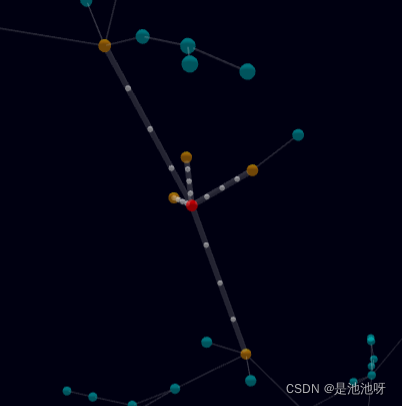
        const Graph = ForceGraph3D()(document.getElementById('3d-graph'))
            .graphData(gData)
            //node颜色
            .nodeColor(node =>
                highlightNodes.has(node)
                    ? node === hoverNode
                        ? 'rgb(255,0,0,1)'
                        : 'rgba(255,160,0,0.8)'
                    : 'rgba(0,255,255,0.6)'
            )
            .linkWidth(link => (highlightLinks.has(link) ? 4 : 1))
            .linkDirectionalParticles(link => (highlightLinks.has(link) ? 4 : 0))
            .linkDirectionalParticleWidth(4)
            .onNodeHover(node => {
                // no state change
                if ((!node && !highlightNodes.size) || (node && hoverNode === node)) return;

                highlightNodes.clear();
                highlightLinks.clear();
                if (node) {
                    highlightNodes.add(node);
                    node.neighbors.forEach(neighbor => highlightNodes.add(neighbor));
                    node.links.forEach(link => highlightLinks.add(link));
                }

                hoverNode = node || null;

                updateHighlight();
            })
            .onLinkHover(link => {
                highlightNodes.clear();
                highlightLinks.clear();

                if (link) {
                    highlightLinks.add(link);
                    highlightNodes.add(link.source);
                    highlightNodes.add(link.target);
                }
                updateHighlight();
            });
效果:
        const Graph = ForceGraph3D()(document.getElementById('3d-graph'))
            .graphData(gData)
            .nodeRelSize(9) //节点大小
            .nodeColor(node => (selectedNodes.has(node) ? 'yellow' : 'grey'))
            .onNodeClick((node, event) => {
                if (event.ctrlKey || event.shiftKey || event.altKey) {
                    // multi-selection
                    selectedNodes.has(node) ? selectedNodes.delete(node) : selectedNodes.add(node);
                } else {
                    // single-selection
                    const untoggle = selectedNodes.has(node) && selectedNodes.size === 1;
                    selectedNodes.clear();
                    !untoggle && selectedNodes.add(node);
                }

                Graph.nodeColor(Graph.nodeColor()); // update color of selected nodes
            })
            .onNodeDrag((node, translate) => {
                if (selectedNodes.has(node)) {
                    // moving a selected node
                    [...selectedNodes]
                        .filter(selNode => selNode !== node) // don't touch node being dragged
                        .forEach(node =>
                            ['x', 'y', 'z'].forEach(
                                coord => (node[`f${coord}`] = node[coord] + translate[coord])
                            )
                        ); // translate other nodes by same amount
                }
            })
            .onNodeDragEnd(node => {
                if (selectedNodes.has(node)) {
                    // finished moving a selected node
                    [...selectedNodes]
                        .filter(selNode => selNode !== node) // don't touch node being dragged
                        .forEach(node =>
                            ['x', 'y', 'z'].forEach(coord => (node[`f${coord}`] = undefined))
                        ); // unfix controlled nodes
                }
            });
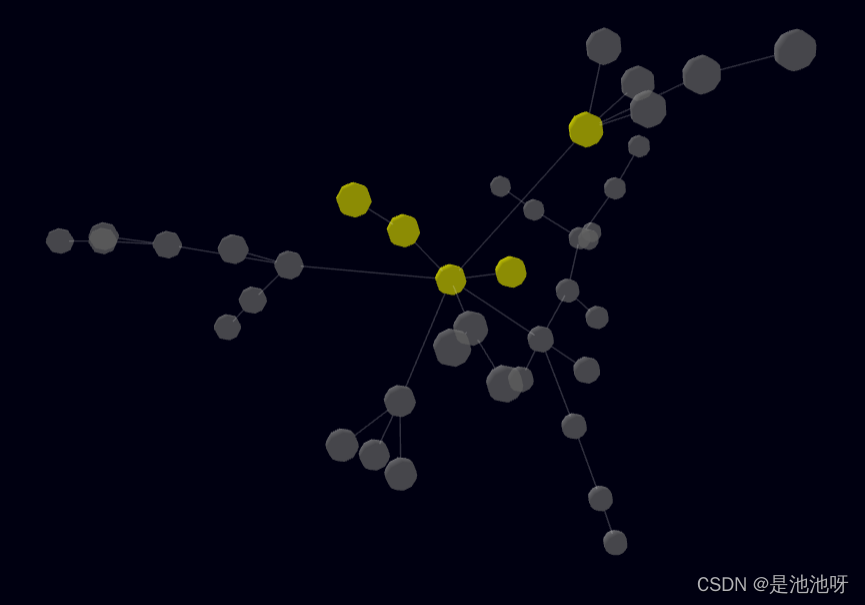
效果:按住alt 、 shift、alt均可以进行多选。
        const Graph = ForceGraph3D()(elem)
            .enableNodeDrag(false)
            .onNodeClick(removeNode)
            .graphData(initData);

        //定时添加节点,并连接dst为已有的随机节点
        setInterval(() => {
            const { nodes, links } = Graph.graphData();
            const id = nodes.length;
            Graph.graphData({
                nodes: [...nodes, { id }],
                links: [...links, { source: id, target: Math.round(Math.random() * (id - 1)) }]
            });
        }, 1000);

        //
        function removeNode(node) {
            let { nodes, links } = Graph.graphData();
            links = links.filter(l => l.source !== node && l.target !== node); // Remove links attached to node
            nodes.splice(node.id, 1); // Remove node 从node.id开始删除1个元素
            //修正其他节点的id
            nodes.forEach((n, idx) => {
                n.id = idx;
            }); // Reset node ids to array index
            Graph.graphData({ nodes, links });
} const N = 50;
const nodes = [...Array(N).keys()].map(() => ({
// Initial velocity in random direction
// 随机方向上的初始速度
vx: Math.random(),
vy: Math.random(),
vz: Math.random()
}));
const Graph = ForceGraph3D()(document.getElementById('3d-graph'));
Graph.cooldownTime(Infinity)
.d3AlphaDecay(0) //alpha 衰减率
.d3VelocityDecay(0) //默认为 0.4,较低的衰减系数可以使得迭代次数更多,其布局结果也会更理性,但是可能会引起数值不稳定从而导致震荡。
// Deactivate existing forces
.d3Force('center', null) //centering作用力可以使得节点布局开之后围绕某个中心
.d3Force('charge', null) //作用力应用在所用的节点之间
// Add collision and bounding box forces
.d3Force('collide', d3.forceCollide(Graph.nodeRelSize()))
.d3Force('box', () => {
const CUBE_HALF_SIDE = Graph.nodeRelSize() * N * 0.5;
nodes.forEach(node => {
const x = node.x || 0,
y = node.y || 0,
z = node.z || 0;
// bounce on box walls
if (Math.abs(x) > CUBE_HALF_SIDE) {
node.vx *= -1;
}
if (Math.abs(y) > CUBE_HALF_SIDE) {
node.vy *= -1;
}
if (Math.abs(z) > CUBE_HALF_SIDE) {
node.vz *= -1;
}
});
})
// Add nodes
.graphData({ nodes, links: [] }); const distance = 1400;
let isRotationActive = true;
const Graph = ForceGraph3D()(document.getElementById('3d-graph'))
.enableNodeDrag(false)
.enableNavigationControls(false)
.showNavInfo(true)
.cameraPosition({ z: distance })
.graphData(gData);
// camera orbit
let angle = 0;
//使得物体旋转
setInterval(() => {
if (isRotationActive) {
Graph.cameraPosition({
x: distance * Math.sin(angle),
z: distance * Math.cos(angle)
});
angle += Math.PI / 300;
}
}, 10);
document.getElementById('rotationToggle').addEventListener('click', event => {
isRotationActive = !isRotationActive;
event.target.innerHTML = `${isRotationActive ? 'Pause' : 'Resume'} Rotation`;
});
let isAnimationActive = true;
document.getElementById('animationToggle').addEventListener('click', event => {
isAnimationActive ? Graph.pauseAnimation() : Graph.resumeAnimation();
isAnimationActive = !isAnimationActive;
event.target.innerHTML = `${isAnimationActive ? 'Pause' : 'Resume'} Animation`;
});初学结束~~~Fighting!
Sinatra新手;我正在运行一些rspec测试,但在日志中收到了一堆不需要的噪音。如何消除日志中过多的噪音?我仔细检查了环境是否设置为:test,这意味着记录器级别应设置为WARN而不是DEBUG。spec_helper:require"./app"require"sinatra"require"rspec"require"rack/test"require"database_cleaner"require"factory_girl"set:environment,:testFactoryGirl.definition_file_paths=%w{./factories./test/
我有两个Rails模型,即Invoice和Invoice_details。一个Invoice_details属于Invoice,一个Invoice有多个Invoice_details。我无法使用accepts_nested_attributes_forinInvoice通过Invoice模型保存Invoice_details。我收到以下错误:(0.2ms)BEGIN(0.2ms)ROLLBACKCompleted422UnprocessableEntityin25ms(ActiveRecord:4.0ms)ActiveRecord::RecordInvalid(Validationfa
无论您是想搭建桌面端、WEB端或者移动端APP应用,HOOPSPlatform组件都可以为您提供弹性的3D集成架构,同时,由工业领域3D技术专家组成的HOOPS技术团队也能为您提供技术支持服务。如果您的客户期望有一种在多个平台(桌面/WEB/APP,而且某些客户端是“瘦”客户端)快速、方便地将数据接入到3D应用系统的解决方案,并且当访问数据时,在各个平台上的性能和用户体验保持一致,HOOPSPlatform将帮助您完成。利用HOOPSPlatform,您可以开发在任何环境下的3D基础应用架构。HOOPSPlatform可以帮您打造3D创新型产品,HOOPSSDK包含的技术有:快速且准确的CAD
本教程将在Unity3D中混合Optitrack与数据手套的数据流,在人体运动的基础上,添加双手手指部分的运动。双手手背的角度仍由Optitrack提供,数据手套提供双手手指的角度。 01 客户端软件分别安装MotiveBody与MotionVenus并校准人体与数据手套。MotiveBodyMotionVenus数据手套使用、校准流程参照:https://gitee.com/foheart_1/foheart-h1-data-summary.git02 数据转发打开MotiveBody软件的Streaming,开始向Unity3D广播数据;MotionVenus中设置->选项选择Unit
Unity自动旋转动画1.开门需要门把手先动,门再动2.关门需要门先动,门把手再动3.中途播放过程中不可以再次进行操作觉得太复杂?查看我的文章开关门简易进阶版效果:如果这个门可以直接打开的话,就不需要放置"门把手"如果门把手还有钥匙需要旋转,那就可以把钥匙放在门把手的"门把手",理论上是可以无限套娃的可调整参数有:角度,反向,轴向,速度运行时点击Test进行测试自己写的代码比较垃圾,命名与结构比较拉,高手轻点喷,新手有类似的需求可以拿去做参考上代码usingSystem.Collections;usingSystem.Collections.Generic;usingUnityEngine;u
之前说过10之后的版本没有3dScan了,所以还是9.8的版本或者之前更早的版本。 3d物体扫描需要先下载扫描的APK进行扫面。首先要在手机上装一个扫描程序,扫描现实中的三维物体,然后上传高通官网,在下载成UnityPackage类型让Unity能够使用这个扫描程序可以从高通官网上进行下载,是一个安卓程序。点到Tools往下滑,找到VuforiaObjectScanner下载后解压数据线连接手机,将apk文件拷入手机安装然后刚才解压文件中的Media文件夹打开,两个PDF图打印第一张A4-ObjectScanningTarget.pdf,主要是用来辅助扫描的。好了,接下来就是扫描三维物体。将瓶
//1.验证返回状态码是否是200pm.test("Statuscodeis200",function(){pm.response.to.have.status(200);});//2.验证返回body内是否含有某个值pm.test("Bodymatchesstring",function(){pm.expect(pm.response.text()).to.include("string_you_want_to_search");});//3.验证某个返回值是否是100pm.test("Yourtestname",function(){varjsonData=pm.response.json
目录前言滤波电路科普主要分类实际情况单位的概念常用评价参数函数型滤波器简单分析滤波电路构成低通滤波器RC低通滤波器RL低通滤波器高通滤波器RC高通滤波器RL高通滤波器部分摘自《LC滤波器设计与制作》,侵权删。前言最近需要学习放大电路和滤波电路,但是由于只在之前做音乐频谱分析仪的时候简单了解过一点点运放,所以也是相当从零开始学习了。滤波电路科普主要分类滤波器:主要是从不同频率的成分中提取出特定频率的信号。有源滤波器:由RC元件与运算放大器组成的滤波器。可滤除某一次或多次谐波,最普通易于采用的无源滤波器结构是将电感与电容串联,可对主要次谐波(3、5、7)构成低阻抗旁路。无源滤波器:无源滤波器,又称
最近在学习CAN,记录一下,也供大家参考交流。推荐几个我觉得很好的CAN学习,本文也是在看了他们的好文之后做的笔记首先是瑞萨的CAN入门,真的通透;秀!靠这篇我竟然2天理解了CAN协议!实战STM32F4CAN!原文链接:https://blog.csdn.net/XiaoXiaoPengBo/article/details/116206252CAN详解(小白教程)原文链接:https://blog.csdn.net/xwwwj/article/details/105372234一篇易懂的CAN通讯协议指南1一篇易懂的CAN通讯协议指南1-知乎(zhihu.com)视频推荐CAN总线个人知识总
深度学习部署:Windows安装pycocotools报错解决方法1.pycocotools库的简介2.pycocotools安装的坑3.解决办法更多Ai资讯:公主号AiCharm本系列是作者在跑一些深度学习实例时,遇到的各种各样的问题及解决办法,希望能够帮助到大家。ERROR:Commanderroredoutwithexitstatus1:'D:\Anaconda3\python.exe'-u-c'importsys,setuptools,tokenize;sys.argv[0]='"'"'C:\\Users\\46653\\AppData\\Local\\Temp\\pip-instal
