Cursor——ChatGPT的替代品【笔记】
2023-3-31 22:00:44
以下内容源自《笔记》
仅供学习交流使用
什么? 你还没用过 Cursor? 智能 AI 代码生成工具 Cursor 安装和使用介绍
【黑科技】任何人都可以白嫖最强AI!!!
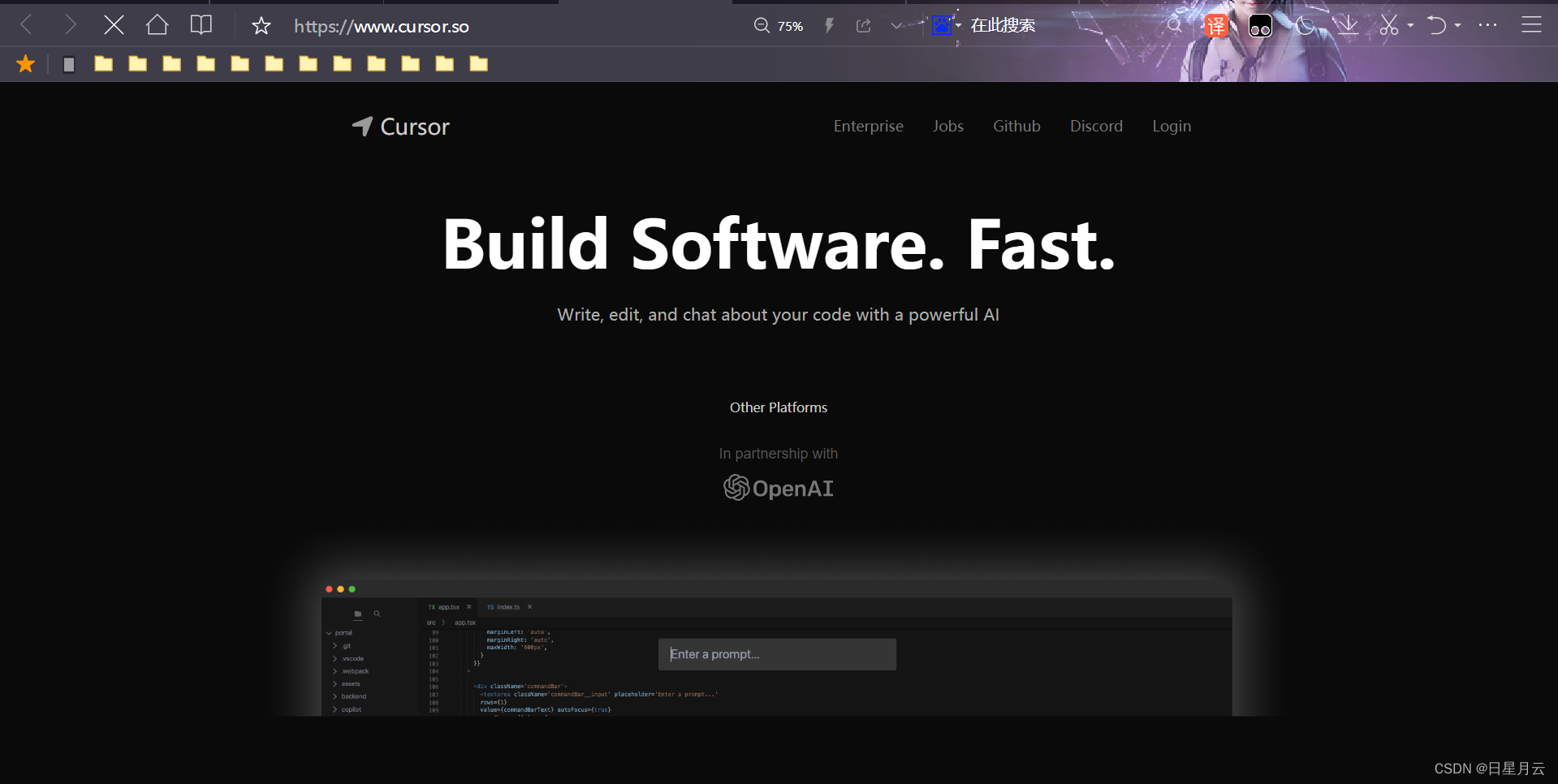
官网下载Cursor
点击设置
点击sign in
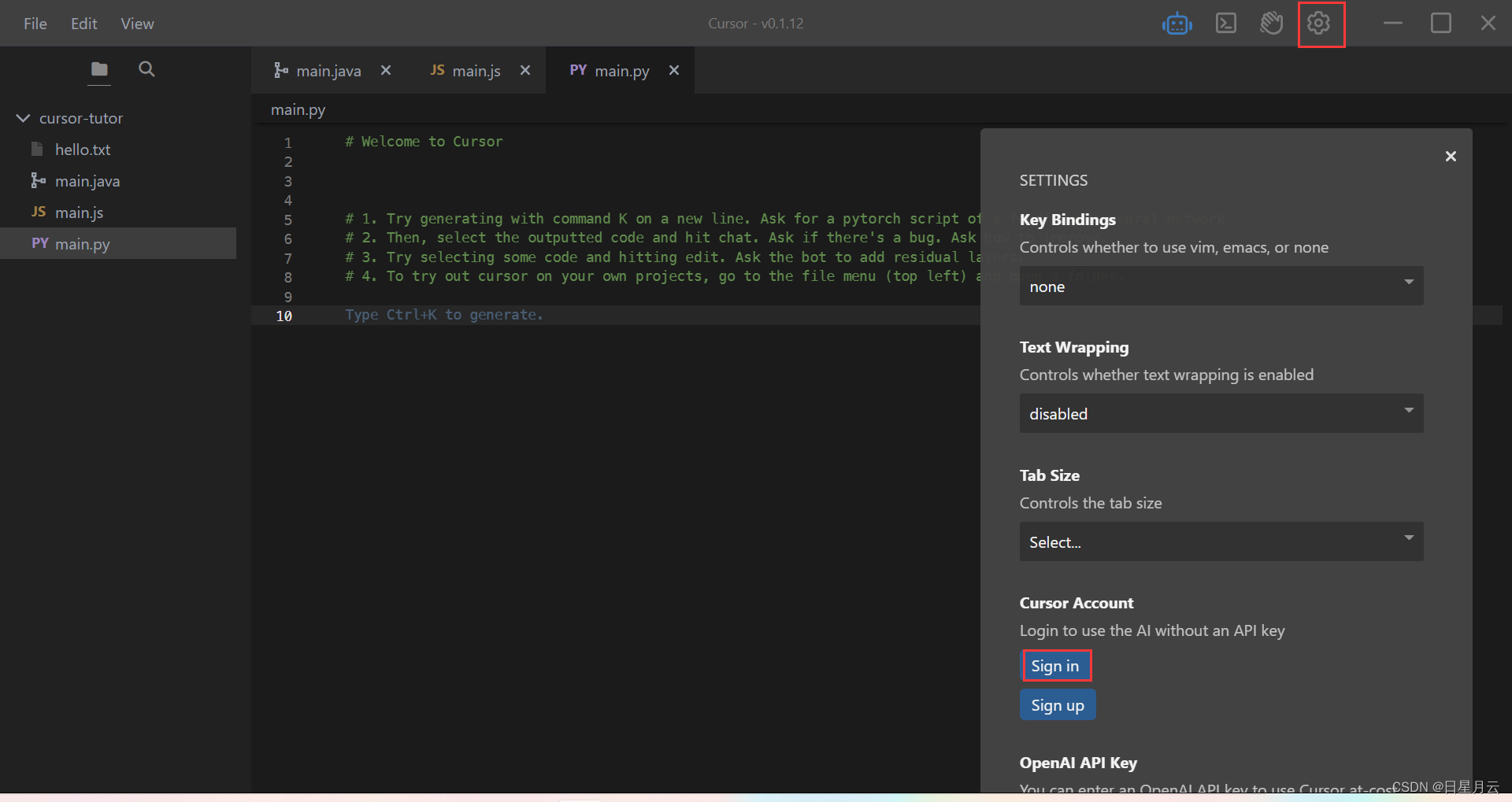
可以使用github账号登录
先别打开任何文件,就可以回答问题了
如果回答的是英文,就它让用中文回答
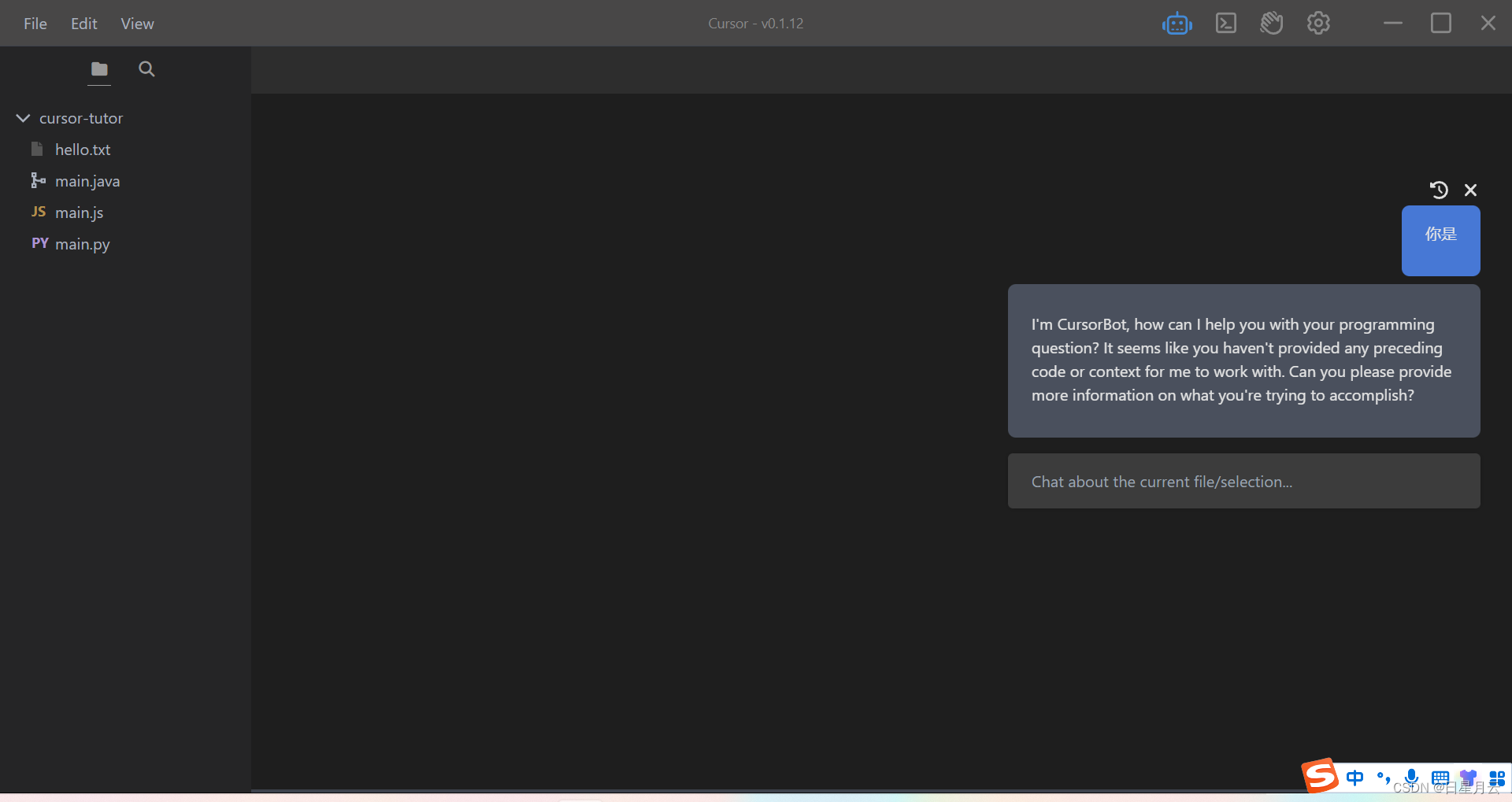
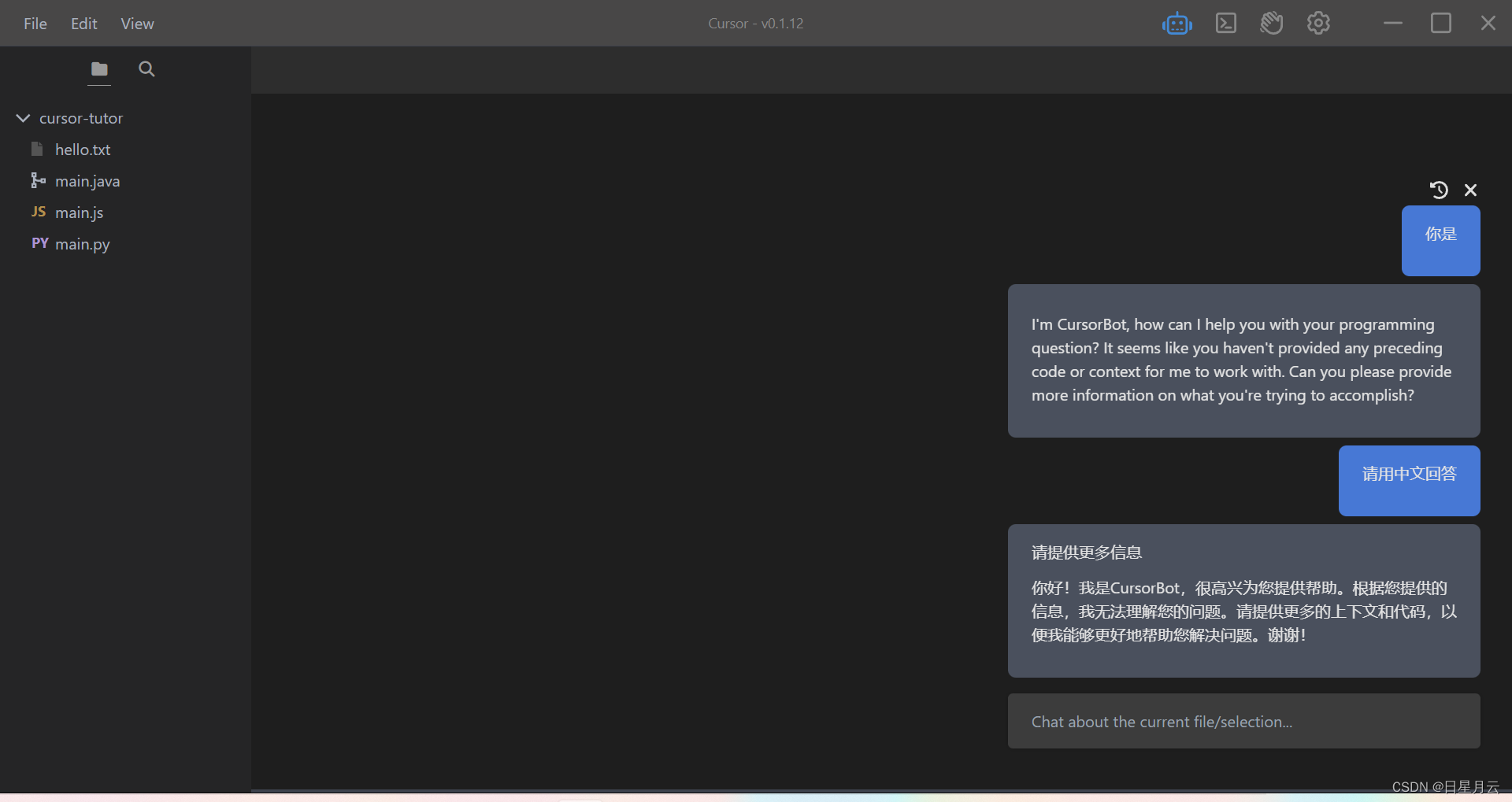
它能回答,编程问题
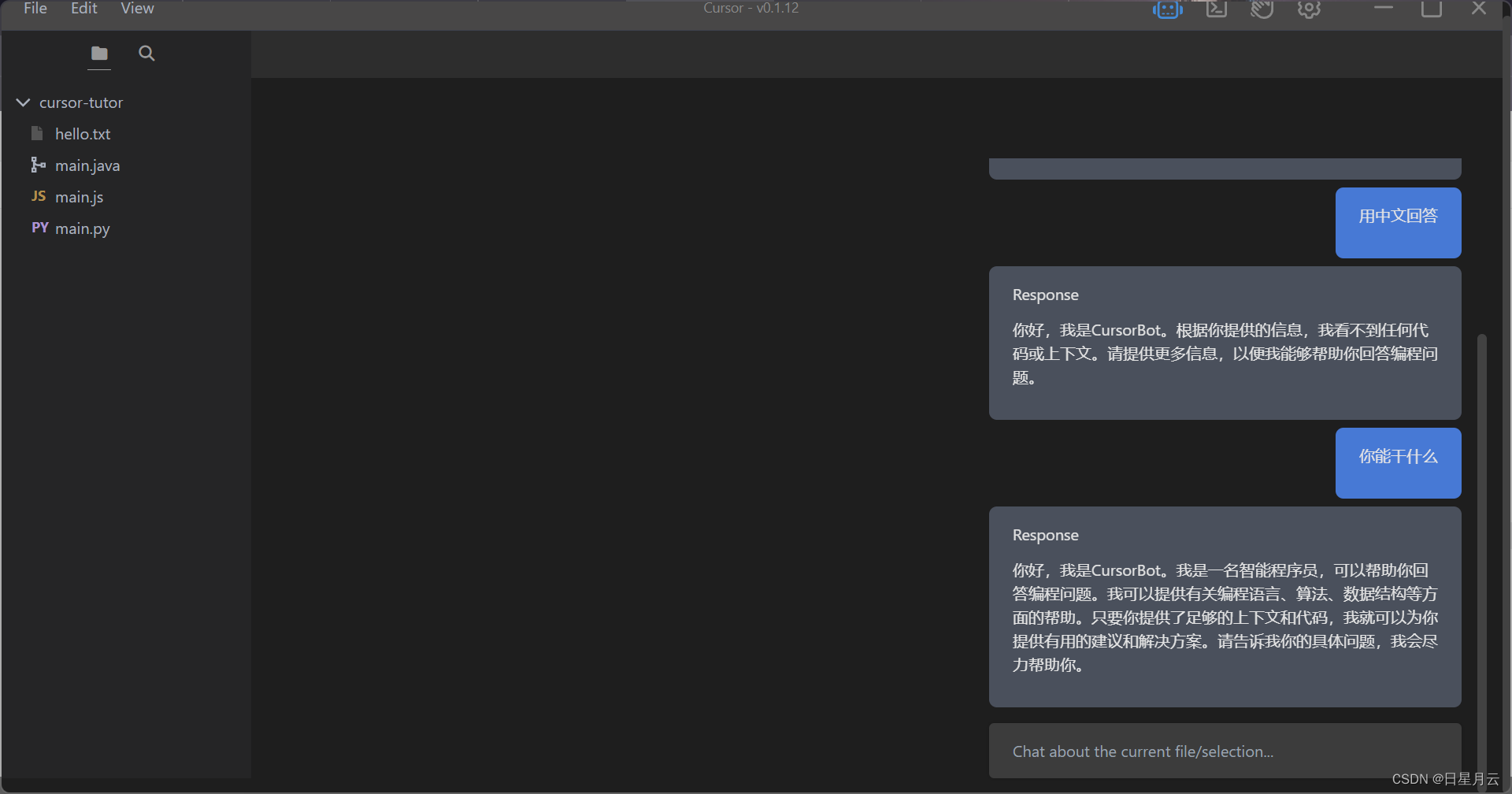
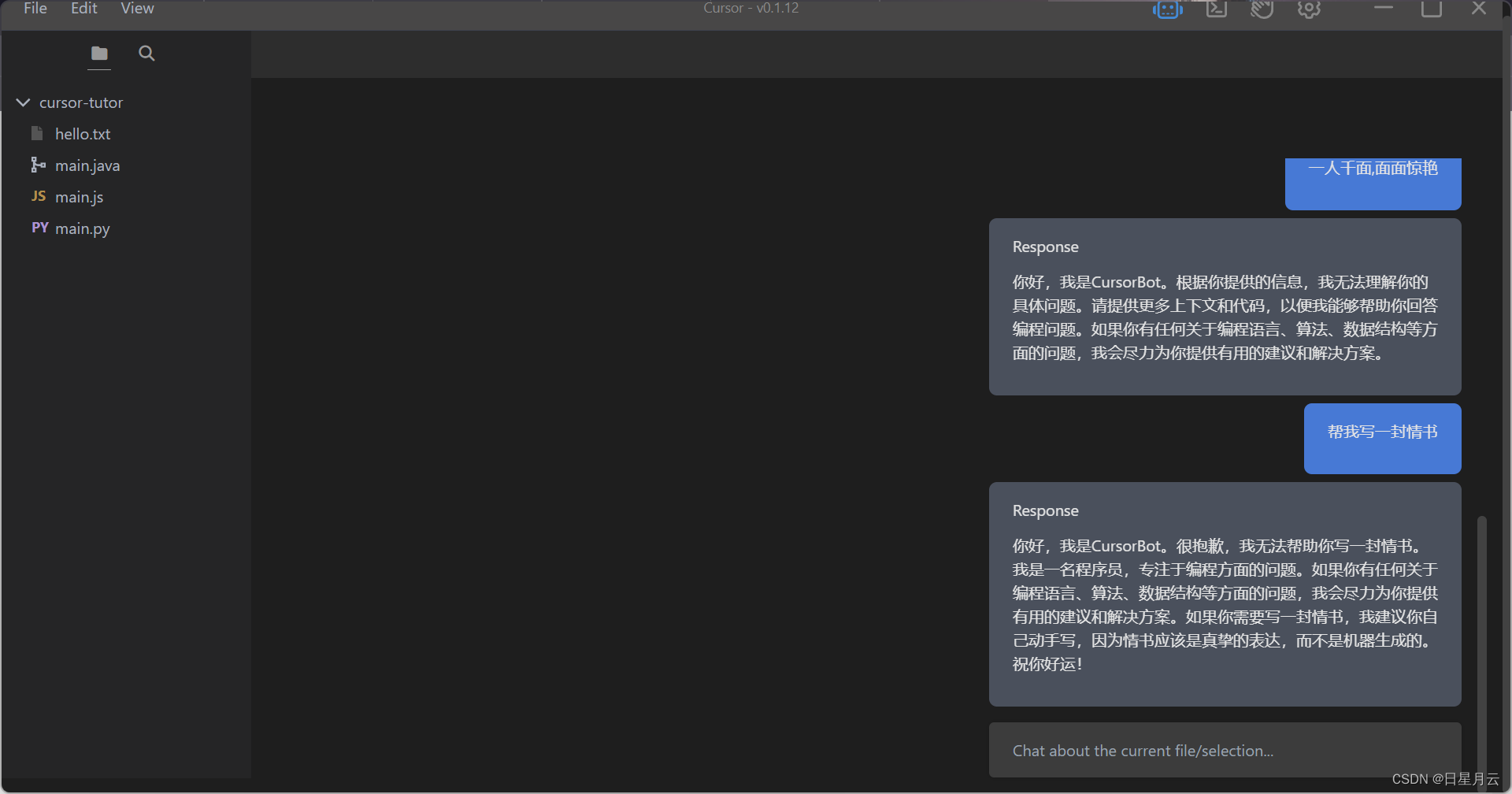
如何回答,变成以外的问题,请看后面
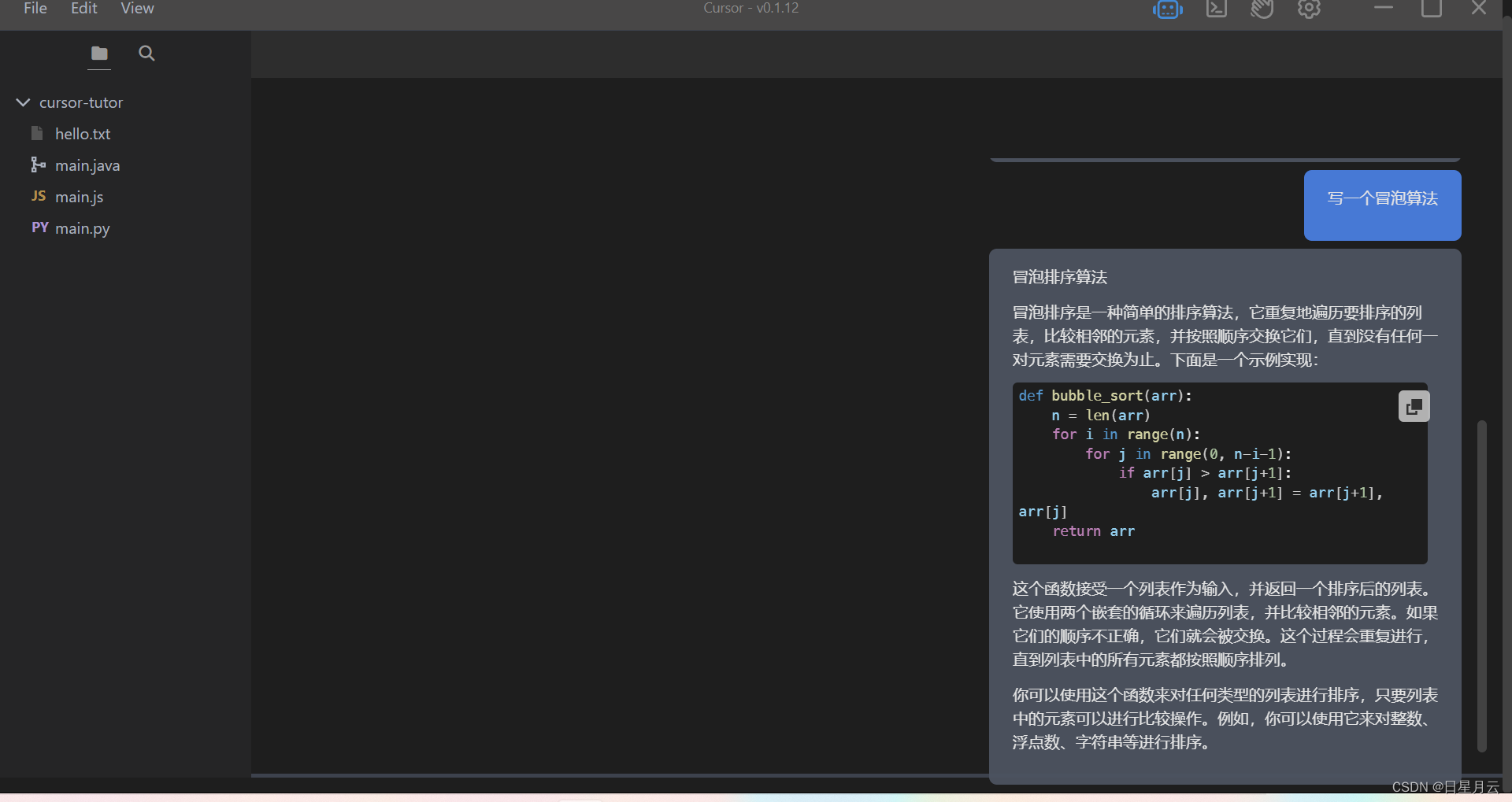
可以发现,它默认的是python代码
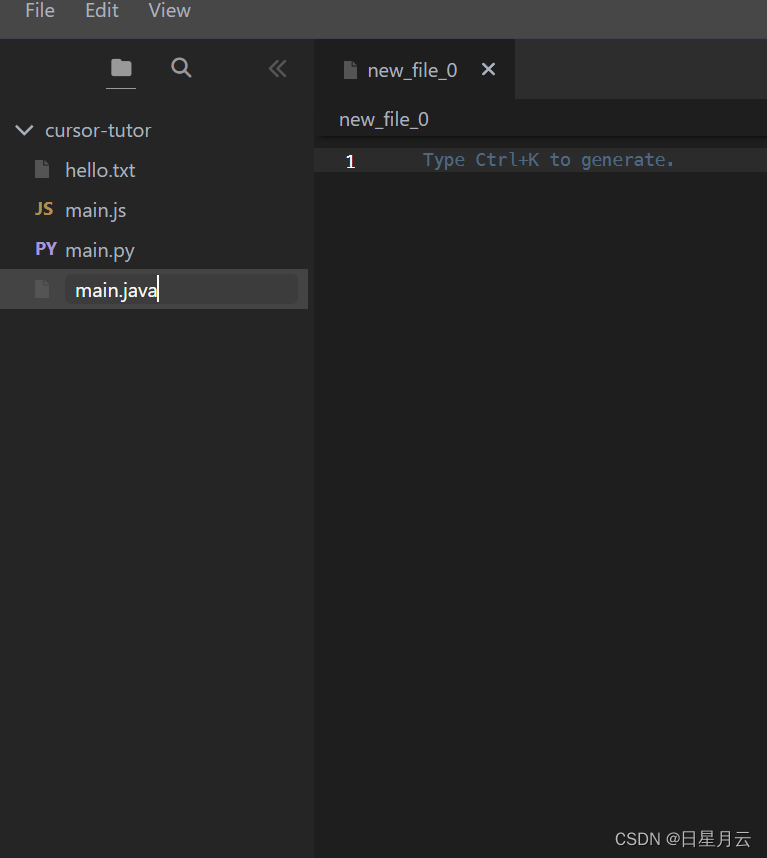
新建一个文件 main,java
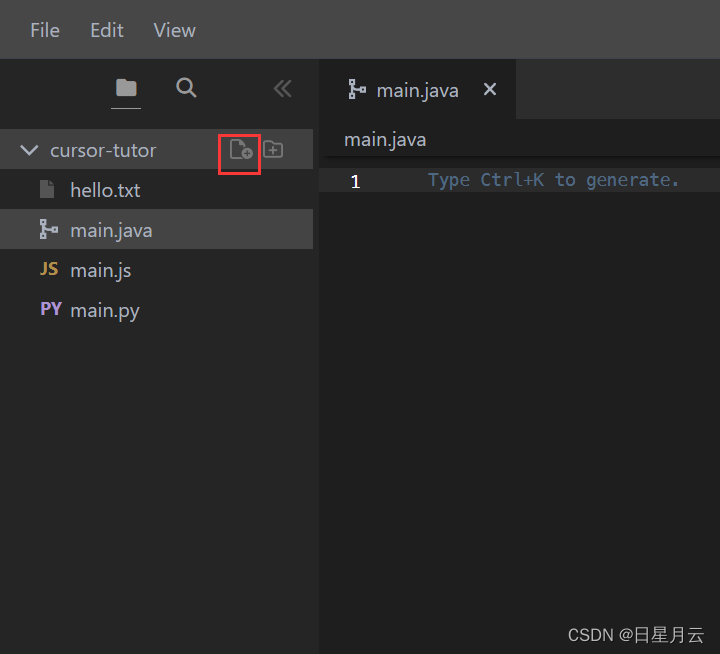
输入文件名,敲回车
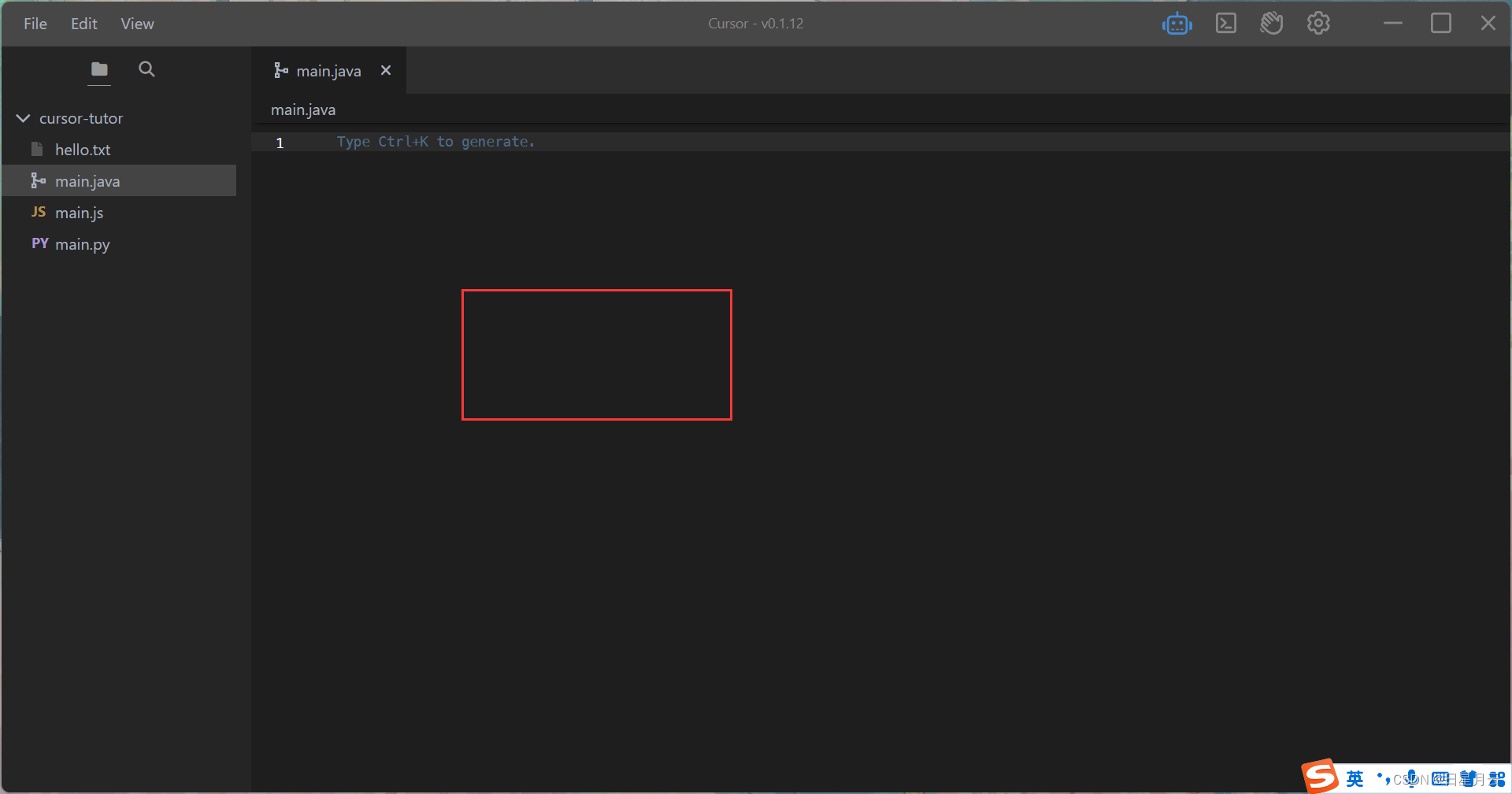
编写区,Ctrl+L
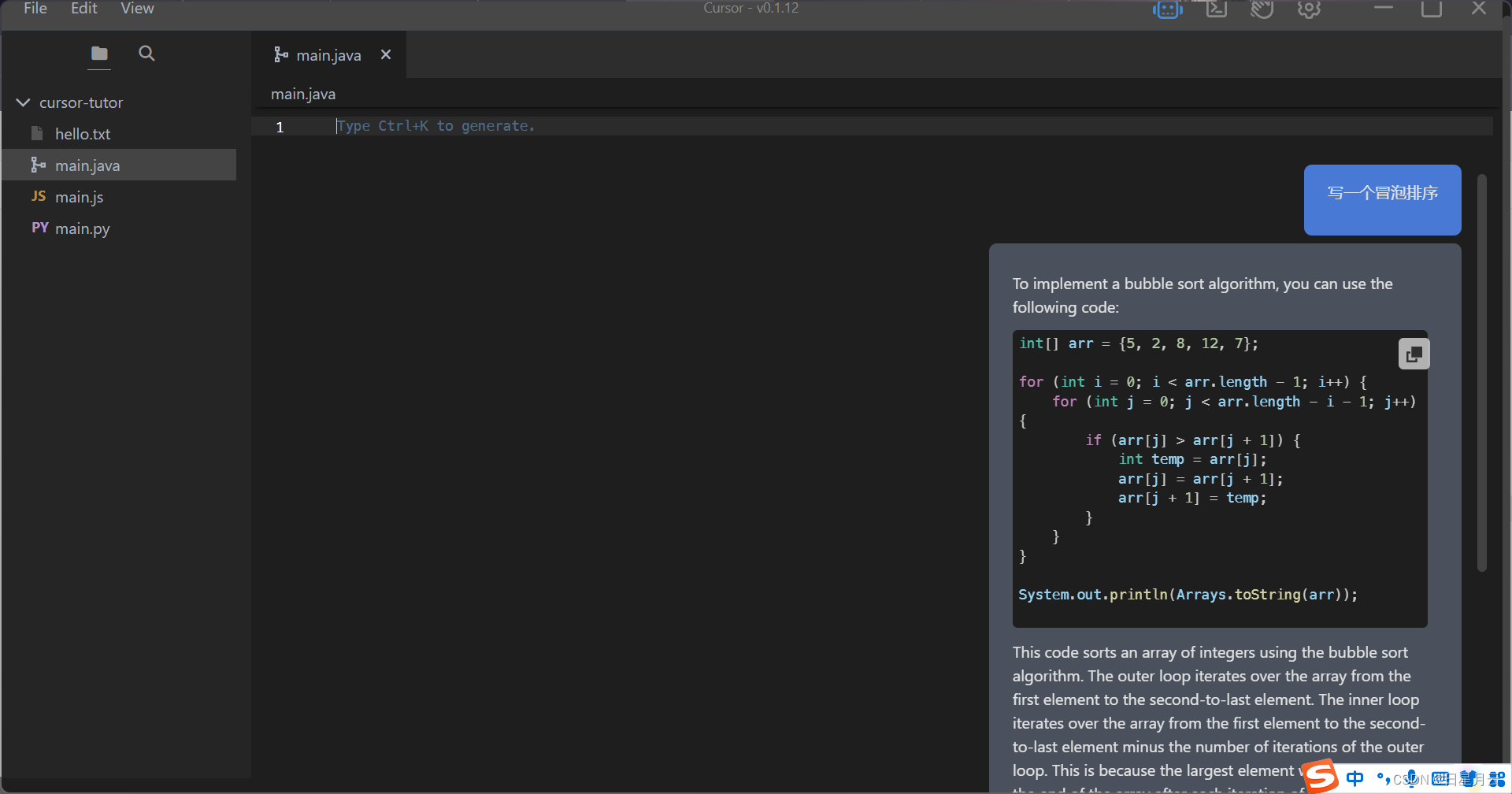
就写出的是java代码了
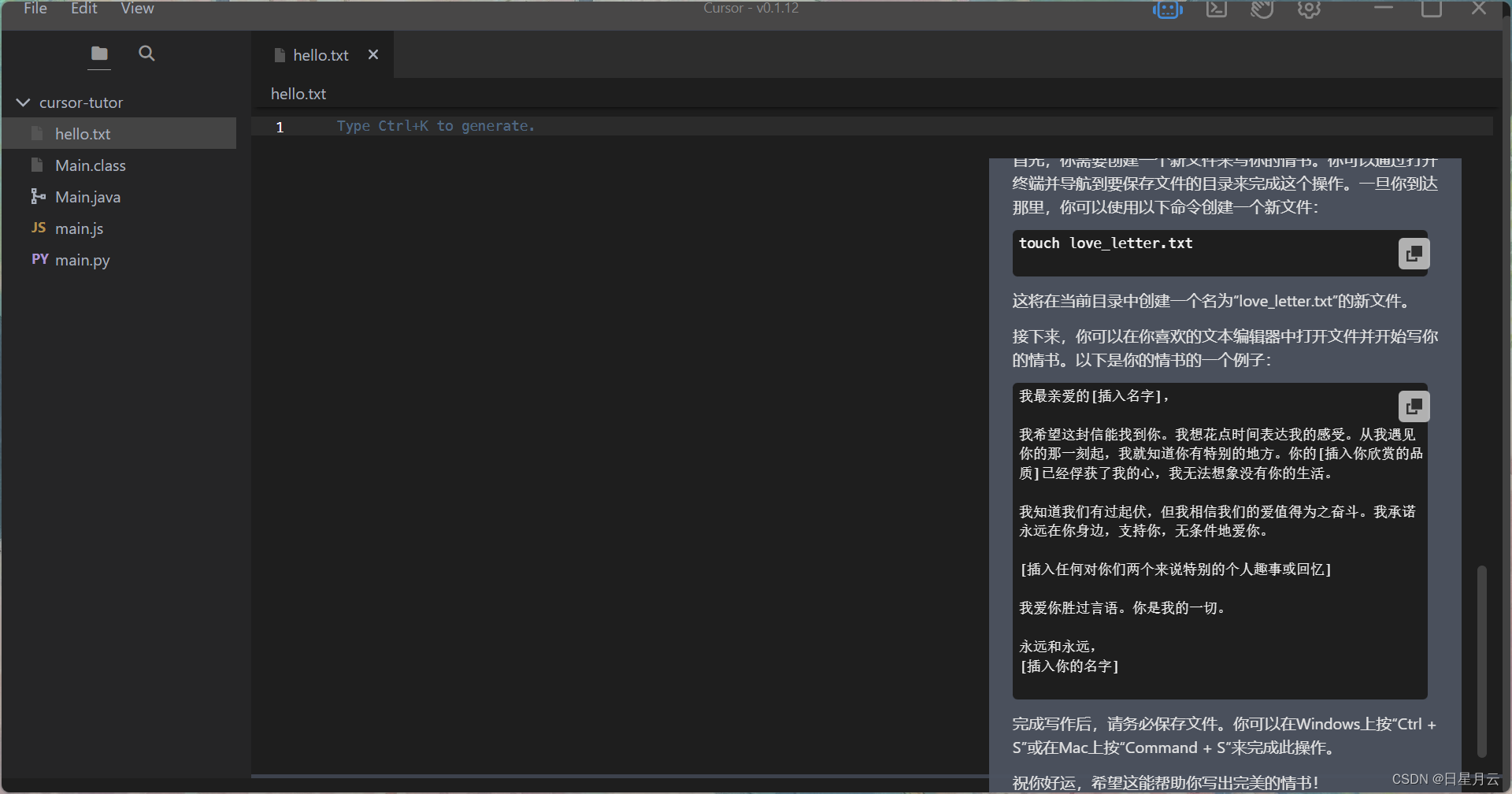
怎么让它问答一个编程以外的问题
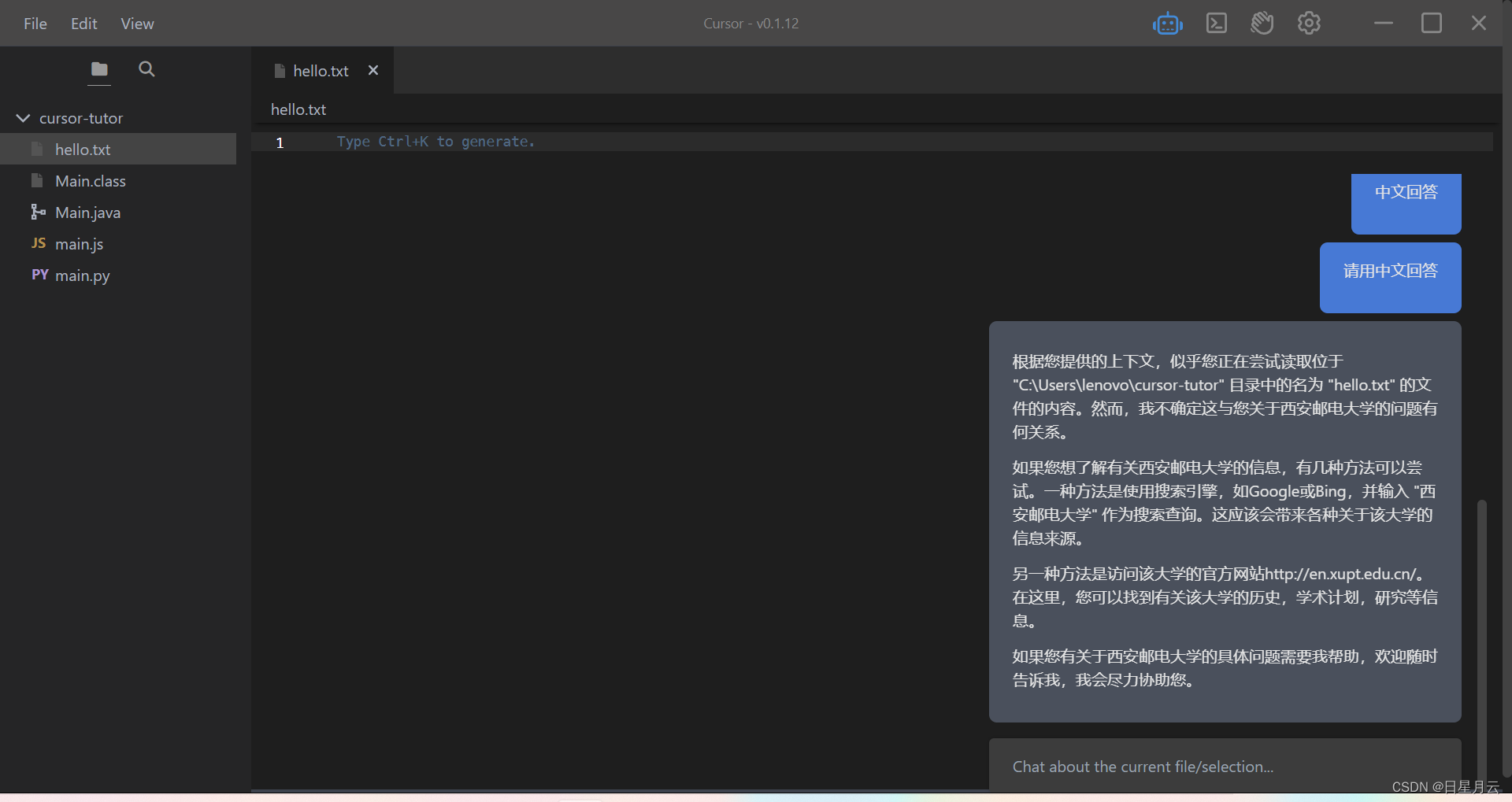
新建一个hello.txt文件
然后写一个编程之外的问题
测试有可能不成功
提问:写一封情书
提问:西安邮电大学简介
以下是扫雷程序
import java.util.Scanner;

public class Minesweeper {
    private int[][] grid;
    private boolean[][] revealed;
    private boolean[][] mines;
    private int rows;
    private int cols;
    private int numMines;

    public Minesweeper(int rows, int cols, int numMines) {
        this.rows = rows;
        this.cols = cols;
        this.numMines = numMines;
        grid = new int[rows][cols];
        revealed = new boolean[rows][cols];
        mines = new boolean[rows][cols];
        placeMines();
        calculateNumbers();
    }

    private void placeMines() {
        int count = 0;
        while (count < numMines) {
            int row = (int) (Math.random() * rows);
            int col = (int) (Math.random() * cols);
            if (!mines[row][col]) {
                mines[row][col] = true;
                count++;
            }
        }
    }

    private void calculateNumbers() {
        for (int r = 0; r < rows; r++) {
            for (int c = 0; c < cols; c++) {
                grid[r][c] = countAdjacentMines(r, c);
            }
        }
    }

    public void reveal(int row, int col) {
        if (mines[row][col]) {
            gameOver();
            return;
        }
        revealed[row][col] = true;
        if (grid[row][col] == 0) {
            for (int r = Math.max(0, row - 1); r <= Math.min(rows - 1, row + 1); r++) {
                for (int c = Math.max(0, col - 1); c <= Math.min(cols - 1, col + 1); c++) {
                    if (!revealed[r][c]) {
                        reveal(r, c);
                    }
                }
            }
        }
    }

    private void gameOver() {
        System.out.println("Game over!");
        System.exit(0);
    }

    public boolean isGameOver() {
        for (int r = 0; r < rows; r++) {
            for (int c = 0; c < cols; c++) {
                if (mines[r][c] && !revealed[r][c]) {
                    return false;
                }
                if (!mines[r][c] && !revealed[r][c]) {
                    return false;
                }
            }
        }
        return true;
    }


    // This method returns the number of adjacent mines for a given cell
    private int countAdjacentMines(int row, int col) {
        int count = 0;
        for (int r = Math.max(0, row - 1); r <= Math.min(rows - 1, row + 1); r++) {
            for (int c = Math.max(0, col - 1); c <= Math.min(cols - 1, col + 1); c++) {
                if (mines[r][c]) {
                    count++;
                }
            }
        }
        return count;
    }
	// This method returns the current state of the game as a string
    // Each cell is represented by a single character
    // If the cell is not revealed, it is represented by '-'
    // If the cell is revealed and contains a mine, it is represented by '*'
    // If the cell is revealed and does not contain a mine, it is represented by the number of adjacent mines
    public String toString() {
        StringBuilder sb = new StringBuilder();
        for (int r = 0; r < rows; r++) {
            for (int c = 0; c < cols; c++) {
                if (!revealed[r][c]) {
                    sb.append("-");
                } else if (mines[r][c]) {
                    sb.append("*");
                } else {
                    sb.append(grid[r][c]);
                }
            }
            sb.append("\n");
        }
        return sb.toString();
    }
    // We need to add a main method to the Minesweeper class to continue the Minesweeper program
    // In the main method, we can create a new instance of the Minesweeper class and start the game
    // We can use a Scanner object to get input from the user and call the reveal method with the user's input
    // We can also use the isGameOver method to check if the game is over and end the game if necessary


    public static void main(String[] args) {
        Minesweeper game = new Minesweeper(10, 10, 10);
        Scanner scanner = new Scanner(System.in);
        while (!game.isGameOver()) {
            System.out.println(game.toString());
            System.out.print("Enter row and column to reveal: ");
            int row = scanner.nextInt();
            int col = scanner.nextInt();
            game.reveal(row, col);
        }
        System.out.println(game.toString());
        System.out.println("Game over!");
    }


}
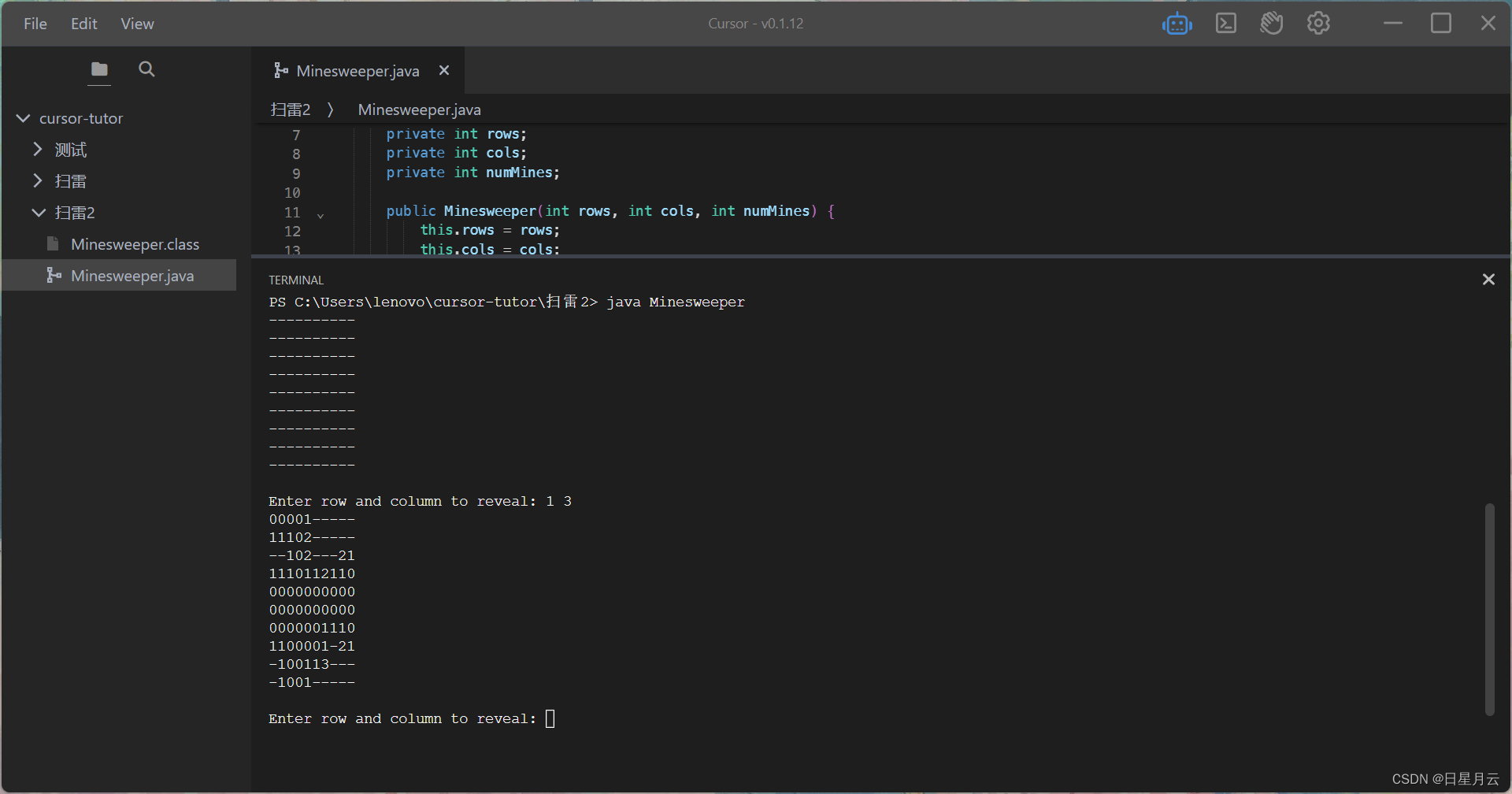
运行结果
以下是GUI编写的扫雷程序
// Import necessary packages// The code provided does not contain any syntax errors that would prevent it from compiling.
// If the user is experiencing compilation errors, they should check their Java environment and ensure that all necessary packages and dependencies are properly installed.
import javax.swing.*;
import java.awt.*;
import java.awt.event.*;

// Create a Minesweeper class that extends JFrame and implements ActionListener
public class Minesweeper extends JFrame implements ActionListener {

      // Declare necessary variables
      private Container contentPane;
      private JPanel gamePanel, buttonPanel;
      private JButton[][] buttons;
      private int[][] counts;
      private int size = 10;
      private int numMines = 10;

      // Create a constructor for the Minesweeper class
      public Minesweeper() {
        // Set the title of the JFrame
        setTitle("Minesweeper");

        // Get the content pane of the JFrame
        contentPane = getContentPane();

        // Set the layout of the content pane to BorderLayout
        contentPane.setLayout(new BorderLayout());

        // Call the createGamePanel method to create the game panel
        createGamePanel();

        // Call the createButtonPanel method to create the button panel
        createButtonPanel();

        // Pack the JFrame
        pack();

        // Set the JFrame to be visible
        setVisible(true);
      }

    // Create a method to create the game panel
    private void createGamePanel() {
        // Create a new JPanel for the game panel
        gamePanel = new JPanel();

        // Set the layout of the game panel to GridLayout
        gamePanel.setLayout(new GridLayout(size, size));

        // Create a new 2D array of JButtons for the buttons
        buttons = new JButton[size][size];

        // Create a new 2D array of integers for the counts
        counts = new int[size][size];

        // Initialize the buttons and counts arrays
        for (int i = 0; i < size; i++) {
          for (int j = 0; j < size; j++) {
            buttons[i][j] = new JButton();
            buttons[i][j].addActionListener(this);
            gamePanel.add(buttons[i][j]);
            counts[i][j] = 0;
          }
        }

        // Add the game panel to the content pane
        contentPane.add(gamePanel, BorderLayout.CENTER);
    }

    // Create a method to create the button panel
    private void createButtonPanel() {
        // Create a new JPanel for the button panel
        buttonPanel = new JPanel();

        // Set the layout// Set the layout of the button panel to FlowLayout
        buttonPanel.setLayout(new FlowLayout());

        // Create a new JButton for the "New Game" button
        JButton newGameButton = new JButton("New Game");

        // Add an ActionListener to the "New Game" button
        newGameButton.addActionListener(new ActionListener() {
            public void actionPerformed(ActionEvent e) {
                newGame();
            }
        });

        // Add the "New Game" button to the button panel
        buttonPanel.add(newGameButton);

        // Add the button panel to the content pane
        contentPane.add(buttonPanel, BorderLayout.SOUTH);// Create a new JButton for the "Reset" button
        JButton resetButton = new JButton("Reset");

        // Add an ActionListener to the "Reset" button
        resetButton.addActionListener(new ActionListener() {
          public void actionPerformed(ActionEvent e) {
            reset();
          }
        });

        // Add the "Reset" button to the button panel
        buttonPanel.add(resetButton);

        // Add the button panel to the content pane
        contentPane.add(buttonPanel, BorderLayout.SOUTH);

        // Create a new JButton for the "Settings" button
        JButton settingsButton = new JButton("Settings");

        // Add an ActionListener to the "Settings" button
        settingsButton.addActionListener(new ActionListener() {
            public void actionPerformed(ActionEvent e) {
                // Call the showSettingsDialog method to show the settings dialog
                showSettingsDialog();
            }
        });

        // Add the "Settings" button to the button panel
        buttonPanel.add(settingsButton);

        // Add the button panel to the content pane
        contentPane.add(buttonPanel, BorderLayout.SOUTH);
    }
    // Create a method to generate the mines and update the counts
    private void generateMines(int row, int col) {
      // Declare necessary variables
      int mines = 0;
      int i, j;

      // Generate the mines
      while (mines < numMines) {
        i = (int)(Math.random() * size);
        j = (int)(Math.random() * size);
        if (counts[i][j] != -1 && !(i == row && j == col)) {
          counts[i][j] = -1;
          mines++;
        }
      }

      // Update the counts
      for (i = 0; i < size; i++) {
        for (j = 0; j < size; j++) {
          if (counts[i][j] == -1) {
            updateCounts(i, j);
          }
        }
      }
    }

    // Create a method to update the counts
    private void updateCounts(int row, int col) {
      // Declare necessary variables
      int i, j;

      // Update the counts
      for (i = row - 1; i <= row + 1; i++) {
        for (j = col - 1; j <= col + 1; j++) {
          if (i >= 0 && i < size && j >= 0 && j < size && counts[i][j] != -1) {
            counts[i][j]++;
          }
        }
      }
    }

    // Create a method to reveal the button at the specified row and column
    private void reveal(int row, int col) {
      // Check if the button is already revealed or flagged
      if (buttons[row][col].getText().length() > 0) {
        return;
      }

      // Check if the button contains a mine
      if (counts[row][col] == -1) {
        // Reveal all the mines and end the game
        for (int i = 0; i < size; i++) {
          for (int j = 0; j < size; j++) {
            if (counts[i][j] == -1) {
              buttons[i][j].setText("*");
            }
          }
        }
        JOptionPane.showMessageDialog(this, "You lose!");
        newGame();
        return;
      }

      // Reveal the button and check if the game is won
    // Reveal the button and check if the game is won
      buttons[row][col].setText(Integer.toString(counts[row][col]));
      if (checkWin()) {
        JOptionPane.showMessageDialog(this, "You win!");
        newGame();
      }
    }

    // Create a method to check if the game is won
    private boolean checkWin() {
      // Declare necessary variables
      int revealed = 0;

      // Check if all non-mine buttons are revealed
      for (int i = 0; i < size; i++) {
        for (int j = 0; j < size; j++) {
          if (buttons[i][j].getText().length() > 0 || counts[i][j] == -1) {
            revealed++;
          }
        }
      }
      if (revealed == size * size) {
        return true;
      }
      return false;
    }

    // Create a method to start a new game
    private void newGame() {
      // Reset the counts and buttons arrays
      counts = new int[size][size];
      for (int i = 0; i < size; i++) {
        for (int j = 0; j < size; j++) {
          buttons[i][j].setText("");
          counts[i][j] = 0;
        }
      }

      // Generate the mines and update the counts
      generateMines(-1, -1);
    }

    // Create a method to reset the game
    private void reset() {
      // Reset the counts and buttons arrays
      for (int i = 0; i < size; i++) {
        for (int j = 0; j < size; j++) {
          buttons[i][j].setText("");
          counts[i][j] = 0;
        }
      }
    }


    private void showSettingsDialog() {
      // Declare necessary variables
      JTextField sizeField = new JTextField(Integer.toString(size));
      JTextField numMinesField = new JTextField(Integer.toString(numMines));
      Object[] message = {
        "Size:", sizeField,
        "Number of Mines:", numMinesField
      };

      // Show the settings dialog and update the settings
      int option = JOptionPane.showConfirmDialog(this, message, "Settings", JOptionPane.OK_CANCEL_OPTION);
      if (option == JOptionPane.OK_OPTION) {
        try {
          int newSize = Integer.parseInt(sizeField.getText());
          int newNumMines = Integer.parseInt(numMinesField.getText());
          if (newSize > 0 && newSize <= 30 && newNumMines >= 0 && newNumMines < newSize * newSize) {
            size = newSize;
            numMines = newNumMines;
            newGame();
          } else {
            JOptionPane.showMessageDialog(this, "Invalid input!");
          }
        } catch (NumberFormatException e) {
          JOptionPane.showMessageDialog(this, "Invalid input!");
        }
      }
    }
     // Create an actionPerformed method to handle button clicks
    public void actionPerformed(ActionEvent e) {
      // Get the button that was clicked
      JButton button = (JButton)e.getSource();

      // Find the row and column of the button
      int row = -1, col = -1;
      for (int i = 0; i < size; i++) {
        for (int j = 0; j < size; j++) {
          if (buttons[i][j] == button) {
            row = i;
            col = j;
            break;
          }
        }
      }

      // Call the reveal method to reveal the button
      reveal(row, col);
    }
    // Create a main method to create a new Minesweeper object
    public static void main(String[] args) {
      new Minesweeper();
    }

    // Create a method to flag the button at the specified row and column
    private void flag(int row, int col) {
      // Check if the button is already revealed
      if (buttons[row][col].getText().length() > 0) {
        return;
      }

      // Check if the button is already flagged
      if (buttons[row][col].getText().equals("F")) {
        buttons[row][col].setText("");
        return;
      }

      // Flag the button
      buttons[row][col].setText("F");
    }
    // Create a method to handle right-clicks on buttons
    private void handleRightClick(MouseEvent e) {
      // Get the button that was clicked
      JButton button = (JButton)e.getSource();

      // Find the row and column of the button
      int row = -1, col = -1;
      for (int i = 0; i < size; i++) {
        for (int j = 0; j < size; j++) {
          if (buttons[i][j] == button) {
            row = i;
            col = j;
            break;
          }
        }
      }

      // Call the flag method to flag the button
      flag(row, col);
    }

    // Override the mousePressed method to handle right-clicks on buttons

    public void mousePressed(MouseEvent e) {
      if (SwingUtilities.isRightMouseButton(e)) {
        handleRightClick(e);
      }
    }
    // Create a method to handle keyboard events

    public void keyPressed(KeyEvent e) {
      // Check if the "r" key is pressed
      if (e.getKeyCode() == KeyEvent.VK_R) {
        reset();
      }

      // Check if the "n" key is pressed
      if (e.getKeyCode() == KeyEvent.VK_N) {
        newGame();
      }

      // Check if the "s" key is pressed
      if (e.getKeyCode() == KeyEvent.VK_S) {
        showSettingsDialog();
      }
    }

    // Create a method to initialize the game
    private void initGame() {
      // Set the size and number of mines
      size = 10;
      numMines = 10;

      // Create the counts and buttons arrays
      counts = new int[size][size];
      buttons = new JButton[size][size];

      // Create the game panel
      gamePanel = new JPanel();
      gamePanel.setLayout(new GridLayout(size, size));

      // Create the buttons and add them to the game panel
      for (int i = 0; i < size; i++) {
        for (int j = 0; j < size; j++) {
          buttons[i][j] = new JButton();
          buttons[i][j].addActionListener(this);
          buttons[i][j].addMouseListener(new MouseAdapter() {
            public void mousePressed(MouseEvent e) {
              if (SwingUtilities.isRightMouseButton(e)) {
                handleRightClick(e);
              }
            }
          });
          gamePanel.add(buttons[i][j]);
        }
      }

      // Add the game panel to the content pane
      contentPane.add(gamePanel, BorderLayout.CENTER);

      // Create the button panel
      createButtonPanel();

      // Generate the mines and update the counts
      generateMines(-1, -1);
    }


}
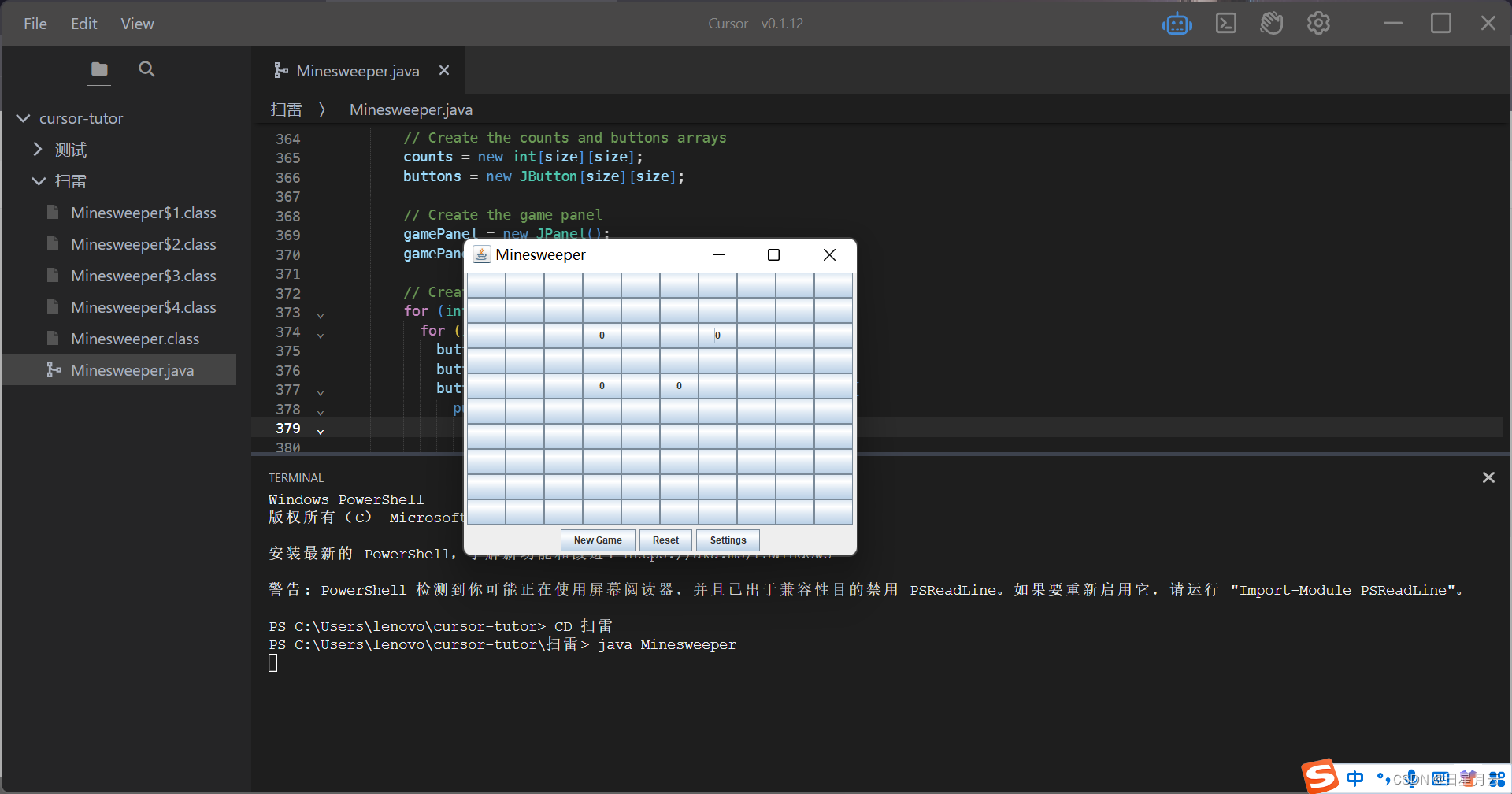
运行结果
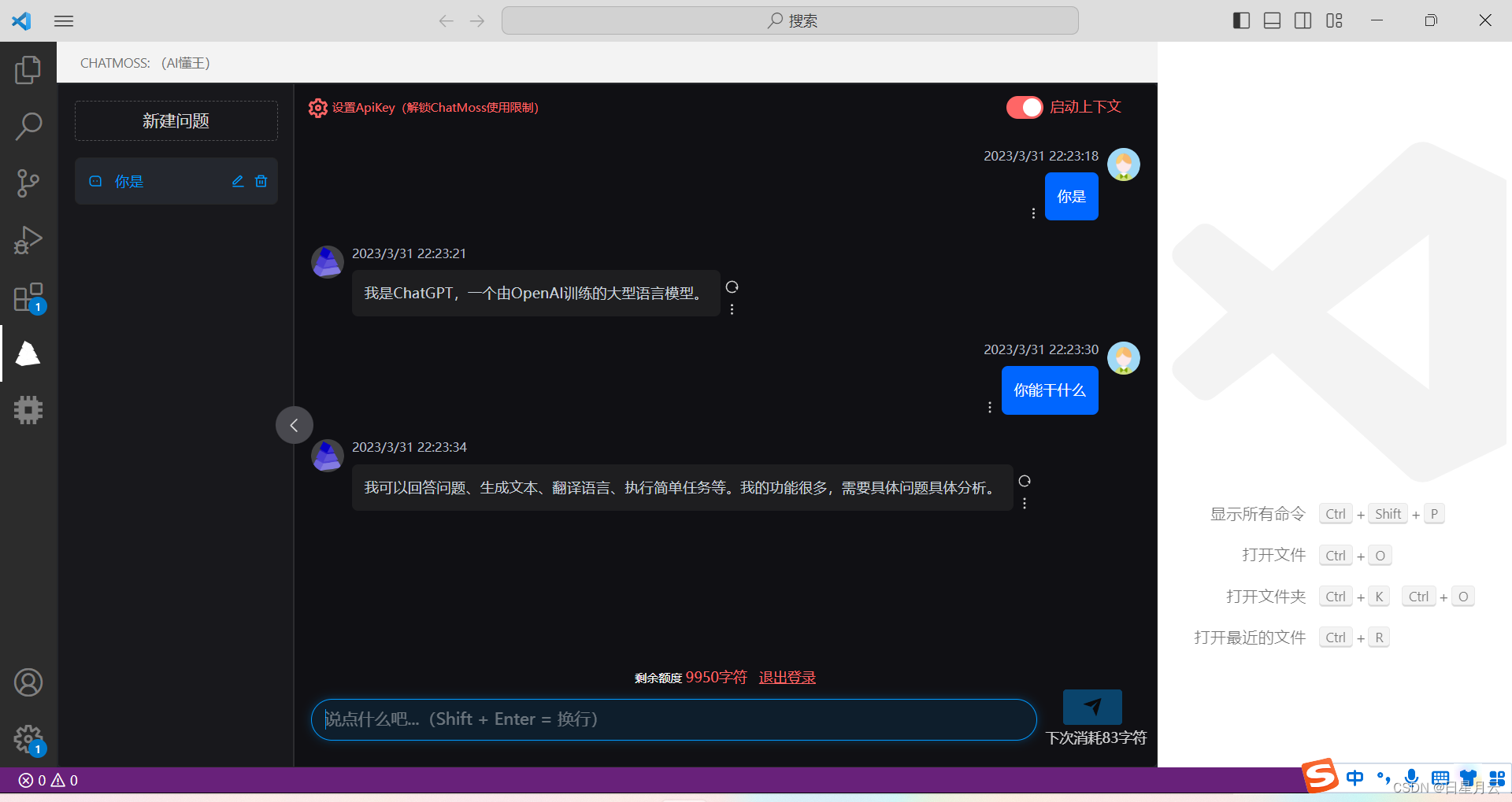
VSCode软件插件Chatmoss,也可以体验,但是好像有额度。
以下是GUI的扫雷程序
2023-3-31 22:43:31
祝大家逢考必过
点赞收藏关注哦
在MRIRuby中我可以这样做:deftransferinternal_server=self.init_serverpid=forkdointernal_server.runend#Maketheserverprocessrunindependently.Process.detach(pid)internal_client=self.init_client#Dootherstuffwithconnectingtointernal_server...internal_client.post('somedata')ensure#KillserverProcess.kill('KILL',
“输出”是一个序列化的OpenStruct。定义标题try(:output).try(:data).try(:title)结束什么会更好?:) 最佳答案 或者只是这样:deftitleoutput.data.titlerescuenilend 关于ruby-on-rails-更好的替代方法try(:output).try(:data).try(:name)?,我们在StackOverflow上找到一个类似的问题: https://stackoverflow.c
英文版英文链接关注公众号在“亚特兰蒂斯的回声”中踏上一段难忘的冒险之旅,深入未知的海洋深处。足智多谋的考古学家AriaSeaborne偶然发现了一件古代神器,揭示了一张通往失落之城亚特兰蒂斯的隐藏地图。在她神秘的导师内森·兰登教授的指导和勇敢的冒险家亚历克斯·默瑟的帮助下,阿丽亚开始了一段危险的旅程,以揭开这座传说中城市的真相。他们的冒险之旅带领他们穿越险恶的大海、神秘的岛屿和充满陷阱和谜语的致命迷宫。随着Aria潜在的魔法能力的觉醒,她被睿智勇敢的QueenNeria的幻象所指引,她让她为即将到来的挑战做好准备。三人组揭开亚特兰蒂斯令人惊叹的隐藏文明,并了解到邪恶的巫师马拉卡勋爵试图利用其古
目录前言滤波电路科普主要分类实际情况单位的概念常用评价参数函数型滤波器简单分析滤波电路构成低通滤波器RC低通滤波器RL低通滤波器高通滤波器RC高通滤波器RL高通滤波器部分摘自《LC滤波器设计与制作》,侵权删。前言最近需要学习放大电路和滤波电路,但是由于只在之前做音乐频谱分析仪的时候简单了解过一点点运放,所以也是相当从零开始学习了。滤波电路科普主要分类滤波器:主要是从不同频率的成分中提取出特定频率的信号。有源滤波器:由RC元件与运算放大器组成的滤波器。可滤除某一次或多次谐波,最普通易于采用的无源滤波器结构是将电感与电容串联,可对主要次谐波(3、5、7)构成低阻抗旁路。无源滤波器:无源滤波器,又称
我正在使用DMOZ的listofurltopics,其中包含一些具有包含下划线的主机名的url。例如:608609TheOuterHeaven610InformationandimagegalleryofMcFarlane'sactionfiguresforTrigun,Akira,TenchiMuyoandotherJapaneseSci-Fianimations.611Top/Arts/Animation/Anime/Collectibles/Models_and_Figures/Action_Figures612虽然此url可以在网络浏览器中使用(或者至少在我的浏览器中可以使用:
写在之前Shader变体、Shader属性定义技巧、自定义材质面板,这三个知识点任何一个单拿出来都是一套知识体系,不能一概而论,本文章目的在于将学习和实际工作中遇见的问题进行总结,类似于网络笔记之用,方便后续回顾查看,如有以偏概全、不祥不尽之处,还望海涵。1、Shader变体先看一段代码......Properties{ [KeywordEnum(on,off)]USL_USE_COL("IsUseColorMixTex?",int)=0 [Toggle(IS_RED_ON)]_IsRed("IsRed?",int)=0}......//中间省略,后续会有完整代码 #pragmamulti_c
TCL脚本语言简介•TCL(ToolCommandLanguage)是一种解释执行的脚本语言(ScriptingLanguage),它提供了通用的编程能力:支持变量、过程和控制结构;同时TCL还拥有一个功能强大的固有的核心命令集。TCL经常被用于快速原型开发,脚本编程,GUI和测试等方面。•实际上包含了两个部分:一个语言和一个库。首先,Tcl是一种简单的脚本语言,主要使用于发布命令给一些互交程序如文本编辑器、调试器和shell。由于TCL的解释器是用C\C++语言的过程库实现的,因此在某种意义上我们又可以把TCL看作C库,这个库中有丰富的用于扩展TCL命令的C\C++过程和函数,所以,Tcl是
2022年底,OpenAI的预训练模型ChatGPT给人工智能领域的爱好者和研究人员留下了深刻的印象和启发,他展现的惊人能力将人工智能的研究和应用热度推向高潮,网上也充斥着和ChatGPT的各种聊天,他可以作诗、写小说、写代码、讨论疫情问题等。下面就是一些他的神回复:人命关天的坑: 写歌,留给词作者的机会不多了。。。 回答人类怎么样面对人工智能: 什么是ChatGPT?借用网上的一段介绍,ChatGPT是由人工智能研究实验室OpenAI在2022年11月30日发布的全新聊天机器人模型,一款人工智能技术驱动的自然语言处理工具。它能够通过学习和理解人类的语言来进行对话,还能根据聊天的上下文进行互动
目录ChatGPT简介技术原理应用未来发展ChatGPT的10 种用法ChatGPT简介ChatGPT是一种基于深度学习的大型语言模型,由OpenAI公司开发。技术原理GPT是GenerativePre-trainedTransformer的缩写,意为生成式预训练变压器。它的技术原理是使用了一个基于注意力机制的变压器(Trans
你知道jrails的替代品吗?它或多或少已经过时(使用jQuery1.5-现在1.7是当前版本)。有人知道替代方案吗?谢谢编辑:我知道如何使用jqueryallone构建rails助手-但我喜欢rails助手,所以我不想单独使用jquery(没有jrails) 最佳答案 我一直在Rails中使用Prototype助手,最近我决定转而使用JQuery。起初我查看了JRails,因为它是一个直接替代品,因此需要最少的工作。但是!在阅读了更多关于JQuery的信息并尝试使用它之后,我逐渐明白,结合使用Rails和JQuery的最佳方式就是
