 https://github.com/Angelyatou/Endless_Unity_Projects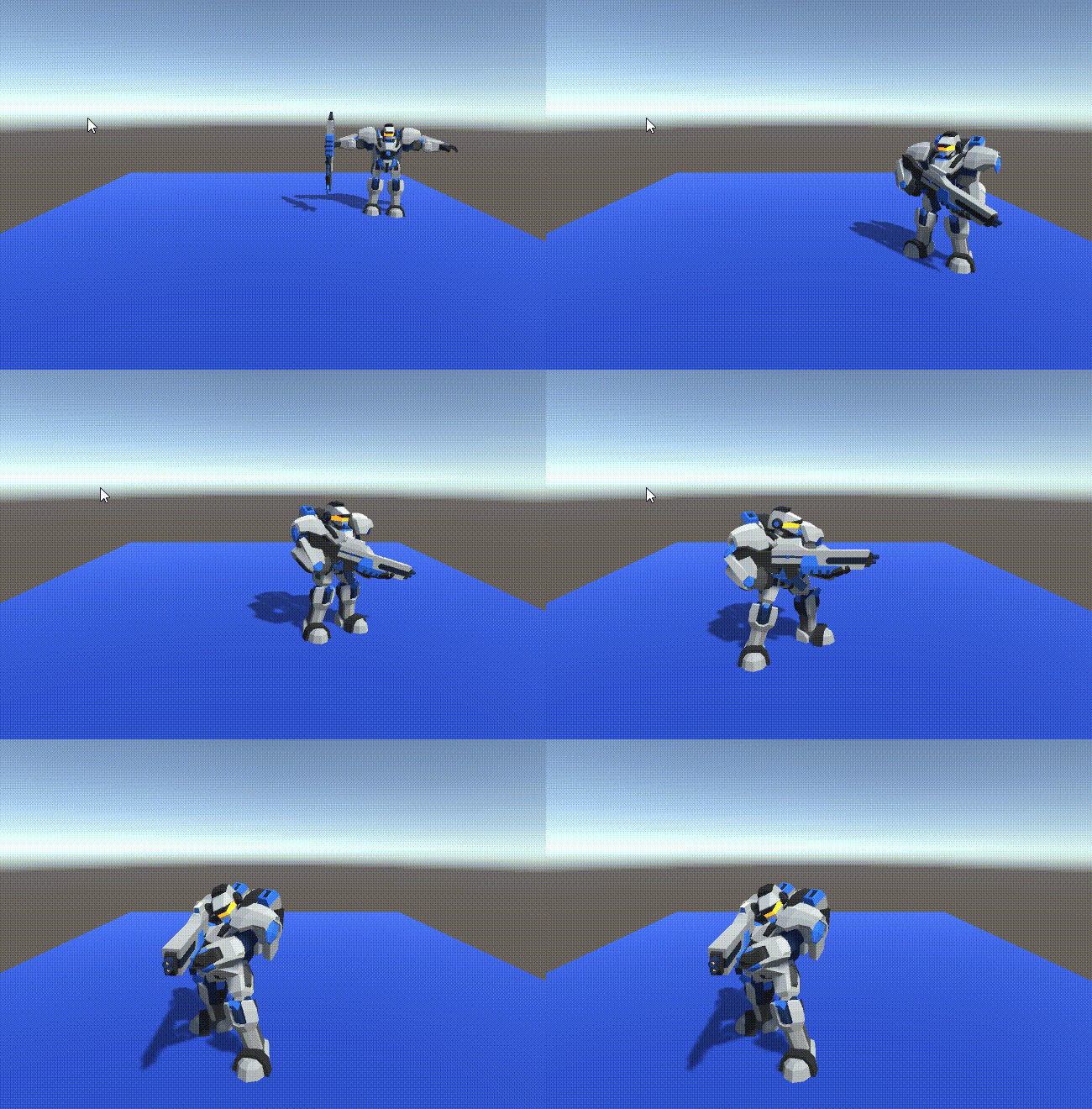
using System.Collections;
using System.Collections.Generic;
using UnityEngine;

public class Cha1 : MonoBehaviour
{
    public float speed = 3;
    Vector3 move;
    void Update()
    {
        //获取输入
        float h = Input.GetAxis("Horizontal");
        float v = Input.GetAxis("Vertical");
        Move(h, 0, v);
    }

    void Move(float x,float y,float z)
    {
        //世界坐标
        move = new Vector3(x, y, z);

        //要看向的位置
        Vector3 to = transform.position + move;
        transform.LookAt(to);
        transform.position += move * speed * Time.deltaTime;
    }
}
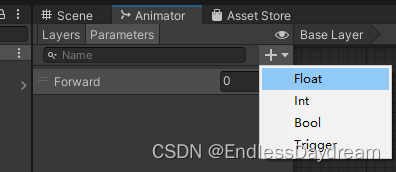
using System.Collections;
using System.Collections.Generic;
using UnityEngine;

public class Cha1 : MonoBehaviour
{
    Animator animator;

    public float speed = 3;
    Vector3 move;

    private void Start()
    {
        animator = GetComponent<Animator>();
    }
    void Update()
    {
        //获取输入
        float h = Input.GetAxis("Horizontal");
        float v = Input.GetAxis("Vertical");
        Move(h, 0, v);
        //更新动画
        UpdateAnim();
    }

    void Move(float x,float y,float z)
    {
        //世界坐标
        move = new Vector3(x, y, z);
        //要看向的位置
        Vector3 to = transform.position + move;
        transform.LookAt(to);
        transform.position += move * speed * Time.deltaTime;
    }

    void UpdateAnim()
    {
        float forward = move.magnitude;
        animator.SetFloat("Forward", forward);
    }
}
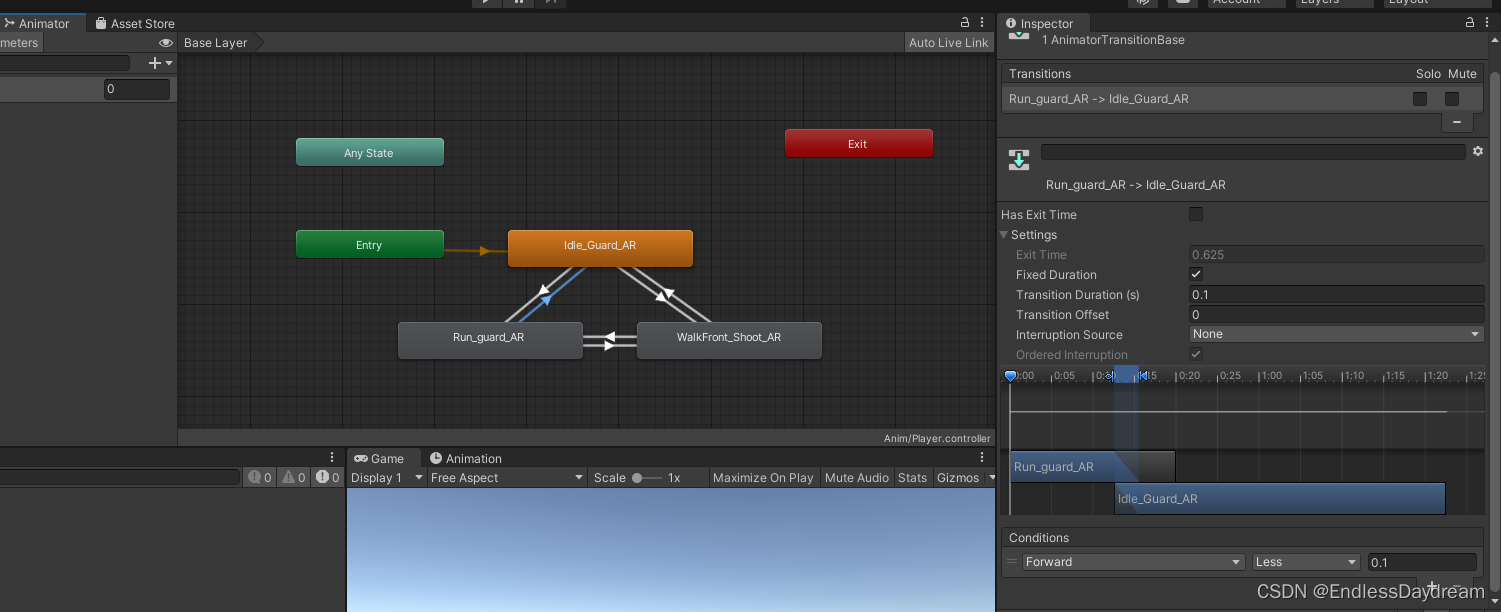
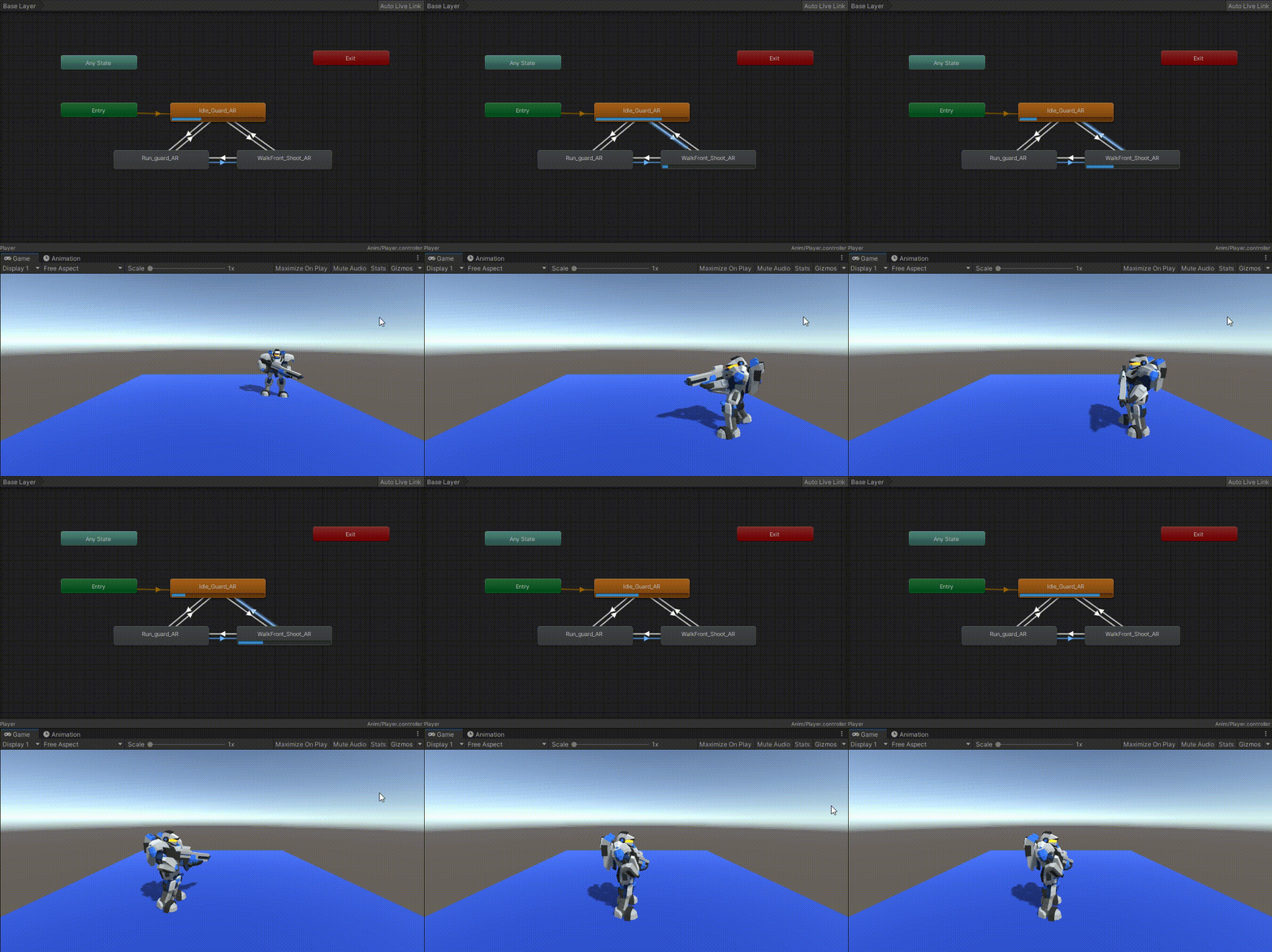
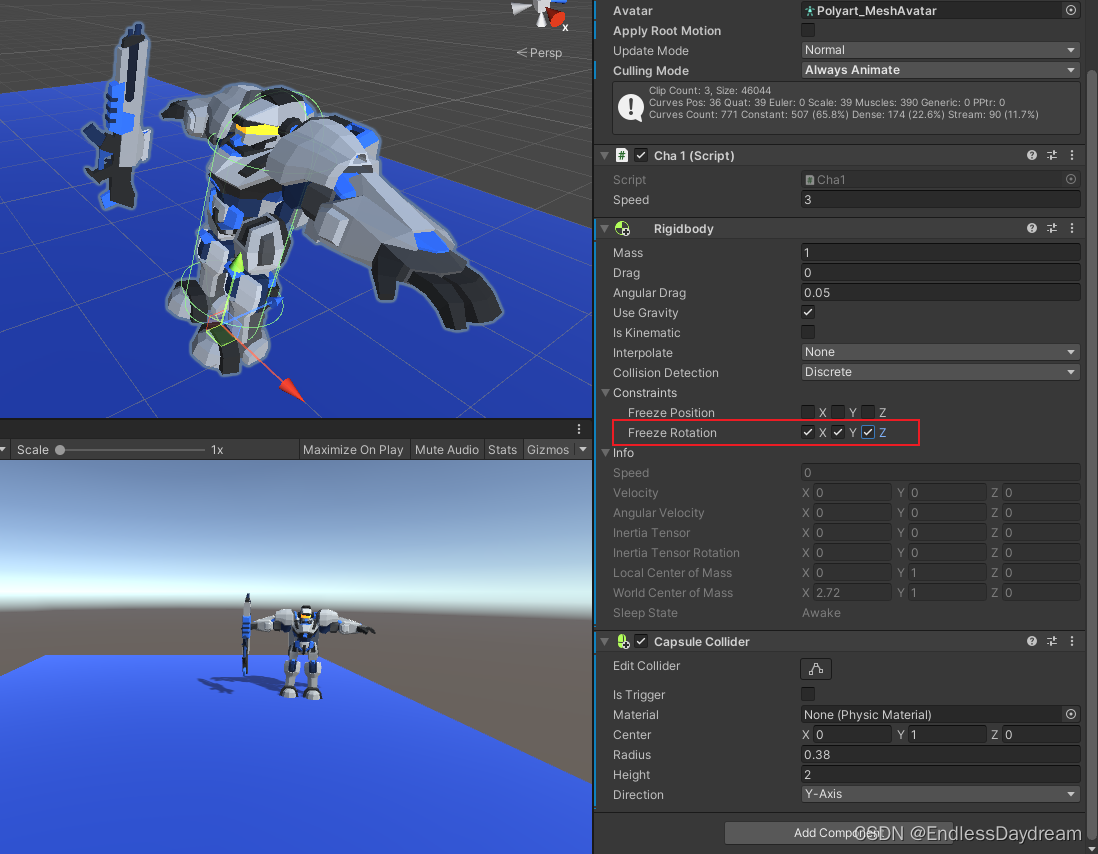
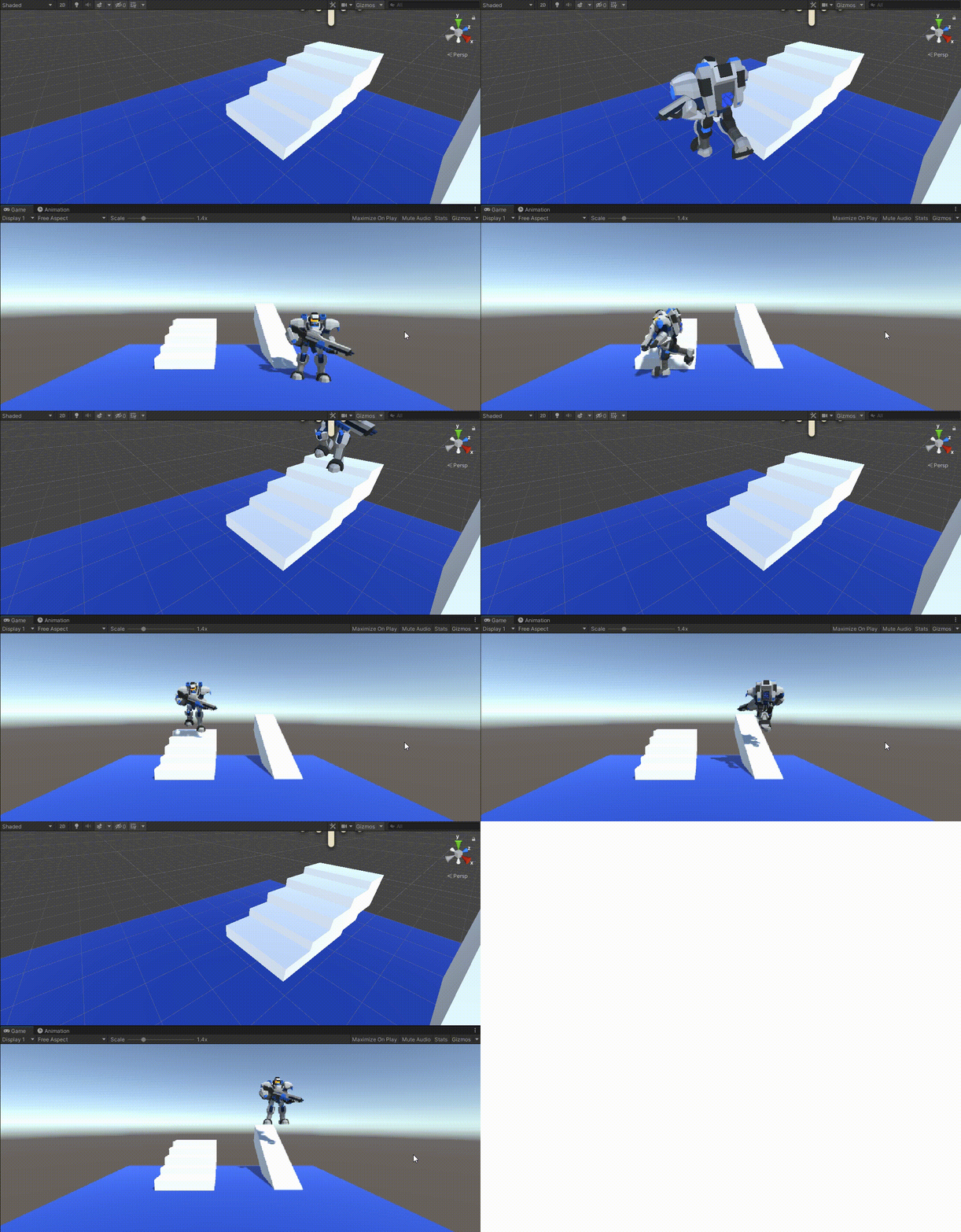
然后发现在撞东西的时候会抖,像这样
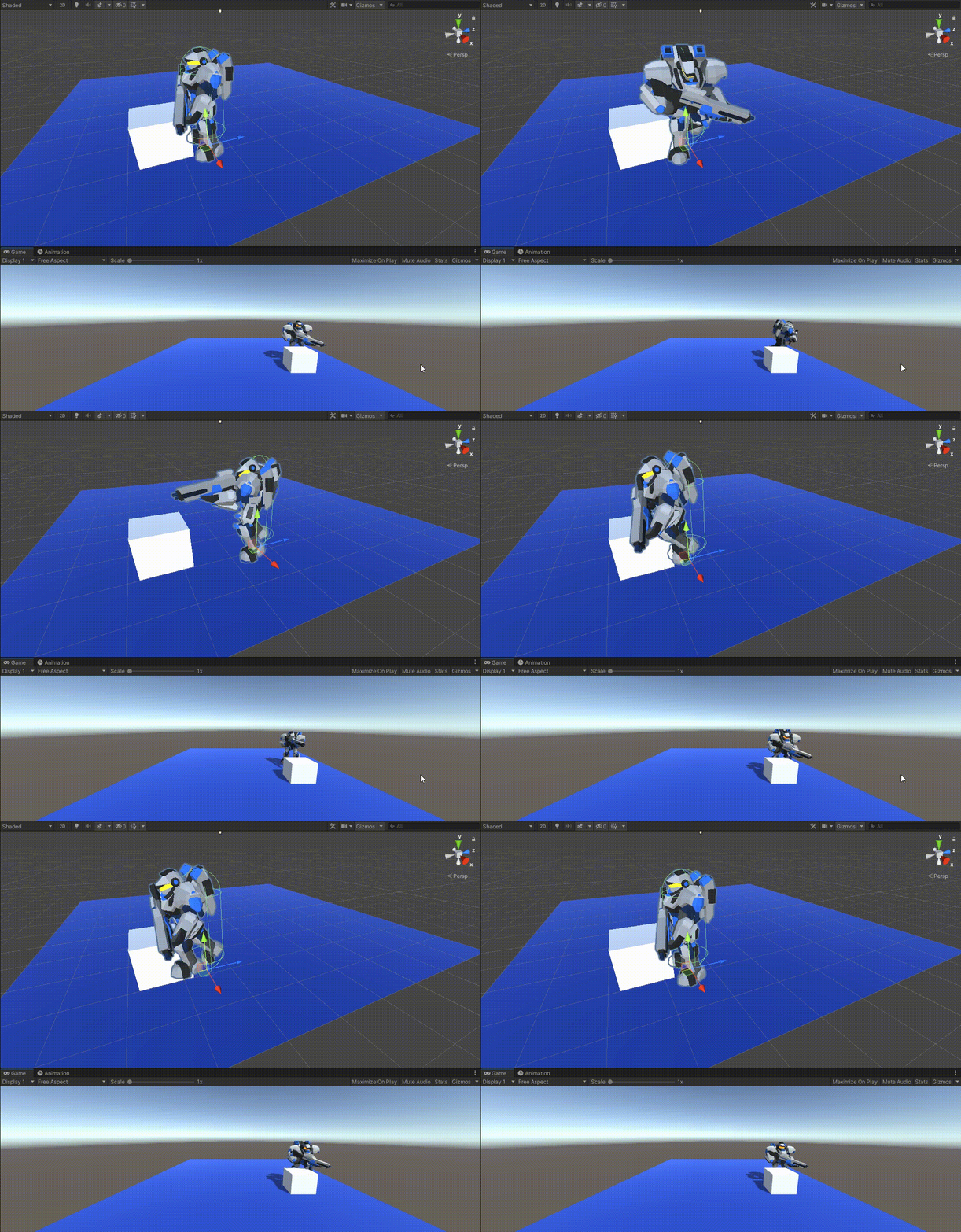
于是我们修改一下代码
using System.Collections;
using System.Collections.Generic;
using UnityEngine;

public class Cha2 : MonoBehaviour
{
    Animator animator;
    Rigidbody rigid;

    public float speed = 3;
    Vector3 move;

    private void Start()
    {
        animator = GetComponent<Animator>();
        rigid = GetComponent<Rigidbody>();
    }
    void Update()
    {
        //获取输入
        float h = Input.GetAxis("Horizontal");
        float v = Input.GetAxis("Vertical");
        Move(h, 0, v);
        //更新动画
        UpdateAnim();
    }

    void Move(float x, float y, float z)
    {
        //世界坐标
        move = new Vector3(x, y, z);
    }
    //刚体移动,要在FixedUpdate里写
    public void FixedUpdate()
    {
        //根据move,直接改变刚体速度
        Vector3 v = move * speed;
        v.y = rigid.velocity.y;
        rigid.velocity = new Vector3(move.x,rigid.velocity.y,move.z)* speed;

        //让刚体朝向目标
        Quaternion q = Quaternion.LookRotation(move);  //向量 转成 朝向
        rigid.MoveRotation(q);
    }

    void UpdateAnim()
    {
        float forward = move.magnitude;
        animator.SetFloat("Forward", forward);
    }
}
就变成这样了
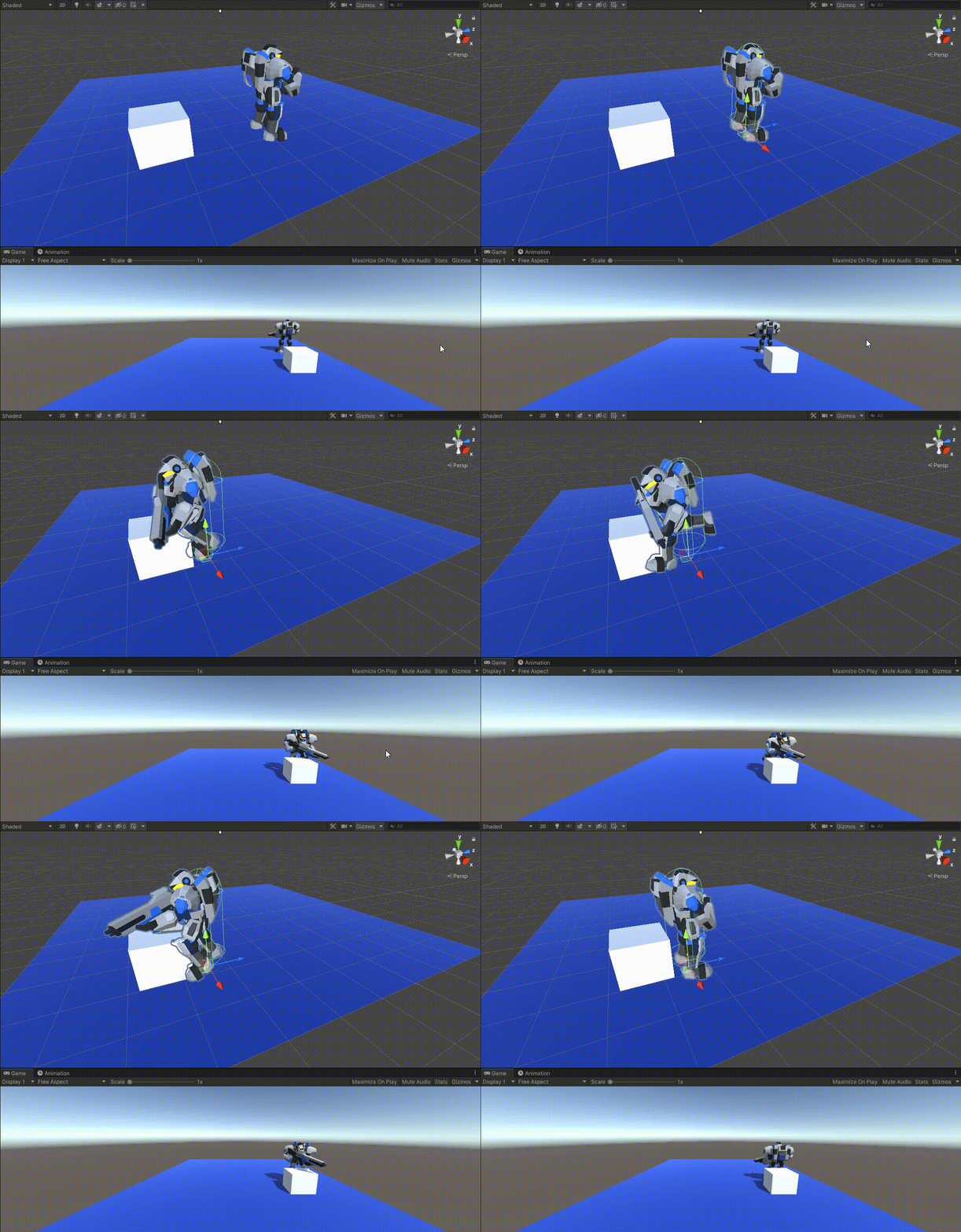
如果想让他碰到东西停下动作,也可以把UpdateAnim改成这样
    void UpdateAnim()
    {
        //float forward = move.magnitude;
        //animator.SetFloat("Forward", forward);

        //基于刚体速度播放动画
        animator.SetFloat("Forward", rigid.velocity.magnitude / speed);
    }
就变成这样

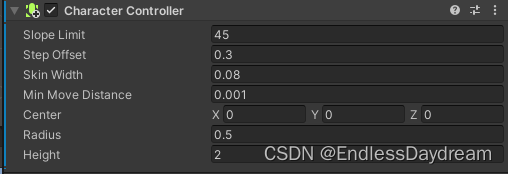
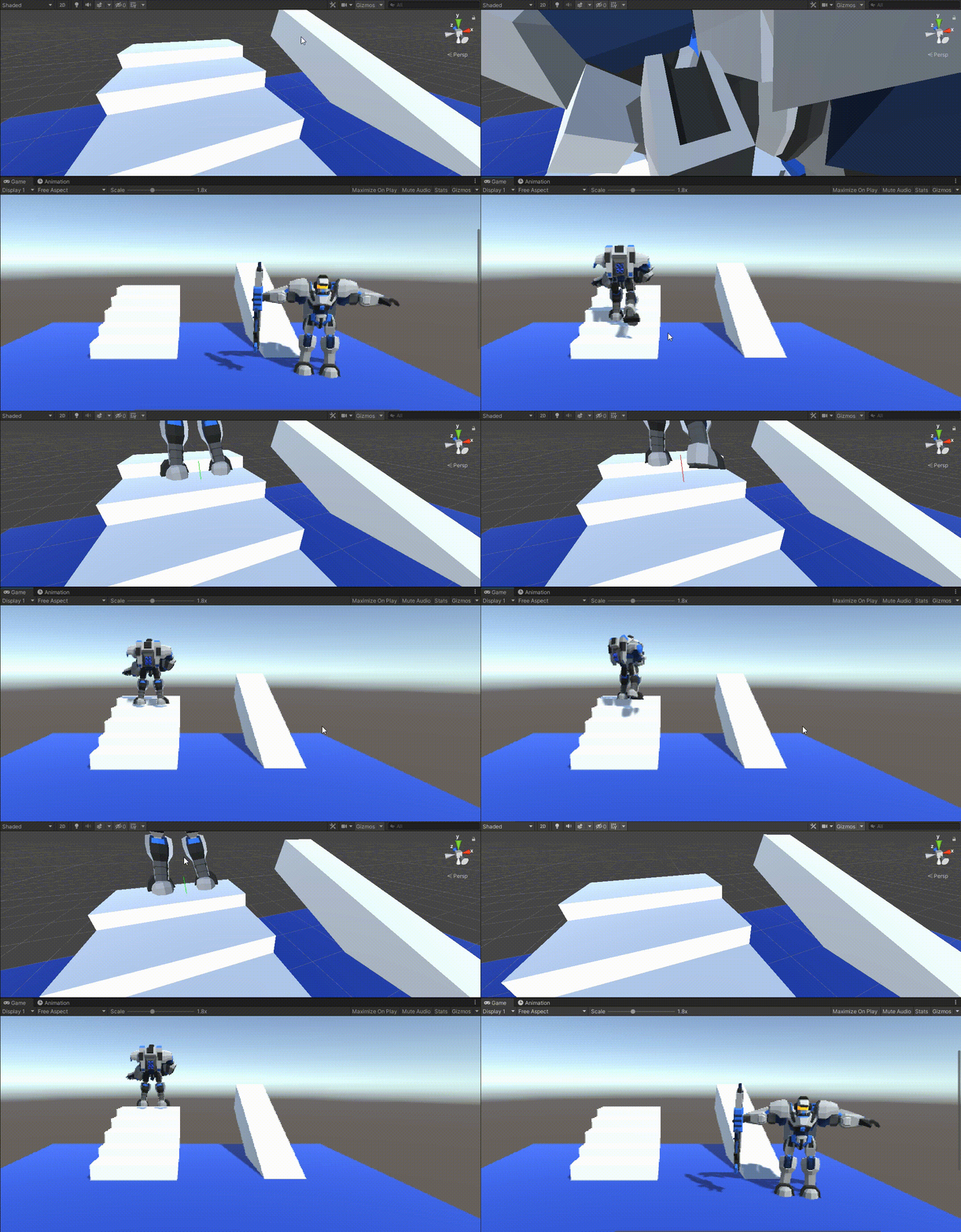
Step Offset:上楼梯的台阶高度最大值
Skin Width:皮肤(柔软物质厚度)(避免卡死)
using System.Collections;
using System.Collections.Generic;
using UnityEngine;

public class Cha3 : MonoBehaviour
{
    Animator animator;
    CharacterController cc;

    public float speed = 3;
    Vector3 move;

    private void Start()
    {
        animator = GetComponent<Animator>();
        cc = GetComponent<CharacterController>();
    }
    void Update()
    {
        //获取输入
        float h = Input.GetAxis("Horizontal");
        float v = Input.GetAxis("Vertical");

        Move(h, 0, v);

        //更新动画
        UpdateAnim();
    }

    void Move(float x, float y, float z)
    {
        move = new Vector3(x, 0, z);
        //这一帧移动的向量,很小
        Vector3 m = move * speed * Time.deltaTime;

        //朝向移动方向
        transform.LookAt(transform.position + m);

        //通过cc去移动
        cc.Move(m);
    }

    void UpdateAnim()
    {
        //基于刚体速度播放动画
        animator.SetFloat("Forward",cc.velocity.magnitude / speed);
    }
}
using System.Collections;
using System.Collections.Generic;
using UnityEngine;

public class Cha3Fall : MonoBehaviour
{
    Animator animator;
    CharacterController cc;

    public float speed = 3;
    Vector3 move;

    bool isGround = true;
    private void Start()
    {
        animator = GetComponent<Animator>();
        cc = GetComponent<CharacterController>();
    }
    void Update()
    {
        //获取输入
        float h = Input.GetAxis("Horizontal");
        float v = Input.GetAxis("Vertical");

        Move(h, 0, v);

        //更新动画
        UpdateAnim();
    }

    void Move(float x, float y, float z)
    {
        move = new Vector3(x, 0, z);
        //这一帧移动的向量,很小
        Vector3 m = move * speed * Time.deltaTime;

        //朝向移动方向
        transform.LookAt(transform.position + m);

        //通过cc去移动
        cc.Move(m);
    }

    private void FixedUpdate()
    {
        Ray ray = new Ray(transform.position + new Vector3(0, 0.2f, 0), Vector3.down);

        RaycastHit hit;
        Color c = Color.red;

        isGround = false;
        if(Physics.Raycast(ray,out hit, 0.35f))
        {
            c = Color.green;
            isGround = true;
        }
        //调式
        Debug.DrawLine(transform.position + new Vector3(0, 0.2f, 0),transform.position - new Vector3(0,0.15f,0),c);
    }
    void UpdateAnim()
    {
        //基于刚体速度播放动画
        animator.SetFloat("Forward", cc.velocity.magnitude / speed);
    }
}
using System.Collections;
using System.Collections.Generic;
using UnityEngine;

public class Cha3Fall : MonoBehaviour
{
    Animator animator;
    CharacterController cc;

    public float speed = 3;
    Vector3 move;

    bool isGround = true;
    private void Start()
    {
        animator = GetComponent<Animator>();
        cc = GetComponent<CharacterController>();
    }
    void Update()
    {
        //获取输入
        float h = Input.GetAxis("Horizontal");
        float v = Input.GetAxis("Vertical");

        Move(h, 0, v);

        //更新动画
        UpdateAnim();
    }

    //纵向速度
    float vy = 0;
    void Move(float x, float y, float z)
    {
        move = new Vector3(x, 0, z);
        //这一帧移动的向量,很小
        Vector3 m = move * speed * Time.deltaTime;

        if (isGround)
        {
            vy = 0;
        }
        else
        {
            //物理公式:v = v0 + gt   (v0=0)
            vy += Physics.gravity.y * Time.deltaTime;
        }

        //Δy = v * Δt
        m.y = vy * Time.deltaTime;

        //朝向移动方向
        transform.LookAt(transform.position + m);

        //通过cc去移动
        cc.Move(m);
    }

    private void FixedUpdate()
    {
        Ray ray = new Ray(transform.position + new Vector3(0, 0.2f, 0), Vector3.down);

        RaycastHit hit;
        Color c = Color.red;

        isGround = false;
        if(Physics.Raycast(ray,out hit, 0.35f))
        {
            c = Color.green;
            isGround = true;
        }
        //调式
        Debug.DrawLine(transform.position + new Vector3(0, 0.2f, 0),transform.position - new Vector3(0,0.15f,0),c);
    }
    void UpdateAnim()
    {
        //基于刚体速度播放动画
        animator.SetFloat("Forward", cc.velocity.magnitude / speed);
    }
}
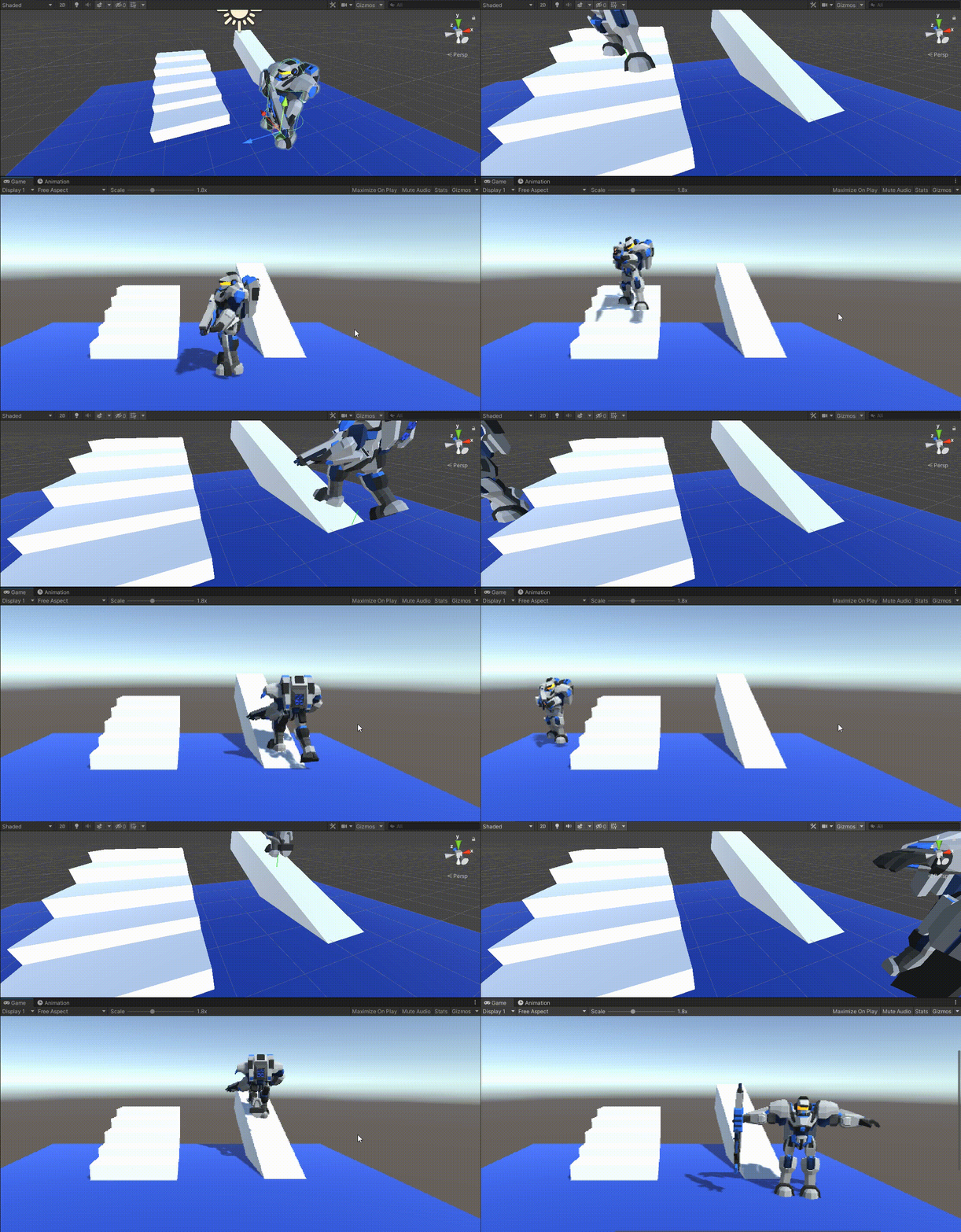
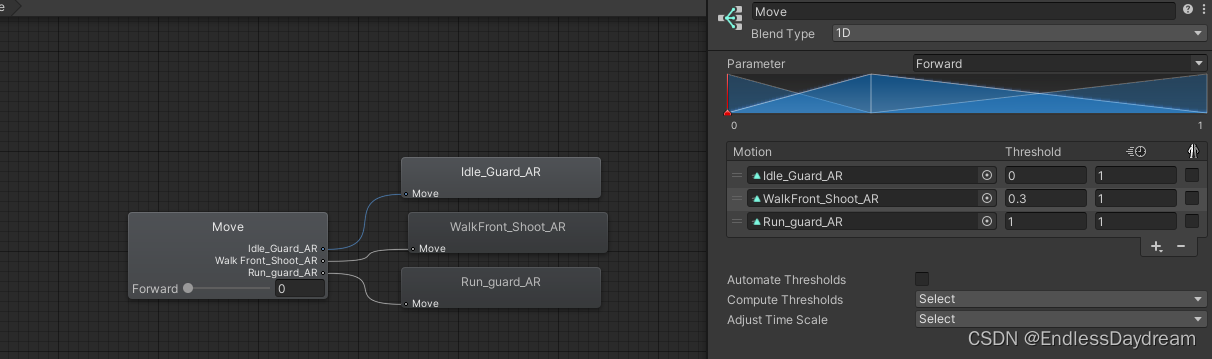


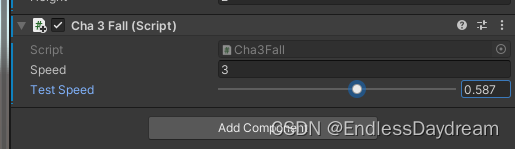
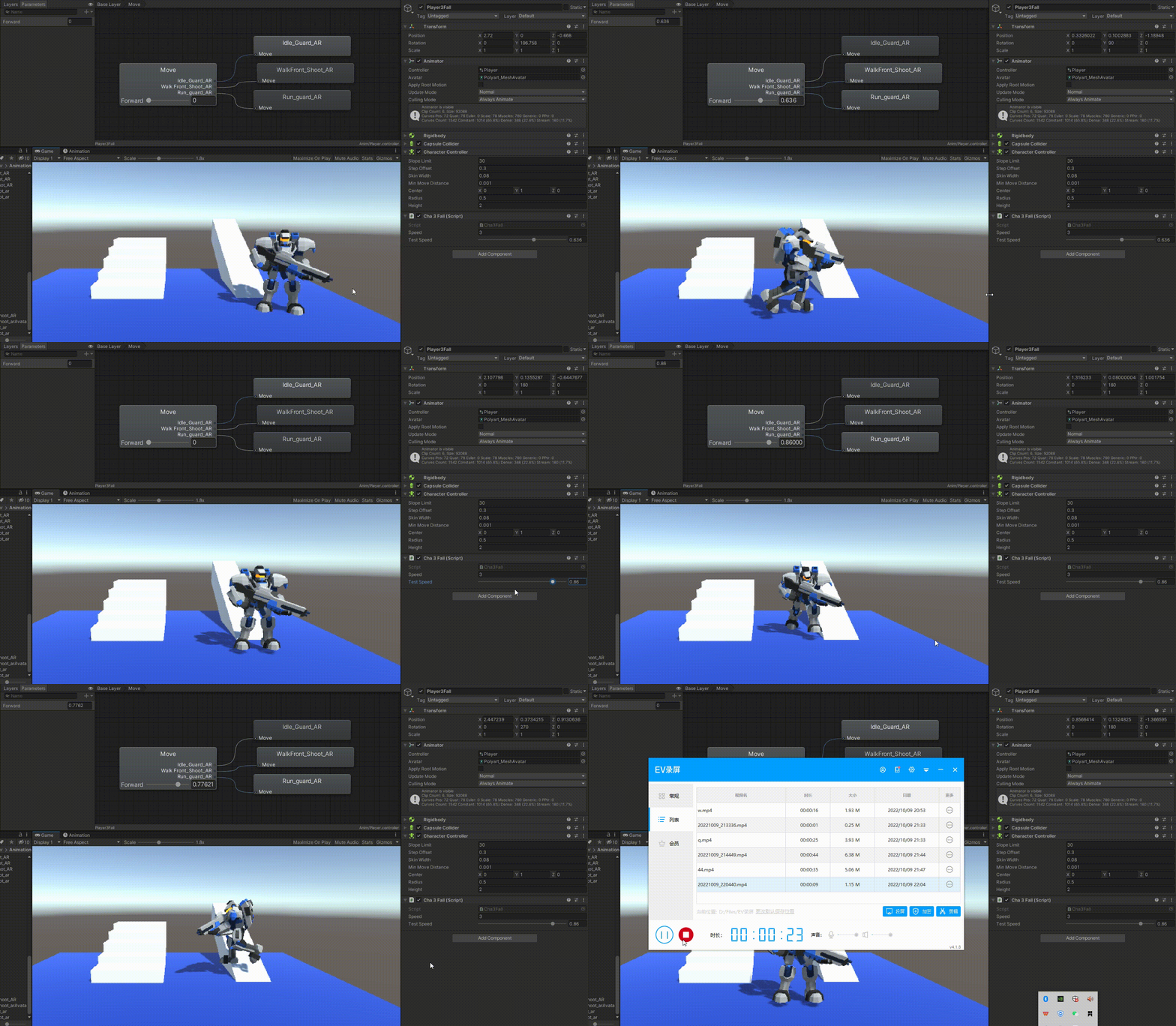
加个Test Speed进行调试
using System.Collections;
using System.Collections.Generic;
using UnityEngine;

public class Cha3Fall : MonoBehaviour
{
    Animator animator;
    CharacterController cc;

    public float speed = 3;
    [Range(0.0f, 1.0f)]
    public float testSpeed = 1;


    Vector3 move;

    bool isGround = true;
    private void Start()
    {
        animator = GetComponent<Animator>();
        cc = GetComponent<CharacterController>();
    }
    void Update()
    {
        //获取输入
        float h = Input.GetAxis("Horizontal");
        float v = Input.GetAxis("Vertical");

        Move(h, 0, v);

        //更新动画
        UpdateAnim();
    }

    //纵向速度
    float vy = 0;
    void Move(float x, float y, float z)
    {
        move = new Vector3(x, 0, z);
        //这一帧移动的向量,很小
        Vector3 m = move * speed * Time.deltaTime;

        if (isGround)
        {
            vy = 0;
        }
        else
        {
            //物理公式:v = v0 + gt   (v0=0)
            vy += Physics.gravity.y * Time.deltaTime;
        }

        //Δy = v * Δt
        m.y = vy * Time.deltaTime;

        //朝向移动方向
        transform.LookAt(transform.position + move);

        //通过cc去移动
        cc.Move(m);
    }

    private void FixedUpdate()
    {
        Ray ray = new Ray(transform.position + new Vector3(0, 0.2f, 0), Vector3.down);

        RaycastHit hit;
        Color c = Color.red;

        isGround = false;
        if(Physics.Raycast(ray,out hit, 0.35f))
        {
            c = Color.green;
            isGround = true;
        }
        //调式
        Debug.DrawLine(transform.position + new Vector3(0, 0.2f, 0),transform.position - new Vector3(0,0.15f,0),c);
    }
    void UpdateAnim()
    {
        //基于刚体速度播放动画
        animator.SetFloat("Forward", cc.velocity.magnitude / speed * testSpeed);
    }
}
?博客主页:https://xiaoy.blog.csdn.net?本文由呆呆敲代码的小Y原创,首发于CSDN??学习专栏推荐:Unity系统学习专栏?游戏制作专栏推荐:游戏制作?Unity实战100例专栏推荐:Unity实战100例教程?欢迎点赞?收藏⭐留言?如有错误敬请指正!?未来很长,值得我们全力奔赴更美好的生活✨------------------❤️分割线❤️-------------------------
本教程将在Unity3D中混合Optitrack与数据手套的数据流,在人体运动的基础上,添加双手手指部分的运动。双手手背的角度仍由Optitrack提供,数据手套提供双手手指的角度。 01 客户端软件分别安装MotiveBody与MotionVenus并校准人体与数据手套。MotiveBodyMotionVenus数据手套使用、校准流程参照:https://gitee.com/foheart_1/foheart-h1-data-summary.git02 数据转发打开MotiveBody软件的Streaming,开始向Unity3D广播数据;MotionVenus中设置->选项选择Unit
目录1.AdmobSDK下载地址2.将下载好的unityPackagesdk导入到unity里编辑 3.解析依赖到项目中
Unity自动旋转动画1.开门需要门把手先动,门再动2.关门需要门先动,门把手再动3.中途播放过程中不可以再次进行操作觉得太复杂?查看我的文章开关门简易进阶版效果:如果这个门可以直接打开的话,就不需要放置"门把手"如果门把手还有钥匙需要旋转,那就可以把钥匙放在门把手的"门把手",理论上是可以无限套娃的可调整参数有:角度,反向,轴向,速度运行时点击Test进行测试自己写的代码比较垃圾,命名与结构比较拉,高手轻点喷,新手有类似的需求可以拿去做参考上代码usingSystem.Collections;usingSystem.Collections.Generic;usingUnityEngine;u
目录前言滤波电路科普主要分类实际情况单位的概念常用评价参数函数型滤波器简单分析滤波电路构成低通滤波器RC低通滤波器RL低通滤波器高通滤波器RC高通滤波器RL高通滤波器部分摘自《LC滤波器设计与制作》,侵权删。前言最近需要学习放大电路和滤波电路,但是由于只在之前做音乐频谱分析仪的时候简单了解过一点点运放,所以也是相当从零开始学习了。滤波电路科普主要分类滤波器:主要是从不同频率的成分中提取出特定频率的信号。有源滤波器:由RC元件与运算放大器组成的滤波器。可滤除某一次或多次谐波,最普通易于采用的无源滤波器结构是将电感与电容串联,可对主要次谐波(3、5、7)构成低阻抗旁路。无源滤波器:无源滤波器,又称
最近在学习CAN,记录一下,也供大家参考交流。推荐几个我觉得很好的CAN学习,本文也是在看了他们的好文之后做的笔记首先是瑞萨的CAN入门,真的通透;秀!靠这篇我竟然2天理解了CAN协议!实战STM32F4CAN!原文链接:https://blog.csdn.net/XiaoXiaoPengBo/article/details/116206252CAN详解(小白教程)原文链接:https://blog.csdn.net/xwwwj/article/details/105372234一篇易懂的CAN通讯协议指南1一篇易懂的CAN通讯协议指南1-知乎(zhihu.com)视频推荐CAN总线个人知识总
深度学习部署:Windows安装pycocotools报错解决方法1.pycocotools库的简介2.pycocotools安装的坑3.解决办法更多Ai资讯:公主号AiCharm本系列是作者在跑一些深度学习实例时,遇到的各种各样的问题及解决办法,希望能够帮助到大家。ERROR:Commanderroredoutwithexitstatus1:'D:\Anaconda3\python.exe'-u-c'importsys,setuptools,tokenize;sys.argv[0]='"'"'C:\\Users\\46653\\AppData\\Local\\Temp\\pip-instal
我完全不是程序员,正在学习使用Ruby和Rails框架进行编程。我目前正在使用Ruby1.8.7和Rails3.0.3,但我想知道我是否应该升级到Ruby1.9,因为我真的没有任何升级的“遗留”成本。缺点是什么?我是否会遇到与普通gem的兼容性问题,或者甚至其他我不太了解甚至无法预料的问题? 最佳答案 你应该升级。不要坚持从1.8.7开始。如果您发现不支持1.9.2的gem,请避免使用它们(因为它们很可能不被维护)。如果您对gem是否兼容1.9.2有任何疑问,您可以在以下位置查看:http://www.railsplugins.or
我刚刚安装了带有RVM的Ruby2.2.0,并尝试使用它得到了这个:$rvmuse2.2.0--defaultUsing/Users/brandon/.rvm/gems/ruby-2.2.0dyld:Librarynotloaded:/usr/local/lib/libgmp.10.dylibReferencedfrom:/Users/brandon/.rvm/rubies/ruby-2.2.0/bin/rubyReason:Incompatiblelibraryversion:rubyrequiresversion13.0.0orlater,butlibgmp.10.dylibpro
我正在运行Ubuntu11.10并像这样安装Ruby1.9:$sudoapt-getinstallruby1.9rubygems一切都运行良好,但ri似乎有空文档。ri告诉我文档是空的,我必须安装它们。我执行此操作是因为我读到它会有所帮助:$rdoc--all--ri现在,当我尝试打开任何文档时:$riArrayNothingknownaboutArray我搜索的其他所有内容都是一样的。 最佳答案 这个呢?apt-getinstallri1.8编辑或者试试这个:(非rvm)geminstallrdocrdoc-datardoc-da
