在HarmonyOS中webview加载网页的时候,需要有进度条,或者加载动画进行用户感知的交互,这样可以优化用户体验,因此今天写一篇加载动画(效果如下)用于同学们进行学习,怎么实现?首先我们需要学习“CommonDialog”“ WebView”“动画开发指导”三个知识储备
我们分为“准备阶段”,“自定义CommonDialog实现”,“动画实现”,“webview的实现”,“运行效果”五个步骤进行实现。
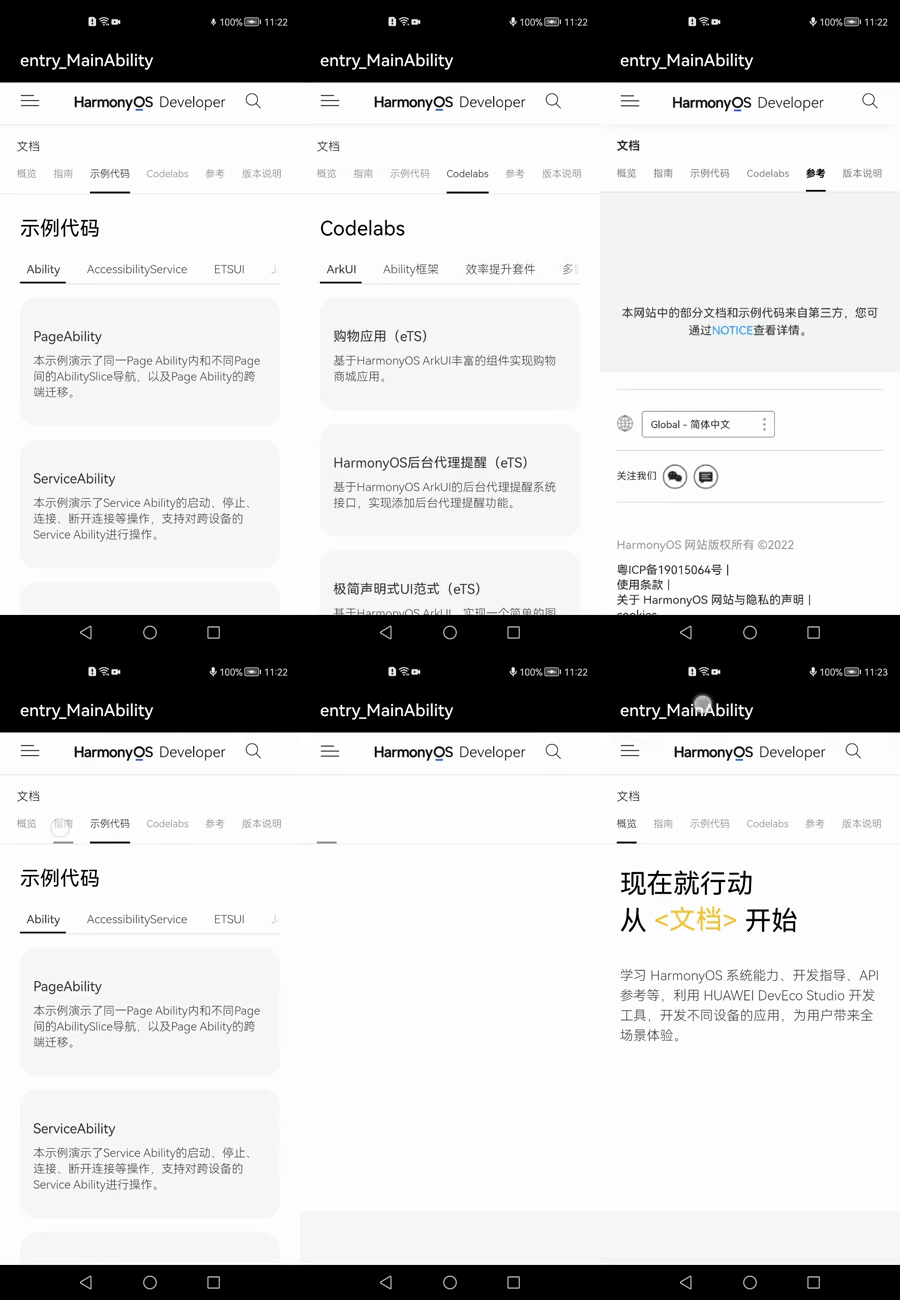
1.准备阶段
在resources \base\ media\目录下准备一张loading图片(图片如下)存放位置如下

Loading图片
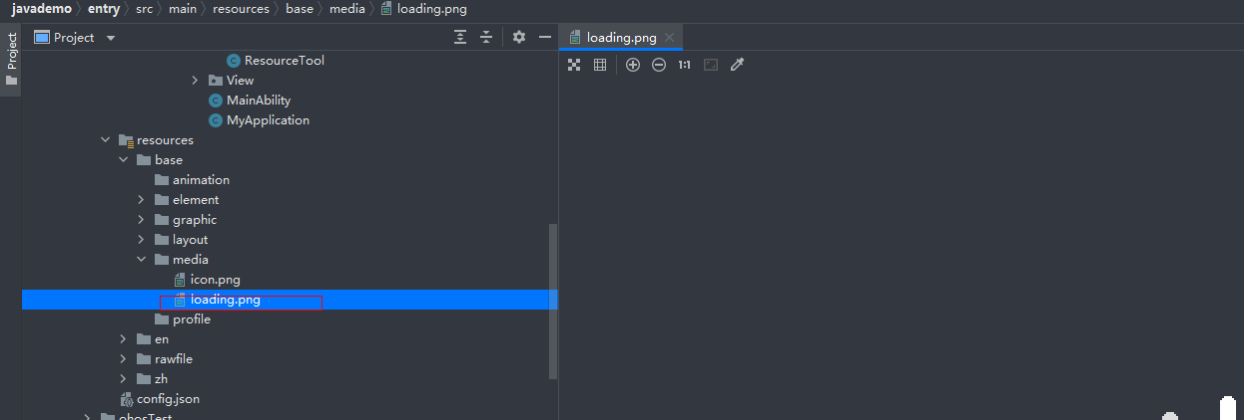
存放位置
2. 自定义CommonDialog的实现
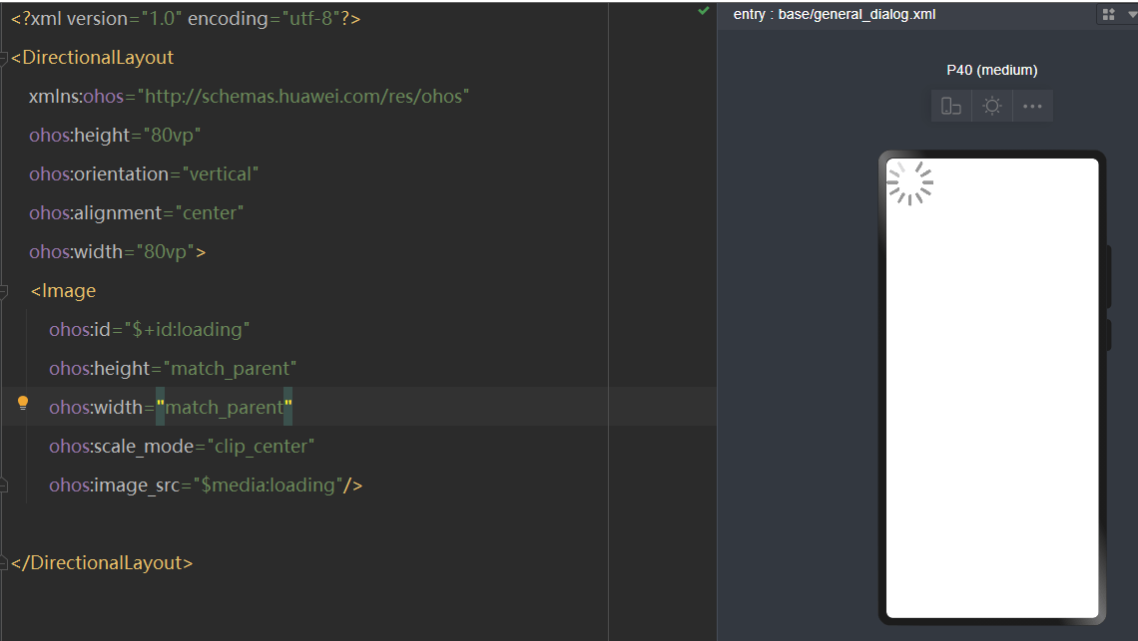
2.1新建xml命名为general_dialog.xml,在该xml文件绘画一张图片(代码如下)
<?xml version="1.0" encoding="utf-8"?>
<DirectionalLayout
    xmlns:ohos="http://schemas.huawei.com/res/ohos"
    ohos:height="80vp"
    ohos:orientation="vertical"
    ohos:alignment="center"
    ohos:width="80vp">
    <Image
        ohos:id="$+id:loading"
        ohos:height="match_parent"
        ohos:width="match_parent"
        ohos:scale_mode="clip_center"
        ohos:image_src="$media:loading"/>
</DirectionalLayout>
效果图如下
2.2新建GeneralDialog文件,我们参考HarmonyOS 的自定义CommonDialog场景示例
具体代码如下
package com.harmony.alliance.mydemo.utils;
import java.util.Optional;
import com.harmony.alliance.mydemo.ResourceTable;
import ohos.agp.animation.Animator;
import ohos.agp.animation.AnimatorProperty;
import ohos.agp.animation.AnimatorValue;
import ohos.agp.colors.RgbColor;
import ohos.agp.components.*;
import ohos.agp.components.element.ShapeElement;
import ohos.agp.utils.LayoutAlignment;
import ohos.agp.window.dialog.CommonDialog;
import ohos.agp.window.service.WindowManager;
import ohos.app.Context;

public class GeneralDialog {
    private float dim = -1f;
    private   CommonDialog sDialog;
    private  Context mContext;
    private boolean mOutsideTouchClosable = false;
    public  GeneralDialog(Context context){
        this.mContext=context;
    }
    public void show() {
        if (sDialog != null) {
            sDialog.show();
            if (dim >= 0) {
                changeDialogDim(sDialog, dim);
            }
        }
    }
    public void remove() {
        if (sDialog != null) {
            sDialog.destroy();
        }
    }
    public void create() {
         sDialog = new CommonDialog(mContext);
        sDialog.setSize(ComponentContainer.LayoutConfig.MATCH_CONTENT, ComponentContainer.LayoutConfig.MATCH_CONTENT);
        sDialog.setAlignment(LayoutAlignment.CENTER);
        sDialog.setOffset(0,0);
        sDialog.setTransparent(true);
        sDialog.setContentCustomComponent(initDialog(sDialog));
        sDialog.setAutoClosable(mOutsideTouchClosable);
    }


    private void changeDialogDim(CommonDialog dialog, float dim) {
        Optional<WindowManager.LayoutConfig> configOpt = dialog.getWindow().getLayoutConfig();
        configOpt.ifPresent(config -> {
            config.dim = dim;
            dialog.getWindow().setLayoutConfig(config);
        });
    }
    public interface ClickedListener{
        void onClick(GeneralDialog dialog);
    }
    private Component initDialog(CommonDialog sDialog) {
        Component dialogLayout = LayoutScatter.getInstance(mContext).parse(ResourceTable.Layout_general_dialog, null, false);
        dialogLayout.setBackground(new ShapeElement(){{
            setRgbColor(RgbColor.fromArgbInt(ResourceTool.getColor(mContext, ResourceTable.Color_bg_dialog_light, 0xffffff)));
            setCornerRadius(ResourceTool.getFloat(mContext, ResourceTable.Float_dialog_corner_radius, 0));
        }});
        Image image= (Image) dialogLayout.findComponentById(ResourceTable.Id_loading);
        return dialogLayout;
    }
}
2.2.3 在 MainAbility的onStart 的方法下调用如下代码
GeneralDialog mGeneralDialog = new GeneralDialog(getContext());
    mGeneralDialog.create();
    mGeneralDialog.show();
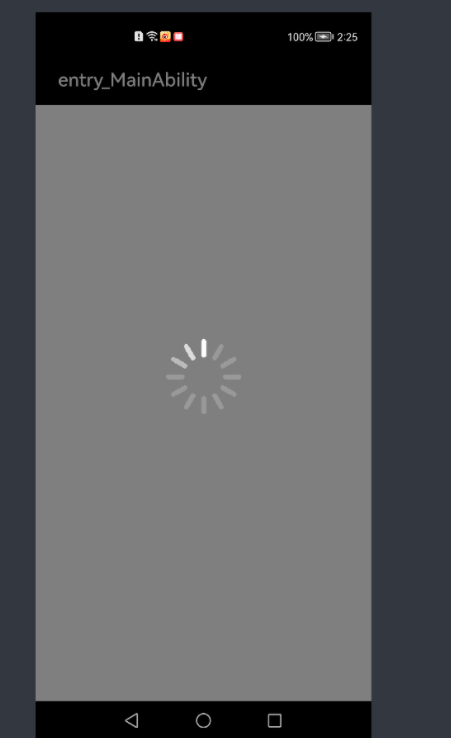
效果如下
2.3动画实现
2.3.1动画的功能我们可以参考HarmonyOS动画开发指导的AnimatorProperty的相关知识点,接下来我们initDialog开启image的动画功能代码如下
Image image= (Image) dialogLayout.findComponentById(ResourceTable.Id_loading);
animatorProperty = new AnimatorProperty();
animatorProperty.setTarget(image);
animatorProperty
    .rotate(360)
    //无限循环
    .setLoopedCount(AnimatorValue.INFINITE)
    //反弹力效果
    .setCurveType(Animator.CurveType.BOUNCE);

if(sDialog!=null) {
    sDialog.setDestroyedListener(new CommonDialog.DestroyedListener() {
        @Override
        public void onDestroy() {
            if(animatorProperty.isRunning()) {
                animatorProperty.stop();
            }
        }
    });
}
2.3.2在GeneralDialog类写一个开启动画方法(代码如下)
public void StartanimatorProperty() {
    if(animatorProperty!=null&&animatorProperty.isRunning()) {
        animatorProperty.stop();
    }
    if(animatorProperty!=null&&!animatorProperty.isRunning()) {
        if(!animatorProperty.isRunning()) {
            animatorProperty.start();
        }
    }
}
2.3.3封一个工具类用于显示和播放和消失loading弹框(代码如下)
package com.harmony.alliance.mydemo.utils;
import ohos.app.Context;
public class LoadingDialogUtils {
    private static   GeneralDialog mGeneralDialog;
    public static  GeneralDialog  getInstance(Context mContext) {
        if(mGeneralDialog==null) {
            mGeneralDialog=new GeneralDialog(mContext);
        }
        return  mGeneralDialog;
    }

    public static void show(Context mContext) {
        LoadingDialogUtils.getInstance(mContext);
        mGeneralDialog.create();
        mGeneralDialog.show();
        mGeneralDialog.StartanimatorProperty();
    }
    public static void dismiss(Context mContext) {
        LoadingDialogUtils.getInstance(mContext);
        mGeneralDialog.remove();
    }
}
2.3.4开启动画代码如下
LoadingDialogUtils.show(MainAbility.this);关闭动画代码如下
LoadingDialogUtils.dismiss(MainAbility.this);2.4 webview的实现
webview 加载网页我们可以参考HarmonyOS的WebView的组件
2.4.1我们学观测Web状态的setWebAgent(代码如下)
webView.setWebAgent(new WebAgent() {
    @Override
    public void onLoadingPage(WebView webview, String url, PixelMap favicon) {
        super.onLoadingPage(webview, url, favicon);
        //todo  页面开始加载时自定义处理 开启动画
    }
    @Override
    public void onPageLoaded(WebView webview, String url) {
        super.onPageLoaded(webview, url);
         // todo 页面加载结束后自定义处理 关闭动画
    }
    @Override
    public void onLoadingContent(WebView webview, String url) {
        super.onLoadingContent(webview, url);
        // 加载资源时自定义处理
    }
    @Override
    public void onError(WebView webview, ResourceRequest request, ResourceError error) {
        super.onError(webview, request, error);
        //todo 发生错误时自定义处理 关闭动画
    }
});
2.4.2我们新建abilitySlice的java类,新建layout布局代码如下
<?xml version="1.0" encoding="utf-8"?>
<DirectionalLayout
    xmlns:ohos="http://schemas.huawei.com/res/ohos"
    ohos:height="match_parent"
    ohos:width="match_parent"
    ohos:orientation="vertical">
    <ohos.agp.components.webengine.WebView
        ohos:id="$+id:my_webView"
        ohos:height="match_parent"
        ohos:width="match_parent">
    </ohos.agp.components.webengine.WebView>
</DirectionalLayout>
2.4.3 webview的java类代码如下
package com.harmony.alliance.mydemo.slice;
import com.harmony.alliance.mydemo.ResourceTable;
import com.harmony.alliance.mydemo.utils.LoadingDialogUtils;
import ohos.aafwk.ability.AbilitySlice;
import ohos.aafwk.content.Intent;
import ohos.agp.components.webengine.*;
import ohos.media.image.PixelMap;

public class NewMyWebview  extends AbilitySlice {
    private WebView mMyWebview;
    private static final String EXAMPLE_URL = "https://developer.harmonyos.com/cn/docs/documentation/doc-references/js-apis-fa-calls-pa-examples-0000000000618000";
    @Override
    protected void onStart(Intent intent) {
        super.onStart(intent);
        setUIContent(ResourceTable.Layout_new_my_webview);
        mMyWebview= (WebView) findComponentById(ResourceTable.Id_my_webView);
        WebConfig webConfig = mMyWebview.getWebConfig();
        webConfig.setJavaScriptPermit(true);
        webConfig.setWebStoragePermit(true);
        webConfig.setDataAbilityPermit(true);
        webConfig.setLoadsImagesPermit(true);
        webConfig.setMediaAutoReplay(true);
        webConfig.setLocationPermit(true);
        webConfig.setSecurityMode(WebConfig.SECURITY_SELF_ADAPTIVE);
        mMyWebview.setWebAgent(new WebAgent() {
            @Override
            public void onLoadingPage(WebView webview, String url, PixelMap favicon) {
                super.onLoadingPage(webview, url, favicon);
                //todo  页面开始加载时自定义处理 开启动画
                LoadingDialogUtils.show(NewMyWebview.this);
            }

            @Override
            public void onPageLoaded(WebView webview, String url) {
                super.onPageLoaded(webview, url);
                // todo 页面加载结束后自定义处理 关闭动画
                LoadingDialogUtils.dismiss(NewMyWebview.this);
            }

            @Override
            public void onLoadingContent(WebView webview, String url) {
                super.onLoadingContent(webview, url);
                // 加载资源时自定义处理
            }

            @Override
            public void onError(WebView webview, ResourceRequest request, ResourceError error) {
                super.onError(webview, request, error);
                //todo  发生错误时自定义处理 关闭动画
                LoadingDialogUtils.dismiss(NewMyWebview.this);
            }
        });
        mMyWebview.load(EXAMPLE_URL);
    }
}
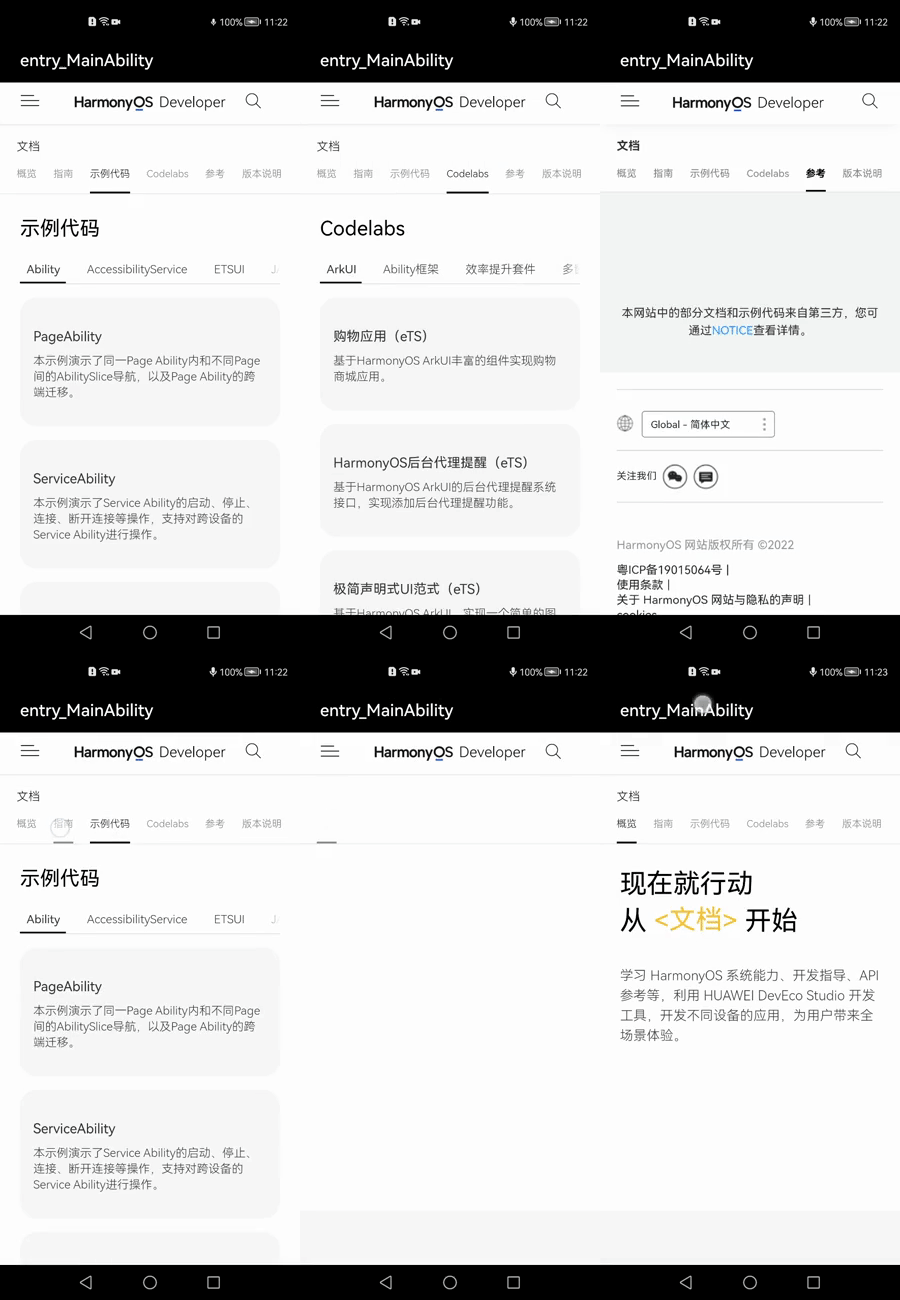
2.5 运行效果如下
全部代码如下
2.5.1general_dialog.xml代码
<?xml version="1.0" encoding="utf-8"?>
<DirectionalLayout
    xmlns:ohos="http://schemas.huawei.com/res/ohos"
    ohos:height="80vp"
    ohos:orientation="vertical"
    ohos:alignment="center"
    ohos:width="80vp">
    <Image
        ohos:id="$+id:loading"
        ohos:height="match_parent"
        ohos:width="match_parent"
        ohos:scale_mode="clip_center"
        ohos:image_src="$media:loading"/>
</DirectionalLayout>
2.5.2GeneralDialog的java类
//请根据实际工程/包名引入
package com.harmony.alliance.mydemo.utils;
import java.util.Optional;
import com.harmony.alliance.mydemo.ResourceTable;
import ohos.agp.animation.Animator;
import ohos.agp.animation.AnimatorProperty;
import ohos.agp.animation.AnimatorValue;
import ohos.agp.colors.RgbColor;
import ohos.agp.components.*;
import ohos.agp.components.element.ShapeElement;
import ohos.agp.utils.LayoutAlignment;
import ohos.agp.window.dialog.CommonDialog;
import ohos.agp.window.service.WindowManager;
import ohos.app.Context;

public class GeneralDialog {
    private float dim = -1f;
    private    AnimatorProperty animatorProperty;
    private   CommonDialog sDialog;
    private  Context mContext;
    private boolean mOutsideTouchClosable = false;

    public  GeneralDialog(Context context) {
        this.mContext=context;
    }
    public void show() {
        if (sDialog != null) {
            sDialog.show();
            if (dim >= 0) {
                changeDialogDim(sDialog, dim);
            }
        }
    }
    public void remove() {
        if (sDialog != null) {
            sDialog.destroy();
        }
    }
    public void create() {
        sDialog = new CommonDialog(mContext);
        sDialog.setSize(ComponentContainer.LayoutConfig.MATCH_CONTENT, ComponentContainer.LayoutConfig.MATCH_CONTENT);
        sDialog.setAlignment(LayoutAlignment.CENTER);
        sDialog.setOffset(0,0);
        sDialog.setTransparent(true);
        sDialog.setContentCustomComponent(initDialog(sDialog));
        sDialog.setAutoClosable(mOutsideTouchClosable);
    }
    public void   StartanimatorProperty() {
        if(animatorProperty!=null&&animatorProperty.isRunning()) {
            animatorProperty.stop();
        }
        if(animatorProperty!=null&&!animatorProperty.isRunning()) {
            if(!animatorProperty.isRunning()) {
                animatorProperty.start();
            }
        }
    }
    private void changeDialogDim(CommonDialog dialog, float dim) {
        Optional<WindowManager.LayoutConfig> configOpt = dialog.getWindow().getLayoutConfig();
        configOpt.ifPresent(config -> {
            config.dim = dim;
            dialog.getWindow().setLayoutConfig(config);
        });
    }
    public interface ClickedListener {
        void onClick(GeneralDialog dialog);
    }
    private Component initDialog(CommonDialog sDialog) {
        Component dialogLayout = LayoutScatter.getInstance(mContext).parse(ResourceTable.Layout_general_dialog, null, false);
        dialogLayout.setBackground(new ShapeElement() { {
            setRgbColor(RgbColor.fromArgbInt(ResourceTool.getColor(mContext, ResourceTable.Color_bg_dialog_light, 0xffffff)));
            setCornerRadius(ResourceTool.getFloat(mContext, ResourceTable.Float_dialog_corner_radius, 0));
        }});
        Image image= (Image) dialogLayout.findComponentById(ResourceTable.Id_loading);
        animatorProperty    = new AnimatorProperty();
        animatorProperty.setTarget(image);
        animatorProperty
                .rotate(360)
                //无限循环
                .setLoopedCount(AnimatorValue.INFINITE)
                //反弹力效果
                .setCurveType(Animator.CurveType.BOUNCE);
        if(sDialog!=null) {
            sDialog.setDestroyedListener(new CommonDialog.DestroyedListener() {
                @Override
                public void onDestroy() {
                    if(animatorProperty.isRunning()) {
                        animatorProperty.stop();
                    }
                }
            });
        }
        return dialogLayout;
    }
}
2.5.4webViewAbilitySlice的layout的xml代码如下
<?xml version="1.0" encoding="utf-8"?>
<DirectionalLayout
    xmlns:ohos="http://schemas.huawei.com/res/ohos"
    ohos:height="match_parent"
    ohos:width="match_parent"
    ohos:orientation="vertical">
    <ohos.agp.components.webengine.WebView
        ohos:id="$+id:my_webView"
        ohos:height="match_parent"
        ohos:width="match_parent">
    </ohos.agp.components.webengine.WebView>
</DirectionalLayout>
2.5.5 WebViewAbiltySlice的类代码如下
package com.harmony.alliance.mydemo.slice;


import com.harmony.alliance.mydemo.ResourceTable;

import com.harmony.alliance.mydemo.utils.LoadingDialogUtils;

import ohos.aafwk.ability.AbilitySlice;

import ohos.aafwk.content.Intent;

import ohos.agp.components.webengine.*;

import ohos.media.image.PixelMap;


public class NewMyWebview  extends AbilitySlice {

    private WebView mMyWebview;

    private static final String EXAMPLE_URL = "https://developer.harmonyos.com/cn/docs/documentation/doc-references/js-apis-fa-calls-pa-examples-0000000000618000";

    @Override

    protected void onStart(Intent intent) {

        super.onStart(intent);

        setUIContent(ResourceTable.Layout_new_my_webview);

        mMyWebview= (WebView) findComponentById(ResourceTable.Id_my_webView);

        WebConfig webConfig = mMyWebview.getWebConfig();

        webConfig.setJavaScriptPermit(true);

        webConfig.setWebStoragePermit(true);

        webConfig.setDataAbilityPermit(true);

        webConfig.setLoadsImagesPermit(true);

        webConfig.setMediaAutoReplay(true);

        webConfig.setLocationPermit(true);

        webConfig.setSecurityMode(WebConfig.SECURITY_SELF_ADAPTIVE);

        mMyWebview.setWebAgent(new WebAgent() {

            @Override

            public void onLoadingPage(WebView webview, String url, PixelMap favicon) {

                super.onLoadingPage(webview, url, favicon);

                //todo  页面开始加载时自定义处理 开启动画

                LoadingDialogUtils.show(NewMyWebview.this);

            }


            @Override

            public void onPageLoaded(WebView webview, String url) {

                super.onPageLoaded(webview, url);

                // todo 页面加载结束后自定义处理 关闭动画

                LoadingDialogUtils.dismiss(NewMyWebview.this);

            }


            @Override

            public void onLoadingContent(WebView webview, String url) {

                super.onLoadingContent(webview, url);

                // 加载资源时自定义处理

            }


            @Override

            public void onError(WebView webview, ResourceRequest request, ResourceError error) {

                super.onError(webview, request, error);

                //todo  发生错误时自定义处理 关闭动画

                LoadingDialogUtils.dismiss(NewMyWebview.this);

            }

        });

        mMyWebview.load(EXAMPLE_URL);

     }

}
效果如下
鉴于我有以下迁移:Sequel.migrationdoupdoalter_table:usersdoadd_column:is_admin,:default=>falseend#SequelrunsaDESCRIBEtablestatement,whenthemodelisloaded.#Atthispoint,itdoesnotknowthatusershaveais_adminflag.#Soitfails.@user=User.find(:email=>"admin@fancy-startup.example")@user.is_admin=true@user.save!ende
这可能是个愚蠢的问题。但是,我是一个新手......你怎么能在交互式rubyshell中有多行代码?好像你只能有一条长线。按回车键运行代码。无论如何我可以在不运行代码的情况下跳到下一行吗?再次抱歉,如果这是一个愚蠢的问题。谢谢。 最佳答案 这是一个例子:2.1.2:053>a=1=>12.1.2:054>b=2=>22.1.2:055>a+b=>32.1.2:056>ifa>b#Thecode‘if..."startsthedefinitionoftheconditionalstatement.2.1.2:057?>puts"f
我收到这个错误:RuntimeError(自动加载常量Apps时检测到循环依赖当我使用多线程时。下面是我的代码。为什么会这样?我尝试多线程的原因是因为我正在编写一个HTML抓取应用程序。对Nokogiri::HTML(open())的调用是一个同步阻塞调用,需要1秒才能返回,我有100,000多个页面要访问,所以我试图运行多个线程来解决这个问题。有更好的方法吗?classToolsController0)app.website=array.join(',')putsapp.websiteelseapp.website="NONE"endapp.saveapps=Apps.order("
当我尝试安装Ruby时遇到此错误。我试过查看this和this但无济于事➜~brewinstallrubyWarning:YouareusingOSX10.12.Wedonotprovidesupportforthispre-releaseversion.Youmayencounterbuildfailuresorotherbreakages.Pleasecreatepull-requestsinsteadoffilingissues.==>Installingdependenciesforruby:readline,libyaml,makedepend==>Installingrub
我一直致力于让我们的Rails2.3.8应用程序在JRuby下正确运行。一切正常,直到我启用config.threadsafe!以实现JRuby提供的并发性。这导致lib/中的模块和类不再自动加载。使用config.threadsafe!启用:$rubyscript/runner-eproduction'pSim::Sim200Provisioner'/Users/amchale/.rvm/gems/jruby-1.5.1@web-services/gems/activesupport-2.3.8/lib/active_support/dependencies.rb:105:in`co
我真的为这个而疯狂。我一直在搜索答案并尝试我找到的所有内容,包括相关问题和stackoverflow上的答案,但仍然无法正常工作。我正在使用嵌套资源,但无法使表单正常工作。我总是遇到错误,例如没有路线匹配[PUT]"/galleries/1/photos"表格在这里:/galleries/1/photos/1/edit路线.rbresources:galleriesdoresources:photosendresources:galleriesresources:photos照片Controller.rbdefnew@gallery=Gallery.find(params[:galle
Unity自动旋转动画1.开门需要门把手先动,门再动2.关门需要门先动,门把手再动3.中途播放过程中不可以再次进行操作觉得太复杂?查看我的文章开关门简易进阶版效果:如果这个门可以直接打开的话,就不需要放置"门把手"如果门把手还有钥匙需要旋转,那就可以把钥匙放在门把手的"门把手",理论上是可以无限套娃的可调整参数有:角度,反向,轴向,速度运行时点击Test进行测试自己写的代码比较垃圾,命名与结构比较拉,高手轻点喷,新手有类似的需求可以拿去做参考上代码usingSystem.Collections;usingSystem.Collections.Generic;usingUnityEngine;u
我们目前正在为ROR3.2开发自定义cms引擎。在这个过程中,我们希望成为我们的rails应用程序中的一等公民的几个类类型起源,这意味着它们应该驻留在应用程序的app文件夹下,它是插件。目前我们有以下类型:数据源数据类型查看我在app文件夹下创建了多个目录来保存这些:应用/数据源应用/数据类型应用/View更多类型将随之而来,我有点担心应用程序文件夹被这么多目录污染。因此,我想将它们移动到一个子目录/模块中,该子目录/模块包含cms定义的所有类型。所有类都应位于MyCms命名空间内,目录布局应如下所示:应用程序/my_cms/data_source应用程序/my_cms/data_ty
我正在尝试将一个资源属性的默认值设置为另一个属性的值。我正在为我正在构建的tomcat说明书定义一个资源,其中包含以下定义。我想要可以独立设置的“名称”和“服务名称”属性。当未设置服务名称时,我希望它默认为为“名称”提供的任何内容。以下不符合我的预期:attribute:name,:kind_of=>String,:required=>true,:name_attribute=>trueattribute:service_name,:kind_of=>String,:default=>:name注意第二行末尾的“:default=>:name”。当我在Recipe的新block中引用我
如何只加载map边界内的标记gmaps4rails?当然,在平移和/或缩放后加载新的。与此直接相关的是,如何获取map的当前边界和缩放级别? 最佳答案 我是这样做的,我只在用户完成平移或缩放后替换标记,如果您需要不同的行为,请使用不同的事件监听器:在你看来(index.html.erb):{"zoom"=>15,"auto_adjust"=>false,"detect_location"=>true,"center_on_user"=>true}},false,true)%>在View的底部添加:functiongmaps4rail
