文章目录
给 swiper 增加 @change="change",这个时间在我们完成一次滑动后执行,在 methods 下增加 change 事件,并打印结果:
change(res){
	console.log(res);
}
其中 res.detail.current 表示当前页数
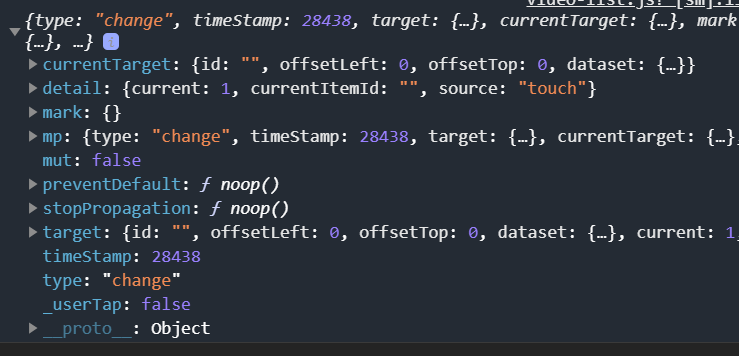
还可以监听滑动方向,因此增加 @touchstart="touchStart"和@touchend="touchEnd"的监听,分别在触摸屏幕开始和结束时执行
当向上滑时,也就是从第一个视频 翻到 第二个视频的时候
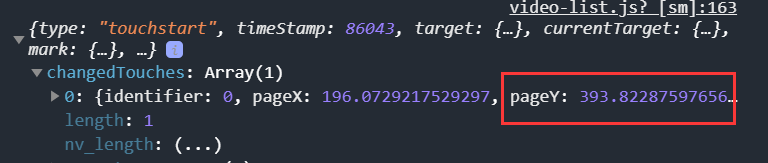

可以看到 pageY 变小了,我们可以根据这个来判断上下滑动方向
因此我们编写代码
<template>
	<view class="videoList">
		<view class="video-box">
			<swiper class="swiper" :vertical="true" @change="change" @touchstart="touchStart" @touchend="touchEnd">
				<swiper-item v-for="item of list" :key="item.id">
					<view class="swiper-item">
						<videoPlayer :video="item"></videoPlayer>
					</view>
					<view class="left-box">
						<listLeft></listLeft>
					</view>
					<view class="right-box">
						<listRight></listRight>
					</view>
				</swiper-item>
			</swiper>
		</view>
	</view>
</template>

<script>
	import videoPlayer from './videoPlayer.vue'
	import listLeft from './listLeft.vue'
	import listRight from './listRight.vue'
	var time = null
	export default {
		props: ["myList"],
		components: {
			videoPlayer,
			listLeft,
			listRight
		},
		name: "video-list",
		data() {
			return {
				list: [],
				pageStartY: 0,
				pageEndY: 0
			};
		},
		methods: {
			change(res) {
				clearTimeout(time)
				time = setTimeout(() => {
					if (this.pageStartY > this.pageEndY) {
						console.log("向上滑动")
						this.pageStartY = 0
						this.pageEndY = 0
					} else {
						console.log("向下滑动");
						this.pageStartY = 0
						this.pageEndY = 0
					}
				},1)
			},
			touchStart(res) {
				this.pageStartY = res.changedTouches[0].pageY;
				console.log(this.pageStartY);
			},
			touchEnd(res) {
				this.pageEndY = res.changedTouches[0].pageY;
				console.log(this.pageEndY);
			}
		},
		watch: {
			myList() {
				this.list = this.myList;
			}
		}
	}
</script>

<style>
	.videoList {
		width: 100%;
		height: 100%;
	}

	.video-box {
		width: 100%;
		height: 100%;
	}

	.swiper {
		width: 100%;
		height: 100%;
	}

	.swiper-item {
		width: 100%;
		height: 100%;
		z-index: 19;
	}

	.left-box {
		z-index: 20;
		position: absolute;
		bottom: 50px;
		left: 10px;
	}

	.right-box {
		z-index: 20;
		position: absolute;
		bottom: 50px;
		right: 10px;
	}
</style>
查看 log 日志
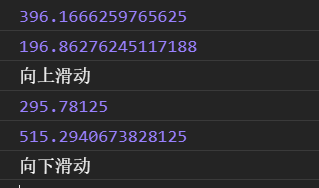
代码的执行顺序是:touchStart->change->toucheEnd ,所以在chagne方法中使用 pageStartY 和 pageEndY 来判断上下滑动方向需要有一个定时器,延迟 1ms,这样执行顺序就变成了touchStart->toucheEnd->change,pageStartY 和 pageEndY 都完成了赋值,就可以进行判断了
从第1个视频滑到第2个视频,那么第1个视频应改暂停播放,第2个视频应该开始播放。我们把这部分代码写道 videoPlayer.vue 中
onReady() {
	this.videoContext = uni.createVideoContext("myVideo",this)
},
methods:{
	playVideo(){
		this.videoContext.seek(0)
		this.videoContext.play()
		console.log("播放视频");
	},
	pauseVideo(){
		this.videoContext.pause()()
		console.log("暂停视频");
	}
}
下面要做的就是解决如何让父组件调用子组件的方法,修改 videoList.vue,给其中的 videoPlayer 增加 ref
<videoPlayer ref="player" :video="item"></videoPlayer>
然后通过 this.$refs.player 可以找到 videoPlayer 这个插件,由于是个数组,所以通过 page 来找到当前页。当第一个视频滑动到第二个视频,第一个视频应该暂停,第二个应该自动播放,也就是上滑的情况。下滑的情况则相反,因此完善代码:
data() {
			return {
				......
				page:0
			};
		},
		methods: {
			change(res) {
				clearTimeout(time)
				this.page = res.detail.current
				time = setTimeout(() => {
					if (this.pageStartY > this.pageEndY) {
						console.log("向上滑动"+this.page);
						this.$refs.player[this.page].playVideo()
						this.$refs.player[this.page-1].pauseVideo()
						this.pageStartY = 0
						this.pageEndY = 0
					} else {
						console.log("向下滑动"+this.page);
						this.$refs.player[this.page].playVideo()
						this.$refs.player[this.page+1].pauseVideo()
						this.pageStartY = 0
						this.pageEndY = 0
					}
				},1)
			},
			......
		},
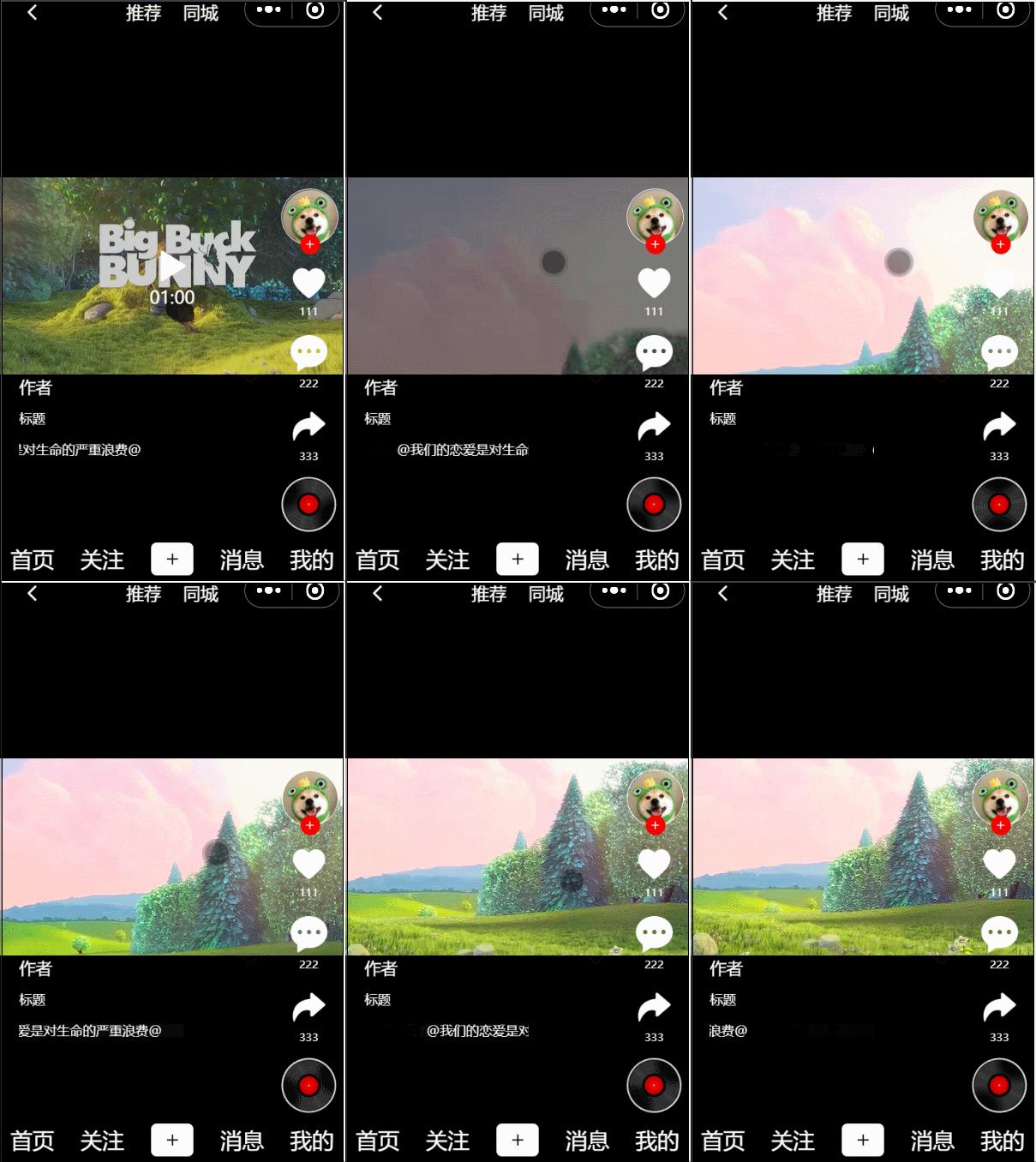
查看效果:
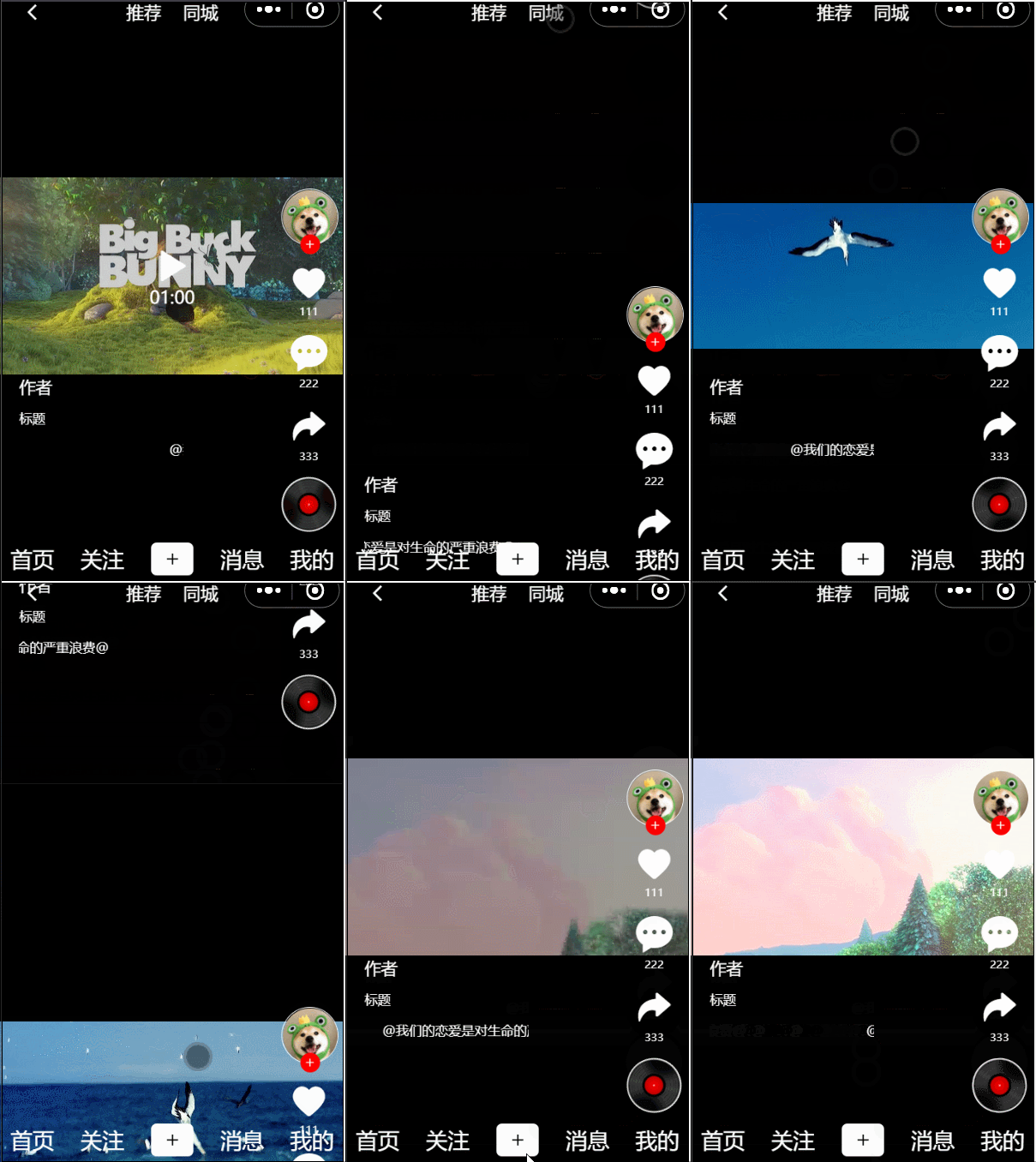
增加一个点击视频进行播放、暂停的功能。给 videoPlayer 增加一个点击事件
<template>
	<view class="videoPlayer">
		<video id="myVideo" @click="click"
		class="video" :controls="false" :loop="true" :src="video.src"></video>
	</view>
</template>

<script>
	export default {
		props:['video'],
		name: "videoPlayer",
		data() {
			return {
				play:false
			};
		},
		onReady() {
			this.videoContext = uni.createVideoContext("myVideo",this)
		},
		methods:{
			click(){
				if(this.play === false){
					this.playthis()
				}else{
					this.pauseVideo()
				}
			},
			playVideo(){
				if(this.play === false){
					this.videoContext.seek(0)
					this.videoContext.play()
					this.play = true
				}
			},
			pauseVideo(){
				if(this.play === true){
					this.videoContext.pause()
					this.play = false
				}
			},
			playthis(){
				if(this.play === false){
					this.videoContext.play()
					this.play = true
				}
			}
		}
	}
</script>
......
双击方法直接在 videoPlayer.vue 的 click() 方法上修改:
data() {
			return {
				......
				dblClick: false
			};
		},
		......
		methods: {
			click() {
				clearTimeout()
				this.dblClick = !this.dblClick
				timer = setTimeout(() => {
					//300ms之内dblClick为true为单击
					if (this.dblClick) {
						//单击
						if (this.play === false) {
							this.playthis()
						} else {
							this.pauseVideo()
						}
					} else {
						//双击
						this.$emit("doubleClick")
					}
					this.dblClick = false
				}, 300)

			},
			......
		}
另外由于爱心写在 listRight.vue,所以在 listRight.vue 中增加一个方法
change() {
	this.color = 'color: red;'
}
没有复用 changeColor() 方法,因为双击点赞,再双击并不会取消点赞,跟直接单击爱心图标是不一样的
videoPlayer.vue 双击时,子组件向父组件传值使用了 this.$emit("doubleClick"),我们需要在 video-list.vue 中增加 doubleClick() 方法
<listRight ref="right"></listRight>

doubleClick(){
	//点赞,调用 listRight 中方法
	this.$refs.right[0].change()
}
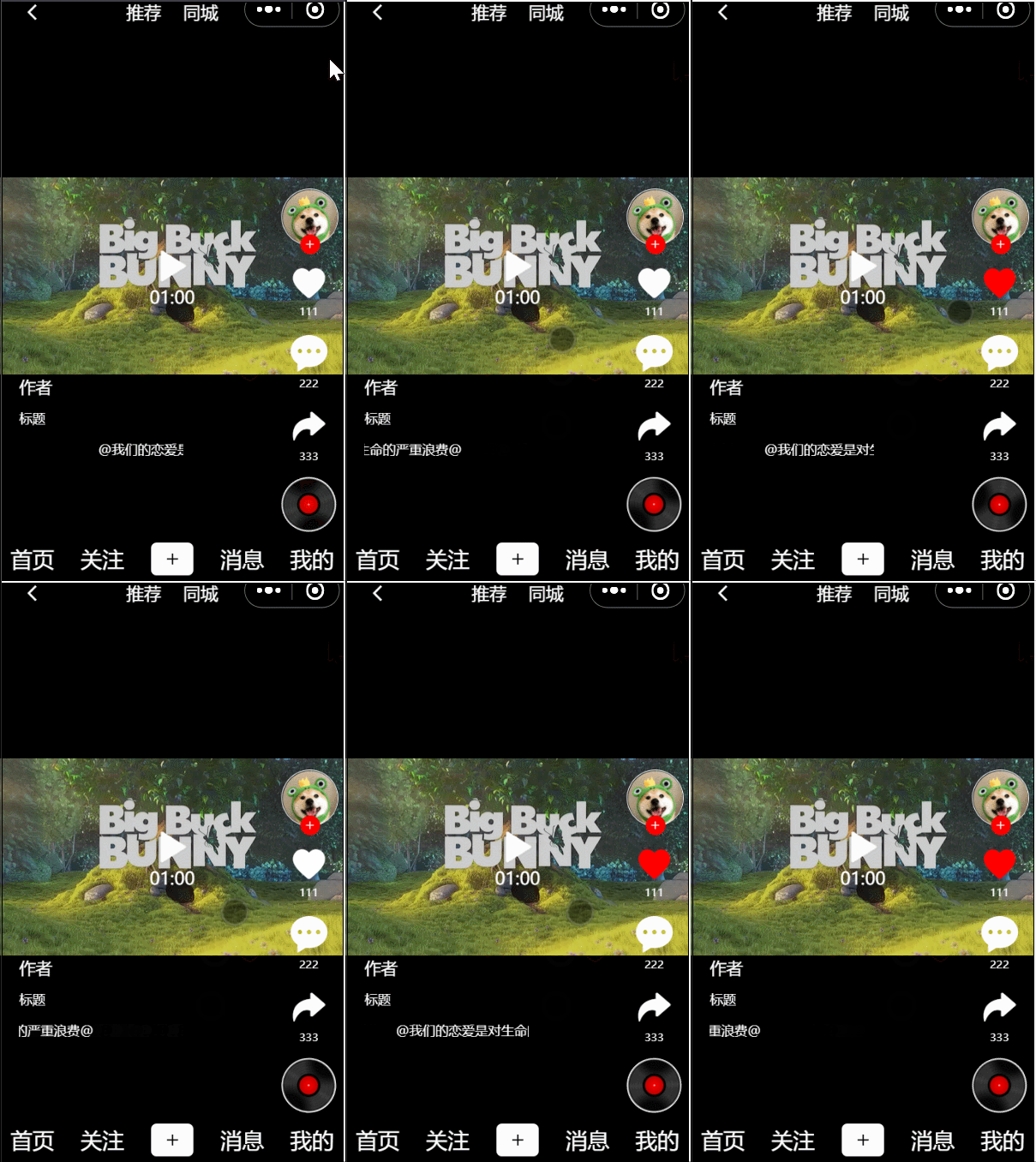
当双击屏幕,爱心变红,再次双击,爱心不会改变
单击爱心,取消点赞
思路:判断是否为第一个视频,然后修改 videoPlayer 的 autoplay 属性
修改 video-list.vue,在循环时,给 videoPlayer 传一个 index
<swiper-item v-for="(item,index) of list" :key="item.id">
	<view class="swiper-item">
		<videoPlayer @doubleClick="doubleClick" ref="player"
						:video="item" :index="index"></videoPlayer>
	</view>
	......
</swiper-item>
videoPlayer.vue 中接收 index 传值,判断如果是 0,改变 autoPlay 的值
<template>
	<view class="videoPlayer">
		<video id="myVideo" @click="click"
		class="video" :controls="false" :loop="true"
		:src="video.src" :autoplay="autoPlay"></video>
	</view>
</template>

<script>
	var timer = null
	export default {
		props: ['video','index'],
		name: "videoPlayer",
		data() {
			return {
				......
				autoPlay:false
			};
		},
		......
		methods: {
			......
			auto(){
				if(this.index === 0){
					this.autoPlay = true
				}
			}
		},
		created() {
			this.auto()
		}
	}
</script>

......
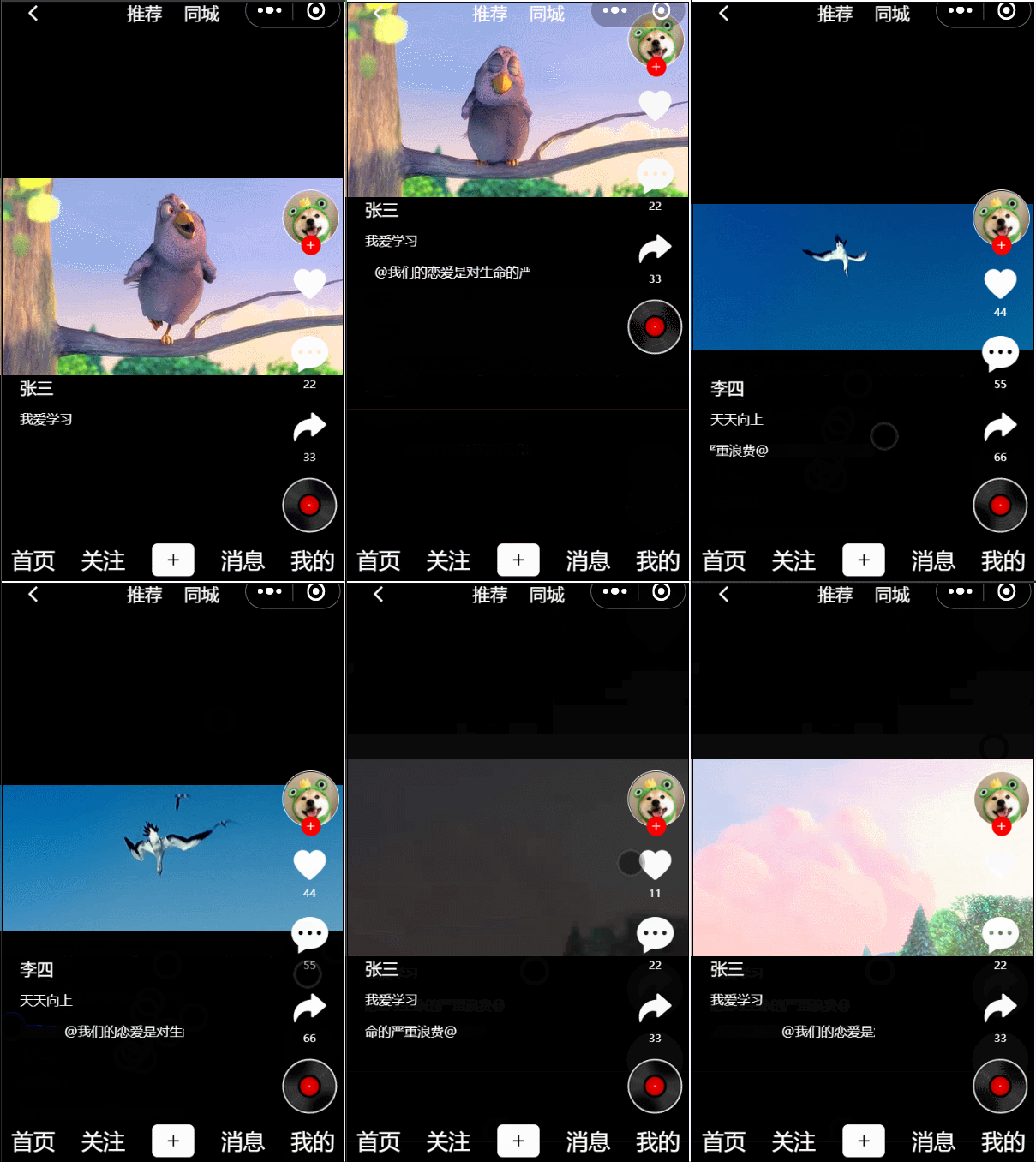
index.vue 中获取数据后,通过 myList 将数据传递给了 video-list.vue,在 video-list.vue 中接收了 myList 的数据,然后通过循环展示了视频数据,所以展示左侧和右侧的数据,只需要将循环的每项 item 传给 listLeft 和 listRight 即可
<view class="left-box">
	<listLeft :item='item'></listLeft>
</view>
<view class="right-box">
	<listRight ref="right" :item='item'></listRight>
</view>
然后分别在 listLeft 和 listRight 中接收后,展示数据
<template>
	<view class="listLeft">
		<view class="author">
			{{item.author}}
		</view>
		<view class="title">
			{{item.title}}
		</view>
		<view class="box">
			<view class="music">
				@我们的恋爱是对生命的严重浪费@
			</view>
		</view>
	</view>
</template>

<script>
	export default {
		props:['item'],
		name:"listLeft",
		data() {
			return {

			};
		}
	}
</script>

......
listRight.vue
<template>
	<view class="listRight">
		......
		<view class="number">{{item.loveNumber}}</view>
		......
		<view class="number">{{item.commentNumber}}</view>
		......
		<view class="number">{{item.shareNumber}}</view>
		......
	</view>
</template>

<script>
	export default {
		props:['item'],
		......
	}
</script>
......
如何在buildr项目中使用Ruby?我在很多不同的项目中使用过Ruby、JRuby、Java和Clojure。我目前正在使用我的标准Ruby开发一个模拟应用程序,我想尝试使用Clojure后端(我确实喜欢功能代码)以及JRubygui和测试套件。我还可以看到在未来的不同项目中使用Scala作为后端。我想我要为我的项目尝试一下buildr(http://buildr.apache.org/),但我注意到buildr似乎没有设置为在项目中使用JRuby代码本身!这看起来有点傻,因为该工具旨在统一通用的JVM语言并且是在ruby中构建的。除了将输出的jar包含在一个独特的、仅限ruby
我在我的Rails项目中使用Pow和powifygem。现在我尝试升级我的ruby版本(从1.9.3到2.0.0,我使用RVM)当我切换ruby版本、安装所有gem依赖项时,我通过运行railss并访问localhost:3000确保该应用程序正常运行以前,我通过使用pow访问http://my_app.dev来浏览我的应用程序。升级后,由于错误Bundler::RubyVersionMismatch:YourRubyversionis1.9.3,butyourGemfilespecified2.0.0,此url不起作用我尝试过的:重新创建pow应用程序重启pow服务器更新战俘
我已经像这样安装了一个新的Rails项目:$railsnewsite它执行并到达:bundleinstall但是当它似乎尝试安装依赖项时我得到了这个错误Gem::Ext::BuildError:ERROR:Failedtobuildgemnativeextension./System/Library/Frameworks/Ruby.framework/Versions/2.0/usr/bin/rubyextconf.rbcheckingforlibkern/OSAtomic.h...yescreatingMakefilemake"DESTDIR="cleanmake"DESTDIR="
假设我有这个范围:("aaaaa".."zzzzz")如何在不事先/每次生成整个项目的情况下从范围中获取第N个项目? 最佳答案 一种快速简便的方法:("aaaaa".."zzzzz").first(42).last#==>"aaabp"如果出于某种原因你不得不一遍又一遍地这样做,或者如果你需要避免为前N个元素构建中间数组,你可以这样写:moduleEnumerabledefskip(n)returnto_enum:skip,nunlessblock_given?each_with_indexdo|item,index|yieldit
动漫制作技巧是很多新人想了解的问题,今天小编就来解答与大家分享一下动漫制作流程,为了帮助有兴趣的同学理解,大多数人会选择动漫培训机构,那么今天小编就带大家来看看动漫制作要掌握哪些技巧?一、动漫作品首先完成草图设计和原型制作。设计草图要有目的、有对象、有步骤、要形象、要简单、符合实际。设计图要一致性,以保证制作的顺利进行。二、原型制作是根据设计图纸和制作材料,可以是手绘也可以是3d软件创建。在此步骤中,要注意的问题是色彩和平面布局。三、动漫制作制作完成后,加工成型。完成不同的表现形式后,就要对设计稿进行加工处理,使加工的难易度降低,并得到一些基本准确的概念,以便于后续的大样、准确的尺寸制定。四、
2022/8/4更新支持加入水印水印必须包含透明图像,并且水印图像大小要等于原图像的大小pythonconvert_image_to_video.py-f30-mwatermark.pngim_dirout.mkv2022/6/21更新让命令行参数更加易用新的命令行使用方法pythonconvert_image_to_video.py-f30im_dirout.mkvFFMPEG命令行转换一组JPG图像到视频时,是将这组图像视为MJPG流。我需要转换一组PNG图像到视频,FFMPEG就不认了。pyav内置了ffmpeg库,不需要系统带有ffmpeg工具因此我使用ffmpeg的python包装p
Transformers开始在视频识别领域的“猪突猛进”,各种改进和魔改层出不穷。由此作者将开启VideoTransformer系列的讲解,本篇主要介绍了FBAI团队的TimeSformer,这也是第一篇使用纯Transformer结构在视频识别上的文章。如果觉得有用,就请点赞、收藏、关注!paper:https://arxiv.org/abs/2102.05095code(offical):https://github.com/facebookresearch/TimeSformeraccept:ICML2021author:FacebookAI一、前言Transformers(VIT)在图
我正在尝试创建一个带有项目符号字符的Ruby1.9.3字符串。str="•"+"helloworld"但是,当我输入它时,我收到有关非ASCII字符的语法错误。我该怎么做? 最佳答案 你可以把Unicode字符放在那里。str="\u2022"+"helloworld" 关于ruby-如何在Ruby字符串中插入项目符号字符?,我们在StackOverflow上找到一个类似的问题: https://stackoverflow.com/questions/1195
我的Rails站点使用了一个确实不是很好的gem。每次我需要做一些新的事情时,我最终不得不花费与向实际Rails项目添加代码一样多的时间来为gem添加功能。但我不介意,我将我的Gemfile设置为指向我的gem的GitHub分支(我尝试提交PR,但维护者似乎已经下台)。问题是我真的没有找到一种合理的方法来测试我添加到gem的新东西。在railsc中测试它会特别好,但我能想到的唯一方法是a)更改~/.rvm/gems/.../foo。rb,这看起来不对或者b)升级版本,推送到Github,然后运行bundleup,这除了耗时之外显然是一场灾难,因为我不确定我所做的promise是否正
我一直在尝试使用nanoc用于生成静态网站。我需要组织一个复杂的排列页面,我想让我的内容保持干燥。包含或合并的概念在nanoc系统中如何运作?我已阅读文档,但似乎找不到我想要的内容。例如:我如何获取两个部分内容项并将它们合并到一个新的内容项中。在staticmatic您可以在您的页面中执行以下操作。=partial('partials/shared/navigation')类似的约定在nanoc中如何运作? 最佳答案 这里是nanoc的作者。在nanoc中,部分是布局。因此,您可以拥有layouts/partials/shared/
