推荐优化后的视频关键帧提取方法,已经包装成工具类,代码做了优化,性能和效果更好。
同步之前的另一种视频提取关键帧的方法:
使用python处理视频文件,提取关键帧并保存【已调通】 https://blog.csdn.net/shanxiderenheni/article/details/121079396

关键代码如下:
# -*- coding: utf-8 -*-

"""
this key frame extract algorithm is based on interframe difference.

The principle is very simple
First, we load the video and compute the interframe difference between each frames

Then, we can choose one of these three methods to extract keyframes, which are
all based on the difference method:

1. use the difference order
    The first few frames with the largest average interframe difference
    are considered to be key frames.
2. use the difference threshold
    The frames which the average interframe difference are large than the
    threshold are considered to be key frames.
3. use local maximum
    The frames which the average interframe difference are local maximum are
    considered to be key frames.
    It should be noted that smoothing the average difference value before
    calculating the local maximum can effectively remove noise to avoid
    repeated extraction of frames of similar scenes.

After a few experiment, the third method has a better key frame extraction effect.

"""
import cv2
import operator
import numpy as np
import matplotlib.pyplot as plt
import sys
from scipy.signal import argrelextrema


def smooth(x, window_len=13, window='hanning'):
    """smooth the data using a window with requested size.

    This method is based on the convolution of a scaled window with the signal.
    The signal is prepared by introducing reflected copies of the signal
    (with the window size) in both ends so that transient parts are minimized
    in the begining and end part of the output signal.

    input:
        x: the input signal
        window_len: the dimension of the smoothing window
        window: the type of window from 'flat', 'hanning', 'hamming', 'bartlett', 'blackman'
            flat window will produce a moving average smoothing.
    output:
        the smoothed signal

    example:
    import numpy as np
    t = np.linspace(-2,2,0.1)
    x = np.sin(t)+np.random.randn(len(t))*0.1
    y = smooth(x)

    see also:

    numpy.hanning, numpy.hamming, numpy.bartlett, numpy.blackman, numpy.convolve
    scipy.signal.lfilter

    TODO: the window parameter could be the window itself if an array instead of a string
    """
    print(len(x), window_len)
    # if x.ndim != 1:
    #     raise ValueError, "smooth only accepts 1 dimension arrays."
    #
    # if x.size < window_len:
    #     raise ValueError, "Input vector needs to be bigger than window size."
    #
    # if window_len < 3:
    #     return x
    #
    # if not window in ['flat', 'hanning', 'hamming', 'bartlett', 'blackman']:
    #     raise ValueError, "Window is on of 'flat', 'hanning', 'hamming', 'bartlett', 'blackman'"

    s = np.r_[2 * x[0] - x[window_len:1:-1],
              x, 2 * x[-1] - x[-1:-window_len:-1]]
    # print(len(s))

    if window == 'flat':  # moving average
        w = np.ones(window_len, 'd')
    else:
        w = getattr(np, window)(window_len)
    y = np.convolve(w / w.sum(), s, mode='same')
    return y[window_len - 1:-window_len + 1]


class Frame:
    """class to hold information about each frame

    """

    def __init__(self, id, diff):
        self.id = id
        self.diff = diff

    def __lt__(self, other):
        if self.id == other.id:
            return self.id < other.id
        return self.id < other.id

    def __gt__(self, other):
        return other.__lt__(self)

    def __eq__(self, other):
        return self.id == other.id and self.id == other.id

    def __ne__(self, other):
        return not self.__eq__(other)


def rel_change(a, b):
    x = (b - a) / max(a, b)
    print(x)
    return x


if __name__ == "__main__":
    print(sys.executable)
    # Setting fixed threshold criteria
    USE_THRESH = True
    # fixed threshold value
    THRESH = 0.87
    # Setting fixed threshold criteria
    USE_TOP_ORDER = False
    # Number of top sorted frames
    NUM_TOP_FRAMES = 50
    # Setting local maxima criteria
    USE_LOCAL_MAXIMA = False

    # Video path of the source file
    # videopath = 'pikachu.mp4'
    videopath = 'e956ed44fffe4bfb97cf23474fb48ef3.avi'
    # Directory to store the processed frames
    dir = './extract_result/'
    # smoothing window size
    len_window = int(50)

    print("target video :" + videopath)
    print("frame save directory: " + dir)
    # load video and compute diff between frames
    cap = cv2.VideoCapture(str(videopath))
    curr_frame = None
    prev_frame = None
    frame_diffs = []
    frames = []
    success, frame = cap.read()
    i = 0
    while (success):
        luv = cv2.cvtColor(frame, cv2.COLOR_BGR2LUV)
        curr_frame = luv
        if curr_frame is not None and prev_frame is not None:
            # logic here
            diff = cv2.absdiff(curr_frame, prev_frame)
            diff_sum = np.sum(diff)
            diff_sum_mean = diff_sum / (diff.shape[0] * diff.shape[1])
            frame_diffs.append(diff_sum_mean)
            frame = Frame(i, diff_sum_mean)
            frames.append(frame)
        prev_frame = curr_frame
        i = i + 1
        success, frame = cap.read()
    cap.release()

    # compute keyframe
    keyframe_id_set = set()
    if USE_TOP_ORDER:
        # sort the list in descending order
        frames.sort(key=operator.attrgetter("diff"), reverse=True)
        for keyframe in frames[:NUM_TOP_FRAMES]:
            keyframe_id_set.add(keyframe.id)
    if USE_THRESH:
        print("Using Threshold")
        for i in range(1, len(frames)):
            if (rel_change(np.float(frames[i - 1].diff), np.float(frames[i].diff)) >= THRESH):
                keyframe_id_set.add(frames[i].id)
    if USE_LOCAL_MAXIMA:
        print("Using Local Maxima")
        diff_array = np.array(frame_diffs)
        sm_diff_array = smooth(diff_array, len_window)
        frame_indexes = np.asarray(argrelextrema(sm_diff_array, np.greater))[0]
        for i in frame_indexes:
            keyframe_id_set.add(frames[i - 1].id)

        plt.figure(figsize=(40, 20))
        plt.locator_params(numticks=100)
        plt.stem(sm_diff_array)
        plt.savefig(dir + 'plot.png')

    # save all keyframes as image
    cap = cv2.VideoCapture(str(videopath))
    curr_frame = None
    keyframes = []
    success, frame = cap.read()
    idx = 0
    while (success):
        if idx in keyframe_id_set:
            name = "keyframe_" + str(idx) + ".jpg"
            cv2.imwrite(dir + name, frame)
            keyframe_id_set.remove(idx)
        idx = idx + 1
        success, frame = cap.read()
    cap.release()
运行结果如下:
本地测试后,通过设定阈值,效果比较好,
THRESH越大,保留的关键帧越少,否则,越多。
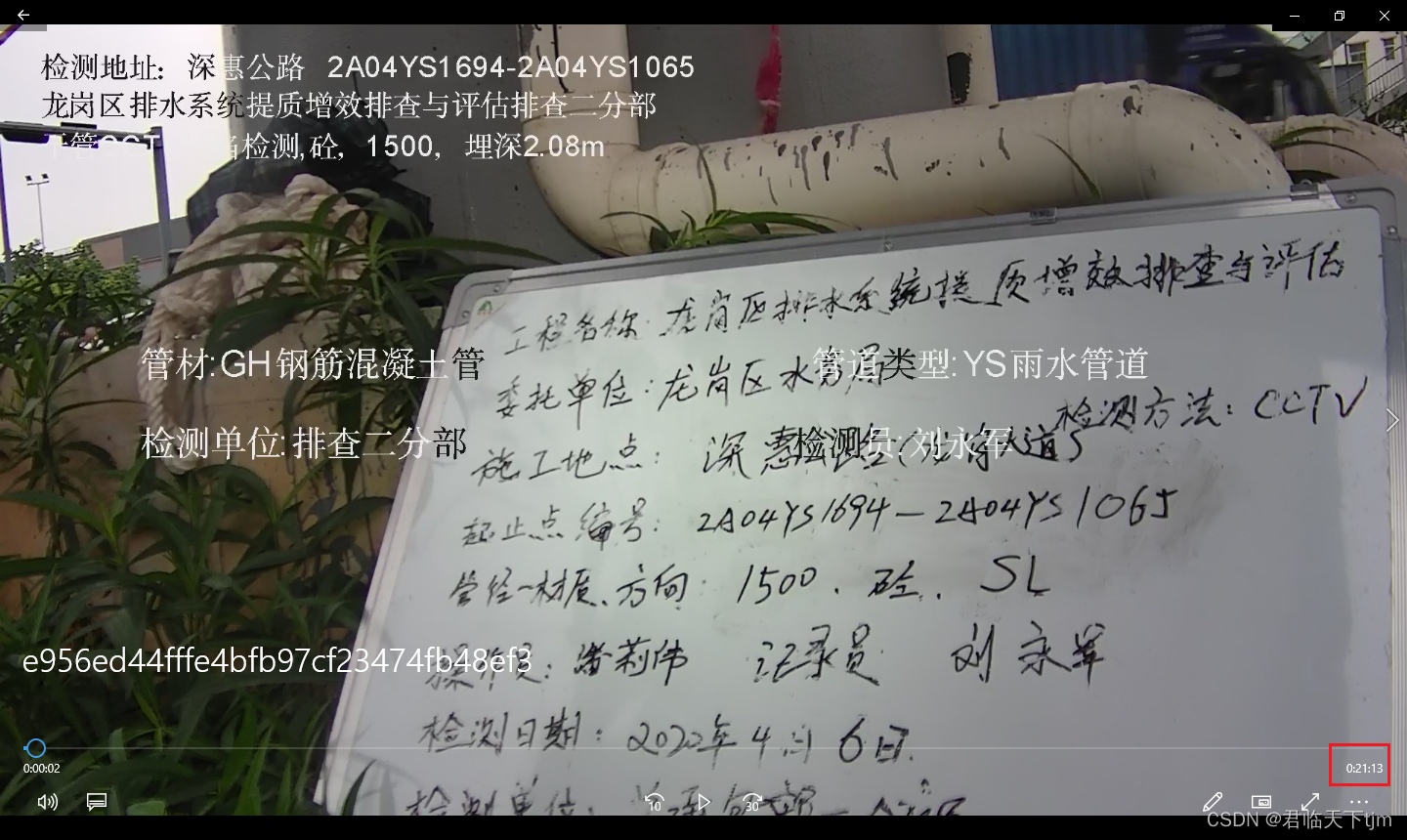
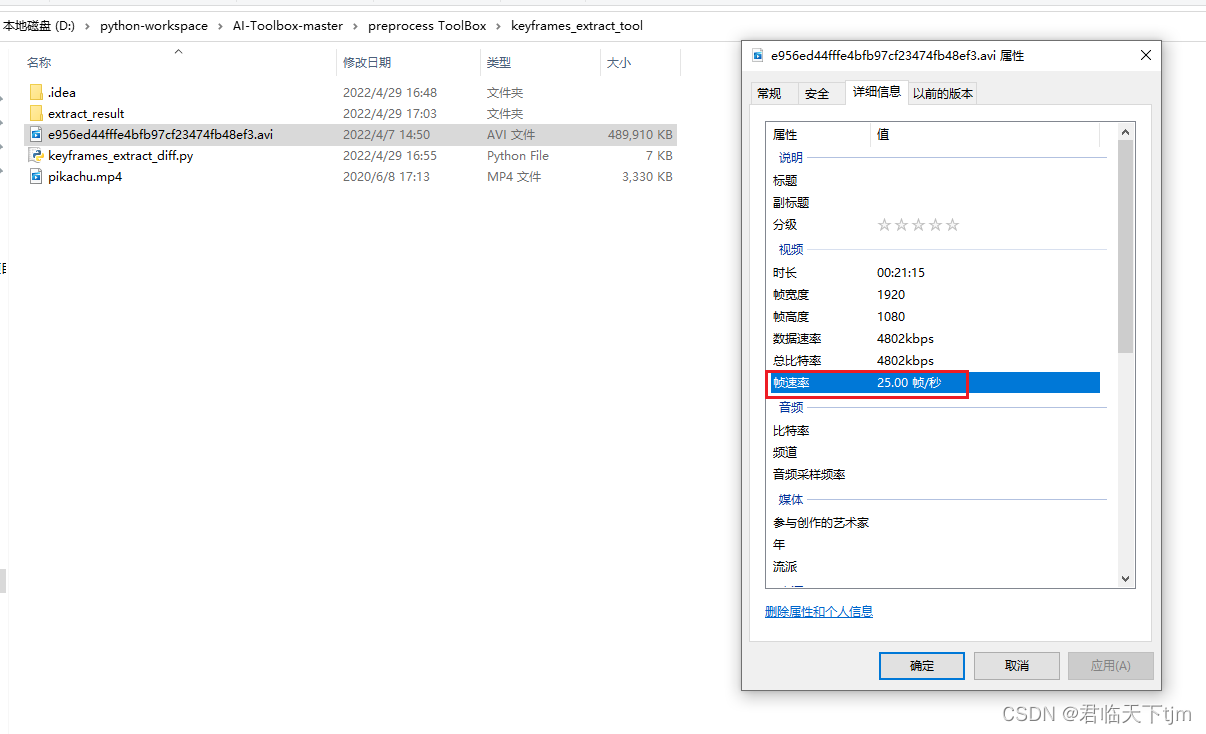

关键帧提取后,约为原视频全部帧的500分支一。
我试图获取一个长度在1到10之间的字符串,并输出将字符串分解为大小为1、2或3的连续子字符串的所有可能方式。例如:输入:123456将整数分割成单个字符,然后继续查找组合。该代码将返回以下所有数组。[1,2,3,4,5,6][12,3,4,5,6][1,23,4,5,6][1,2,34,5,6][1,2,3,45,6][1,2,3,4,56][12,34,5,6][12,3,45,6][12,3,4,56][1,23,45,6][1,2,34,56][1,23,4,56][12,34,56][123,4,5,6][1,234,5,6][1,2,345,6][1,2,3,456][123
我主要使用Ruby来执行此操作,但到目前为止我的攻击计划如下:使用gemsrdf、rdf-rdfa和rdf-microdata或mida来解析给定任何URI的数据。我认为最好映射到像schema.org这样的统一模式,例如使用这个yaml文件,它试图描述数据词汇表和opengraph到schema.org之间的转换:#SchemaXtoschema.orgconversion#data-vocabularyDV:name:namestreet-address:streetAddressregion:addressRegionlocality:addressLocalityphoto:i
question的一些答案关于redirect_to让我想到了其他一些问题。基本上,我正在使用Rails2.1编写博客应用程序。我一直在尝试自己完成大部分工作(因为我对Rails有所了解),但在需要时会引用Internet上的教程和引用资料。我设法让一个简单的博客正常运行,然后我尝试添加评论。靠我自己,我设法让它进入了可以从script/console添加评论的阶段,但我无法让表单正常工作。我遵循的其中一个教程建议在帖子Controller中创建一个“评论”操作,以添加评论。我的问题是:这是“标准”方式吗?我的另一个问题的答案之一似乎暗示应该有一个CommentsController参
在应用开发中,有时候我们需要获取系统的设备信息,用于数据上报和行为分析。那在鸿蒙系统中,我们应该怎么去获取设备的系统信息呢,比如说获取手机的系统版本号、手机的制造商、手机型号等数据。1、获取方式这里分为两种情况,一种是设备信息的获取,一种是系统信息的获取。1.1、获取设备信息获取设备信息,鸿蒙的SDK包为我们提供了DeviceInfo类,通过该类的一些静态方法,可以获取设备信息,DeviceInfo类的包路径为:ohos.system.DeviceInfo.具体的方法如下:ModifierandTypeMethodDescriptionstatic StringgetAbiList()Obt
动漫制作技巧是很多新人想了解的问题,今天小编就来解答与大家分享一下动漫制作流程,为了帮助有兴趣的同学理解,大多数人会选择动漫培训机构,那么今天小编就带大家来看看动漫制作要掌握哪些技巧?一、动漫作品首先完成草图设计和原型制作。设计草图要有目的、有对象、有步骤、要形象、要简单、符合实际。设计图要一致性,以保证制作的顺利进行。二、原型制作是根据设计图纸和制作材料,可以是手绘也可以是3d软件创建。在此步骤中,要注意的问题是色彩和平面布局。三、动漫制作制作完成后,加工成型。完成不同的表现形式后,就要对设计稿进行加工处理,使加工的难易度降低,并得到一些基本准确的概念,以便于后续的大样、准确的尺寸制定。四、
2022/8/4更新支持加入水印水印必须包含透明图像,并且水印图像大小要等于原图像的大小pythonconvert_image_to_video.py-f30-mwatermark.pngim_dirout.mkv2022/6/21更新让命令行参数更加易用新的命令行使用方法pythonconvert_image_to_video.py-f30im_dirout.mkvFFMPEG命令行转换一组JPG图像到视频时,是将这组图像视为MJPG流。我需要转换一组PNG图像到视频,FFMPEG就不认了。pyav内置了ffmpeg库,不需要系统带有ffmpeg工具因此我使用ffmpeg的python包装p
Transformers开始在视频识别领域的“猪突猛进”,各种改进和魔改层出不穷。由此作者将开启VideoTransformer系列的讲解,本篇主要介绍了FBAI团队的TimeSformer,这也是第一篇使用纯Transformer结构在视频识别上的文章。如果觉得有用,就请点赞、收藏、关注!paper:https://arxiv.org/abs/2102.05095code(offical):https://github.com/facebookresearch/TimeSformeraccept:ICML2021author:FacebookAI一、前言Transformers(VIT)在图
Rails中有没有一种方法可以提取与路由关联的HTTP动词?例如,给定这样的路线:将“users”匹配到:“users#show”,通过:[:get,:post]我能实现这样的目标吗?users_path.respond_to?(:get)(显然#respond_to不是正确的方法)我最接近的是通过执行以下操作,但它似乎并不令人满意。Rails.application.routes.routes.named_routes["users"].constraints[:request_method]#=>/^GET$/对于上下文,我有一个设置cookie然后执行redirect_to:ba
我有一个.pfx格式的证书,我需要使用ruby提取公共(public)、私有(private)和CA证书。使用shell我可以这样做:#ExtractPublicKey(askforpassword)opensslpkcs12-infile.pfx-outfile_public.pem-clcerts-nokeys#ExtractCertificateAuthorityKey(askforpassword)opensslpkcs12-infile.pfx-outfile_ca.pem-cacerts-nokeys#ExtractPrivateKey(askforpassword)o
我正在尝试学习Ruby词法分析器和解析器(whitequarkparser)以了解更多有关从Ruby脚本进一步生成机器代码的过程。在解析以下Ruby代码字符串时。defadd(a,b)returna+bendputsadd1,2它导致以下S表达式符号。s(:begin,s(:def,:add,s(:args,s(:arg,:a),s(:arg,:b)),s(:return,s(:send,s(:lvar,:a),:+,s(:lvar,:b)))),s(:send,nil,:puts,s(:send,nil,:add,s(:int,1),s(:int,3))))任何人都可以向我解释生成的
