📌个人主页:个人主页
🧀 推荐专栏:小程序开发成神之路 --(这是一个为想要入门和进阶小程序开发专门开启的精品专栏!从个人到商业的全套开发教程,实打实的干货分享,确定不来看看? 😻😻)
📝作者简介:一个读研中创业、打工中学习的能搞全栈、也搞算法、目前在搞大数据的奋斗者。
⭐️您的小小关注是我持续输出的动力!⭐️
🥇入门和进阶小程序开发,不可错误的精彩内容🥇 :
文章目录
个人中心界面是小程序开发中,底部tarbar的必备元素之一!用户信息也是每个小程序必须要精心维护的重中之重!
想要给用户带来高级且享受的用户体验,一个设计精美、交互流畅的个人中心界面就显得尤为重要。
为此,我总结了这么多年来的小程序开发经验,吐血整理出了每个小程序开发者必备的开发精囊,不收藏就会后悔的那种!
| 样式名称 | 样式效果 | 源码代号 |
|---|---|---|
商城样式A | 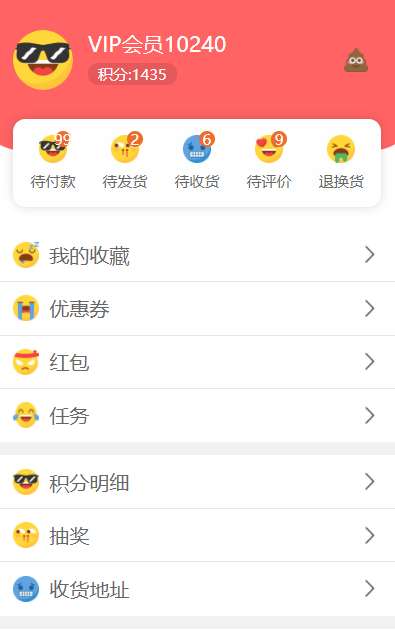 | Code 1-1 |
通用样式A | 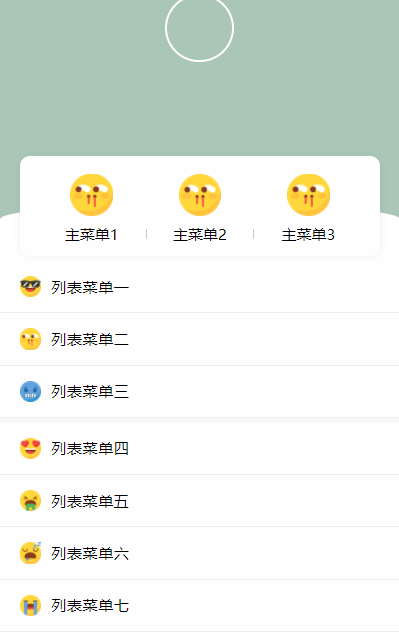 | Code 1-2 |
通用样式B | 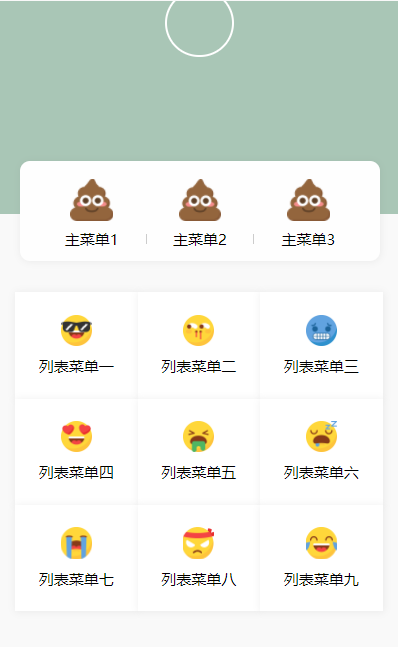 | Code 1-3 |
通用样式C | 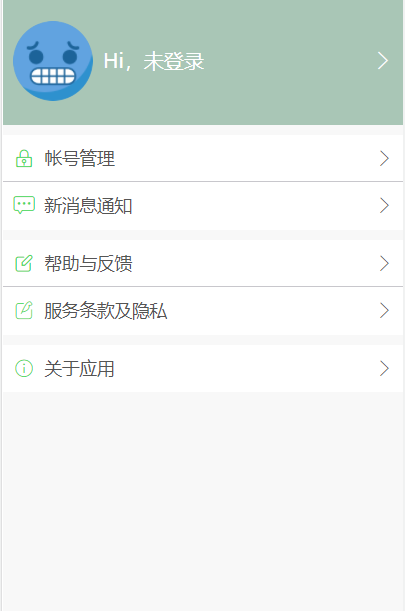 | Code 1-4 |
通用样式D | 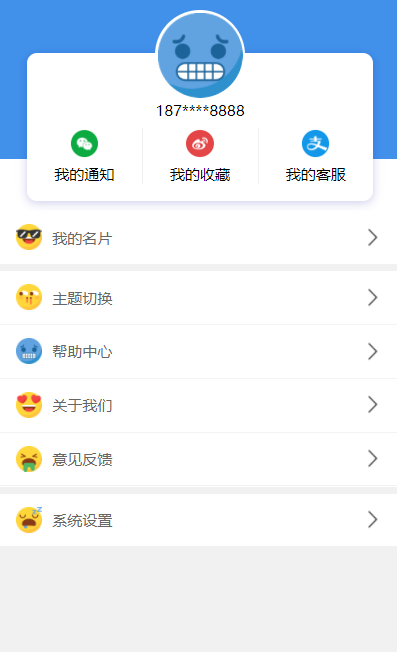 | Code 1-5 |
通用样式E | 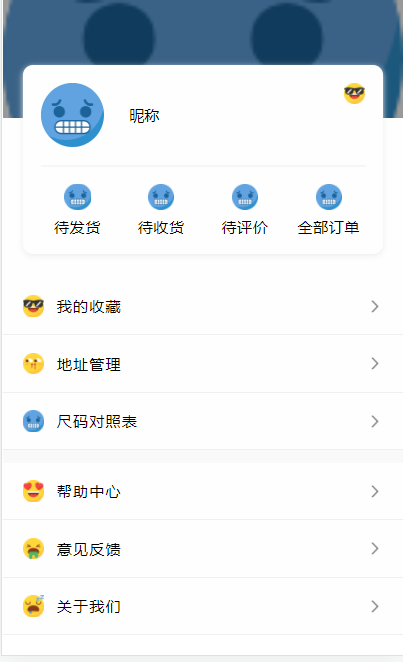 | Code 1-6 |
电商样式B | 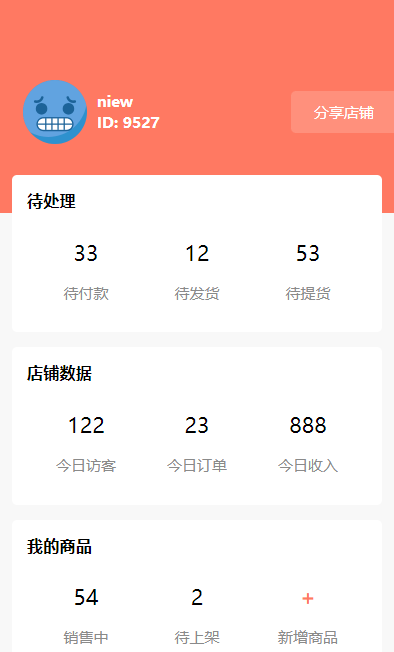 | Code 1-7 |
电商样式C | 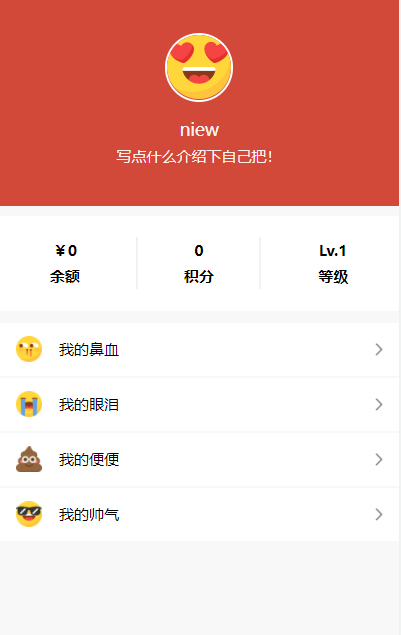 | Code 1-8 |
会员中心样式A |  | Code 1-9 |
会员样式B | 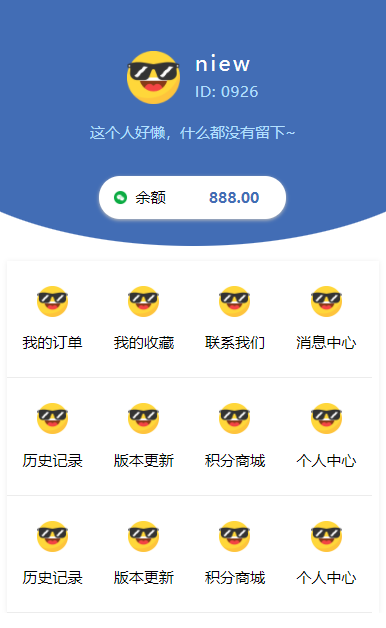 | Code 1-10 |
通用样式G | 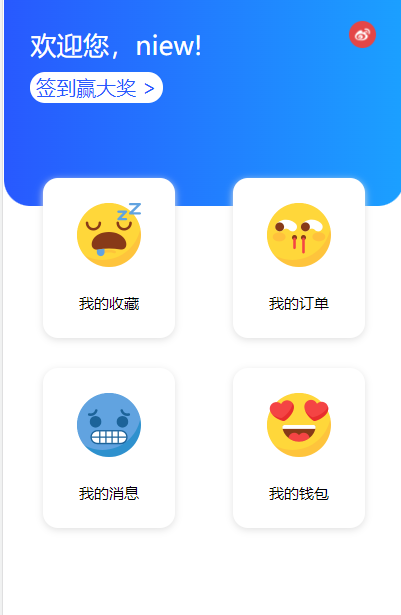 | Code 1-11 |
在上个章节所提及的界面效果中,其类型从娱乐交友、生活购物覆盖到了各个应用场景。其中一些通用的样式效果,由于其元素的结构适合各个场景,因此在我的日常开发中,经常拿他们来魔改,从而打到我想要的效果。
以下是每个样例的详细代码,请君自取:
<template>
	<view>
		<view class="header" v-bind:class="{'status':isH5Plus}">
			<view class="userinfo">
				<view class="face">
					<image :src="userinfo.face"></image>
				</view>
				<view class="info">
					<view class="username">{{userinfo.username}}</view>
					<view class="integral">积分:{{userinfo.integral}}</view>
				</view>
			</view>
			<view class="setting">
				<image src="/static/other/10.png"></image>
			</view>
		</view>
		<view class="orders">
			<view class="box">
				<view class="label" v-for="(row,index) in orderTypeLise" :key="row.name" hover-class="hover" @tap="toOrderType(index)">
					<view class="icon">
						<view class="badge" v-if="row.badge>0">{{row.badge}}</view>
						<image :src="row.icon"></image>
					</view>
					{{row.name}}
				</view>
			</view>
		</view>
		<view class="list" v-for="(list,list_i) in severList" :key="list_i">
			<view class="li" v-for="(li,li_i) in list" @tap="toPage(list_i,li_i)" v-bind:class="{'noborder':li_i==list.length-1}"
			 hover-class="hover" :key="li.name">
				<view class="icon">
					<image :src="li.icon"></image>
				</view>
				<view class="text">{{li.name}}</view>
				<image class="to" src="/static/other/youjiantou.png"></image>
			</view>
		</view>
		<soure :url="url"></soure>
	</view>
</template>
<script>
	export default {
		data() {
			return {
				url: 'https://ext.dcloud.net.cn/plugin?id=105',
				//#ifdef APP-PLUS
				isH5Plus: true,
				//#endif
				//#ifndef APP-PLUS
				isH5Plus: false,
				//#endif
				userinfo: {},
				orderTypeLise: [
					//name-标题 icon-图标 badge-角标
					{
						name: '待付款',
						icon: '/static/other/1.png',
						badge: 99
					},
					{
						name: '待发货',
						icon: '/static/other/2.png',
						badge: 2
					},
					{
						name: '待收货',
						icon: '/static/other/3.png',
						badge: 6
					},
					{
						name: '待评价',
						icon: '/static/other/4.png',
						badge: 9
					},
					{
						name: '退换货',
						icon: '/static/other/5.png',
						badge: 0
					}
				],
				severList: [
					[{
							name: '我的收藏',
							icon: '/static/other/6.png'
						},
						{
							name: '优惠券',
							icon: '/static/other/7.png'
						},
						{
							name: '红包',
							icon: '/static/other/8.png'
						},
						{
							name: '任务',
							icon: '/static/other/9.png'
						},
					],
					[{
							name: '积分明细',
							icon: '/static/other/1.png'
						},
						{
							name: '抽奖',
							icon: '/static/other/2.png'
						},
						{
							name: '收货地址',
							icon: '/static/other/3.png'
						}
					]
				],
			};
		},
		onLoad() {
			//加载
			this.init();
		},
		methods: {
			init() {
				//用户信息
				this.userinfo = {
					face: '/static/other/1.png',
					username: "VIP会员10240",
					integral: "1435"
				}
			},
			//用户点击订单类型
			toOrderType(index) {
				uni.showToast({
					title: this.orderTypeLise[index].name
				});
			},
			//用户点击列表项
			toPage(list_i, li_i) {
				uni.showToast({
					title: this.severList[list_i][li_i].name
				});
			}
		}
	}
</script>

<style lang="scss">
	page {
		background-color: #fff
	}

	.header {
		&.status {
			padding-top: var(--status-bar-height);
		}

		background-color:#ff6364;
		width:92%;
		height:30vw;
		padding:0 4%;
		display:flex;
		align-items:center;

		.userinfo {
			width: 90%;
			display: flex;

			.face {
				flex-shrink: 0;
				width: 15vw;
				height: 15vw;

				image {
					width: 100%;
					height: 100%;
					border-radius: 100%
				}
			}

			.info {
				display: flex;
				flex-flow: wrap;
				padding-left: 30upx;

				.username {
					width: 100%;
					color: #fff;
					font-size: 40upx
				}

				.integral {
					display: flex;
					align-items: center;
					padding: 0 20upx;
					height: 40upx;
					color: #fff;
					background-color: rgba(0, 0, 0, 0.1);
					border-radius: 20upx;
					font-size: 24upx
				}
			}
		}

		.setting {
			flex-shrink: 0;
			width: 6vw;
			height: 6vw;

			image {
				width: 100%;
				height: 100%
			}
		}
	}

	.hover {
		background-color: #eee
	}

	.orders {
		background-color: #ff6364;
		width: 92%;
		height: 11vw;
		padding: 0 4%;
		margin-bottom: calc(11vw + 40upx);
		display: flex;
		align-items: flex-start;
		border-radius: 0 0 100% 100%;
		margin-top: -1upx;

		.box {
			width: 98%;
			padding: 0 1%;
			height: 22vw;
			background-color: #fefefe;
			border-radius: 24upx;
			box-shadow: 0 0 20upx rgba(0, 0, 0, 0.15);
			margin-bottom: 40upx;
			display: flex;
			align-items: center;
			justify-content: center;

			.label {
				display: flex;
				align-items: center;
				justify-content: center;
				flex-flow: wrap;
				width: 100%;
				height: 16vw;
				color: #666666;
				font-size: 26upx;

				.icon {
					position: relative;
					width: 7vw;
					height: 7vw;
					margin: 0 1vw;

					.badge {
						position: absolute;
						width: 4vw;
						height: 4vw;
						background-color: #ec6d2c;
						top: -1vw;
						right: -1vw;
						border-radius: 100%;
						font-size: 20upx;
						color: #fff;
						display: flex;
						align-items: center;
						justify-content: center;
						z-index: 10;
					}

					image {
						width: 7vw;
						height: 7vw;
						z-index: 9;
					}
				}
			}
		}
	}

	.list {
		width: 100%;
		border-bottom: solid 26upx #f1f1f1;

		.li {
			width: 92%;
			height: 100upx;
			padding: 0 4%;
			border-bottom: solid 1upx #e7e7e7;
			display: flex;
			align-items: center;

			&.noborder {
				border-bottom: 0
			}

			.icon {
				flex-shrink: 0;
				width: 50upx;
				height: 50upx;

				image {
					width: 50upx;
					height: 50upx
				}
			}

			.text {
				padding-left: 20upx;
				width: 100%;
				color: #666
			}

			.to {
				flex-shrink: 0;
				width: 40upx;
				height: 40upx
			}
		}
	}
</style>
<template>
	<view class="center">
		<view class="center_top"></view>
		<!--头部用户信息-->
		<view class="avatar_box">
			<open-data class="avatar" type="userAvatarUrl"></open-data>
			<open-data class="nickname" type="userNickName"></open-data>
		</view>
		<view class="center_box_bg">
			<!--主菜单-->
			<view class="profily">
				<view class="home_menu">
					<view class="cell" v-for="(item,index) in homeMenu" :key="index">
						<image class="img" :src="item.img" mode="aspectFill"></image>
						<text :class="index==1?'special':''">{{item.name}}</text>
					</view>
				</view>
			</view>
			<!--两边圆弧-->
			<view class="arc">
				<view class="within_arc"></view>
			</view>
			<!--列表菜单-->
			<view class="list_menu">
				<view class="row" v-for="(item,index) in listMenu" :key="index">
					<image :src="item.icon" mode="aspectFill"></image>
					<text>{{item.name}}</text>
					<u-icon name="arrow-right" color="#B6B6B6"></u-icon>
				</view>
			</view>
		</view>
	</view>
</template>

<script>
	export default {
		data() {
			return {
				homeMenu: [{
					name: '主菜单1',
					img: '/static/other/2.png',
				}, {
					name: '主菜单2',
					img: '/static/other/2.png',
				}, {
					name: '主菜单3',
					img: '/static/other/2.png',
				}],

				listMenu: [{
					name: '列表菜单一',
					icon: '/static/other/1.png',
				}, {
					name: '列表菜单二',
					icon: '/static/other/2.png'
				}, {
					name: '列表菜单三 ',
					icon: '/static/other/3.png'
				}, {
					name: '列表菜单四',
					icon: '/static/other/4.png'
				}, {
					name: '列表菜单五',
					icon: '/static/other/5.png'
				}, {
					name: '列表菜单六',
					icon: '/static/other/6.png'
				}, {
					name: '列表菜单七',
					icon: '/static/other/7.png'
				}]
			};
		},
		methods: {

		},
	}
</script>

<style lang="scss">
	page {
		height: 100%;
	}

	.profily,
	.profily_header {
		border-radius: 20rpx;
	}

	.center {
		height: 100%;

		&_top {
			height: 400rpx;
			background-color: $uni-bg-color;
			background-size: cover;
		}

		&_box_bg {
			background: #F9F9F9;
			position: relative;

			.profily {
				position: absolute;
				width: 90%;
				margin: 0 auto;
				top: -100rpx;
				left: 5%;
				background: #FEFEFE;
				padding: 35rpx;
				box-sizing: border-box;
				box-shadow: 1rpx 2rpx 16rpx 1rpx rgba(107, 107, 107, 0.1);
			}
		}
	}

	.avatar_box {
		position: fixed;
		display: flex;
		justify-content: center;
		align-items: center;
		flex-direction: column;
		top: 70rpx;
		left: 275rpx;
		width: 200rpx;
		height: 200rpx;

		.avatar {
			height: 120rpx;
			width: 120rpx;
			background-size: 100%;
			border: 5rpx solid #FFFFFF;
			border-radius: 50%;
			overflow: hidden;
		}

		.nickname {
			color: #FFFFFF;
			padding-top: 10rpx;
			font-size: 34rpx;
			font-family: KaiTi;
		}

	}

	.home_menu {
		position: relative;
		display: flex;
		justify-content: space-around;

		.cell {
			width: 250rpx;
			font-size: 24rpx;
			text-align: center;
			display: flex;
			flex-direction: column;

			.img {
				width: 80rpx;
				height: 80rpx;
				margin: 0 auto;
				margin-bottom: 5rpx;
			}

			text {
				line-height: 20rpx;
				margin-top: 20rpx;
			}

			.special {
				border-left: 3rpx solid #CCCCCC;
				border-right: 3rpx solid #CCCCCC;
			}
		}
	}

	.arc {
		background-color: $uni-bg-color;
		height: 100rpx;
	}

	.within_arc {
		background-color: #FFFFFF;
		border-top-left-radius: 20%;
		border-top-right-radius: 20%;
		height: 100rpx;
	}

	.list_menu {
		width: 100%;
		display: inline-block;

		.row {
			font-size: 28rpx;
			letter-spacing: 1rpx;
			padding: 30rpx 5%;
			background: #FEFEFE;
			border-bottom: 1rpx solid #EEEEEE;
			overflow: hidden;
			box-sizing: border-box;
			display: flex;
			align-items: center;
			position: relative;

			text:nth-of-type(1) {
				margin-left: 20rpx;
				width: 80%;
			}

			image {
				width: 40rpx;
				height: 40rpx;
			}

			&:nth-of-type(4) {
				margin-top: 10rpx;
			}
		}
	}
</style>
<template>
	<view class="center">
		<view class="center_top"></view>
		<!--头部用户信息-->
		<view class="avatar_box">
			<open-data class="avatar" type="userAvatarUrl" default-avatar="https://dev.stall.lkxlkf.com/ca/icons/default/default-icon.png"></open-data>
			<open-data class="nickname" type="userNickName"></open-data>
		</view>
		<view class="center_box_bg">
			<!--主菜单-->
			<view class="profily">
				<view class="home_menu">
					<view class="cell" v-for="(item,index) in homeMenu" :key="index">
						<image class="img" :src="item.img" mode="aspectFill"></image>
						<text :class="index==1?'special':''">{{item.name}}</text>
					</view>
				</view>
			</view>
			<!--列表菜单-->
			<view class="list_menu">
				<view class="row" v-for="(item,index) in listMenu" :key="index">
					<image :src="item.icon" mode="aspectFill"></image>
					<text>{{item.name}}</text>
				</view>
			</view>
		</view>
	</view>
</template>

<script>
	export default {
		data() {
			return {
				homeMenu: [{
					name: '主菜单1',
					img: '/static/other/10.png'
				}, {
					name: '主菜单2',
					img: '/static/other/10.png'
				}, {
					name: '主菜单3',
					img: '/static/other/10.png'
				}],

				listMenu: [{
					name: '列表菜单一',
					icon: '/static/other/1.png'
				}, {
					name: '列表菜单二',
					icon: '/static/other/2.png'
				}, {
					name: '列表菜单三 ',
					icon: '/static/other/3.png'
				}, {
					name: '列表菜单四',
					icon: '/static/other/4.png'
				}, {
					name: '列表菜单五',
					icon: '/static/other/5.png'
				}, {
					name: '列表菜单六',
					icon: '/static/other/6.png'
				}, {
					name: '列表菜单七',
					icon: '/static/other/7.png'
				}, {
					name: '列表菜单八',
					icon: '/static/other/8.png'
				}, {
					name: '列表菜单九',
					icon: '/static/other/9.png'
				}]
			};
		},
		methods: {

		},
	}
</script>

<style lang="scss">
	page {
		height: 100%;
		background-color: #f9f9f9;
	}

	.profily,
	.profily_header {
		border-radius: 20rpx;
	}

	.center {
		height: 100%;

		&_top {
			height: 400rpx;
			background-color: #a9c6b6;
			background-size: cover;
		}

		&_box_bg {
			background: #F9F9F9;
			position: relative;

			.profily {
				position: absolute;
				width: 90%;
				margin: 0 auto;
				top: -100rpx;
				left: 5%;
				background: #FEFEFE;
				padding: 35rpx;
				box-sizing: border-box;
				box-shadow: 1rpx 2rpx 16rpx 1rpx rgba(107, 107, 107, 0.1);
			}
		}
	}

	.avatar_box {
		position: fixed;
		display: flex;
		justify-content: center;
		align-items: center;
		flex-direction: column;
		top: 50rpx;
		left: 275rpx;
		width: 200rpx;
		height: 200rpx;

		.avatar {
			height: 120rpx;
			width: 120rpx;
			background-size: 100%;
			border: 5rpx solid #FFFFFF;
			border-radius: 50%;
			overflow: hidden;
		}

		.nickname {
			color: #FFFFFF;
			padding-top: 10rpx;
			font-size: 34rpx;
			font-family: KaiTi;
		}

	}

	.center_box_bg {
		padding-top: 100rpx;
	}

	.home_menu {
		position: relative;
		display: flex;
		justify-content: space-around;

		.cell {
			width: 250rpx;
			font-size: 24rpx;
			text-align: center;
			display: flex;
			flex-direction: column;

			.img {
				width: 80rpx;
				height: 80rpx;
				margin: 0 auto;
				margin-bottom: 5rpx;
			}

			text {
				line-height: 20rpx;
				margin-top: 20rpx;
			}

			.special {
				border-left: 3rpx solid #CCCCCC;
				border-right: 3rpx solid #CCCCCC;
			}
		}
	}

	.list_menu {
		padding: 50rpx 30rpx;
		display: flex;
		align-items: center;
		flex-wrap: wrap;

		.row {
			display: flex;
			justify-content: center;
			align-items: center;
			flex-direction: column;
			width: 230rpx;
			height: 200rpx;
			background-color: #FFFFFF;
			box-shadow: 1rpx 2rpx 16rpx 1rpx rgba(107, 107, 107, 0.1);

			image {
				width: 60rpx;
				height: 60rpx;
			}

			text {
				padding-top: 20rpx;
				font-size: 24rpx;
			}
		}
	}
</style>
<template>
<view class="center">
<view class="logo" @click="goLogin" :hover-class="!login ? 'logo-hover' : ''">
<image class="logo-img" src="/static/other/3.png"></image>
<view class="logo-title">
<text class="uer-name">Hi,{{login ? uerInfo.name : '未登录'}}</text>
<text class="go-login navigat-arrow" v-if="!login"></text>
</view>
</view>
<view class="center-list">
<view class="center-list-item border-bottom">
<text class="list-icon"></text>
<text class="list-text">帐号管理</text>
<text class="navigat-arrow"></text>
</view>
<view class="center-list-item">
<text class="list-icon"></text>
<text class="list-text">新消息通知</text>
<text class="navigat-arrow"></text>
</view>
</view>
<view class="center-list">
<view class="center-list-item border-bottom">
<text class="list-icon"></text>
<text class="list-text">帮助与反馈</text>
<text class="navigat-arrow"></text>
</view>
<view class="center-list-item">
<text class="list-icon"></text>
<text class="list-text">服务条款及隐私</text>
<text class="navigat-arrow"></text>
</view>
</view>
<view class="center-list">
<view class="center-list-item">
<text class="list-icon"></text>
<text class="list-text">关于应用</text>
<text class="navigat-arrow"></text>
</view>
</view>
<soure :url="url"></soure>
</view>
</template>
<script>
export default {
data() {
return {
url:'https://ext.dcloud.net.cn/plugin?id=38',
login: false,
uerInfo: {}
}
},
methods: {
goLogin() {
if (!this.login) {
console.log("点击前往登录")
}
}
}
}
</script>
<style>
@font-face {
font-family: texticons;
font-weight: normal;
font-style: normal;
src: url('https://at.alicdn.com/t/font_984210_5cs13ndgqsn.ttf') format('truetype');
}
page,
view {
display: flex;
}
page {
background-color: #f8f8f8;
}
.center {
flex-direction: column;
}
.logo {
width: 750upx;
height: 240upx;
padding: 20upx;
box-sizing: border-box;
background-color: #a9c6b6;
flex-direction: row;
align-items: center;
}
.logo-hover {
opacity: 0.8;
}
.logo-img {
width: 150upx;
height: 150upx;
border-radius: 150upx;
}
.logo-title {
height: 150upx;
flex: 1;
align-items: center;
justify-content: space-between;
flex-direction: row;
margin-left: 20upx;
}
.uer-name {
height: 60upx;
line-height: 60upx;
font-size: 38upx;
color: #FFFFFF;
}
.go-login.navigat-arrow {
font-size: 38upx;
color: #FFFFFF;
}
.login-title {
height: 150upx;
align-items: self-start;
justify-content: center;
flex-direction: column;
margin-left: 20upx;
}
.center-list {
background-color: #FFFFFF;
margin-top: 20upx;
width: 750upx;
flex-direction: column;
}
.center-list-item {
height: 90upx;
width: 750upx;
box-sizing: border-box;
flex-direction: row;
padding: 0upx 20upx;
}
.border-bottom {
border-bottom-width: 1upx;
border-color: #c8c7cc;
border-bottom-style: solid;
}
.list-icon {
width: 40upx;
height: 90upx;
line-height: 90upx;
font-size: 34upx;
color: #4cd964;
text-align: center;
font-family: texticons;
margin-right: 20upx;
}
.list-text {
height: 90upx;
line-height: 90upx;
font-size: 34upx;
color: #555;
flex: 1;
text-align: left;
}
.navigat-arrow {
height: 90upx;
width: 40upx;
line-height: 90upx;
font-size: 34upx;
color: #555;
text-align: right;
font-family: texticons;
}
</style>
<template>
	<view>
		<view class="header">
			<view class="bg">
				<view class="box">
					<view class="box-hd">
						<view class="avator">
							<img src="/static/other/3.png">
						</view>
						<view class="phone-number">187****8888</view>
					</view>
					<view class="box-bd">
						<view class="item">
							<view class="icon"><img src="/static/other/wx.png"></view>
							<view class="text">我的通知</view>
						</view>
						<view class="item">
							<view class="icon"><img src="/static/other/wb.png"></view>
							<view class="text">我的收藏</view>
						</view>
						<view class="item">
							<view class="icon"><img src="/static/other/zfb.png"></view>
							<view class="text">我的客服</view>
						</view>
					</view>
				</view>
			</view>
		</view>
		<view class="list-content">
			<view class="list">
				<view class="li noborder">
					<view class="icon">
						<image src="/static/other/1.png"></image>
					</view>
					<view class="text">我的名片</view>
					<image class="to" src="/static/other/youjiantou.png"></image>
				</view>
			</view>
			<view class="list">
				<view class="li " @click="changeSkin">
					<view class="icon">
						<image src="/static/other/2.png"></image>
					</view>
					<view class="text">主题切换</view>
					<image class="to" src="/static/other/youjiantou.png"></image>
				</view>
				<view class="li ">
					<view class="icon">
						<image src="/static/other/3.png"></image>
					</view>
					<view class="text">帮助中心</view>
					<image class="to" src="/static/other/youjiantou.png"></image>
				</view>
				<view class="li ">
					<view class="icon">
						<image src="/static/other/4.png"></image>
					</view>
					<view class="text">关于我们</view>
					<image class="to" src="/static/other/youjiantou.png"></image>
				</view>
				<view class="li ">
					<view class="icon">
						<image src="/static/other/5.png"></image>
					</view>
					<view class="text">意见反馈</view>
					<image class="to" src="/static/other/youjiantou.png"></image>
				</view>
			</view>
			<view class="list">
				<view class="li noborder">
					<view class="icon">
						<image src="/static/other/6.png"></image>
					</view>
					<view class="text">系统设置</view>
					<image class="to" src="/static/other/youjiantou.png"></image>
				</view>
			</view>
			<soure :url="url"></soure>
		</view>
	</view>
</template>
<script>
	export default {
		data() {
			return {
				url: 'https://ext.dcloud.net.cn/plugin?id=223'
			};
		},
		onLoad() {},
		methods: {}
	}
</script>

<style lang="scss">
	page {
		background-color: #f1f1f1;
		font-size: 30upx;
	}

	.header {
		background: #fff;
		height: 290upx;
		padding-bottom: 110upx;

		.bg {
			width: 100%;
			height: 200upx;
			padding-top: 100upx;
			background-color: #4191ea;
		}
	}

	.box {
		width: 650upx;
		height: 280upx;
		border-radius: 20upx;
		margin: 0 auto;
		background: #fff;
		box-shadow: 0 5upx 20upx 0upx rgba(0, 0, 150, .2);

		.box-hd {
			display: flex;
			flex-wrap: wrap;
			flex-direction: row;
			justify-content: center;

			.avator {
				width: 160upx;
				height: 160upx;
				background: #fff;
				border: 5upx solid #fff;
				border-radius: 50%;
				margin-top: -80upx;
				overflow: hidden;

				img {
					width: 100%;
					height: 100%;
				}
			}

			.phone-number {
				width: 100%;
				text-align: center;
			}
		}

		.box-bd {
			display: flex;
			flex-wrap: nowrap;
			flex-direction: row;
			justify-content: center;

			.item {
				flex: 1 1 auto;
				display: flex;
				flex-wrap: wrap;
				flex-direction: row;
				justify-content: center;
				border-right: 1px solid #f1f1f1;
				margin: 15upx 0;

				&:last-child {
					border: none;
				}

				.icon {
					width: 60upx;
					height: 60upx;

					img {
						width: 100%;
						height: 100%;
					}
				}

				.text {
					width: 100%;
					text-align: center;
					margin-top: 10upx;
				}
			}
		}
	}

	.list-content {
		background: #fff;
	}

	.list {
		width: 100%;
		border-bottom: 15upx solid #f1f1f1;
		background: #fff;

		&:last-child {
			border: none;
		}

		.li {
			width: 92%;
			height: 100upx;
			padding: 0 4%;
			border-bottom: 1px solid rgb(243, 243, 243);
			display: flex;
			align-items: center;

			&.noborder {
				border-bottom: 0
			}

			.icon {
				flex-shrink: 0;
				width: 50upx;
				height: 50upx;

				image {
					width: 50upx;
					height: 50upx;
				}
			}

			.text {
				padding-left: 20upx;
				width: 100%;
				color: #666;
			}

			.to {
				flex-shrink: 0;
				width: 40upx;
				height: 40upx;
			}
		}
	}
</style>
<template>
	<view class="center">
		<view class="center_top">
			<view class="mask"></view>
		</view>
		<view class="center_box_bg">
			<view class="profily">
				<view class="base">
					<view class="profily_header"></view>
					<text>昵称</text>
					<image src="/static/other/1.png"></image>
				</view>
				<view class="order_status">
					<view class="status" v-for="item in status">
						<image class="icon" :src="item.url" mode="aspectFill"></image>
						<text>{{item.name}}</text>
					</view>
				</view>
			</view>
			<view class="baiban">

			</view>
			<view class="center_menu">
				<view class="menu_item" v-for="item in menus">
					<image :src="item.icon" mode="aspectFill"></image>
					<text>{{item.name}}</text>
				</view>
			</view>
		</view>
		<soure :url="url"></soure>
	</view>
</template>

<script>
	export default {
		data() {
			return {
				url: 'https://ext.dcloud.net.cn/plugin?id=247',
				status: [{
						key: 1,
						name: '待发货',
						url: '/static/other/3.png'
					},
					{
						key: 2,
						name: '待收货',
						url: '/static/other/3.png'
					},
					{
						key: 3,
						name: '待评价',
						url: '/static/other/3.png'
					},
					{
						key: 4,
						name: '全部订单',
						url: '/static/other/3.png'
					}
				],
				menus: [{
						name: '我的收藏',
						icon: '/static/other/1.png',
						key: 1,
					},
					{
						name: '地址管理',
						icon: '/static/other/2.png',
						key: 2,
					},
					{
						name: '尺码对照表',
						icon: '/static/other/3.png',
						key: 3,
					},
					{
						name: '帮助中心',
						icon: '/static/other/4.png',
						key: 4,
					},
					{
						name: '意见反馈',
						icon: '/static/other/5.png',
						key: 5,
					},
					{
						name: '关于我们',
						icon: '/static/other/6.png',
						key: 6,
					}

				]
			};
		},
		methods: {

		},
		computed: {

		}
	}
</script>

<style lang="scss">
	page {
		height: 100%;
	}

	.profily,
	.profily_header {
		border-radius: 8px;
	}

	.center {
		height: 100%;

		&_top {
			height: 18%;
			background: url('/static/other/3.png') no-repeat 0% 50%;
			background-size: cover;

			.mask {
				background: rgba(0, 0, 0, .4);
				height: 100%;
			}
		}

		&_box_bg {
			background: #F9F9F9;
			position: relative;

			.profily {
				position: absolute;
				width: 90%;
				margin: 0 auto;
				top: -100upx;
				left: 5%;
				background: #FEFEFE;
				padding: 35upx;
				box-sizing: border-box;
				box-shadow: 0px 2px 5px #EDEDED;
			}
		}
	}

	.base {
		display: flex;
		align-items: center;
		border-bottom: 2px solid #F6F6F6;
		padding-bottom: 35upx;
		position: relative;

		.profily_header {
			height: 120upx;
			width: 120upx;
			background-image: url('/static/other/3.png');
			background-size: 100%;
		}

		text {
			margin-left: 20px;
			font-size: 30upx;
		}

		image {
			position: absolute;
			height: 40upx;
			width: 40upx;
			right: 0px;
			top: 0px;
		}
	}

	.order_status {
		display: flex;
		justify-content: space-between;
		margin-top: 35upx;

		.status {
			width: 140upx;
			font-size: 24upx;
			text-align: center;
			letter-spacing: .5px;
			display: flex;
			flex-direction: column;

			.icon {
				width: 50upx;
				height: 50upx;
				margin: 0 auto;
				margin-bottom: 5px;

			}
		}
	}

	.baiban {
		background: #FEFEFE;
		height: 300upx;
	}

	.center_menu {
		width: 100%;
		display: inline-block;

		.menu_item {
			font-size: 28upx;
			letter-spacing: 1px;
			padding: 14px 5%;
			background: #FEFEFE;
			overflow: hidden;
			box-sizing: border-box;
			display: flex;
			align-items: center;
			position: relative;
			border-bottom: 1px solid #EFEFEF;

			&:hover {
				background: #F6F6F6 !important;
			}

			&::after {
				content: '';
				width: 30upx;
				height: 30upx;
				position: absolute;
				right: 5%;
				background: url('/static/other/youjiantou.png') no-repeat;
				background-size: 100%;
			}

			text:nth-of-type(1) {
				margin-left: 10px;
			}

			image {
				width: 40upx;
				height: 40upx;
			}

			&:nth-of-type(4) {
				margin-top: 10px;
			}
		}
	}
</style>
<template>
	<view>
		<!--头部-->
		<view class="head">
			<view class="info">
				<view class="user">
					<image src="/static/other/3.png"></image>
					<view class="name">
						<text>niew</text>
						<text>ID: 9527</text>
					</view>
				</view>
				<view class="btn">分享店铺</view>
			</view>
		</view>
		<!--菜单-->
		<view class="menu-box">
			<view class="region">
				<view class="title">待处理</view>
				<view class="menu-row">
					<view class="cell">
						<view class="count">33</view>
						<view class="name">待付款</view>
					</view>
					<view class="cell">
						<view class="count">12</view>
						<view class="name">待发货</view>
					</view>
					<view class="cell">
						<view class="count">53</view>
						<view class="name">待提货</view>
					</view>
				</view>
			</view>

			<view class="region">
				<view class="title">店铺数据</view>
				<view class="menu-row">
					<view class="cell">
						<view class="count">122</view>
						<view class="name">今日访客</view>
					</view>
					<view class="cell">
						<view class="count">23</view>
						<view class="name">今日订单</view>
					</view>
					<view class="cell">
						<view class="count">888</view>
						<view class="name">今日收入</view>
					</view>
				</view>
			</view>

			<view class="region">
				<view class="title">我的商品</view>
				<view class="menu-row">
					<view class="cell">
						<view class="count">54</view>
						<view class="name">销售中</view>
					</view>
					<view class="cell">
						<view class="count">2</view>
						<view class="name">待上架</view>
					</view>
					<view class="cell">
						<view class="count" style="color: #ff7962;font-weight: 1000;">+</view>
						<view class="name">新增商品</view>
					</view>
				</view>
			</view>
		</view>
	</view>
</template>

<script>
</script>

<style lang="scss">
	page {
		background-color: #f8f8f8;
	}

	.head {
		position: relative;
		width: 100%;
		height: 400rpx;
		background-color: #ff7962;

		.info {
			padding-top: 150rpx;
			width: 100%;
			display: flex;
			justify-content: space-between;
			align-items: center;

			.user {
				padding-left: 50rpx;
				display: flex;
				justify-content: center;
				align-items: center;

				image {
					width: 120rpx;
					height: 120rpx;
				}

				.name {
					padding-left: 20rpx;
					font-size: 28rpx;
					font-weight: 600;
					color: #FFFFFF;
					display: flex;
					justify-content: center;
					align-items: flex-start;
					flex-direction: column;

					text {
						line-height: 40rpx;
					}
				}
			}

			.btn {
				text-align: center;
				background-color: #ff907c;
				color: #FFFFFF;
				font-size: 30rpx;
				width: 200rpx;
				height: 80rpx;
				line-height: 80rpx;
				border-top-left-radius: 10rpx;
				border-bottom-left-radius: 10rpx;
			}
		}
	}

	.menu-box {
		position: absolute;
		top: 300rpx;
		width: 100%;
	}

	.region {
		background-color: #FFFFFF;
		margin: 30rpx;
		border-radius: 10rpx;

		.title {
			font-size: 32rpx;
			font-weight: bold;
			padding: 30rpx;
		}

		.menu-row {
			display: flex;
			justify-content: center;
			align-items: center;

			.cell {
				width: 30%;
				height: 200rpx;
				display: flex;
				justify-content: center;
				align-items: center;
				flex-direction: column;

				.count {
					font-size: 40rpx;
				}

				.name {
					font-size: 30rpx;
					line-height: 100rpx;
					color: #8a8a8a;
				}
			}
		}
	}
</style>
<template>
	<view>
		<view class="head comm-center">
			<image src="/static/other/4.png"></image>
			<view class="name">niew</view>
			<view class="remarks">写点什么介绍下自己把!</view>
		</view>
		<view class="home-menu">
			<view class="row comm-center">
				<view>¥0</view>
				<view>余额</view>
			</view>
			<view class="row edge comm-center">
				<view>0</view>
				<view>积分</view>
			</view>
			<view class="row comm-center">
				<view>Lv.1</view>
				<view>等级</view>
			</view>
		</view>
		<view class="list-menu">
			<view class="cell">
				<view class="left-icon comm-center">
					<image src="/static/other/2.png"></image>
				</view>
				<view class="txt">我的鼻血</view>
				<view class="right-icon comm-center">
					<image src="/static/other/youjiantou.png"></image>
				</view>
			</view>
			<view class="cell">
				<view class="left-icon comm-center">
					<image src="/static/other/7.png"></image>
				</view>
				<view class="txt">我的眼泪</view>
				<view class="right-icon comm-center">
					<image src="/static/other/youjiantou.png"></image>
				</view>
			</view>
			<view class="cell">
				<view class="left-icon comm-center">
					<image src="/static/other/10.png"></image>
				</view>
				<view class="txt">我的便便</view>
				<view class="right-icon comm-center">
					<image src="/static/other/youjiantou.png"></image>
				</view>
			</view>
			<view class="cell">
				<view class="left-icon comm-center">
					<image src="/static/other/1.png"></image>
				</view>
				<view class="txt">我的帅气</view>
				<view class="right-icon comm-center">
					<image src="/static/other/youjiantou.png"></image>
				</view>
			</view>
		</view>
	</view>
</template>

<script>
	export default {
		data() {
			return {
				url: 'http://www.javanx.cn/20190222/css3-radial-gradient/'
			}
		},
		methods: {

		}
	}
</script>

<style lang="scss">
	page {
		background-color: #f8f8f8;
	}

	.head {
		height: 400rpx;
		flex-direction: column;
		background-color: #d24839;
		color: #fbf1ef;

		image {
			width: 120rpx;
			height: 120rpx;
			border: 5rpx solid #FFFFFF;
			border-radius: 100%;
		}

		.name {
			padding-top: 30rpx;
			font-size: 35rpx;
		}

		.remarks {
			padding-top: 10rpx;
			font-size: 24rpx;
		}
	}

	.home-menu {
		display: flex;
		justify-content: space-around;
		align-items: center;
		margin: 20rpx 0;
		height: 180rpx;
		border-radius: 5rpx;
		background-color: #FFFFFF;

		.row {
			width: 30%;
			font-size: 28rpx;
			font-weight: bold;
			flex-direction: column;

			view {
				line-height: 50rpx;
			}
		}

		.edge {
			border-left: 5rpx solid #f1f1f1;
			border-right: 5rpx solid #f1f1f1;
		}
	}

	.list-menu {
		background-color: #FFFFFF;

		.cell {
			display: flex;
			justify-content: space-between;
			align-items: center;
			height: 100rpx;
			border-top: 5rpx solid #f8f8f8;

			.left-icon {
				width: 15%;

				image {
					width: 50rpx;
					height: 50rpx;
				}
			}

			.txt {
				width: 75%;
				font-size: 26rpx;
			}

			.right-icon {
				width: 10%;

				image {
					width: 30rpx;
					height: 30rpx;
				}
			}
		}
	}
</style>
<template>
	<view class="box">
		<view class="top">
			<view class="region">
				<view class="img-box">
					<image src="/static/other/1.png">
					</image>
				</view>
				<view class="info">
					<view class="name">niew</view>
					<view class="time">到期时间: 2099.09.09</view>
				</view>
				<view class="btn-box">
					<view class="btn">续费</view>
				</view>
			</view>
		</view>
		<view class="title">
			会员特权
		</view>
		<view class="menu-box">
			<view class="menu">
				<image src="/static/other/3.png"></image>
				<text>课程免费</text>
			</view>
			<view class="menu">
				<image src="/static/other/2.png"></image>
				<text>双倍积分</text>
			</view>
			<view class="menu">
				<image src="/static/other/5.png"></image>
				<text>专属兑换</text>
			</view>
			<view class="menu">
				<image src="/static/other/7.png"></image>
				<text>尊贵标识</text>
			</view>
		</view>
		<view style="height: 20rpx;margin: 50rpx 20rpx 20rpx 20rpx;background-color: #f4f4f4;"></view>
		<view class="task-title">
			<view class="left">成长任务</view>
			<view class="right">查看更多</view>
		</view>
		<view class="task-title">
			<view class="task-img-box">
				<image src="/static/other/wx.png"></image>
			</view>
			<view class="task-info">
				<view class="task-name">每日签到</view>
				<view class="task-tip">积分+20</view>
			</view>
			<view class="task-btn">
				<view class="btn">签到</view>
			</view>
		</view>
		<view class="task-title">
			<view class="task-img-box">
				<image src="/static/other/zfb.png"></image>
			</view>
			<view class="task-info">
				<view class="task-name">观看视频三十分钟</view>
				<view class="task-tip">积分+50</view>
			</view>
			<view class="task-btn">
				<view class="btn">去完成</view>
			</view>
		</view>
		<view class="task-title">
			<view class="task-img-box">
				<image src="/static/other/wb.png"></image>
			</view>
			<view class="task-info">
				<view class="task-name">分享视频课程</view>
				<view class="task-tip">积分+40</view>
			</view>
			<view class="task-btn">
				<view class="btn">去完成</view>
			</view>
		</view>
	</view>
</template>

<script>
	export default {
		data() {
			return {
				tagEle: [],
			};
		},
		onShow() {},

	};
</script>

<style lang="scss" scoped>
	.box {
		width: 100%;
		margin: auto;
		overflow: hidden;
	}

	.top {
		position: relative;
		padding-top: 100rpx;
		width: 100%;
		height: 250rpx;
	}

	.top:after {
		width: 140%;
		height: 150px;
		position: absolute;
		left: -20%;
		top: 0;
		z-index: -1;
		content: '';
		border-radius: 0 0 50% 50%;
		background: linear-gradient(to right, #319efd, #1ccee8);
	}

	.region {
		padding: 0 50rpx;
		width: 650rpx;
		display: flex;
		justify-content: center;
		align-items: center;

		.img-box {
			width: 100rpx;
			height: 100rpx;

			image {
				width: 100rpx;
				height: 100rpx;
			}
		}

		.info {
			padding-left: 20rpx;
			width: 400rpx;
			line-height: 55rpx;
			flex-direction: column;

			.name {
				font-size: 40rpx;
				letter-spacing: 5rpx;
				color: #FFFFFF;
			}

			.time {
				font-size: 28rpx;
				letter-spacing: 2rpx;
				color: #b3dffe;
			}
		}

		.btn-box {
			width: 150rpx;

			.btn {
				display: flex;
				justify-content: center;
				align-items: center;
				width: 120rpx;
				height: 50rpx;
				font-size: 28rpx;
				font-weight: bold;
				border-radius: 50rpx;
				background-color: #FFFFFF;
				color: #ff9602;
				box-shadow: 5rpx 5rpx 10rpx #489dcf;
			}
		}
	}

	.title {
		width: 100%;
		letter-spacing: 10rpx;
		display: flex;
		justify-content: center;
		color: #fd9903;
		font-size: 35rpx;
		font-weight: 600;
	}

	.menu-box {
		padding: 0 50rpx;
		display: flex;
		justify-content: space-around;
		align-items: center;

		.menu {
			padding-top: 50rpx;
			height: 200rpx;
			display: flex;
			flex-direction: column;
			justify-content: center;
			align-items: center;

			image {
				width: 100rpx;
				height: 100rpx;
			}

			text {
				padding-top: 30rpx;
				font-size: 24rpx;
				color: #808080;
			}
		}
	}

	.task-title {
		margin: 0 40rpx;
		height: 120rpx;
		display: flex;
		justify-content: space-between;
		align-items: center;
		border-bottom: 2rpx solid #f5f7fe;

		.left {
			font-size: 35rpx;
			letter-spacing: 5rpx;
		}

		.right {
			font-size: 26rpx;
			color: #a0a0a0;
		}
	}

	.task-img-box {
		width: 100rpx;
		height: 150rpx;
		display: flex;
		justify-content: center;
		align-items: center;

		image {
			width: 60rpx;
			height: 60rpx;
		}
	}

	.task-info {
		width: 500rpx;

		.task-name {
			line-height: 50rpx;
			font-size: 30rpx;
			font-weight: 500;
		}

		.task-tip {
			font-size: 24rpx;
			font-weight: bold;
			color: #ffaa00;
		}
	}

	.task-btn {
		width: 150rpx;

		.btn {
			display: flex;
			justify-content: center;
			align-items: center;
			width: 120rpx;
			height: 50rpx;
			color: #FFFFFF;
			font-size: 26rpx;
			border-radius: 30rpx;
			background-color: #007AFF;
			box-shadow: 5rpx 5rpx 10rpx #489dcf;
		}
	}
</style>
<template>
	<view class="box">
		<view class="top">
			<view class="region">
				<view class="upper">
					<view class="img-box">
						<image src="/static/other/1.png">
						</image>
					</view>
					<view class="info">
						<view class="name">niew</view>
						<view class="no">ID: 0926</view>
					</view>
				</view>
				<view class="lower">这个人好懒,什么都没有留下~</view>
			</view>
			<view class="count">
				<view class="title">
					<image src="/static/other/wx.png"></image>
					<text>余额</text>
				</view>
				<view class="val">888.00</view>
			</view>
		</view>
		<view class="menu-box">
			<view class="menu">
				<image src="/static/other/1.png"></image>
				<text>我的订单</text>
			</view>
			<view class="menu">
				<image src="/static/other/1.png"></image>
				<text>我的收藏</text>
			</view>
			<view class="menu">
				<image src="/static/other/1.png"></image>
				<text>联系我们</text>
			</view>
			<view class="menu">
				<image src="/static/other/1.png"></image>
				<text>消息中心</text>
			</view>
			<view class="menu">
				<image src="/static/other/1.png"></image>
				<text>历史记录</text>
			</view>
			<view class="menu">
				<image src="/static/other/1.png"></image>
				<text>版本更新</text>
			</view>
			<view class="menu">
				<image src="/static/other/1.png"></image>
				<text>积分商城</text>
			</view>
			<view class="menu">
				<image src="/static/other/1.png"></image>
				<text>个人中心</text>
			</view>
			<view class="menu">
				<image src="/static/other/1.png"></image>
				<text>历史记录</text>
			</view>
			<view class="menu">
				<image src="/static/other/1.png"></image>
				<text>版本更新</text>
			</view>
			<view class="menu">
				<image src="/static/other/1.png"></image>
				<text>积分商城</text>
			</view>
			<view class="menu">
				<image src="/static/other/1.png"></image>
				<text>个人中心</text>
			</view>
		</view>
	</view>
</template>

<script>
	export default {
		data() {
			return {
				tagEle: [],
			};
		},
		onShow() {},

	};
</script>

<style lang="scss" scoped>
	.box {
		width: 100%;
		margin: auto;
		overflow: hidden;
	}

	.top {
		position: relative;
		padding-top: 100rpx;
		width: 100%;
		height: 400rpx;
	}

	.top:after {
		width: 140%;
		height: 200px;
		position: absolute;
		left: -20%;
		top: 0;
		z-index: -1;
		content: '';
		border-radius: 0 0 60% 60%;
		background-color: #426db5;
	}

	.region {
		margin-left: 150rpx;
		width: 450rpx;

		.upper {
			display: flex;
			justify-content: center;
			align-items: center;

			.img-box {
				width: 100rpx;
				height: 100rpx;

				image {
					width: 100rpx;
					height: 100rpx;
				}
			}

			.info {
				padding-left: 30rpx;
				line-height: 55rpx;
				flex-direction: column;

				.name {
					font-size: 40rpx;
					letter-spacing: 5rpx;
					color: #FFFFFF;
				}

				.no {
					font-size: 24rpx;
					letter-spacing: 2rpx;
					color: #b3dffe;
				}
			}
		}

		.lower {
			display: flex;
			justify-content: center;
			line-height: 100rpx;
			font-size: 24rpx;
			color: #b3dffe;
		}
	}

	.count {
		display: flex;
		justify-content: space-between;
		margin-top: 35rpx;
		margin-left: 200rpx;
		width: 350rpx;
		line-height: 80rpx;
		border-radius: 50rpx;
		background-color: #FFFFFF;
		box-shadow: 0rpx 3rpx 9rpx #bdbdbd;

		.title {
			width: 50%;
			display: flex;
			justify-content: center;
			align-items: center;

			image {
				width: 30rpx;
				height: 30rpx;
			}

			text {
				font-size: 30rpx;
				padding-left: 15rpx;
			}
		}

		.val {
			display: flex;
			justify-content: flex-end;
			padding-right: 50rpx;
			font-weight: bold;
			font-size: 30rpx;
			align-items: center;
			width: 50%;
			color: #426db5;
		}
	}

	.menu-box {
		margin: 0rpx 27rpx;
		display: flex;
		flex-wrap: wrap;
		box-shadow: 0rpx 1rpx 10rpx #ebebeb;

		.menu {
			display: flex;
			justify-content: center;
			align-items: center;
			width: 172rpx;
			height: 220rpx;
			border-bottom: 1rpx solid #ececec;
			flex-direction: column;

			image {
				width: 60rpx;
				height: 60rpx;
			}

			text {
				padding-top: 30rpx;
				font-size: 28rpx;
			}

		}
	}
</style>
<template>
	<view>
		<view class="upper-box">
			<view class="tip-box">
				<view class="tip">欢迎您,niew!</view>
				<view class="btn">签到赢大奖 ></view>
			</view>
			<view class="setting">
				<image src="/static/other/wb.png"></image>
			</view>
		</view>
		<view class="lower-box">
			<view class="menu">
				<image src="/static/other/6.png"></image>
				<text>我的收藏</text>
			</view>
			<view class="menu">
				<image src="/static/other/2.png"></image>
				<text>我的订单</text>
			</view>
			<view class="menu">
				<image src="/static/other/3.png"></image>
				<text>我的消息</text>
			</view>
			<view class="menu">
				<image src="/static/other/4.png"></image>
				<text>我的钱包</text>
			</view>
		</view>
	</view>
</template>

<script>
	export default {
		data() {
			return {};
		},
	};
</script>

<style lang="scss">
	.upper-box {
		position: relative;
		width: 100%;
		height: 400rpx;
		border-bottom-right-radius: 50rpx;
		border-bottom-left-radius: 50rpx;
		background: linear-gradient(to right, #2859fe, #1ba0ff);

		.tip-box {
			padding: 50rpx 0 0 50rpx;

			.tip {
				font-size: 50rpx;
				line-height: 100rpx;
				color: #FFFFFF;
			}

			.btn {
				display: flex;
				justify-content: center;
				align-items: center;
				width: 250rpx;
				height: 60rpx;
				border-radius: 50rpx;
				color: #2859fe;
				background-color: #FFFFFF;
			}
		}

		.setting{
			position: absolute;
			top: 50rpx;
			right: 50rpx;

			image{
				width: 60rpx;
				height: 60rpx;
			}
		}
	}

	.lower-box {
		position: relative;
		top: -80rpx;
		padding: 0 20rpx;
		display: flex;
		justify-content: space-around;
		flex-wrap: wrap;

		.menu {
			display: flex;
			justify-content: center;
			align-items: center;
			flex-direction: column;
			margin: 30rpx;
			width: 250rpx;
			height: 300rpx;
			background-color: #FFFFFF;
			border-radius: 30rpx;
			box-shadow: 0 5rpx 15rpx #e1e1e1;

			image {
				width: 120rpx;
				height: 120rpx;
			}

			text {
				font-size: 28rpx;
				padding-top: 50rpx;
			}
		}
	}
</style>
只是想确保我理解了事情。据我目前收集到的信息,Cucumber只是一个“包装器”,或者是一种通过将事物分类为功能和步骤来组织测试的好方法,其中实际的单元测试处于步骤阶段。它允许您根据事物的工作方式组织您的测试。对吗? 最佳答案 有点。它是一种组织测试的方式,但不仅如此。它的行为就像最初的Rails集成测试一样,但更易于使用。这里最大的好处是您的session在整个Scenario中保持透明。关于Cucumber的另一件事是您(应该)从使用您的代码的浏览器或客户端的角度进行测试。如果您愿意,您可以使用步骤来构建对象和设置状态,但通常您
嗨~大家好,这里是可莉!今天给大家带来的是7个C语言的经典基础代码~那一起往下看下去把【程序一】打印100到200之间的素数#includeintmain(){ inti; for(i=100;i 【程序二】输出乘法口诀表#includeintmain(){inti;for(i=1;i 【程序三】判断1000年---2000年之间的闰年#includeintmain(){intyear;for(year=1000;year 【程序四】给定两个整形变量的值,将两个值的内容进行交换。这里提供两种方法来进行交换,第一种为创建临时变量来进行交换,第二种是不创建临时变量而直接进行交换。1.创建临时变量来
前言一般来说,前端根据后台返回code码展示对应内容只需要在前台判断code值展示对应的内容即可,但要是匹配的code码比较多或者多个页面用到时,为了便于后期维护,后台就会使用字典表让前端匹配,下面我将在微信小程序中通过wxs的方法实现这个操作。为什么要使用wxs?{{method(a,b)}}可以看到,上述代码是一个调用方法传值的操作,在vue中很常见,多用于数据之间的转换,但由于微信小程序诸多限制的原因,你并不能优雅的这样操作,可能有人会说,为什么不用if判断实现呢?但是if判断的局限性在于如果存在数据量过大时,大量重复性操作和if判断会让你的代码显得异常冗余。wxswxs相当于是一个独立
项目介绍随着我国经济迅速发展,人们对手机的需求越来越大,各种手机软件也都在被广泛应用,但是对于手机进行数据信息管理,对于手机的各种软件也是备受用户的喜爱小学生兴趣延时班预约小程序的设计与开发被用户普遍使用,为方便用户能够可以随时进行小学生兴趣延时班预约小程序的设计与开发的数据信息管理,特开发了小程序的设计与开发的管理系统。小学生兴趣延时班预约小程序的设计与开发的开发利用现有的成熟技术参考,以源代码为模板,分析功能调整与小学生兴趣延时班预约小程序的设计与开发的实际需求相结合,讨论了小学生兴趣延时班预约小程序的设计与开发的使用。开发环境开发说明:前端使用微信微信小程序开发工具:后端使用ssm:VU
@作者:SYFStrive @博客首页:HomePage📜:微信小程序📌:个人社区(欢迎大佬们加入)👉:社区链接🔗📌:觉得文章不错可以点点关注👉:专栏连接🔗💃:感谢支持,学累了可以先看小段由小胖给大家带来的街舞👉微信小程序(🔥)目录自定义组件-behaviors 1、什么是behaviors 2、behaviors的工作方式 3、创建behavior 4、导入并使用behavior 5、behavior中所有可用的节点 6、同名字段的覆盖和组合规则总结最后自定义组件-behaviors 1、什么是behaviorsbehaviors是小程序中,用于实现
在Rails自动生成的功能测试(test/functional/products_controller_test.rb)中,我看到以下代码:classProductsControllerTest我的问题是:方法调用products()在哪里/如何定义?products(:one)到底是什么意思?看代码,大概意思是“创建一个产品”,但是它是如何工作的呢?注意我是Ruby/Rails的新手,如果这些是微不足道的问题,我深表歉意。 最佳答案 如果您查看test/fixtures文件夹,您会看到一个products.yml文件。这是在您创建
在我的一些Controller中,我有一个before_filter检查用户是否登录?用于CRUD操作。application.rbdeflogged_in?unlesscurrent_userredirect_toroot_pathendendprivatedefcurrent_user_sessionreturn@current_user_sessionifdefined?(@current_user_session)@current_user_session=UserSession.findenddefcurrent_userreturn@current_userifdefine
前面一篇关于智能合约翻译文讲到了,是一种计算机程序,既然是程序,那就可以使用程序语言去编写智能合约了。而若想玩区块链上的项目,大部分区块链项目都是开源的,能看得懂智能合约代码,或找出其中的漏洞,那么,学习Solidity这门高级的智能合约语言是有必要的,当然,这都得在公链``````以太坊上,毕竟国内的联盟链有些是不兼容Solidity。Solidity是一种面向对象的高级语言,用于实现智能合约。智能合约是管理以太坊状态下的账户行为的程序。Solidity是运行在以太坊(Ethereum)虚拟机(EVM)上,其语法受到了c++、python、javascript影响。Solidity是静态类型
对传统的餐饮商家来说,小程序很好地解决了餐厅线下线上连接的问题,在引流获客、节约人力、营销宣传、塑造会员体系、改善消费体验等方面都有很大帮助。小程序点餐可以帮助餐饮企业节省一大把人力开支。一个包含扫码点单、菜品管理、优惠券推送、外卖配送的小程序,商家花几万元就能完成开发测试并投入。商家为什么要开通“扫码点餐”1.解决服务员不够用的问题。2.不怕顾客跑单漏单。3.在微信就能管理菜品、查看营业额。4.订单小票显示顾客桌号和已点菜品。5.可在“附近的小程序”找到您的门店。如今餐饮业常用的三种经营模式:1堂食点单模式客人通过小程序堂食点单。商家可以在微信扫码点餐小程序管理后台根据自己店内情况来设置不同
技术选型1,前端小程序原生MINA框架cssJavaScriptWxml2,管理后台云开发Cms内容管理系统web网页3,数据后台小程序云开发云函数云开发数据库(基于MongoDB)云存储4,人脸识别算法基于百度智能云实现人脸识别一,用户端效果图预览老规矩我们先来看效果图,如果效果图符合你的需求,就继续往下看,如果不符合你的需求,可以跳过。1-1,登录注册页可以看到登录页有注册入口,注册页如下我们的注册,需要管理员审核,审核通过后才可以正常登录使用小程序1-2,个人中心页登录成功以后,我们会进入个人中心页我们在个人中心页可以注册人脸,因为我们做人脸识别签到,需要先注册人脸才可以进行人脸比对,进
