记录下,自己搭建这个 网站(古典小说网) 初始elementUI版本的过程
目录
elementUI官方网站:Element - The world's most popular Vue UI framework
VUE 官方网站:Vue.js
 <head>
 	<meta charset="utf-8">
 	<meta name="viewport" content="width=device-width, initial-scale=1">
	<link rel="stylesheet" href="https://unpkg.com/element-ui/lib/theme-chalk/index.css">
 	<title>古典小说网</title>
 </head>
 <script src="https://cdn.jsdelivr.net/npm/vue@2"></script>

 <script src="https://unpkg.com/element-ui/lib/index.js"></script>
 <script>
    new Vue({
      el: '#app',
      data: function() {
        return {  }
      },
      methods:{
      },
      mounted(){
      }

    })

  </script>
根据自己网站,选择适合的容器布局

<el-container>
  <el-header>Header</el-header>
  <el-main>Main</el-main>
  <el-footer>Footer</el-footer>
</el-container>
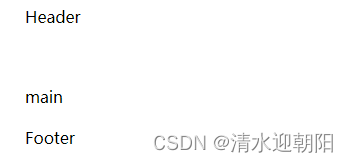
不加样式的话,
官网上的示例,加了额外样式
<style>
  .el-header, .el-footer {
    background-color: #B3C0D1;
    color: #333;
    text-align: center;
    line-height: 60px;
  }

  .el-aside {
    background-color: #D3DCE6;
    color: #333;
    text-align: center;
    line-height: 200px;
  }

  .el-main {
    background-color: #E9EEF3;
    color: #333;
    text-align: center;
    line-height: 160px;
  }

  body > .el-container {
    margin-bottom: 40px;
  }

  .el-container:nth-child(5) .el-aside,
  .el-container:nth-child(6) .el-aside {
    line-height: 260px;
  }

  .el-container:nth-child(7) .el-aside {
    line-height: 320px;
  }
</style>
这里需要注意的是,header高度默认60,
如果想改header高度,在样式里设置height没起作用
但是el-header 提供了height属性,可在属性里设置
<el-header height='160px'>
Element - The world's most popular Vue UI framework
		<el-header height='160px'>
			<el-menu :default-active="activeIndex"  mode="horizontal" @select="handleSelect" background-color="#545c64" text-color="#fff"   active-text-color="#ffd04b" >
				<el-menu-item index="1">首页</el-menu-item>
				<el-submenu index="2">
				  <template slot="title">古典小说</template>
				  <el-menu-item index="2-1">传世经典</el-menu-item>
				  <el-menu-item index="2-2">古书拾遗</el-menu-item>
				  <el-menu-item index="2-3">古典言情</el-menu-item>
				  <el-submenu index="2-4">
					<template slot="title">史书戏曲</template>
					<el-menu-item index="2-4-1">选项1</el-menu-item>
					<el-menu-item index="2-4-2">选项2</el-menu-item>
					<el-menu-item index="2-4-3">选项3</el-menu-item>
				  </el-submenu>
				</el-submenu>
				<!-- <el-menu-item index="3" disabled>消息中心</el-menu-item> -->
				<!-- <el-menu-item index="4"><a href="https://www.ele.me" target="_blank">订单管理</a></el-menu-item> -->
			  </el-menu>
		</el-header>
VUE 对应的data 和 选中某菜单事件方法
 <script>
    new Vue({
      el: '#app',
      data: function() {
        return {
			activeIndex: '1'
		 }
      },
      methods:{
		handleSelect(key, keyPath) {
        console.log(key, keyPath);
     	 }
      },
      mounted(){
      }

    })

  </script>
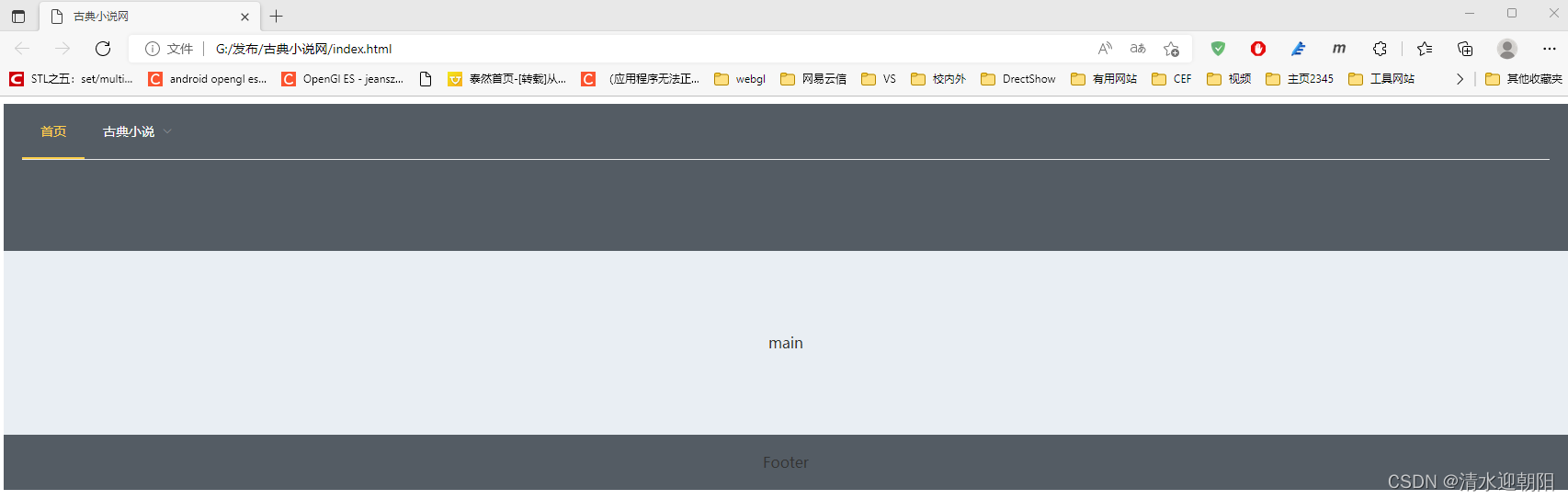
效果如下:
	/* 去除白线 */
	.el-menu.el-menu--horizontal{
     border: none;
    }
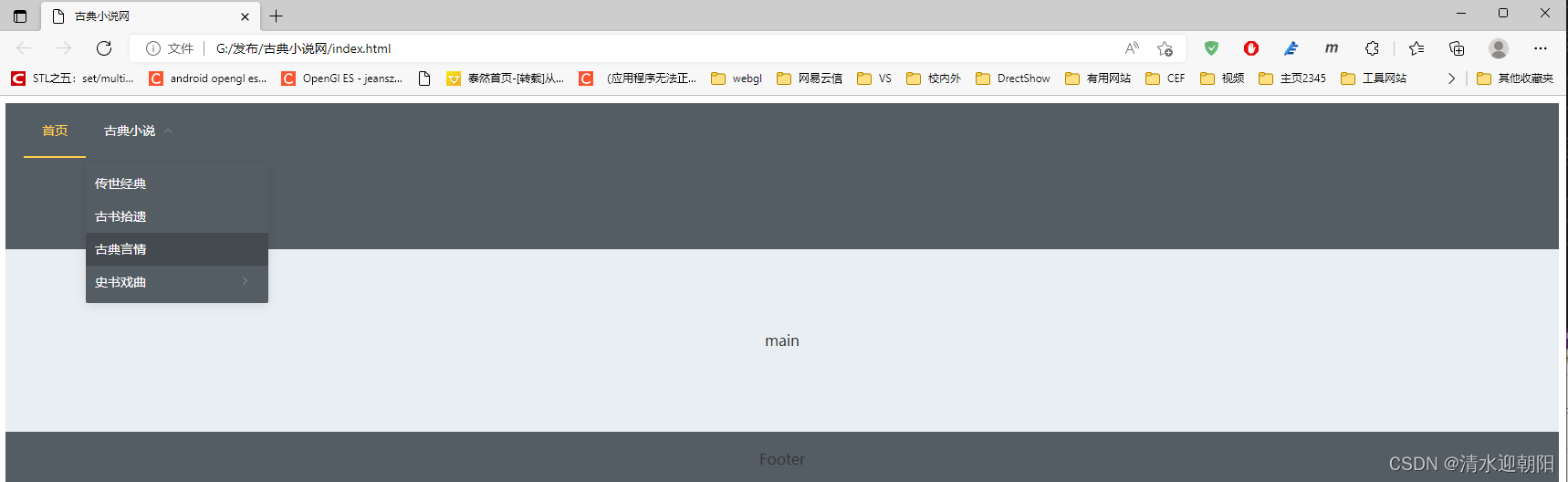
效果如下:
比如 ,想呈现如下效果
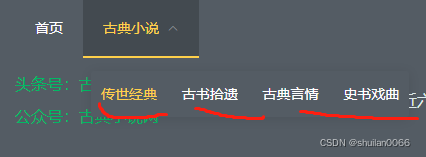
只需设置下li的样式
li {
	display: inline-block;
}

左侧与浏览器边界有边距
	 body{
		 margin:0;
	 }
消除边距
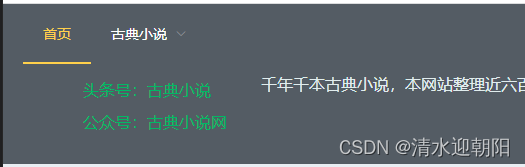
效果如下:
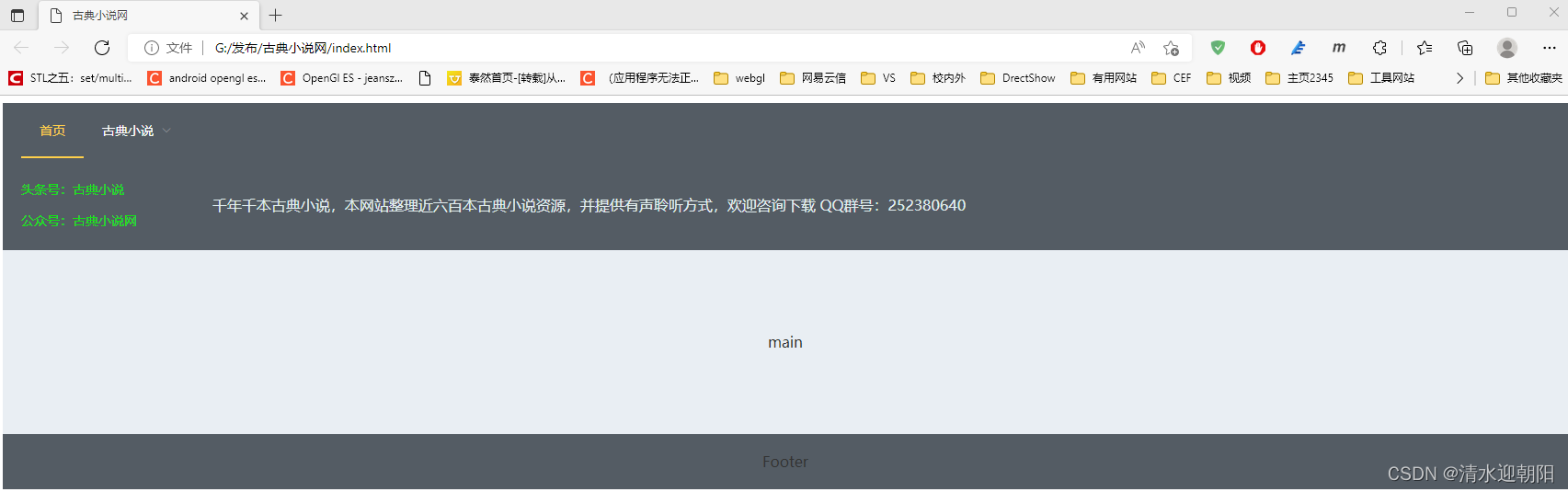
实现如下:
		<el-header height='160px'>
			<el-menu :default-active="activeIndex"  mode="horizontal" @select="handleSelect" background-color="#545c64" text-color="#fff"   active-text-color="#ffd04b" >
				<el-menu-item index="1">首页</el-menu-item>
				<el-submenu index="2">
				  <template slot="title">古典小说</template>
				  <el-menu-item index="2-1">传世经典</el-menu-item>
				  <el-menu-item index="2-2">古书拾遗</el-menu-item>
				  <el-menu-item index="2-3">古典言情</el-menu-item>
				  <el-submenu index="2-4">
					<template slot="title">史书戏曲</template>
					<el-menu-item index="2-4-1">选项1</el-menu-item>
					<el-menu-item index="2-4-2">选项2</el-menu-item>
					<el-menu-item index="2-4-3">选项3</el-menu-item>
				  </el-submenu>
				</el-submenu>
				<!-- <el-menu-item index="3" disabled>消息中心</el-menu-item> -->
				<!-- <el-menu-item index="4"><a href="https://www.ele.me" target="_blank">订单管理</a></el-menu-item> -->
			  </el-menu>

			  <el-row style="line-height:20px;font-size:14px;margin-top:10px;margin-bottom:20px;">
				  <el-col :span="3" style="text-align:left; color:rgb(18, 228, 18);">
					<p>头条号:古典小说</p>
					<p>公众号:古典小说网</p>
				  </el-col>
				  <el-col :span="21" style=" display: flex; font-size:16px; color:rgb(225, 237, 238); justify-content:flex-start;align-items:center;" justify="flex">
					<p>千年千本古典小说,本网站整理近六百本古典小说资源,并提供有声聆听方式,欢迎咨询下载 QQ群号:252380640</p>
				  </el-col>
			 </el-row>

		</el-header>
这里需要注意的是:
行高 line-height:20px;
字体大小 font-size:14px;
el-row行间距 margin-top:10px;margin-bottom:20px;
等设置
同时,行列布局采用的如下结构
              <el-row>

                  <el-col :span="3">
					<p>头条号:古典小说</p>
					<p>公众号:古典小说网</p>
                  </el-col>
                  <el-col :span="21">
                  </el-col>

             </el-row>
第1列,放了两个段落,我想让第2列 水平居左,垂直居中显示
这里使用flex布局 方式 (Flex 布局语法教程 | 菜鸟教程)
display:flex;
justify-content: flex-start; //水平居左对齐
align-items:center; //垂直居中对齐
				  <el-col :span="21" style=" display: flex; font-size:16px; color:rgb(225, 237, 238); justify-content:flex-start;align-items:center;" >
					<p>千年千本古典小说,本网站整理近六百本古典小说资源,并提供有声聆听方式,欢迎咨询下载 QQ群号:252380640</p>
				  </el-col>
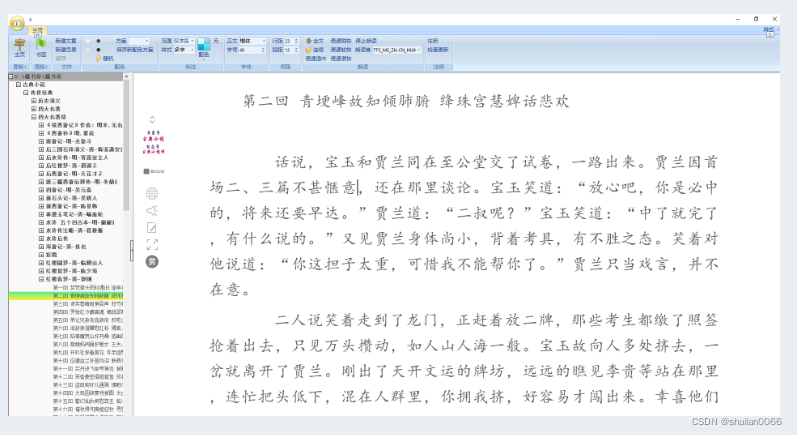
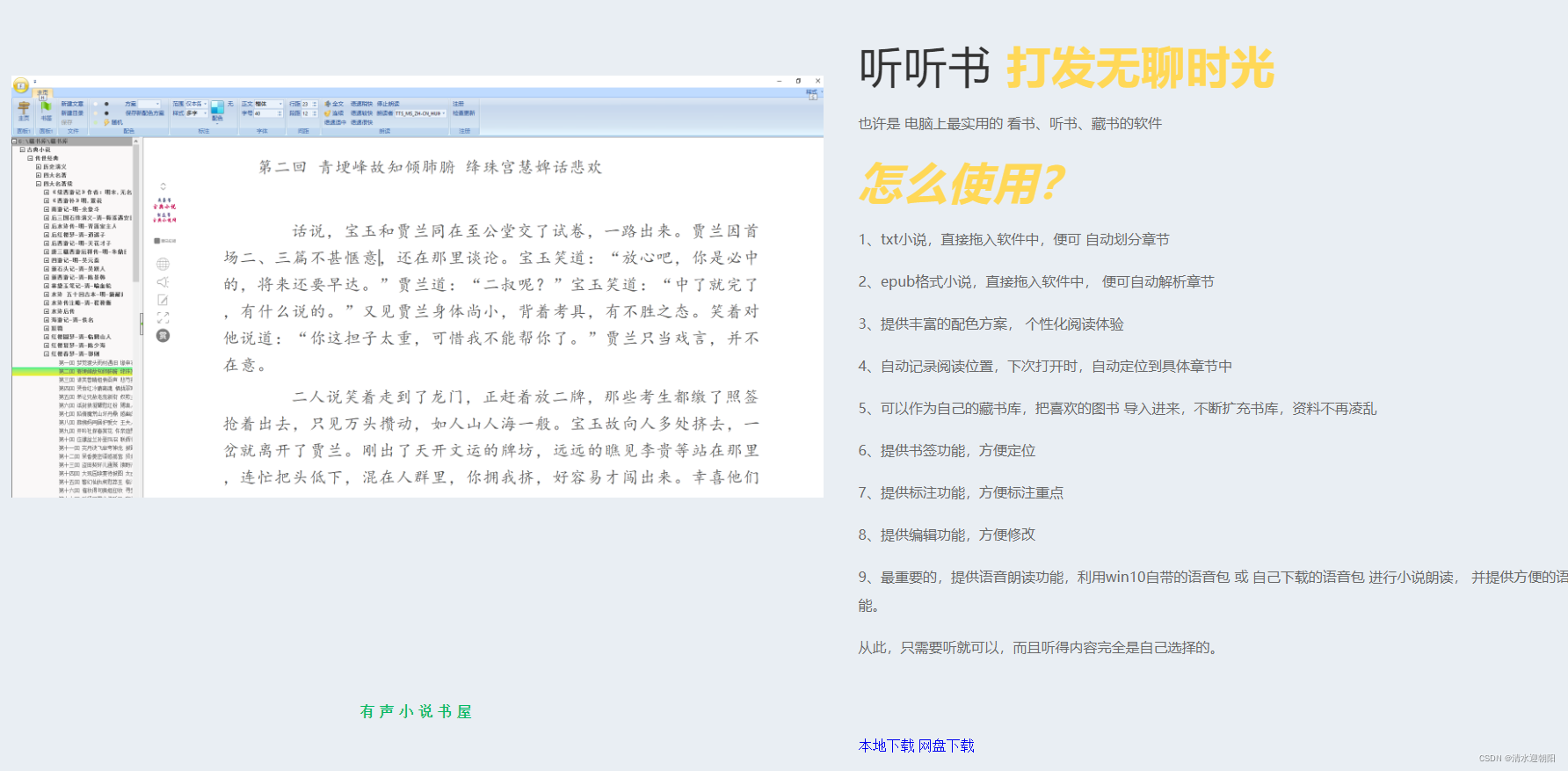
打算将自己写的几款软件,在这里展示下
实现效果如下:
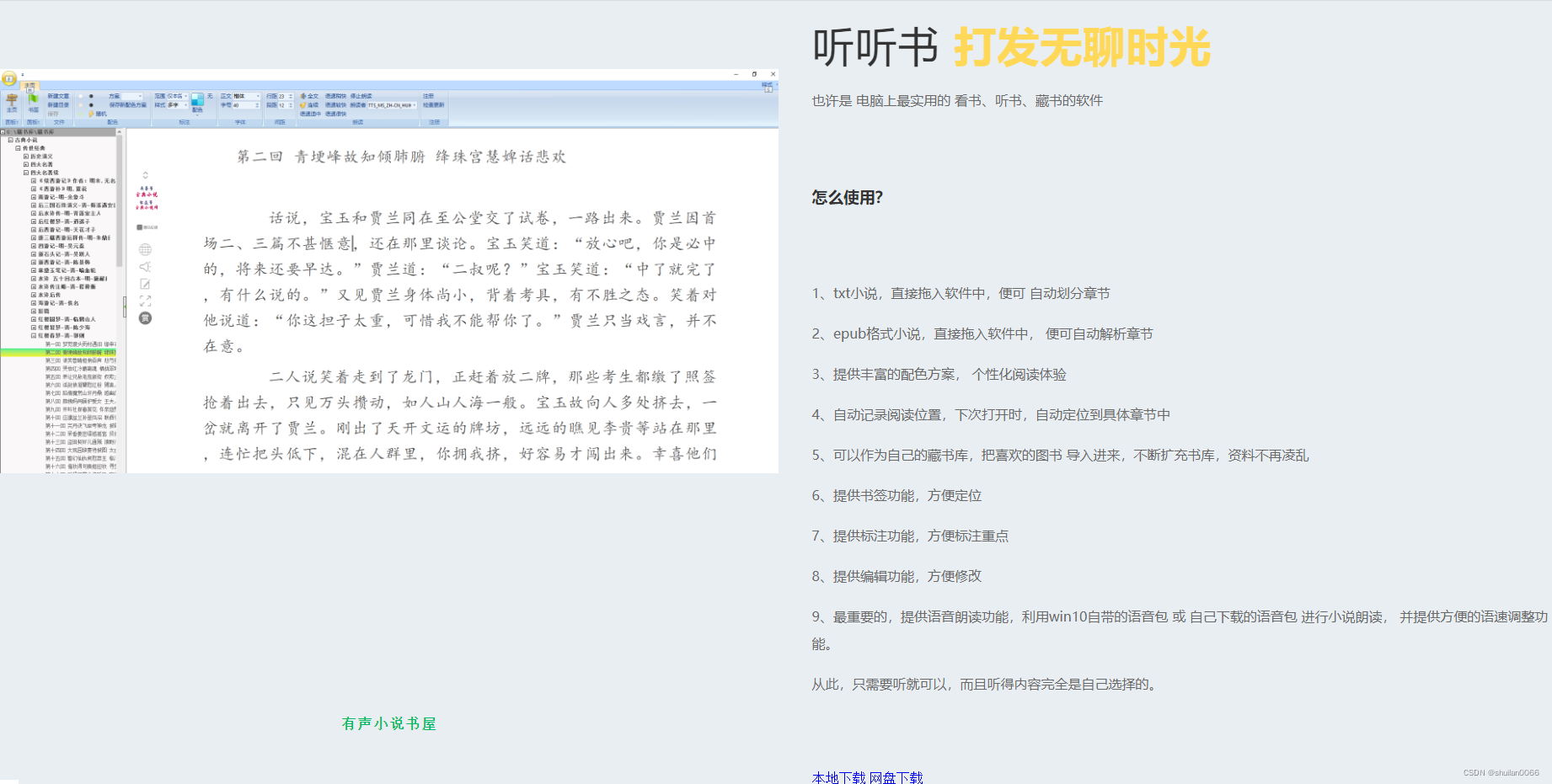
采用一行两列模式,左边显示图片,右边是介绍
		<el-main>
			<el-row>
				<el-col :span="12">
				</el-col>
				<el-col :span="12"  >
				</el-col>
			</el-row>
		</el-main>
                     <el-image
					 style="padding-bottom:0px;"
				     :src="youshengURL"
					 :fit="fit"></el-image>
参数对应于VUE中的成员变量
    new Vue({
      el: '#app',
      data: function() {
        return {
			activeIndex: '1',
			youshengURL: 'assets/img/有声小说.png',
			fit:'contain'
		 }
      },
效果如下:
				<el-col :span="12"  >

                     <el-image

				     :src="youshengURL"
					 :fit="fit">
                     </el-image>

					<h6 class="section-title">有声小说书屋</h6>


				</el-col>
效果如下:
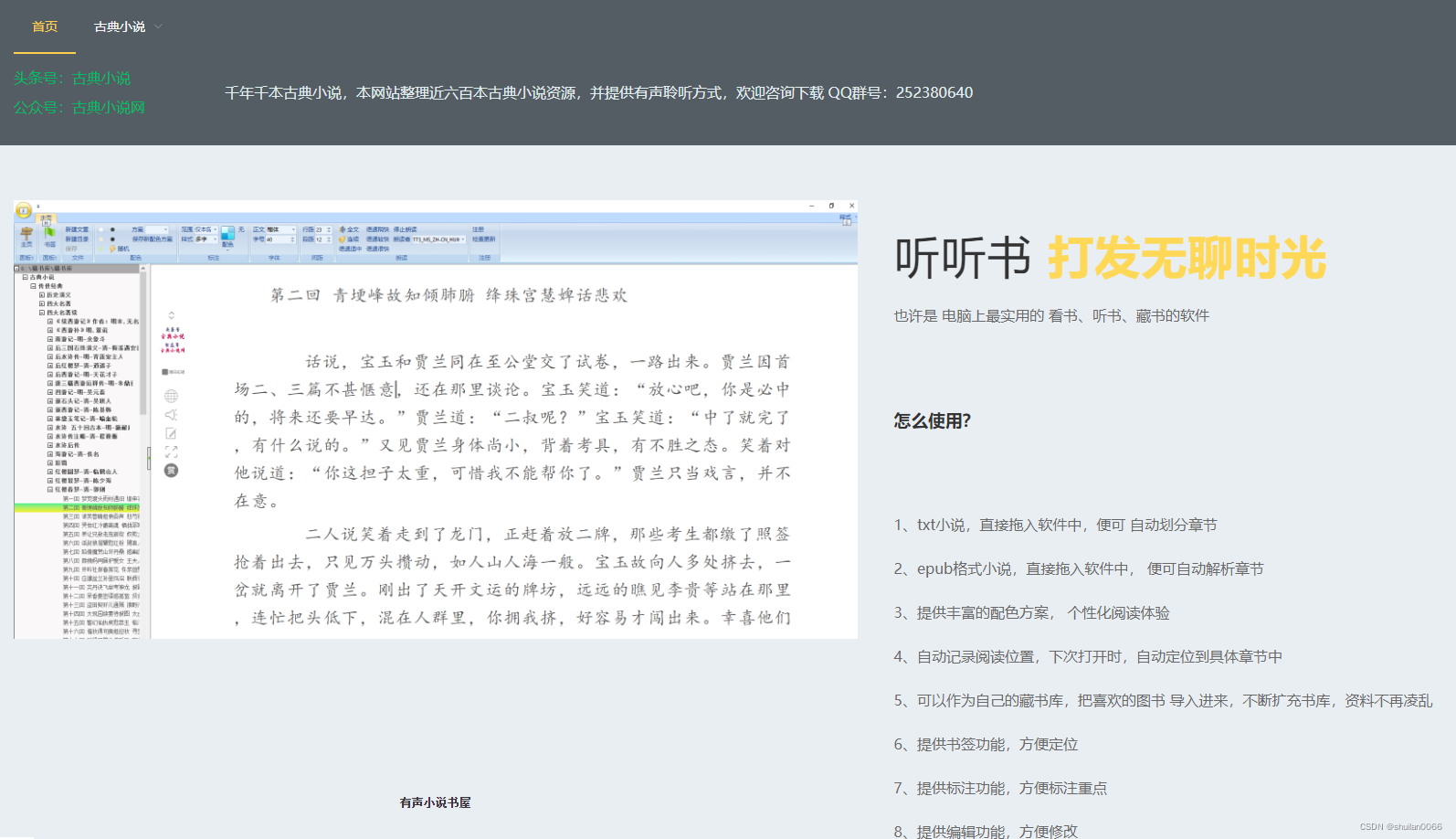
.section-title {
	position: relative;
}

.section-title h6 {
	color: #00B965;
	font-size: 17px;
	letter-spacing: 4px;
}
效果如下:
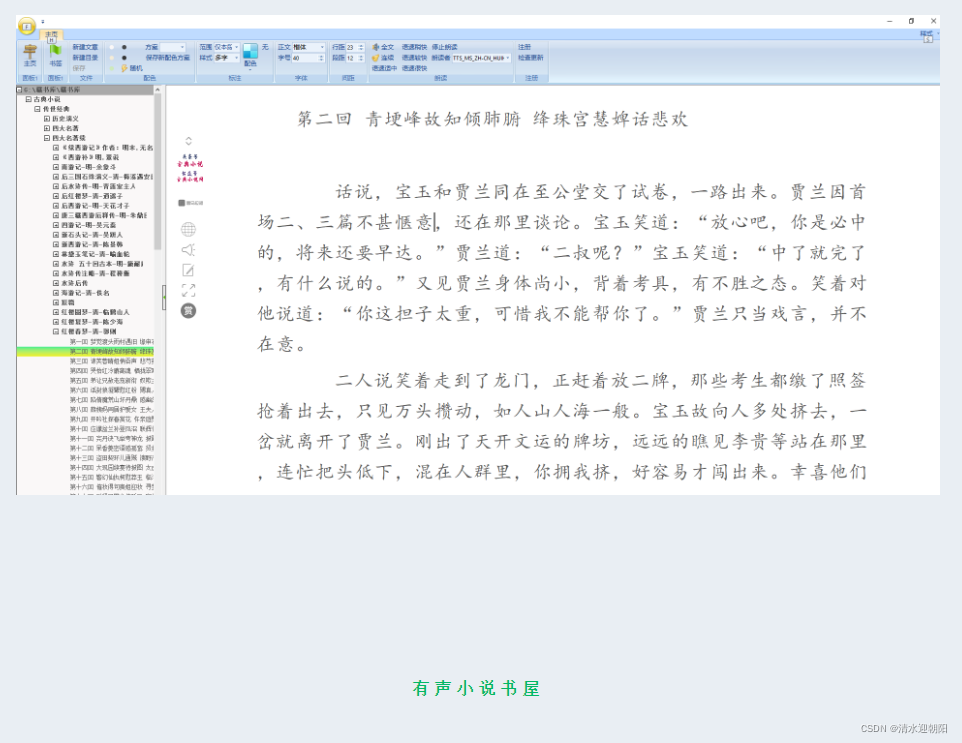
下载的排列效果:
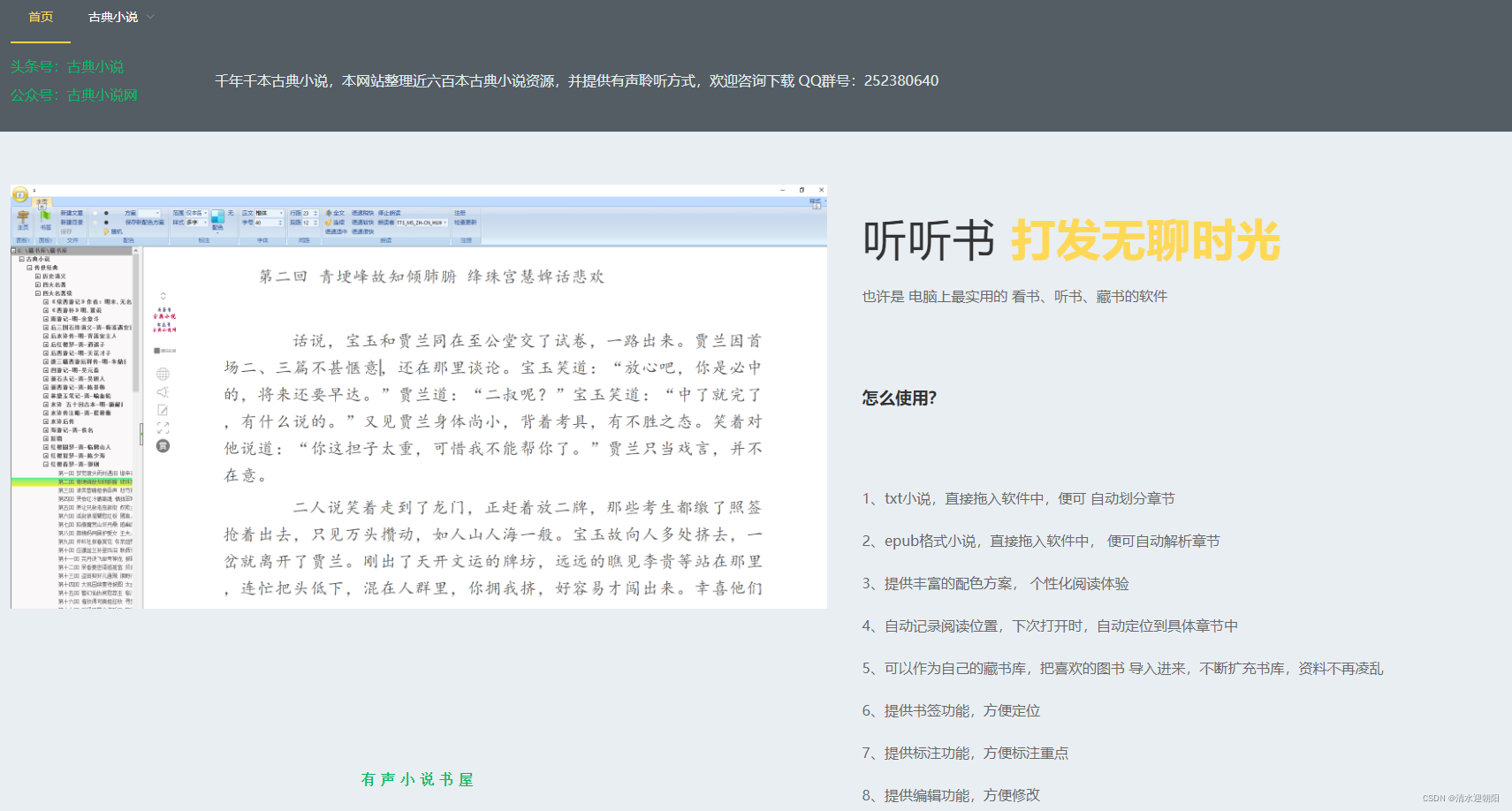
将其改为:
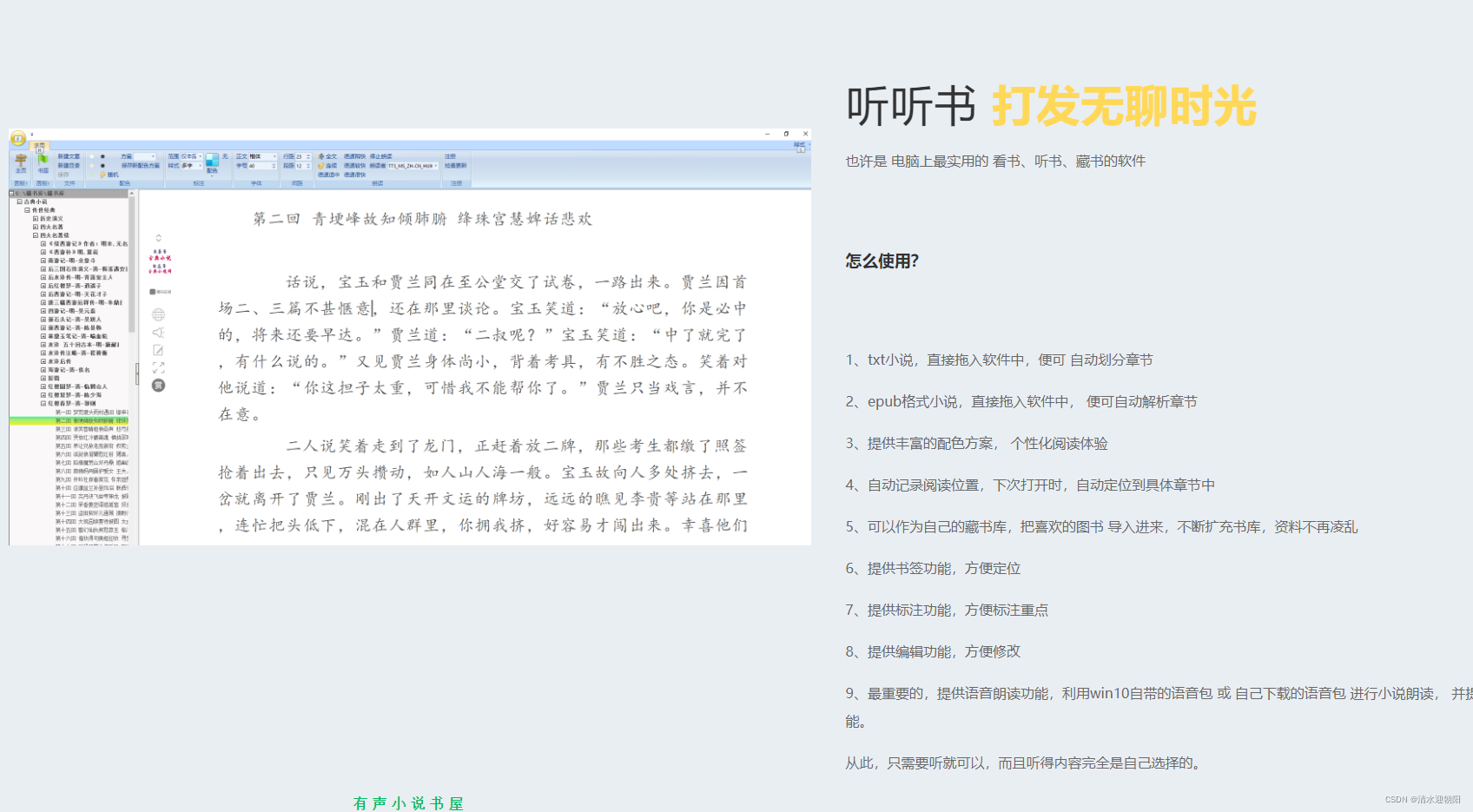
实现方式:
将el-col改为flex弹性布局 (Flex 布局语法教程 | 菜鸟教程)
				<el-col :span="12"  style="display:flex;  flex-direction:column; justify-content:space-around;" >

                     <el-image
				     :src="youshengURL"
					 :fit="fit">
					</el-image>
					<div class="section-title">
					  <h6 >有声小说书屋</h6>
					</div>

				</el-col>
这样就实现了所希望的效果
左侧图片,右侧文字介绍
.section-title h2 {
	font-size: 50px;
	font-weight: 500;
	line-height: 60px;
	letter-spacing: 1px;
	margin: 20px 0;
}

.section-title h2 b {
	color: #FFD857;
}

p {
	font-family: 'Quicksand', sans-serif;
	font-size: 16px;
	font-weight: 500;
	line-height: 32px;
	position: relative;
	color: #686868;
}
						<div class="section-title">
							<h2>听听书 <b>打发无聊时光</b></h2>
						</div>

						<p>也许是 电脑上最实用的 看书、听书、藏书的软件</p>
					   <!-- <h1> 怎么使用?</h1> -->
					   <div class="section-title">
						<h2><b><i>怎么使用?</i></b></h2>
					    </div>
					   <p>1、txt小说,直接拖入软件中,便可 自动划分章节</p>
					   <p>2、epub格式小说,直接拖入软件中, 便可自动解析章节</p>
					   <p>3、提供丰富的配色方案, 个性化阅读体验</p>
					   <p>4、自动记录阅读位置,下次打开时,自动定位到具体章节中</p>
					   <p>5、可以作为自己的藏书库,把喜欢的图书 导入进来,不断扩充书库,资料不再凌乱</p>
					   <p>6、提供书签功能,方便定位</p>
					   <p>7、提供标注功能,方便标注重点</p>
					   <p>8、提供编辑功能,方便修改</p>
					   <p>9、最重要的,提供语音朗读功能,利用win10自带的语音包 或 自己下载的语音包  进行小说朗读, 并提供方便的语速调整功能。 </p>
					   <p>从此,只需要听就可以,而且听得内容完全是自己选择的。</p>
效果:
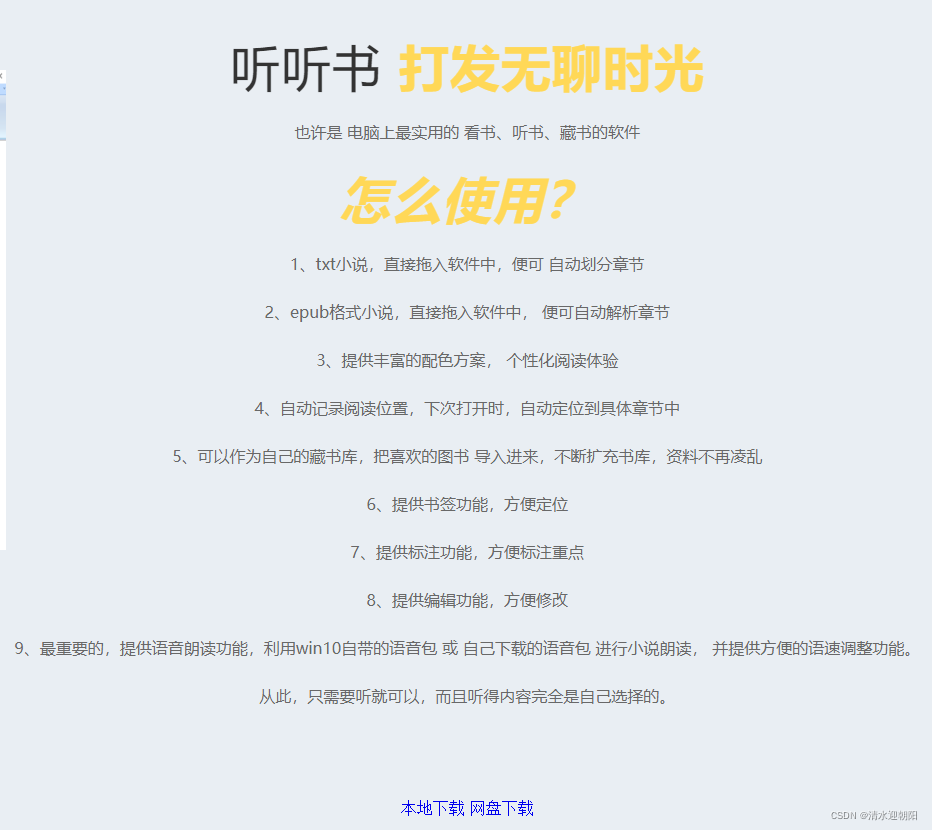
				<el-col :span="12" style="text-align: left;">

						<div class="section-title">
							<h2>听听书 <b>打发无聊时光</b></h2>
						</div>

						<p>也许是 电脑上最实用的 看书、听书、藏书的软件</p>
					   <!-- <h1> 怎么使用?</h1> -->
					   <div class="section-title">
						<h2><b><i>怎么使用?</i></b></h2>
					    </div>
					   <p>1、txt小说,直接拖入软件中,便可 自动划分章节</p>
					   <p>2、epub格式小说,直接拖入软件中, 便可自动解析章节</p>
					   <p>3、提供丰富的配色方案, 个性化阅读体验</p>
					   <p>4、自动记录阅读位置,下次打开时,自动定位到具体章节中</p>
					   <p>5、可以作为自己的藏书库,把喜欢的图书 导入进来,不断扩充书库,资料不再凌乱</p>
					   <p>6、提供书签功能,方便定位</p>
					   <p>7、提供标注功能,方便标注重点</p>
					   <p>8、提供编辑功能,方便修改</p>
					   <p>9、最重要的,提供语音朗读功能,利用win10自带的语音包 或 自己下载的语音包  进行小说朗读, 并提供方便的语速调整功能。 </p>
					   <p>从此,只需要听就可以,而且听得内容完全是自己选择的。</p>

					   <a href="down/有声小说书屋V3.11.zip" target="_blank" class="main-btn" >本地下载 </a>
						<a href="https://pan.baidu.com/s/1gvAZKdxjWZmVnBQpXBjGgQ" target="_blank" class="main-btn" >网盘下载 </a>
					   <p> 提取码:0000</p>

				</el-col>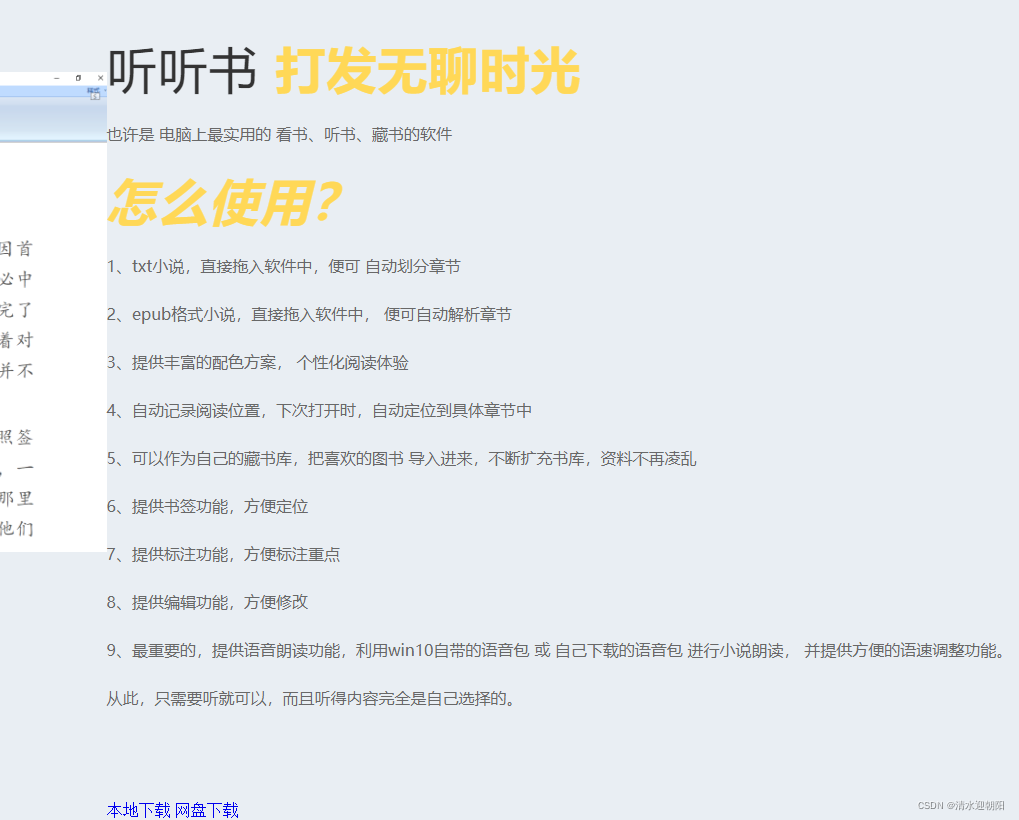
两列挨着太近了,设置下右侧col的padding-left
				<el-col :span="12" style="text-align: left;padding-left:40px;">

						<div class="section-title">
							<h2>听听书 <b>打发无聊时光</b></h2>
						</div>

						<p>也许是 电脑上最实用的 看书、听书、藏书的软件</p>
					   <!-- <h1> 怎么使用?</h1> -->
					   <div class="section-title">
						<h2><b><i>怎么使用?</i></b></h2>
					    </div>
					   <p>1、txt小说,直接拖入软件中,便可 自动划分章节</p>
					   <p>2、epub格式小说,直接拖入软件中, 便可自动解析章节</p>
					   <p>3、提供丰富的配色方案, 个性化阅读体验</p>
					   <p>4、自动记录阅读位置,下次打开时,自动定位到具体章节中</p>
					   <p>5、可以作为自己的藏书库,把喜欢的图书 导入进来,不断扩充书库,资料不再凌乱</p>
					   <p>6、提供书签功能,方便定位</p>
					   <p>7、提供标注功能,方便标注重点</p>
					   <p>8、提供编辑功能,方便修改</p>
					   <p>9、最重要的,提供语音朗读功能,利用win10自带的语音包 或 自己下载的语音包  进行小说朗读, 并提供方便的语速调整功能。 </p>
					   <p>从此,只需要听就可以,而且听得内容完全是自己选择的。</p>

					   <a href="down/有声小说书屋V3.11.zip" target="_blank" class="main-btn" >本地下载 </a>
						<a href="https://pan.baidu.com/s/1gvAZKdxjWZmVnBQpXBjGgQ" target="_blank" class="main-btn" >网盘下载 </a>
					   <p> 提取码:0000</p>

				</el-col>
/*Button Style */

.main-btn {
	display: inline-block;
	background: #FFD857;
	color: #191919;
	font-size: 16px;
	font-weight: 500;
	letter-spacing: 6px;
	text-transform: capitalize;
	padding: 14px 28px;
	text-align: center;
	vertical-align: middle;
	cursor: pointer;
	border-radius: 5px;
	-webkit-transition: .3s;
	transition: .3s;
	width: 100px;
	height: auto;
}


a {
	text-decoration: none;
	cursor: pointer;
	font-family: "Poppins", serif;
}


button,
input,
textarea,
a:hover,
a:focus,
a:visited {
	text-decoration: none;
	outline: none;
	outline-width: 0 !important;
}
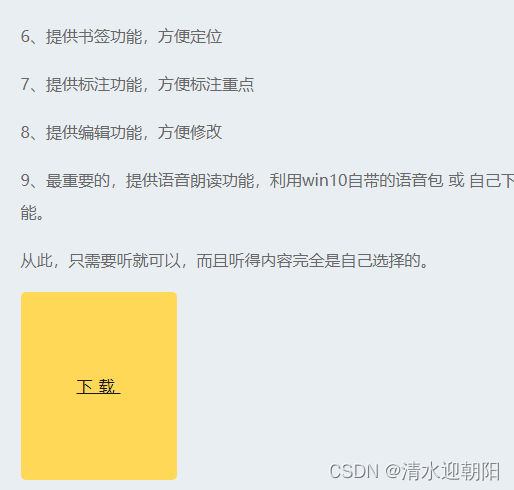
效果:
从网上又找了按钮样式:
a{
    display: block;
    line-height: 100px;
    text-align: center;
}

.main-btn {
    display: table-cell;
    text-align: center;
    vertical-align: middle;
	width: 200px;
	height: 100px;
	color: #fff;
	background-color: #6496c8;
	border: none;
	border-radius: 15px;
	box-shadow: 0 10px #27496d;
	letter-spacing: 6px;


}
效果如下:

		<el-main>
			<el-row>
				<el-col :span="12"  style="display:flex; height:800px; flex-direction:column; justify-content: flex-end;" >

                     <el-image
				     :src="youshengURL"
					 :fit="fit">
					</el-image>
					<div class="section-title">
					  <h6 >有声小说书屋</h6>
					</div>

				</el-col>
				<el-col :span="12" style="text-align: left;padding-left:40px;">

						<div class="section-title">
							<h2>听听书 <b>打发无聊时光</b></h2>
						</div>

						<p>也许是 电脑上最实用的 看书、听书、藏书的软件</p>
					   <!-- <h1> 怎么使用?</h1> -->
					   <div class="section-title">
						<h2><b><i>怎么使用?</i></b></h2>
					    </div>
					   <p>1、txt小说,直接拖入软件中,便可 自动划分章节</p>
					   <p>2、epub格式小说,直接拖入软件中, 便可自动解析章节</p>
					   <p>3、提供丰富的配色方案, 个性化阅读体验</p>
					   <p>4、自动记录阅读位置,下次打开时,自动定位到具体章节中</p>
					   <p>5、可以作为自己的藏书库,把喜欢的图书 导入进来,不断扩充书库,资料不再凌乱</p>
					   <p>6、提供书签功能,方便定位</p>
					   <p>7、提供标注功能,方便标注重点</p>
					   <p>8、提供编辑功能,方便修改</p>
					   <p>9、最重要的,提供语音朗读功能,利用win10自带的语音包 或 自己下载的语音包  进行小说朗读, 并提供方便的语速调整功能。 </p>
					   <p>从此,只需要听就可以,而且听得内容完全是自己选择的。</p>
					   <div style="display:flex;justify-content:space-around;">
					   <a href="down/有声小说书屋V3.11.zip" target="_blank" class="main-btn" >下载 </a>
					   </div>
				</el-col>
			</el-row>
			<el-divider></el-divider>
			<el-row>
				<el-col :span="12"  style="display:flex;  flex-direction:column; justify-content:space-around;" >

                     <el-image
				     :src="ketangURL"
					 :fit="fit">
					</el-image>
					<div class="section-title">
					  <h6 >快乐课堂</h6>
					</div>

				</el-col>
				<el-col :span="12" style="text-align: left;padding-left:40px;">

					<div class="section-title">
						<h6>快乐课堂</h6>
						<h2> 寓教于乐<b>小组、个人 完善积分机制</b></h2>
					</div>

					<p>老师评价:</p>
					<p>很好,很有创意</p>
					<p>这软件确实很实用</p>
					<p>学生很感兴趣</p>
					<p>这个软件在小组教学中,很有帮助</p>
					<div style="display:flex;justify-content:space-around;">
					<a href="down/快乐课堂V7.4.3.zip" target="_blank" class="main-btn" >本地下载 </a>
					</div>
				</el-col>
			</el-row>
			<el-divider></el-divider>
			<el-row>
				<el-col :span="12"  style="display:flex;  flex-direction:column; justify-content:space-around;" >

                     <el-image
				     :src="renxingURL"
					 :fit="fit">
					</el-image>
					<div class="section-title">
					  <h6 >任性动图</h6>
					</div>

				</el-col>
				<el-col :span="12" style="text-align: left;padding-left:40px;">
					<div class="section-title">
						<h6>任性动图</h6>
						<h2> 简简单单 傻瓜式创作动图<b> 就是这么任性</b></h2>
					</div>

					<p>文字、诗词生成动图,照片添加文字、生成动图,动图修改、添加文字等</p>
					<div style="display:flex;justify-content:space-around;">
						<a  href="down/任性动图V9.8.1.zip" target="_blank" class="main-btn" >本地下载 </a>
					</div>

				</el-col>
			</el-row>
		</el-main>
这里设置下el-row样式
	.el-row{
		margin: 100px 60px;

    }
el-row 之间加了 分隔符
<el-divider></el-divider>
想打造成以下样式
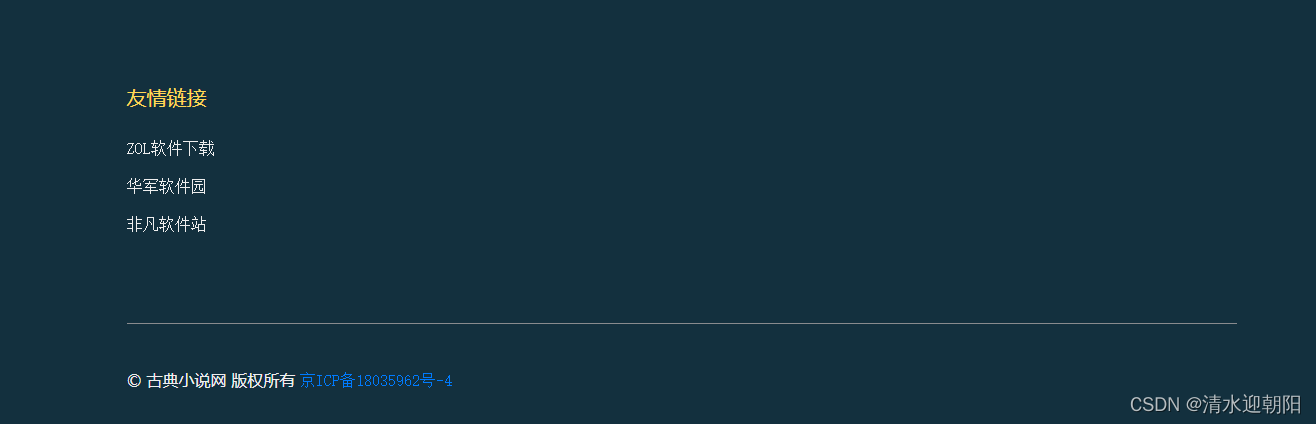
		<el-footer height="auto" class="footer-area">
         <el-row >
			 <el-col :span="8" >
				<h5>友情链接</h5>
				<ul >
					<li>
						<a href="http://xiazai.zol.com.cn/" target="_blank">ZOL软件下载</a>
						<a href="https://www.onlinedown.net/" target="_blank">华军软件园</a>
						<a href="https://www.crsky.com/" target="_blank">非凡软件站</a>
					</li>
				</ul>
			 </el-col>
		 </el-row>
		</el-footer>
去掉下划线等样式
a {
	text-decoration: none;
	cursor: pointer;
	font-family: "Poppins", serif;
}

.footer-area ul li a {
	line-height: 50px;
	display: block;
	color: #eee;

}
.footer-area h5 {
	font-size: 20px;
	font-weight: 500;
	margin: 4px 0;
	color: #FFD857;
}
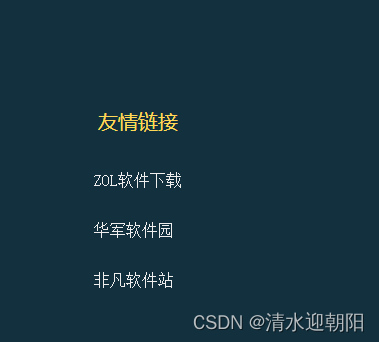
效果如下:
.footer-bottom {
	padding: 0px 0;
	border-top: 1px solid #898b8e;
}

.footer-bottom a {
      color: #007bff;
}
<div class="footer-bottom">
<p>© 古典小说网 版权所有 <a target="_blank" href="http://www.beian.miit.gov.cn">京ICP备18035962号-4 </a></p>
</div>
效果如下:

自此,首页就差不多写好了,在细节上微调下,这一版便可以了 。
<!DOCTYPE html>
<html lang="en">
<head>
<meta charset="utf-8">
<meta name="viewport" content="width=device-width, initial-scale=1">
<link rel="stylesheet" href="https://unpkg.com/element-ui/lib/theme-chalk/index.css">
<!-- Style CSS -->
<link href="assets/css/myGudianxiaoshuoStyle.css" rel="stylesheet">
<title>古典小说网</title>
</head>
<style>
body{
margin:0;
}
.el-header, .el-footer {
background-color: #13303e;
color: #333;
text-align: center;
line-height: 60px;
}
.el-footer {
color: #fff;
}
.el-aside {
background-color: #D3DCE6;
color: #333;
text-align: center;
line-height: 200px;
}
.el-main {
padding-top:60px;
background-color: #E9EEF3;
color: #333;
text-align: center;
line-height: 160px;
}
body > .el-container {
margin-bottom: 40px;
}
.el-container:nth-child(5) .el-aside,
.el-container:nth-child(6) .el-aside {
line-height: 260px;
}
.el-container:nth-child(7) .el-aside {
line-height: 320px;
}
/* 去除白线 */
.el-menu.el-menu--horizontal{
border: none;
}
.el-row{
margin: 100px 60px;
}
</style>
<body>
<div id="app">
<el-container>
<el-header height='160px'>
<el-menu :default-active="activeIndex" mode="horizontal" @select="handleSelect" background-color="#13303e" text-color="#fff" active-text-color="#ffd04b" >
<el-menu-item index="1">首页</el-menu-item>
<el-submenu index="2">
<template slot="title">古典小说</template>
<el-menu-item index="2-1">传世经典</el-menu-item>
<el-menu-item index="2-2">古书拾遗</el-menu-item>
<el-menu-item index="2-3">古典言情</el-menu-item>
<el-menu-item index="2-4">史书戏曲</el-menu-item>
</el-submenu>
<!-- <el-menu-item index="3" disabled>消息中心</el-menu-item> -->
<!-- <el-menu-item index="4"><a href="https://www.ele.me" target="_blank">订单管理</a></el-menu-item> -->
</el-menu>
<el-row style="line-height:20px;font-size:14px;margin-top:10px;margin-bottom:20px;">
<el-col :span="3" style="text-align:left; color:rgb(18, 228, 18);">
<div class="section-title">
<p class="pInfo">头条号:古典小说</p>
<p class="pInfo">公众号:古典小说网</p>
</div>
</el-col>
<el-col :span="21" style=" display: flex; font-size:16px; color:rgb(225, 237, 238); justify-content:flex-start;align-items:center;">
<sapn>千年千本古典小说,本网站整理近六百本古典小说资源,并提供有声聆听方式,欢迎咨询下载 QQ群号:252380640</sapn>
</el-col>
</el-row>
</el-header>
<el-main>
<el-row>
<el-col :span="12" style="display:flex; height:800px; flex-direction:column; justify-content: flex-end;" >
<el-image
:src="youshengURL"
:fit="fit">
</el-image>
<div class="section-title">
<h6 >有声小说书屋</h6>
</div>
</el-col>
<el-col :span="12" style="text-align: left;padding-left:40px;">
<div class="section-title">
<h2>听听书 <b>打发无聊时光</b></h2>
</div>
<p>也许是 电脑上最实用的 看书、听书、藏书的软件</p>
<!-- <h1> 怎么使用?</h1> -->
<div class="section-title">
<h2><b><i>怎么使用?</i></b></h2>
</div>
<p>1、txt小说,直接拖入软件中,便可 自动划分章节</p>
<p>2、epub格式小说,直接拖入软件中, 便可自动解析章节</p>
<p>3、提供丰富的配色方案, 个性化阅读体验</p>
<p>4、自动记录阅读位置,下次打开时,自动定位到具体章节中</p>
<p>5、可以作为自己的藏书库,把喜欢的图书 导入进来,不断扩充书库,资料不再凌乱</p>
<p>6、提供书签功能,方便定位</p>
<p>7、提供标注功能,方便标注重点</p>
<p>8、提供编辑功能,方便修改</p>
<p>9、最重要的,提供语音朗读功能,利用win10自带的语音包 或 自己下载的语音包 进行小说朗读, 并提供方便的语速调整功能。 </p>
<p>从此,只需要听就可以,而且听得内容完全是自己选择的。</p>
<div style="display:flex;justify-content:space-around;">
<a href="down/有声小说书屋V3.11.zip" target="_blank" class="main-btn" >下载 </a>
</div>
</el-col>
</el-row>
<el-divider></el-divider>
<el-row>
<el-col :span="12" style="display:flex; flex-direction:column; justify-content:space-around;" >
<el-image
:src="ketangURL"
:fit="fit">
</el-image>
<div class="section-title">
<h6 >快乐课堂</h6>
</div>
</el-col>
<el-col :span="12" style="text-align: left;padding-left:40px;">
<div class="section-title">
<h6>快乐课堂</h6>
<h2> 寓教于乐<b>小组、个人 完善积分机制</b></h2>
</div>
<p>老师评价:</p>
<p>很好,很有创意</p>
<p>这软件确实很实用</p>
<p>学生很感兴趣</p>
<p>这个软件在小组教学中,很有帮助</p>
<div style="display:flex;justify-content:space-around;">
<a href="down/快乐课堂V7.4.3.zip" target="_blank" class="main-btn" >本地下载 </a>
</div>
</el-col>
</el-row>
<el-divider></el-divider>
<el-row>
<el-col :span="12" style="display:flex; flex-direction:column; justify-content:space-around;" >
<el-image
:src="renxingURL"
:fit="fit">
</el-image>
<div class="section-title">
<h6 >任性动图</h6>
</div>
</el-col>
<el-col :span="12" style="text-align: left;padding-left:40px;">
<div class="section-title">
<h6>任性动图</h6>
<h2> 简简单单 傻瓜式创作动图<b> 就是这么任性</b></h2>
</div>
<p>文字、诗词生成动图,照片添加文字、生成动图,动图修改、添加文字等</p>
<div style="display:flex;justify-content:space-around;">
<a href="down/任性动图V9.8.1.zip" target="_blank" class="main-btn" >本地下载 </a>
</div>
</el-col>
</el-row>
</el-main>
<el-footer height="auto" class="footer-area">
<el-row style="margin:20px 100px;" justify="start">
<el-col :span="24" style="text-align:left;" >
<h5>友情链接</h5>
<ul >
<li>
<a href="http://xiazai.zol.com.cn/" target="_blank">ZOL软件下载</a>
<a href="https://www.onlinedown.net/" target="_blank">华军软件园</a>
<a href="https://www.crsky.com/" target="_blank">非凡软件站</a>
</li>
</ul>
</el-col>
</el-row>
<div class="footer-bottom">
<p>© 古典小说网 版权所有 <a target="_blank" href="http://www.beian.miit.gov.cn">京ICP备18035962号-4 </a></p>
</div>
</el-footer>
</el-container>
</div>
</body>
<script src="https://cdn.jsdelivr.net/npm/vue@2"></script>
<script src="https://unpkg.com/element-ui/lib/index.js"></script>
<script>
new Vue({
el: '#app',
data: function() {
return {
activeIndex: '1',
youshengURL: 'assets/img/有声小说.png',
ketangURL:'assets/img/kuaileketang.png',
renxingURL:'assets/img/renxingdongtu.png',
fit:'contain'
}
},
methods:{
handleSelect(key, keyPath) {
console.log(key, keyPath);
}
},
mounted(){
}
})
</script>
</html>
.about-content {
	margin-top: 30px;
}

/* Common CSS
============== */

html,
body {
	height: 100%;
}

body {
	font-family: 'Quicksand', sans-serif;
	font-size: 16px;
	line-height: 1.5;
	font-weight: 400;
	position: relative;
	z-index: 1;
	background: #fff;
	color: #191919;
	overflow-x: hidden;
}


h1,
h2,
h3,
h4,
h5,
	{
	position: relative;
	font-family: 'Quicksand', sans-serif;
	font-weight: 600;
	margin: 0;
	color: #191919;
}

h6 {
	font-family: "Poppins", serif;
}


a{
	text-decoration: none;
    line-height: 100px;
    text-align: center;
    font-family: "Poppins", serif;
}

p {
	font-family: 'Quicksand', sans-serif;
	font-size: 16px;
	font-weight: 500;
	line-height: 32px;
	position: relative;
	color: #686868;
}


button,
input,
textarea,
a:hover,
a:focus,
a:visited {
	text-decoration: none;
	outline: none;
	outline-width: 0 !important;
}

input:focus::-webkit-input-placeholder,
textarea:focus::-webkit-input-placeholder {
	color: transparent;
}

img {
	display: inline-block;
	max-width: 100%;
}

i,
span,
a {
	display: inline-block;
	text-align: left;
}

ul {
	list-style:none;
	margin: 0px;
	padding: 0px;
}

li {
	display: inline-block;

}

/*Section Padding CSS*/

.section-padding {
	padding: 120px 0;
}

@media only screen and (min-width: 992px) and (max-width: 1200px) {
	.section-padding {
		padding: 80px 0;
	}
}

@media only screen and (min-width: 768px) and (max-width: 991px) {
	.section-padding {
		padding: 60px 0;
	}
}

@media only screen and (min-width: 576px) and (max-width: 767px) {
	.section-padding {
		padding: 50px 0;
	}
}

@media (max-width: 575px) {
	.section-padding {
		padding: 50px 0;
	}
}

/*Margin & Padding */

.pad-top-0 {
	padding-top: 0;
}

.pad-bot-0 {
	padding-bottom: 0;
}

.pad-top-20 {
	padding-top: 20px;
}

.pad-bot-20 {
	padding-bottom: 20px;
}

.pad-top-30 {
	padding-top: 30px;
}

.pad-bot-30 {
	padding-bottom: 30px;
}

.pad-top-40 {
	padding-top: 40px;
}

.pad-bot-40 {
	padding-bottom: 40px;
}

.pad-top-50 {
	padding-top: 50px;
}

.pad-bot-50 {
	padding-bottom: 50px;
}

.mar-tp-30 {
	margin-top: 30px;
}

.mar-bt-30 {
	margin-bottom: 30px;
}

.mar-tp-50 {
	margin-top: 50px;
}

.mar-bt-50 {
	margin-bottom: 50px;
}

.mar-tp-100 {
	margin-top: 100px;
}

.mar-bt-100 {
	margin-bottom: 100px;
}

/*Section Title */


.section-title {
	position: relative;
}

.section-title h2 {
	font-size: 50px;
	font-weight: 500;
	line-height: 60px;
	letter-spacing: 1px;
	margin: 20px 0;
}

.section-title h2 b {
	color: #FFD857;
}

@media only screen and (min-width: 576px) and (max-width: 767px) {
	.section-title h2 {
		font-size: 40px;
		line-height: 55px;
		margin: 10px 0;
		margin-bottom: 20px;
	}
}

@media (max-width: 575px) {
	.section-title h2 {
		font-size: 35px;
		line-height: 45px;
		margin: 8px 0;
		margin-bottom: 15px;
	}
}

.section-title h5 {
	font-size: 18px;
	letter-spacing: 2px;
}

.section-title h6 {
	color: #00B965;
	font-size: 17px;
	letter-spacing: 4px;
}

/* Bacground Color CSS
============== */

.gray-bg {
	background: #f6f6f6;
}

.white-bg {
	background: #fff;
}

/* Causes Section CSS
======================= */

p.pInfo {
	margin: 0px;
	color: #00B965;
}

/*Button Style */


.main-btn {
    display: table-cell;
    text-align: center;
    vertical-align: middle;
	width: 200px;
	height: 100px;
	color: #fff;
	background-color: #6496c8;
	border: none;
	border-radius: 15px;
	box-shadow: 0 10px #27496d;
	letter-spacing: 6px;


}

/* Footer Area CSS
============== */

.footer-area {
	background: #13303e;
	color: #fff;
}

.footer-area .logo .navbar-brand {
	color: #fff;
}

.footer-area h5 {
	font-size: 20px;
	font-weight: 500;
	margin: 4px 0;
	color: #FFD857;
}

.footer-area p {
	color: #eee;
	margin-top: 20px;
}

.footer-area ul li a {
	line-height: 50px;
	display: block;
	color: #eee;

}

.footer-area ul li a:hover {
	color: #EFC94C;
}

.footer-up {
	padding: 80px 0;
}

.footer-bottom {
	padding: 0px 0;
	border-top: 1px solid #898b8e;
}

.footer-bottom a {
      color: #007bff;
}

p.privacy {
	text-align: right;
}
后继:
Vue CDN 有时候挂掉, 最后把VUE 放在服务器上 不使用CDN方式引入了
目录前言滤波电路科普主要分类实际情况单位的概念常用评价参数函数型滤波器简单分析滤波电路构成低通滤波器RC低通滤波器RL低通滤波器高通滤波器RC高通滤波器RL高通滤波器部分摘自《LC滤波器设计与制作》,侵权删。前言最近需要学习放大电路和滤波电路,但是由于只在之前做音乐频谱分析仪的时候简单了解过一点点运放,所以也是相当从零开始学习了。滤波电路科普主要分类滤波器:主要是从不同频率的成分中提取出特定频率的信号。有源滤波器:由RC元件与运算放大器组成的滤波器。可滤除某一次或多次谐波,最普通易于采用的无源滤波器结构是将电感与电容串联,可对主要次谐波(3、5、7)构成低阻抗旁路。无源滤波器:无源滤波器,又称
最近在学习CAN,记录一下,也供大家参考交流。推荐几个我觉得很好的CAN学习,本文也是在看了他们的好文之后做的笔记首先是瑞萨的CAN入门,真的通透;秀!靠这篇我竟然2天理解了CAN协议!实战STM32F4CAN!原文链接:https://blog.csdn.net/XiaoXiaoPengBo/article/details/116206252CAN详解(小白教程)原文链接:https://blog.csdn.net/xwwwj/article/details/105372234一篇易懂的CAN通讯协议指南1一篇易懂的CAN通讯协议指南1-知乎(zhihu.com)视频推荐CAN总线个人知识总
深度学习部署:Windows安装pycocotools报错解决方法1.pycocotools库的简介2.pycocotools安装的坑3.解决办法更多Ai资讯:公主号AiCharm本系列是作者在跑一些深度学习实例时,遇到的各种各样的问题及解决办法,希望能够帮助到大家。ERROR:Commanderroredoutwithexitstatus1:'D:\Anaconda3\python.exe'-u-c'importsys,setuptools,tokenize;sys.argv[0]='"'"'C:\\Users\\46653\\AppData\\Local\\Temp\\pip-instal
我完全不是程序员,正在学习使用Ruby和Rails框架进行编程。我目前正在使用Ruby1.8.7和Rails3.0.3,但我想知道我是否应该升级到Ruby1.9,因为我真的没有任何升级的“遗留”成本。缺点是什么?我是否会遇到与普通gem的兼容性问题,或者甚至其他我不太了解甚至无法预料的问题? 最佳答案 你应该升级。不要坚持从1.8.7开始。如果您发现不支持1.9.2的gem,请避免使用它们(因为它们很可能不被维护)。如果您对gem是否兼容1.9.2有任何疑问,您可以在以下位置查看:http://www.railsplugins.or
如何学习ruby的正则表达式?(对于假人) 最佳答案 http://www.rubular.com/在Ruby中使用正则表达式时是一个很棒的工具,因为它可以立即将结果可视化。 关于ruby-我如何学习ruby的正则表达式?,我们在StackOverflow上找到一个类似的问题: https://stackoverflow.com/questions/1881231/
深度学习12.CNN经典网络VGG16一、简介1.VGG来源2.VGG分类3.不同模型的参数数量4.3x3卷积核的好处5.关于学习率调度6.批归一化二、VGG16层分析1.层划分2.参数展开过程图解3.参数传递示例4.VGG16各层参数数量三、代码分析1.VGG16模型定义2.训练3.测试一、简介1.VGG来源VGG(VisualGeometryGroup)是一个视觉几何组在2014年提出的深度卷积神经网络架构。VGG在2014年ImageNet图像分类竞赛亚军,定位竞赛冠军;VGG网络采用连续的小卷积核(3x3)和池化层构建深度神经网络,网络深度可以达到16层或19层,其中VGG16和VGG
文章目录1、自相关函数ACF2、偏自相关函数PACF3、ARIMA(p,d,q)的阶数判断4、代码实现1、引入所需依赖2、数据读取与处理3、一阶差分与绘图4、ACF5、PACF1、自相关函数ACF自相关函数反映了同一序列在不同时序的取值之间的相关性。公式:ACF(k)=ρk=Cov(yt,yt−k)Var(yt)ACF(k)=\rho_{k}=\frac{Cov(y_{t},y_{t-k})}{Var(y_{t})}ACF(k)=ρk=Var(yt)Cov(yt,yt−k)其中分子用于求协方差矩阵,分母用于计算样本方差。求出的ACF值为[-1,1]。但对于一个平稳的AR模型,求出其滞
写在之前Shader变体、Shader属性定义技巧、自定义材质面板,这三个知识点任何一个单拿出来都是一套知识体系,不能一概而论,本文章目的在于将学习和实际工作中遇见的问题进行总结,类似于网络笔记之用,方便后续回顾查看,如有以偏概全、不祥不尽之处,还望海涵。1、Shader变体先看一段代码......Properties{ [KeywordEnum(on,off)]USL_USE_COL("IsUseColorMixTex?",int)=0 [Toggle(IS_RED_ON)]_IsRed("IsRed?",int)=0}......//中间省略,后续会有完整代码 #pragmamulti_c
按照目前的情况,这个问题不适合我们的问答形式。我们希望答案得到事实、引用或专业知识的支持,但这个问题可能会引发辩论、争论、投票或扩展讨论。如果您觉得这个问题可以改进并可能重新打开,visitthehelpcenter指导。关闭9年前。我来自C、php和bash背景,很容易学习,因为它们都有相同的C结构,我可以将其与我已经知道的联系起来。然后2年前我学了Python并且学得很好,Python对我来说比Ruby更容易学。然后从去年开始,我一直在尝试学习Ruby,然后是Rails,我承认,直到现在我还是学不会,讽刺的是那些打着简单易学的烙印,但是对于我这样一个老练的程序员来说,我只是无法将它
按照目前的情况,这个问题不适合我们的问答形式。我们希望答案得到事实、引用或专业知识的支持,但这个问题可能会引发辩论、争论、投票或扩展讨论。如果您觉得这个问题可以改进并可能重新打开,visitthehelpcenter指导。关闭10年前。有没有学习Ajax(jQuery)和Rails3的好资源?
